
SUPERJARE B0DQ4M2112
SUPERJARE 47 inch Reversible L Shaped Desk with LED Lights & Power Outlets and Ergonomic Office Chair
User Manual
Product Overview
This user manual provides comprehensive instructions for the assembly, operation, and maintenance of your SUPERJARE 47 inch Reversible L Shaped Desk with LED Lights & Power Outlets and Ergonomic Office Chair. This product combines a versatile L-shaped desk with integrated smart features and a highly adjustable ergonomic office chair, designed to enhance your work or gaming environment.

Figure 1: The SUPERJARE 47 inch Reversible L Shaped Desk with LED Lights and Power Outlets, paired with the Ergonomic Office Chair with Footrest. This image provides an overall view of the product combination.
The desk features customizable LED lighting, multiple power outlets, and ample storage. The chair offers multi-angle recline, adjustable armrests, and headrest for optimal comfort and support.
Important Safety Information
Please read all safety instructions carefully before assembly and use. Failure to follow these instructions may result in injury or damage to the product.
- Always unplug the desk from the power source before assembly or disassembly.
- Use appropriate tools and follow the assembly instructions carefully.
- Do not overload the desk with items heavier than the recommended weight limit.
- Keep the power outlets dry and free from debris.
- Always plug in and unplug the desk using the power switch provided.
Setup and Assembly
This section guides you through the assembly process for both the L-shaped desk and the ergonomic office chair. Ensure all components are present before beginning assembly.
Desk Assembly
The L-shaped desk is designed for reversible installation, allowing you to configure it to suit your space. Follow the step-by-step instructions provided in the packaging for detailed assembly. Ensure all screws are tightened securely.

Figure 2: Desk dimensions and illustration of reversible installation options. The desk measures 47.3 inches in width and 29.5 inches in height, with a depth of 19.3 inches on the main side. The L-extension is 23.6 inches deep. The design allows for the L-section to be installed on either the left or right side.
Once assembled, connect the power cord for the integrated power outlets and LED lights. Position the desk in your desired location, ensuring adequate ventilation around the power strip.
Chair Assembly
Assemble the ergonomic office chair by attaching the base, gas lift, seat, backrest, armrests, and headrest. Refer to the included assembly guide for specific steps. Ensure all connections are firm and stable.

Figure 3: Key features of the ergonomic office chair, including 2.4-inch up & down headrest adjustment, 60-degree rotatable headrest adjustment, a 27-inch wide steel base, and 5 metal wheels for stability and mobility.
Operation
Desk Features
The SUPERJARE desk is equipped with LED lighting and a built-in power strip for convenience.
- LED Lights: Control the LED lights via a dedicated mobile application or the smart controller. The app offers over 60,000 color options, timing mode, mic mode, and music mode. The smart controller allows switching between 12 scene modes, adjusting speed levels, and setting 3 brightness levels.
- Power Outlets: The built-in power strip includes 4 AC outlets, 2 USB ports, and 1 Type-C port. Use these to power and charge your monitor, office equipment, and gaming devices.
- Storage: Utilize the 2 storage shelves and the fabric drawer for organizing office supplies and personal items. The CPU stand provides a dedicated space for your computer tower.
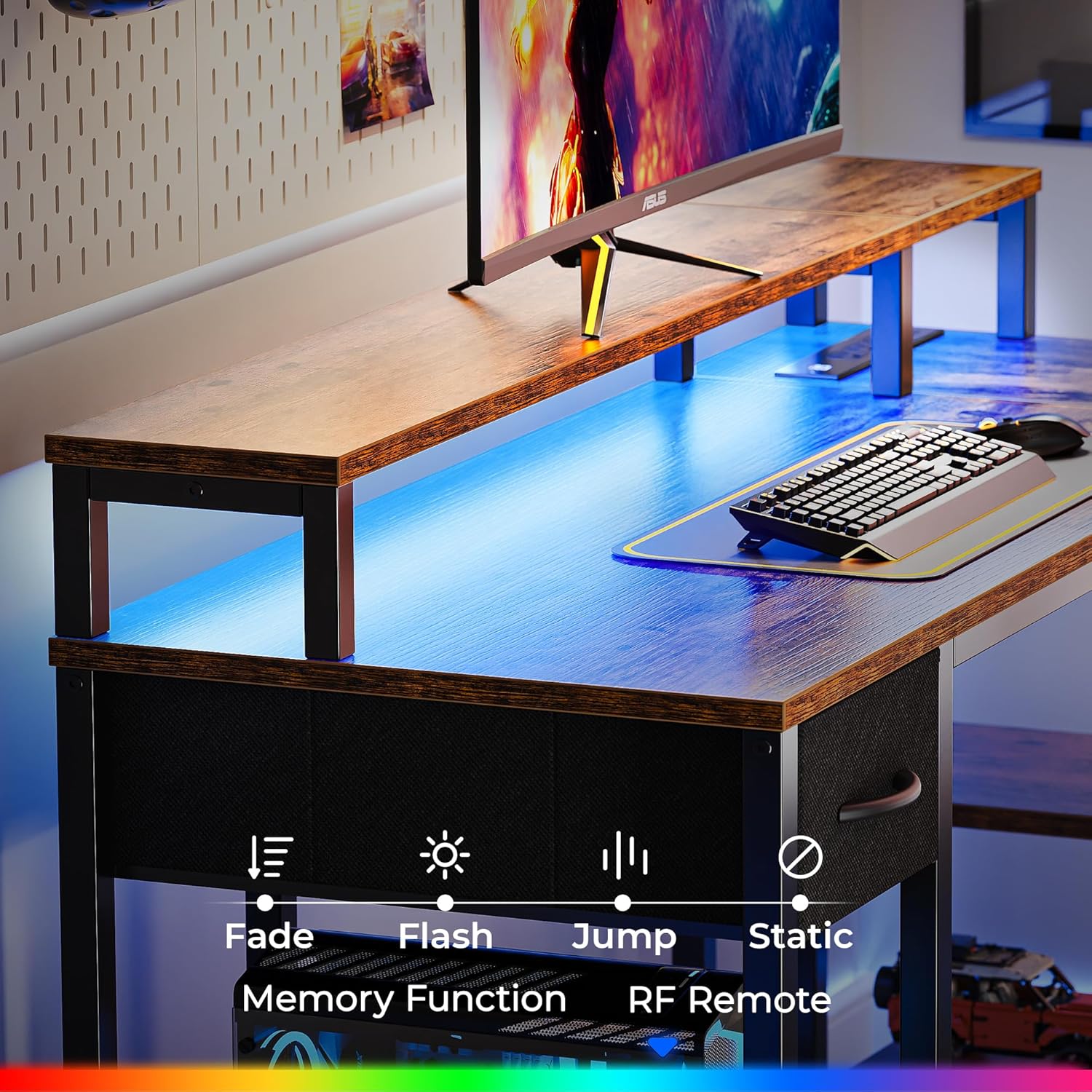
Figure 4: Illustration of LED light control options, including Fade, Flash, Jump, and Static modes, memory function, and RF remote control capabilities.

Figure 5: Close-up view of the built-in power strip, detailing 4 AC outlets (125V/12A), 2 USB ports (5V-2A), and a 6.6-foot power cord.
Chair Features
The ergonomic office chair offers multiple adjustments for personalized comfort.
- Recline Function: Adjust the backrest to three tilt angles: 90° for work, 115° for relaxation, and 135° for sleep. Use the easy-adjustable recline handle to set your preferred angle.
- Retractable Footrest: Extend the footrest for full recline and enhanced relaxation.
- 3D Adjustable Armrests: The armrests can be adjusted in three directions: 3.2 inches up & down, 2.4 inches front & back, and 25° left & right rotation. This allows for optimal elbow and wrist support.
- 2D Adjustable Headrest: The headrest moves up and down to provide customized neck support and reduce muscle strain.
- Adaptable Lumbar Support: The chair's design provides adaptable lumbar support, conforming to your cervical and lumbar spine for durable comfort.

Figure 6: Diagram illustrating the 90° (work), 115° (relax), and 135° (sleep) recline angles of the chair, along with the retractable footrest and adjustment lever.

Figure 7: Visual representation of the 3D adjustable armrests, showing vertical (up & down), horizontal (front & back), and rotational (left & right) movement capabilities.

Figure 8: Diagram illustrating how the chair's design adapts to the cervical spine, supports the lumbar spine, and fits cozily against the back for ergonomic comfort.
Maintenance and Care
Proper maintenance ensures the longevity and optimal performance of your desk and chair.
- Cleaning the Desk: Wipe surfaces with a soft, damp cloth. Avoid harsh chemicals or abrasive cleaners that may damage the finish. Ensure power outlets are dry before use.
- Cleaning the Chair: The mesh material of the chair is easy to clean. Use a mild soap solution and a soft cloth for spills. For general cleaning, a vacuum cleaner with a brush attachment can remove dust and debris.
- Regular Checks: Periodically check all screws and connections on both the desk and chair to ensure they remain tight. Re-tighten if necessary.
- Power Cord Care: Do not bend or crimp the power cord excessively. Keep it away from heat sources and sharp objects.
Troubleshooting
This section addresses common issues you might encounter and provides solutions.
| Problem | Possible Cause | Solution |
|---|---|---|
| LED lights not turning on. | Power cord not connected; controller issue; LED strip damage. | Ensure power cord is securely plugged into the wall and desk. Check controller battery if applicable. Contact support if lights remain off. |
| Power outlets not working. | Desk not plugged in; circuit breaker tripped; device issue. | Verify desk is plugged in. Check your home's circuit breaker. Test with a different device. |
| Chair recline mechanism is stiff. | Mechanism needs lubrication; debris in mechanism. | Apply a small amount of silicone lubricant to moving parts. Check for and remove any obstructions. |
| Chair squeaks during movement. | Loose bolts; friction between components. | Tighten all assembly bolts. Apply silicone lubricant to pivot points and joints. |
Product Specifications
| Feature | Detail |
|---|---|
| Brand | SUPERJARE |
| Model | B0DQ4M2112 |
| Desk Dimensions (L x W x H) | 47.3" x 19.3" x 29.5" (main section) |
| Desk Material | Wood (Top), Metal (Base) |
| Desk Finish | Walnut (Painted) |
| Power Outlets | 4 AC (125V/12A), 2 USB (5V-2A), 1 Type-C |
| LED Lights | 60,000+ colors, App/Smart Controller, Timing/Mic/Music modes |
| Storage Options | 2 shelves, 1 fabric drawer, CPU stand |
| Chair Material | Mesh (back/seat), PU (armrests), Steel (base) |
| Chair Recline Angles | 90°, 115°, 135° |
| Armrests | 3D Adjustable (up/down, front/back, rotate) |
| Headrest | 2D Adjustable (up/down) |
| Included Components | Desk, Chair |
Warranty and Support
This product comes with a Limited Warranty. Please refer to the warranty card included in your packaging for specific terms and conditions.
For technical support, missing parts, or warranty claims, please contact SUPERJARE customer service through their official website or the retailer where the product was purchased. Provide your model number (B0DQ4M2112) and a detailed description of the issue for faster assistance.
Ask a question about this manual
Ask about setup, troubleshooting, compatibility, parts, safety, or missing instructions. Manuals+ will review the question and use this page’s manual context to help answer it.