
1. Introduction and Overview
The RORRY Portable Charger Power Bank (Model CB06) is a versatile 10000mAh device designed to provide convenient power on the go. Featuring built-in USB-C and Lightning cables, an integrated AC wall plug, and additional USB-A and USB-C ports, it supports simultaneous charging of up to four devices. Its 22.5W fast charging capability ensures your devices are powered quickly and efficiently.

Figure 1: RORRY Portable Charger Power Bank (Model CB06)
2. Product Features
- 10000mAh Capacity: Provides multiple charges for smartphones and other small devices.
- Built-in Cables: Includes integrated USB-C and Lightning cables for direct device charging.
- Integrated AC Wall Plug: Allows direct recharging of the power bank from a wall outlet without extra adapters.
- 22.5W Fast Charging: Delivers rapid power to compatible devices.
- Multi-Device Charging: Equipped with built-in cables, 1 USB-A port, and 1 USB-C port to charge up to 4 devices simultaneously.
- Digital Display: Shows the remaining battery percentage.
- Compact and Portable: Designed for easy carrying in a pocket or bag.
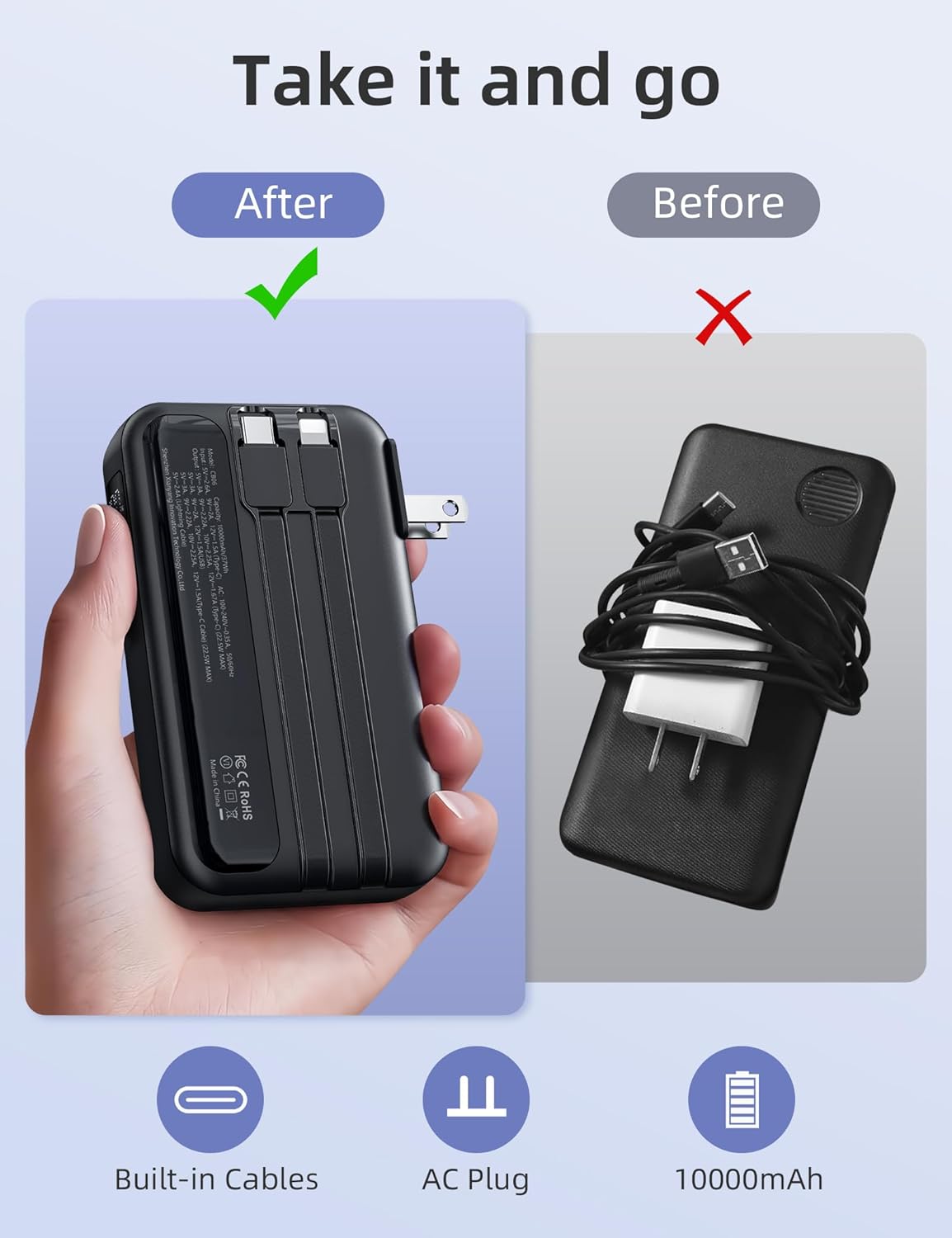
Figure 2: Key features of the RORRY Portable Charger
3. Setup
3.1 Initial Charging of the Power Bank
Before first use, fully charge your RORRY Portable Charger. You have two options:
- Using the AC Wall Plug: Fold out the integrated AC wall plug and insert it directly into a standard wall outlet. The digital display will show charging progress. Full charge takes approximately 5 hours.
- Using the USB-C Input Port: Connect a USB-C cable (not included) to the power bank's USB-C input port and to a compatible USB power adapter. Full charge takes approximately 3 hours.
3.2 Extending and Retracting Built-in Cables
Gently pull the desired built-in cable (USB-C or Lightning) from its storage slot until fully extended. To retract, push the cable back into its slot until it clicks securely into place.
4. Operating Instructions
4.1 Charging Your Devices
The RORRY Portable Charger can charge up to four devices simultaneously.
- Using Built-in Cables: Extend the appropriate built-in cable (USB-C or Lightning) and connect it directly to your device.
- Using USB Ports: For additional devices, connect your device's charging cable to the USB-A output port or the USB-C output port on the power bank.
- The digital display will indicate the power bank's remaining charge.

Figure 3: Charging multiple devices with built-in cables and ports
4.2 Fast Charging (22.5W)
The power bank supports 22.5W fast charging for compatible devices. This allows for rapid charging, such as reaching 56% charge for an iPhone 16 Pro in approximately 30 minutes.

Figure 4: Fast charging capabilities
5. Compatibility
The RORRY Portable Charger is widely compatible with various mobile phones and smart devices, including:
- iPhones (17/16/15 and older models)
- iPads (iPad Air and other models)
- Samsung Galaxy phones (S24/S23/S22 and other models)
- Google Pixel phones
- LG phones
- Other USB-C compatible devices
- AirPods Pro and other AirPods models
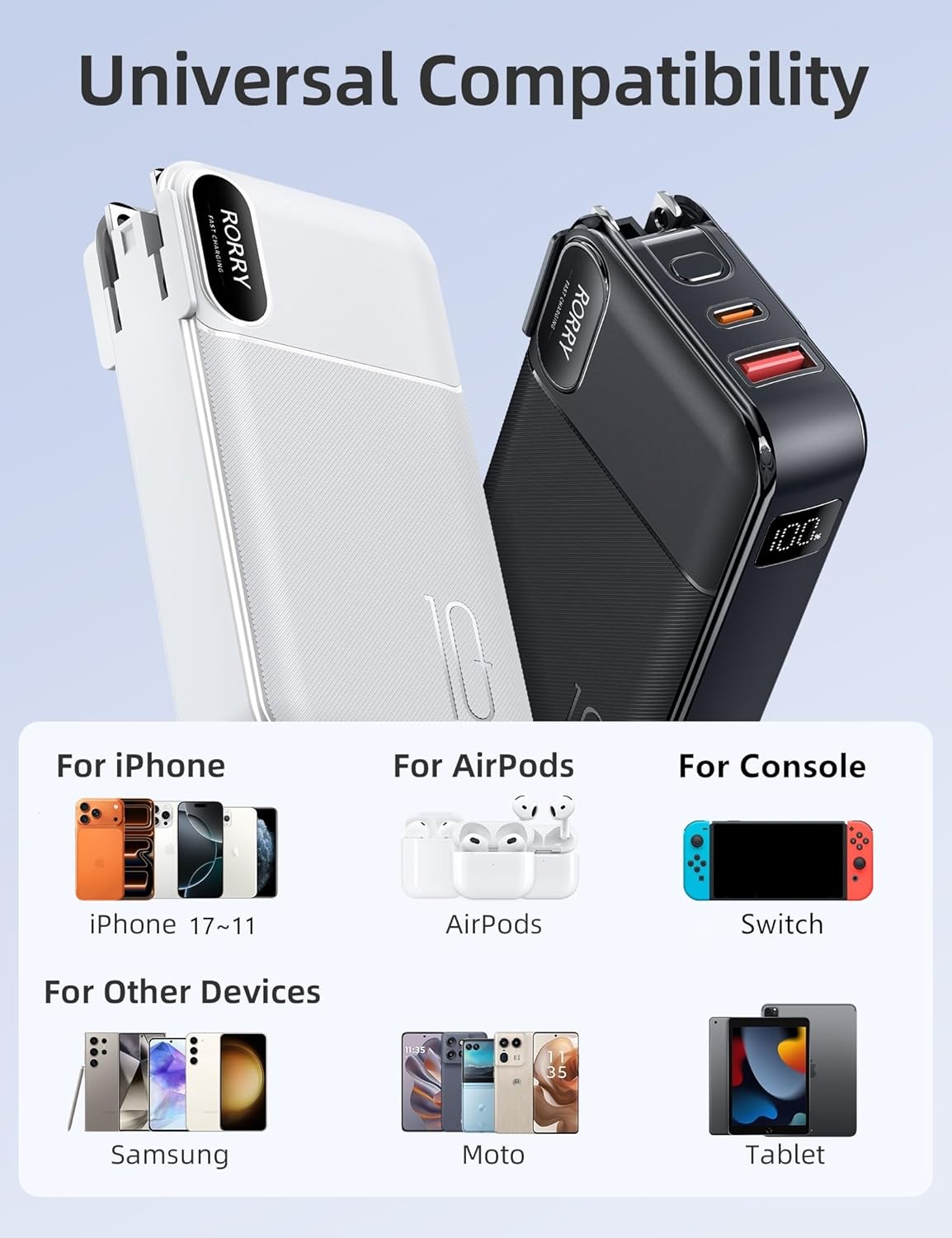
Figure 5: Broad device compatibility
6. Specifications
| Specification | Detail |
|---|---|
| Model Number | CB06 |
| Battery Capacity | 10000 Milliamp Hours |
| Product Dimensions | 4.37 x 2.5 x 1 inches |
| Item Weight | 8.4 ounces |
| Special Features | Built-in Cable, Built-in Wall Plug, Digital Display, Fast Charging, Pocket Size |
| Connector Type | USB-C & Lightning (built-in), USB-A, USB-C (ports) |
| Fast Charging | 22.5W |
| Recharge Time (AC Plug) | Approx. 5 hours |
| Recharge Time (Type-C Input) | Approx. 3 hours |
7. Maintenance
- Store the power bank in a cool, dry place away from direct sunlight.
- Avoid exposing the device to extreme temperatures or humidity.
- Clean the exterior with a soft, dry cloth. Do not use harsh chemicals or abrasive materials.
- Do not attempt to disassemble or repair the power bank yourself.
8. Troubleshooting
8.1 Device Not Charging
- Ensure the power bank is sufficiently charged (check digital display).
- Verify that the charging cable is securely connected to both the power bank and your device.
- Try using a different cable or port on the power bank.
8.2 Power Bank Not Recharging
- Ensure the AC wall plug is fully extended and securely inserted into a working outlet.
- If using the USB-C input, verify the cable and power adapter are functional.
9. Safety Information
The RORRY Portable Charger is equipped with multiple safety features to protect your devices and the power bank itself:
- Over-temperature protection
- Over-current protection
- Over-voltage protection
- Over-charge protection
- Short-circuit protection
Do not expose to fire, water, or extreme temperatures. Keep out of reach of children.
10. Warranty and Support
RORRY offers a 12-Months Care Plan for this product. For any inquiries or support, please refer to the contact information provided in your product packaging or visit the official RORRY website.
11. Official Product Video
Video 1: This official seller video demonstrates the RORRY Portable Charger with its built-in cables and AC wall plug, highlighting its compact design and ease of use for charging various devices.


