
Introduction
The TOUCH TWO C6 Motorcycle Helmet Bluetooth Headset is designed to enhance your riding experience with advanced communication and audio features. It offers two-way intercom functionality for rider-to-rider communication, high-fidelity stereo sound, active noise cancellation, and extended battery life. With its IPX6 waterproof rating and smart OLED screen, the C6 provides reliable performance in various conditions, ensuring clear communication and enjoyable music on your journeys.
What's in the Box
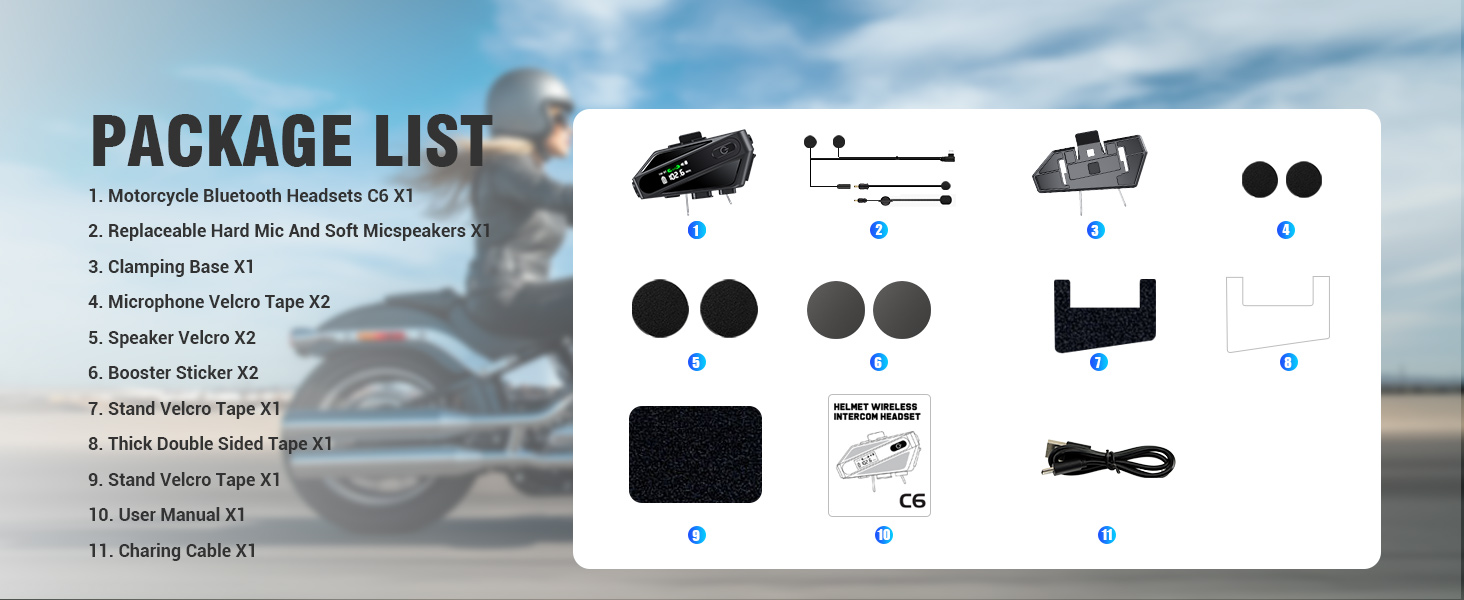
Image: Overview of the package contents, including the main unit and accessories.
- Wireless Unit (1)
- Headset & Microphone (2)
- Clip-on Base (1)
- Charging Cable (1)
- Round Speaker Adhesive (2)
- Square Microphone Adhesive (1)
- Single/Double Sided Speak Adhesive (2)
- Instruction Manuals (1)
- Gift Box (1)
Setup
1. Installation
The C6 headset is designed for easy installation on various helmet types, including full-face, half-helmet, and off-road helmets.
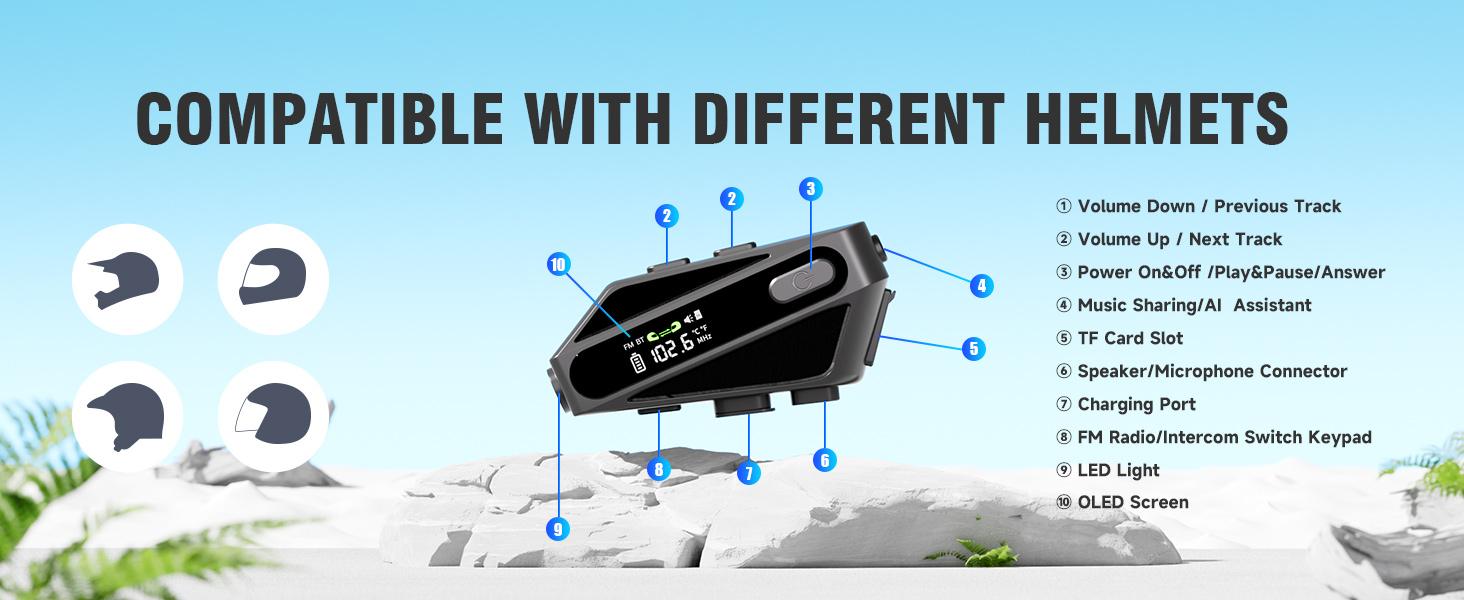
Image: Illustration of the C6 headset mounted on different helmet types, with key components labeled.
- Mounting the Unit: Attach the clip-on base to the side of your helmet. Ensure it is securely fastened. Slide the main wireless unit onto the base until it clicks into place.
- Speaker Placement: Use the provided speaker adhesives to secure the 50mm speakers inside the helmet's ear pockets. Ensure they are positioned directly over your ears for optimal sound quality.
- Microphone Installation: Choose between the hard mic (for open-face helmets) or soft mic (for full-face helmets). Attach the microphone using the square microphone adhesive, positioning it close to your mouth for clear voice pickup. Connect the microphone to the designated port on the main unit.
2. Charging the Device
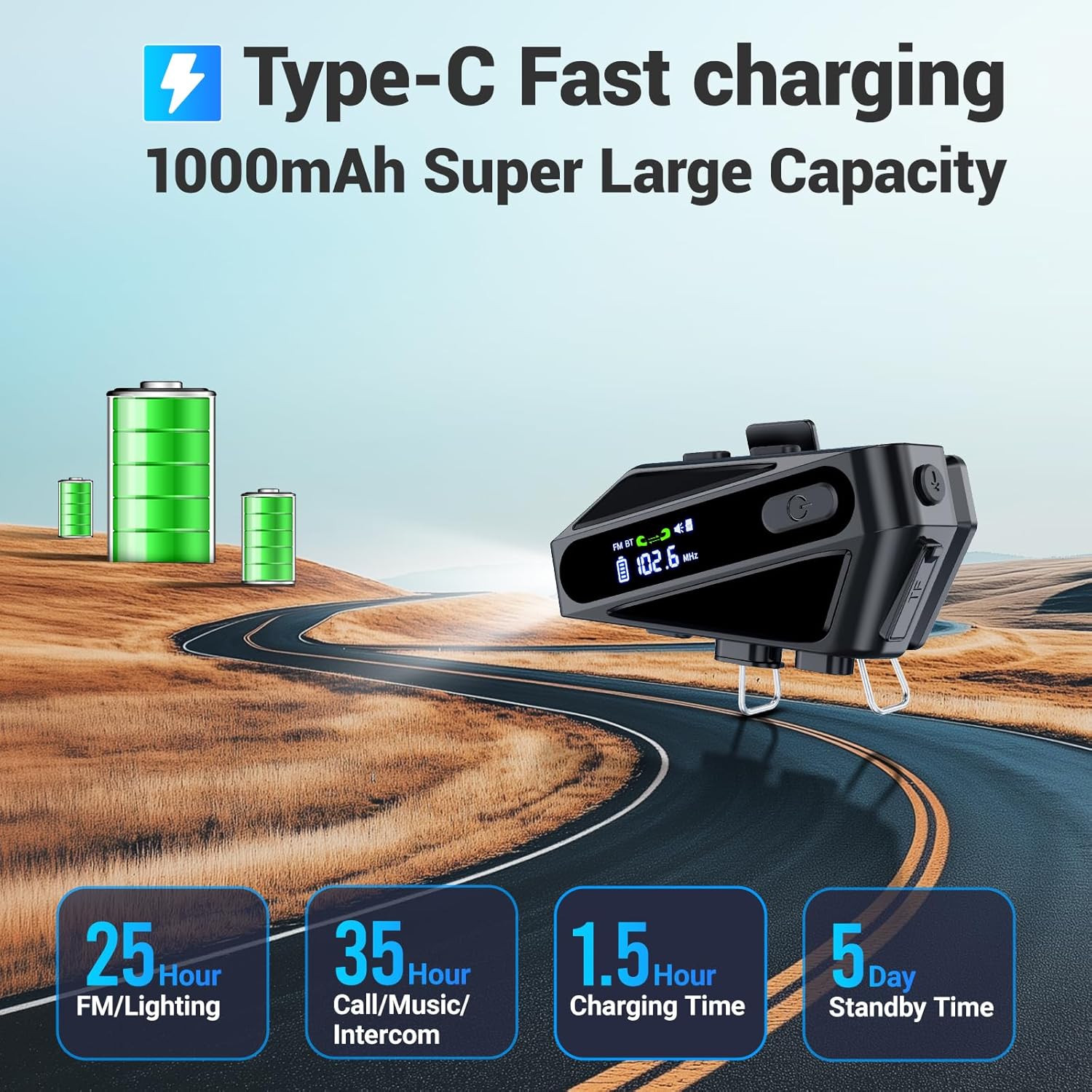
Image: The C6 headset connected to a USB-C charging cable, highlighting its 1000mAh battery and fast charging capability.
- Connect the provided USB-C charging cable to the charging port on the headset and to a compatible USB power source.
- A full charge takes approximately 1.5 hours.
- Battery life: 25 hours for FM/lighting, 32-35 hours for music/call/intercom, and 120 hours of standby time.
3. Bluetooth Pairing
The C6 uses Bluetooth 5.3 for stable and fast connections.
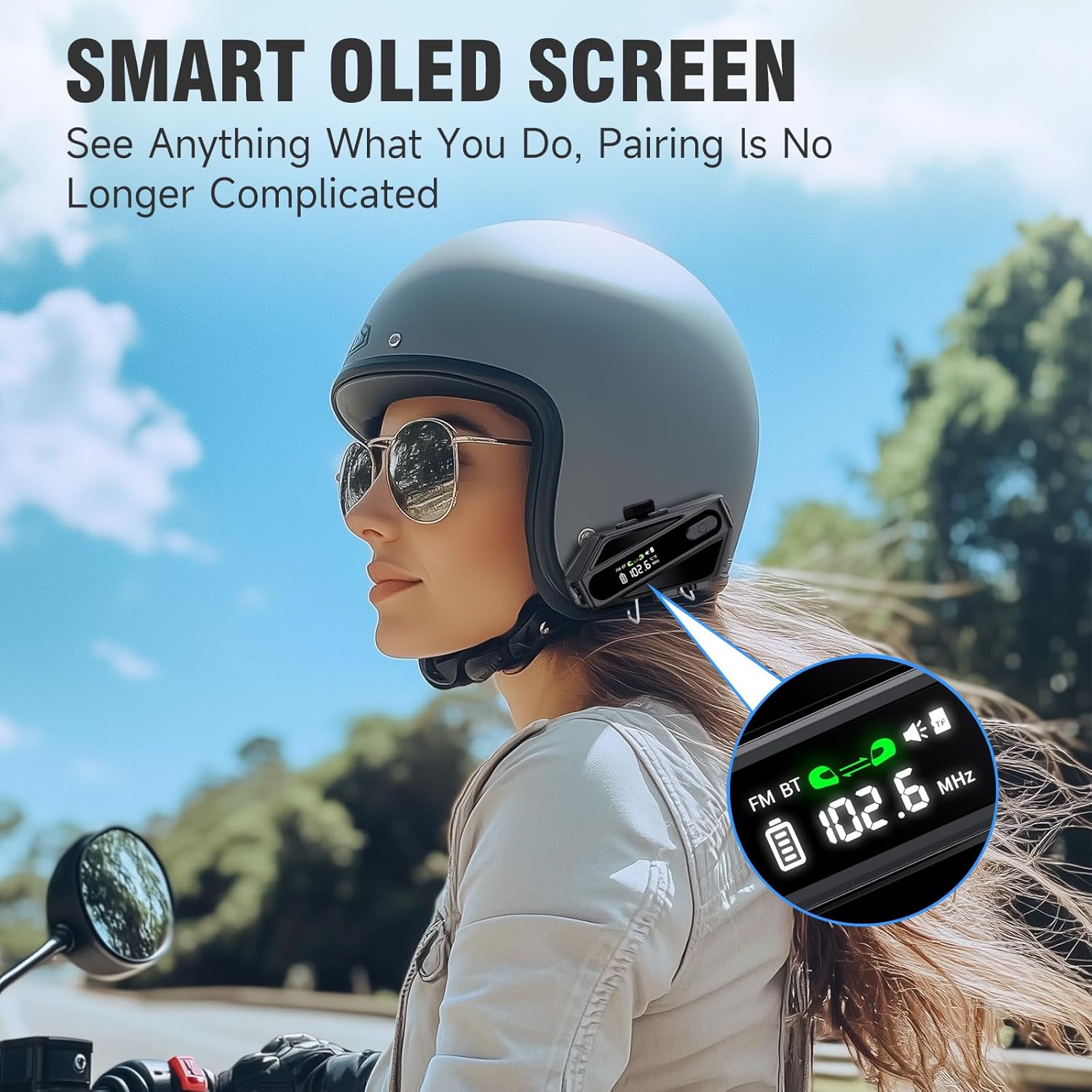
Image: The smart OLED screen on the C6 headset, indicating its user-friendly interface for pairing and status updates.
- Ensure the headset is powered off.
- Press and hold the Power button until the OLED screen indicates pairing mode (refer to the screen for specific prompts).
- On your mobile device, enable Bluetooth and search for "TOUCH TWO C6".
- Select the device to pair. Once connected, the OLED screen will confirm successful pairing.
Operating Instructions

Image: A rider wearing a helmet with the C6 headset, illustrating the tactile buttons for various functions including LED lighting, music control, and voice assistant activation.
Power On/Off
- Power On: Press and hold the Power button (labeled with a power icon) for approximately 3 seconds until the OLED screen lights up.
- Power Off: Press and hold the Power button for approximately 5 seconds until the screen turns off.
Music Playback
- Play/Pause: Short press the Power button.
- Next Song: Short press the Volume Up (+) button.
- Previous Song: Short press the Volume Down (-) button.
- Volume Control: Long press the Volume Up (+) or Volume Down (-) button to adjust the volume.
- Music Sharing: Long press the 'M' button (Mic button) for 2 seconds to share music with another paired C6 headset.
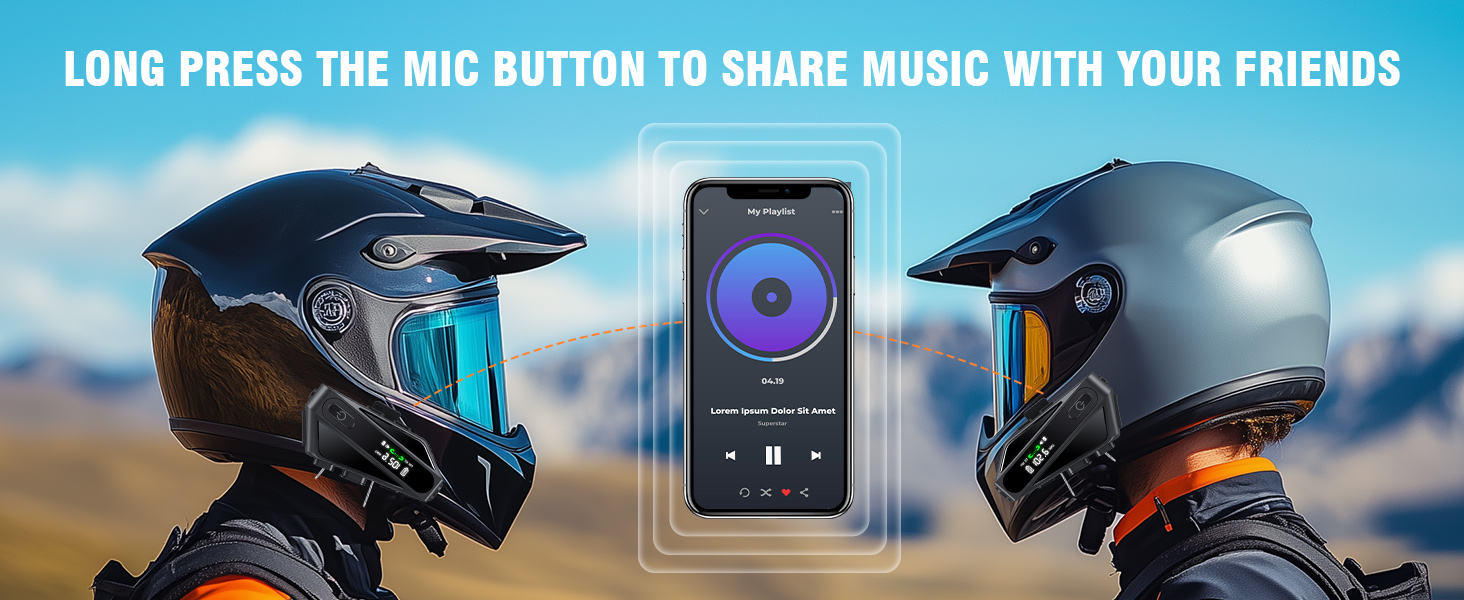
Image: Two motorcyclists riding side-by-side, illustrating the music sharing feature between their C6 headsets.
Call Management & Voice Assistant
- Answer Call: Short press the Power button when an incoming call is received.
- End Call: Short press the Power button during a call.
- Reject Call: Long press the Power button for 2 seconds when an incoming call is received.
- Activate Voice Assistant (Siri/Google Assistant): Single click the 'M' button.
- Automatic Hands-Free Call: The device supports 10-second automatic hands-free calling.
Intercom Function
The C6 supports two-way intercom communication up to 600 meters (197 feet) in open-field conditions.

Image: Two motorcyclists on a scenic road, demonstrating the 600-meter intercom range for rider-to-rider communication.
- Initiate Intercom: Tap the 'M' button to switch between FM and Intercom mode. Follow the on-screen instructions for pairing with another C6 unit.
- Ending Intercom: Short press the 'M' button again to exit intercom mode.
FM Radio
The C6 features an FM smart radio with automatic channel search (87.5-108 MHz).
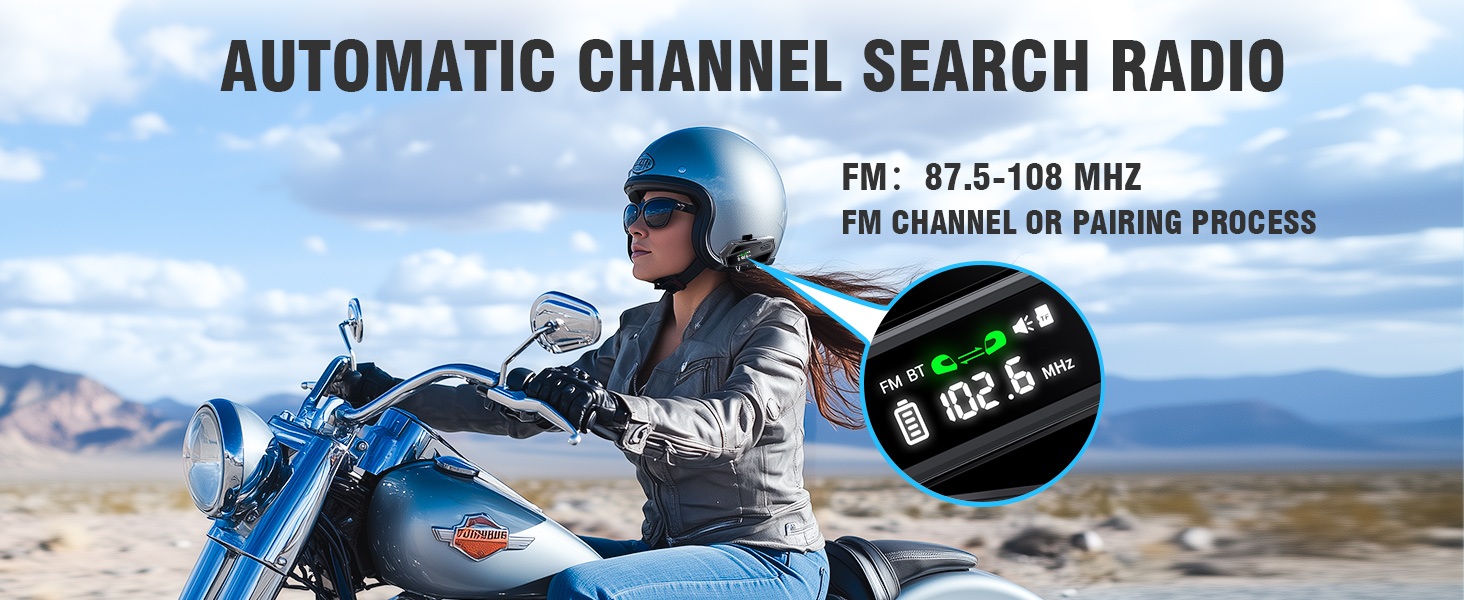
Image: A woman on a motorcycle, with a close-up of the C6 headset's screen displaying the FM radio frequency.
- Switch to FM Mode: Tap the 'M' button to cycle through modes until FM is displayed.
- Automatic Channel Search: The device will automatically search for available FM channels.
TF Card Playback
The C6 includes a TF card slot for playing MP3 music directly from a memory card.
- Insert a TF card with MP3 audio files into the designated slot.
- The headset will automatically detect and begin playing music from the TF card.
- Supports up to 30 hours of TF card playback.
LED Lighting
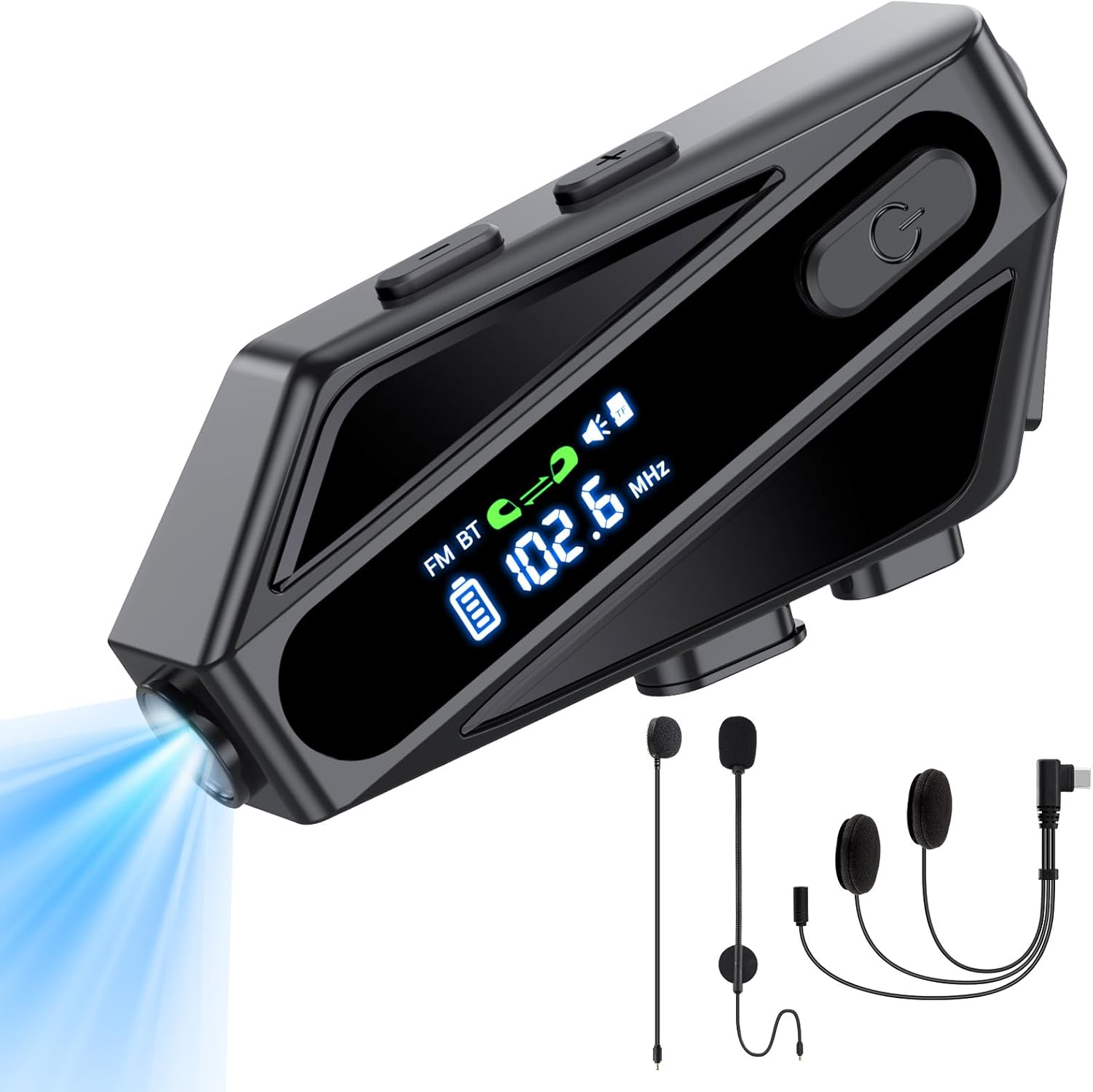
Image: The main product image of the C6 headset, showcasing its integrated LED lighting feature.
- The C6 features an integrated LED light for added visibility or utility.
- Refer to the specific button on the device (often combined with another function or a dedicated light button) to activate or deactivate the LED light.
Maintenance
Waterproof Design (IPX6)

Image: A helmet with the C6 headset attached, shown under heavy water spray, illustrating its IPX6 waterproof design.
The C6 headset is IPX6 waterproof, meaning it is protected against powerful water jets. This allows it to withstand various weather conditions, including rain and snow.
- While designed to be waterproof, avoid submerging the device in water.
- After exposure to rain or moisture, wipe the unit dry with a soft cloth.
Cleaning
- Use a soft, damp cloth to clean the exterior of the headset.
- Do not use abrasive cleaners or solvents.
- Ensure all ports are dry before charging.
Battery Care
- To prolong battery life, avoid fully discharging the battery frequently.
- Charge the device regularly, even if not in use for extended periods.
- Store the device in a cool, dry place when not in use.
Troubleshooting
| Problem | Possible Cause / Solution |
|---|---|
| Device does not power on. | Battery might be depleted. Charge the device for at least 1.5 hours. |
| Cannot pair with phone/another headset. | Ensure the headset is in pairing mode. Turn off and on Bluetooth on your phone. Make sure no other devices are connected. Reset the headset if necessary (refer to manual for reset procedure). |
| No sound or low volume. | Check volume levels on both the headset and your connected device. Ensure speakers are correctly positioned and connected. Verify audio source is playing. |
| Intercom range is limited or connection is unstable. | Ensure clear line of sight between units. Obstacles (buildings, dense trees) can reduce range. Check for interference from other electronic devices. |
| Poor call quality / noise. | Ensure microphone is positioned correctly and not obstructed. Active Noise Cancellation (ENC) should reduce background noise. Check for strong wind noise; adjust microphone position if needed. |
Specifications
Video: An overview of the Motorcycle Helmet Bluetooth Headset C6, highlighting its features and design.
| Feature | Detail |
|---|---|
| Model Name | C6 |
| Brand | TOUCH TWO |
| Connectivity Technology | Wireless (Bluetooth 5.3) |
| Bluetooth Range | 10 Meters (approx. 33 feet) |
| Intercom Range | Up to 600 meters (197 feet) in open-field conditions |
| Battery Capacity | 1000 mAh Lithium Ion |
| Charging Time | Approx. 1.5 hours (USB-C) |
| Music/Call/Intercom Time | 32-35 hours |
| FM/Lighting Time | 25 hours |
| Standby Time | 120 hours (5 days) |
| Water Resistance Level | IPX6 (Waterproof & Dust Free) |
| Noise Control | Active Noise Cancellation (ENC) |
| Audio Driver Size | 50 Millimeters (PEN speakers) |
| Headphones Jack | Type-C |
| Control Type | Voice Control, Call Control, Volume Control, Siri, Google Assistant (Push Button, Voice) |
| Special Features | TF Card Playback, LED Lighting, Smart OLED Screen |
| Material | Plastic |
| Item Weight | 7 ounces |
Warranty and Support
For warranty information and technical support, please refer to the official TOUCH TWO website or contact their customer service directly. The product includes detailed instruction manuals for further assistance.
You can also visit the TOUCH TWO Store on Amazon for additional product information and support resources.