
Introduction
This manual provides detailed instructions for the setup, operation, and maintenance of your Parsonver PSSW2PG Smart Watch Fitness Tracker. Please read this manual thoroughly before using the device to ensure proper function and to maximize your user experience.
1. Setup
1.1 Charging the Device
Before initial use, fully charge your smart watch. Connect the magnetic charging cable to the charging contacts on the back of the watch and plug the USB end into a power adapter (not included) or a computer's USB port.

Image: The Parsonver PSSW2PG Smart Watch, illustrating its design and charging connection points.
1.2 Downloading and Pairing the App
- Download the App: Search for the official Parsonver companion app in your smartphone's app store (App Store for iOS, Google Play Store for Android).
- Create Account: Open the app and follow the on-screen instructions to create a user account.
- Pair the Watch:
- Ensure your watch is charged and powered on.
- Enable Bluetooth on your smartphone.
- In the app, navigate to the device pairing section and select your watch from the list of available devices.
- Confirm the pairing request on both your phone and watch.
1.3 Bluetooth Call and Notification Setup
To enable call and smart notification features, ensure your watch is connected via Bluetooth to your smartphone. The watch supports making and answering calls directly and displays notifications from various applications.

Image: The smartwatch screen showing an incoming call and a list of synchronized notifications from various apps.
2. Operating Instructions
2.1 Basic Navigation
- Touchscreen: Swipe left/right, up/down to navigate through menus and features. Tap to select.
- Side Button: Press to return to the home screen or wake the device. Long press for power options.
2.2 Sports Modes
The watch includes over 100 built-in sports modes, such as running, cycling, hiking, yoga, and badminton. Select a mode to track specific metrics for your activity, including steps, distance, calories burned, and heart rate.

Image: A person running outdoors, with the smartwatch screen showing activity tracking data like calories, steps, heart rate, and distance.
2.3 Health Monitoring
The device continuously monitors various health metrics:
- Heart Rate: Real-time heart rate monitoring.
- Blood Oxygen (SpO2): Measures blood oxygen levels.
- Sleep Tracking: Analyzes sleep patterns, including deep sleep, light sleep, and awake times.
- Women's Health: Tracks menstrual and ovulation cycles (requires setup in the app).
- Sedentary Reminders: Alerts you to move after periods of inactivity.
- Hydration Reminders: Prompts you to drink water.

Image: The smartwatch screen showing health monitoring data, including heart rate (BPM), blood oxygen percentage, and real-time pressure levels.

Image: A person sleeping with the smartwatch on, and the watch screen displaying detailed sleep analysis, including deep sleep, light sleep, and awake durations.
2.4 Customizing Watch Faces
Choose from over 200 watch faces available through the companion app, or personalize your watch face using your own photos.

Image: A collage of various customizable watch faces, including digital, analog, and photo-based designs, demonstrating personalization options.
2.5 Additional Functions
The watch offers a range of practical features:
- Smart Alarms: Set alarms directly from the watch or app.
- Weather Updates: View current weather conditions.
- Breathing Exercises: Guided breathing sessions for relaxation.
- Music Controls: Control music playback on your smartphone.
- Find Phone: Locate your paired smartphone.
- Remote Camera Control: Use the watch as a remote shutter for your phone's camera.
- Timer & Stopwatch: Built-in timing functions.
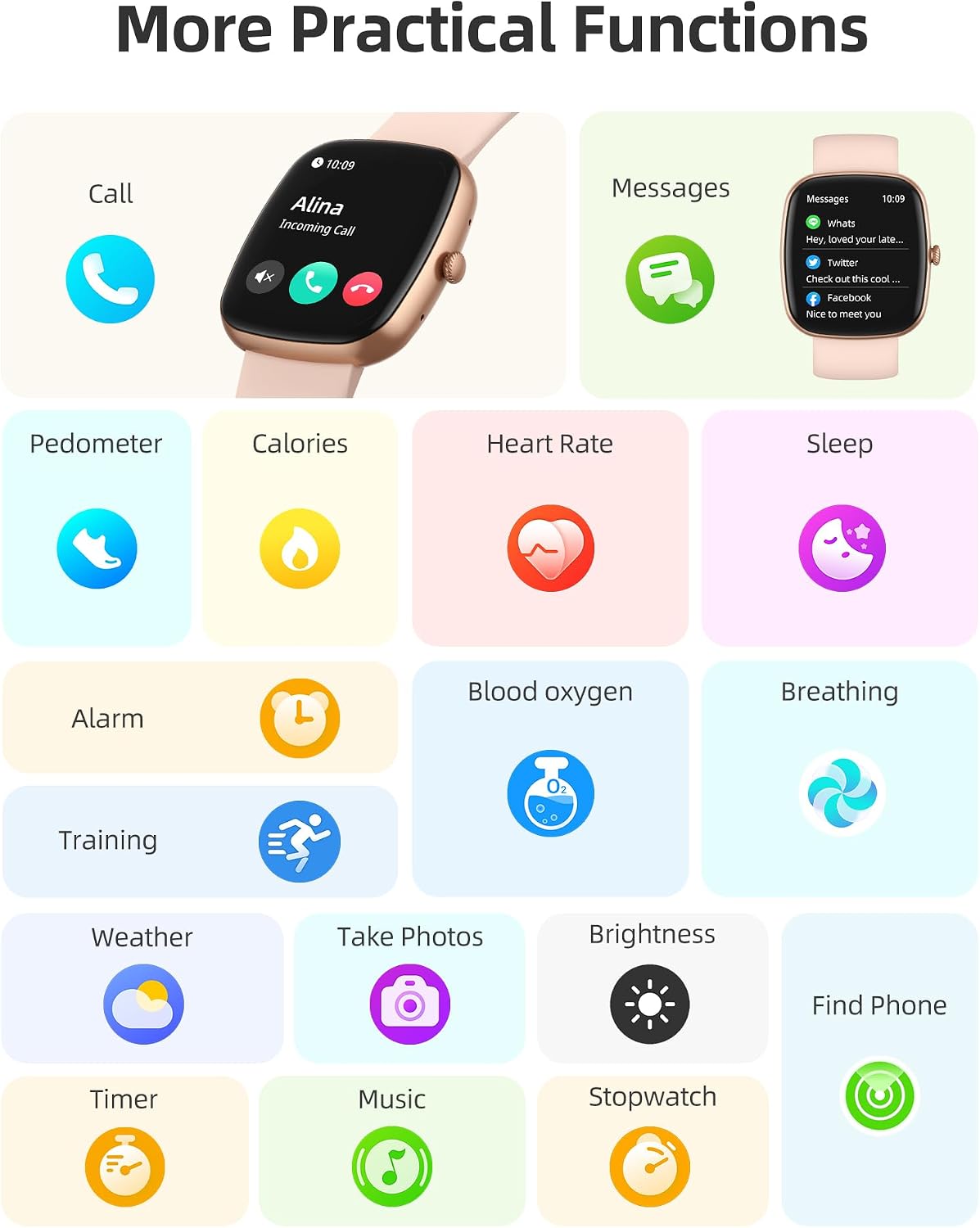
Image: A visual representation of various smartwatch functions, including call management, message notifications, pedometer, calorie tracking, heart rate monitoring, sleep tracking, alarm, blood oxygen, breathing exercises, training modes, weather, remote photo capture, brightness adjustment, find phone, timer, music control, and stopwatch.
3. Maintenance
3.1 Water Resistance
The Parsonver PSSW2PG Smart Watch is IP68 waterproof and dustproof, allowing it to withstand immersion in water up to 1 meter deep. It is suitable for daily use, including hand washing, rain, and swimming in shallow water. Avoid hot water, saunas, or diving, as extreme temperatures or high-pressure water may compromise the seal.

Image: The smartwatch being splashed with water, highlighting its waterproof capabilities and durability.
3.2 Cleaning and Care
- Wipe the watch and band regularly with a soft, damp cloth.
- Ensure the charging contacts are clean and dry before charging to prevent corrosion.
- Avoid using harsh chemicals or abrasive materials for cleaning.
4. Troubleshooting
4.1 Device Not Powering On
- Ensure the watch is fully charged. Connect it to the charger for at least 30 minutes.
- Try pressing and holding the side button for 10-15 seconds to force a restart.
4.2 Unable to Pair with Smartphone
- Confirm Bluetooth is enabled on your smartphone.
- Ensure the watch is within Bluetooth range (typically 10 meters).
- Restart both your smartphone and the watch.
- If previously paired, try unpairing the device from your phone's Bluetooth settings and then re-pairing through the app.
- Ensure the companion app is up to date.
4.3 Notifications Not Appearing
- Check if the watch is successfully paired with your smartphone.
- Verify that notification permissions are granted for the companion app in your phone's settings.
- Ensure that specific app notifications are enabled within the companion app settings.
- Confirm that "Do Not Disturb" mode is not active on either your watch or smartphone.
4.4 Inaccurate Health Readings
- Ensure the watch is worn snugly on your wrist, but not too tight.
- Clean the sensor on the back of the watch.
- Avoid excessive movement during readings.
- Note that smartwatches are not medical devices and readings are for reference only.
5. Specifications
| Model Number | PSSW2PG |
| Brand | Parsonver |
| Connectivity Technology | Bluetooth |
| Water Resistance Level | Waterproof (IP68) |
| Water Resistance Depth | 1 meter |
| Display Type | Analog (Note: Refers to traditional watch face display options, actual display is digital) |
| Human Interface Input | Touchscreen |
| Band Material Type | Silicone |
| Metrics Measured | Heart Rate Monitor, Blood Oxygen Monitor |
| Special Features | Music Player, Heart Rate Monitor, Activity Tracker, Sleep Monitor, Pedometer, Alarm Clock, Call Functionality |
| Supported Application | Alarm, Contacts, Fitness Tracker, Health Management, Messages, Music Player, Phone, Sleep Monitor, Smart Home Integration, Social Media, Weather |
| Compatible Devices | Smartphone (iPhone 14 Pro Max, Samsung Galaxy S22 Ultra, all current iPhone models, all current Samsung Galaxy models) |
6. Warranty Information
The Parsonver PSSW2PG Smart Watch Fitness Tracker comes with a Lifetime Warranty. For details regarding warranty claims and coverage, please refer to the official Parsonver website or contact customer support.
7. Customer Support
If you encounter any issues or have questions not covered in this manual, please contact Parsonver customer support. Contact information can typically be found on the official Parsonver website or within the companion app.
For the latest FAQs and support resources, visit the Parsonver Store.


