
POFAN G58
POFAN G58 Portable Wireless HDMI Transmitter and Receiver User Manual
Model: G58
Brand: POFAN
1. Introduction
The POFAN G58 Portable Wireless HDMI Transmitter and Receiver kit is designed to wirelessly stream high-definition video and audio from a source device to a display without the need for cables. This system supports 4K HDR video transmission, offering a convenient solution for various applications including home entertainment, business presentations, and educational settings.
2. Package Contents
Please verify that all items listed below are included in your package:
- 1 x HDMI Transmitter (TX)
- 1 x HDMI Receiver (RX)
- 1 x USB-C to HDMI Adapter
- 1 x Mini HDMI Adapter
- 1 x Micro HDMI Adapter
- 2 x USB-C Power Cables
- 1 x User Manual

Image: Contents of the POFAN G58 package, including the transmitter, receiver, various adapters, USB-C power cables, and the user manual.

Image: Close-up view of the included USB-C to HDMI, Mini HDMI, and Micro HDMI adapters, ensuring broad compatibility with various devices.
3. Product Overview
The POFAN G58 system consists of a Transmitter (TX) and a Receiver (RX) unit, both featuring dual antennas for enhanced signal stability. The compact design allows for easy portability and integration into various setups.

Image: The POFAN G58 Wireless HDMI Transmitter and Receiver units, showcasing their compact design and dual antennas, alongside the various HDMI adapters.
3.1. Device Compatibility
The Transmitter (TX) connects to HDMI output devices, while the Receiver (RX) connects to HDMI input displays.
- Transmitter (TX) Input Devices: PC computers, laptops, cameras, PS3/PS4 consoles, Fire TV sticks, Apple TV, DV cameras, set-top boxes.
- Receiver (RX) Output Devices: TVs, monitors, projectors.
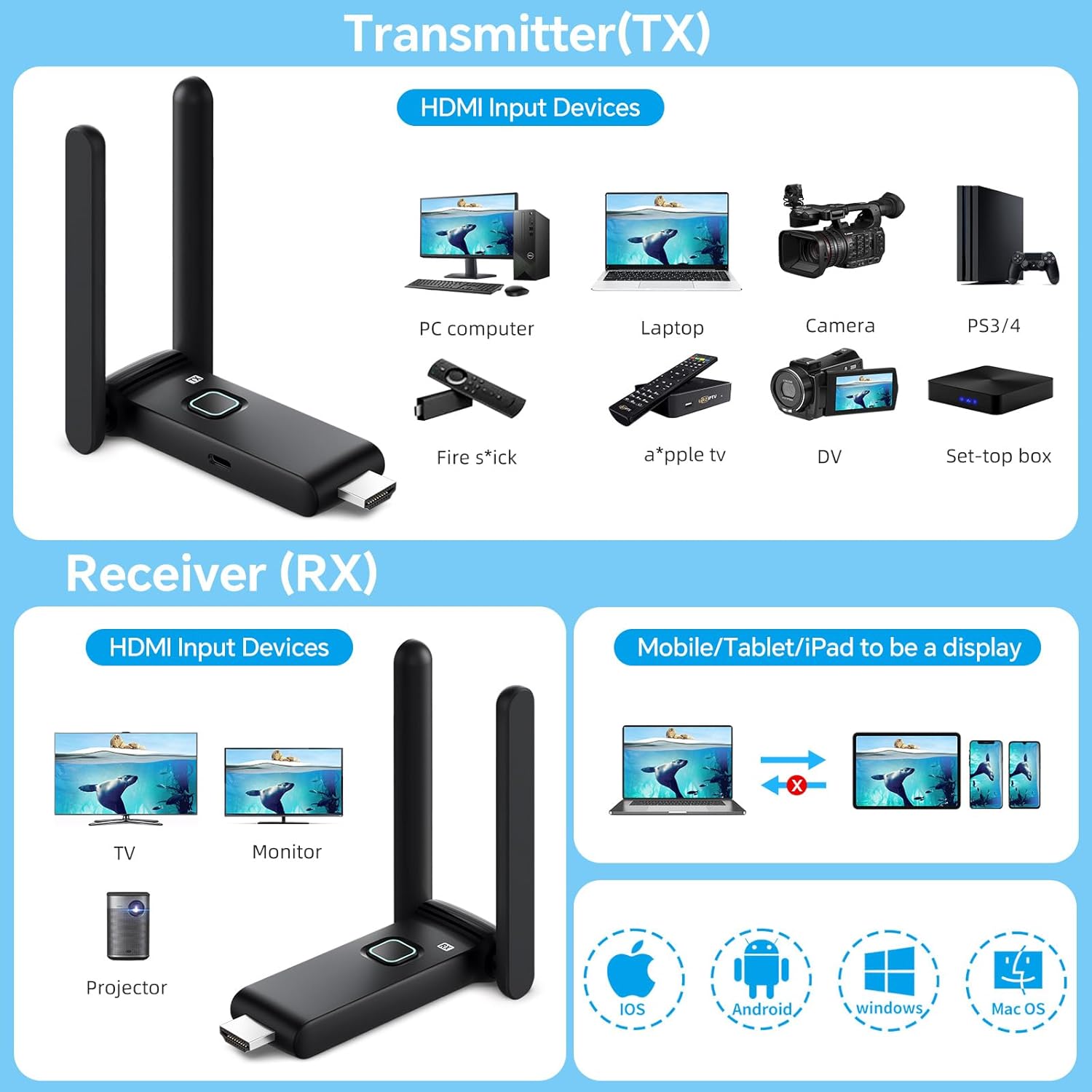
Image: A visual guide illustrating various devices compatible with the Transmitter (TX) for input and the Receiver (RX) for display, including laptops, cameras, TVs, and projectors.

Image: A comprehensive chart detailing the compatibility of the Transmitter with various source devices, the Receiver with display devices, and the TuTuPlay App's function for mobile device mirroring.
3.2. Design Features
- Compact Size: Each unit measures approximately 3.5 inches by 1.2 inches, making them highly portable.
- Efficient Heat Dissipation: Designed with a large-area window opening to ensure better heat management during operation.

Image: An illustration highlighting the ultra-small size (3.5 x 1.2 inches) of the POFAN G58 unit and its design for effective heat dissipation.
4. Setup Guide
The POFAN G58 system is designed for plug-and-play operation, requiring no complex application installations, Bluetooth pairing, or Wi-Fi configurations for basic use.
4.1. Initial Connection
- Connect the Transmitter (TX) to the HDMI output port of your source device (e.g., laptop, camera). Use the appropriate Mini HDMI or Micro HDMI adapter if necessary.
- Connect the Receiver (RX) to the HDMI input port of your display device (e.g., TV, monitor, projector).
- Connect a USB-C power cable to each unit (TX and RX) and plug them into a 5V/1A power source. Ensure a stable power supply for optimal performance. Insufficient power can lead to interruptions or delays.
- The Transmitter and Receiver will automatically pair. The display should show the content from your source device.
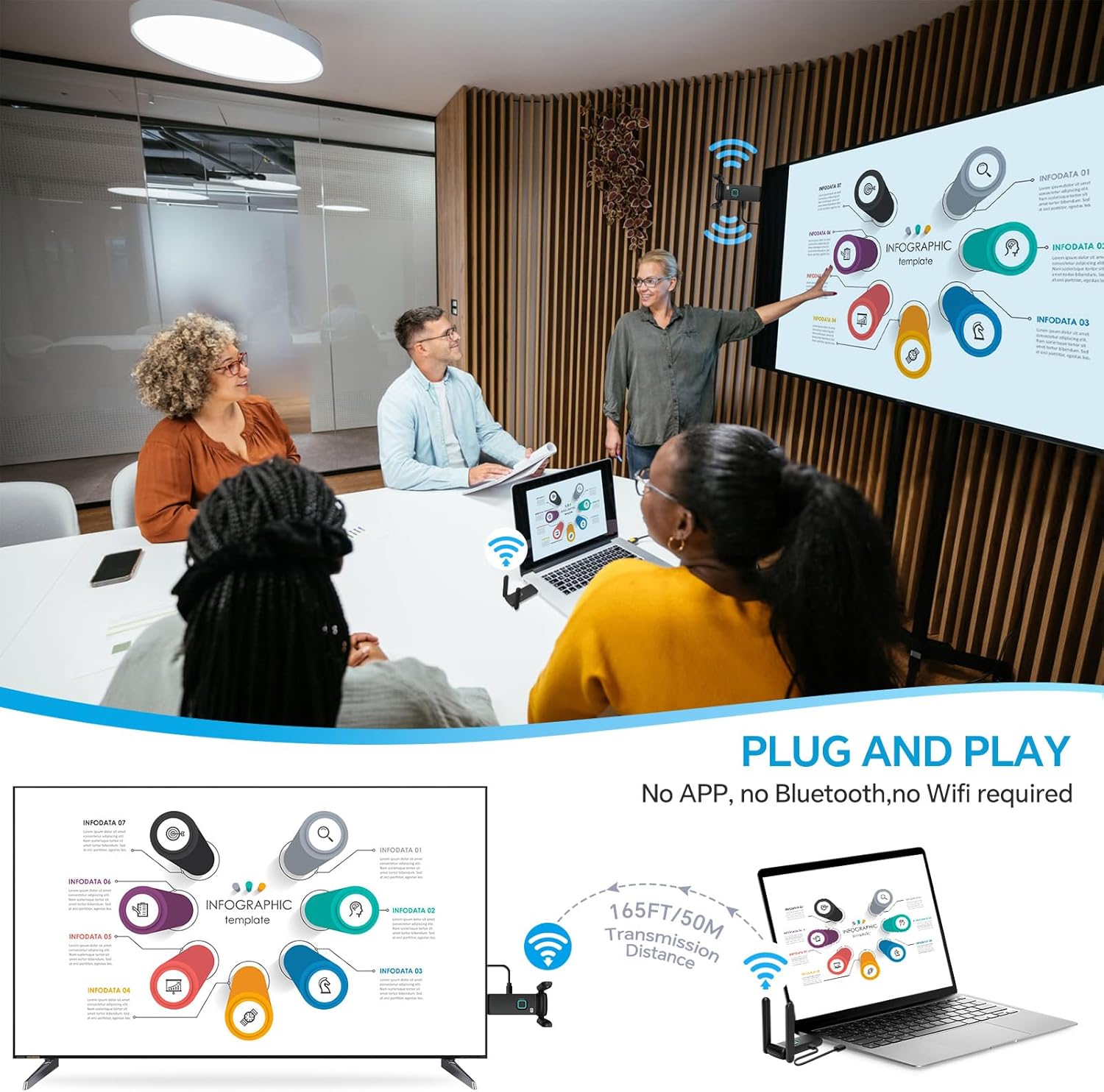
Image: A visual representation of the plug-and-play setup, demonstrating how to connect the Transmitter to a laptop and the Receiver to a television for immediate wireless display.
5. Operating Instructions
5.1. Basic Streaming
Once connected and powered, the system will automatically mirror or extend your source device's display to the connected monitor. Enjoy seamless 4K video and audio for movies, sports, or presentations.

Image: A scene depicting a couple enjoying a movie on a large screen, with the POFAN G58 system wirelessly transmitting content from a laptop, illustrating its use for home entertainment.
5.2. Multi-Display Setup
One Transmitter (TX) can be connected to up to four Receivers (RXs) simultaneously, allowing for multi-screen sharing of the same content. This is ideal for large conferences, classrooms, or multiple display setups.

Image: An illustration of a large venue with a single POFAN G58 Transmitter connected to a laptop, wirelessly broadcasting content to multiple projectors, demonstrating its multi-display capability.
5.3. TuTuPlay App Functionality (Mobile/Tablet as Display)
For specific applications, you can use the TuTuPlay App to turn your smartphone or tablet into a second screen. This is particularly useful for camera shooting, allowing real-time viewing of captured images.
- Connect the Transmitter (TX) to your HDMI output device and power it.
- Install the TuTuPlay App on your iPhone or Android smartphone/tablet.
- In your device's Wi-Fi settings, find and connect to the Wi-Fi network named "TUTUULINK-xxx". The original password is "12345678".
- Open the TuTuPlay App (or other compatible smartphone applications) for syncing and displaying content.

Image: A four-step visual guide demonstrating how to connect the POFAN G58 Transmitter to a mobile phone or tablet using the TuTuPlay App for screen mirroring.

Image: A camera connected to the POFAN G58 Transmitter, with the video feed simultaneously displayed on a smartphone and a tablet, illustrating the mobile display feature.
6. Transmission Range and Stability
The POFAN G58 features integrated dual-band high-speed antennas (2.4GHz/5GHz) for reliable wireless transmission.
- Optimal Range: Up to 165 feet (50 meters) in clear, unobstructed conditions.
- Through Obstacles: Approximately 32 feet (10 meters) when transmitting through walls or floors.
- Low Latency: Minimal latency, typically around 3 seconds.
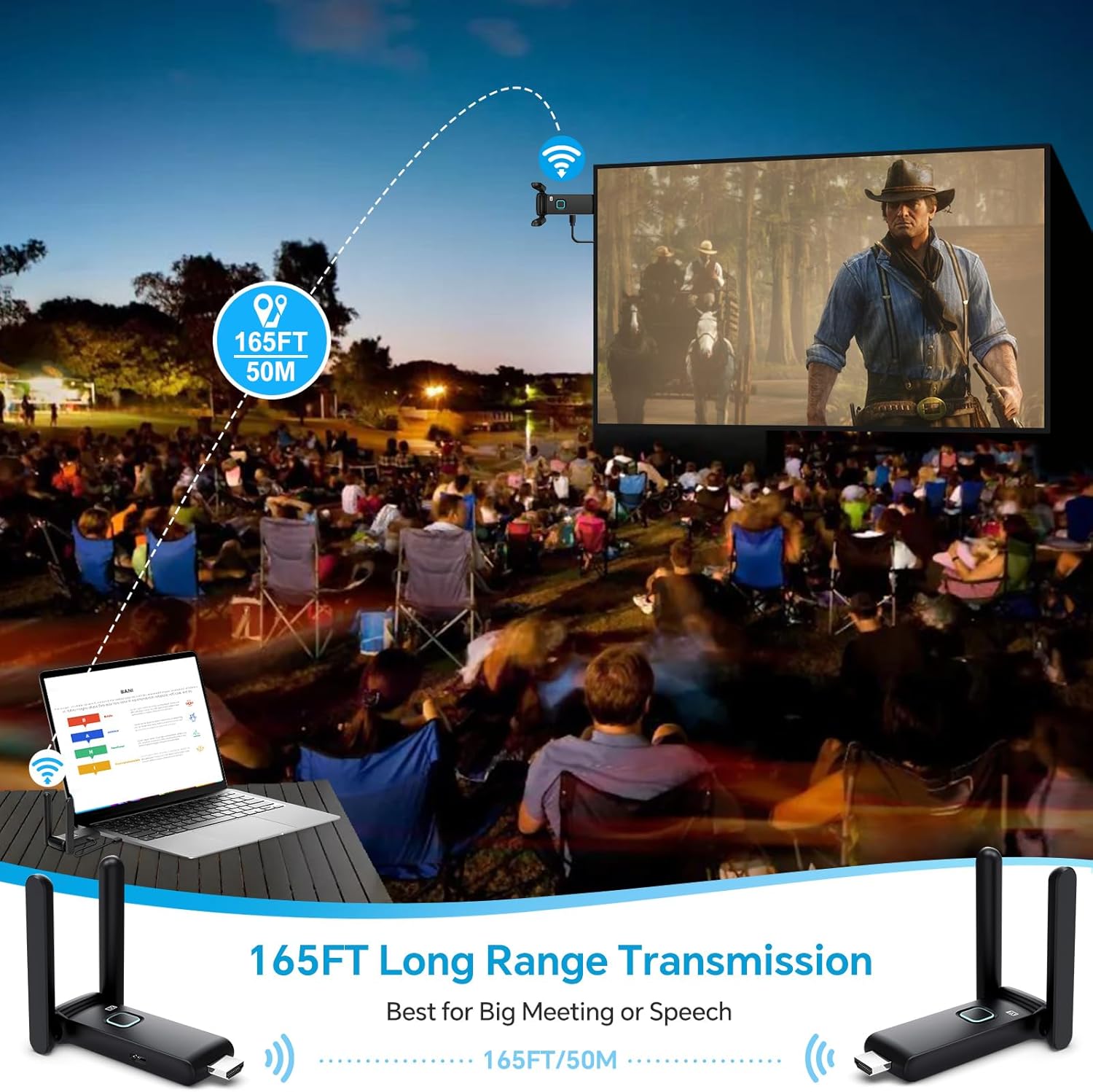
Image: An outdoor scene showing the POFAN G58 system facilitating long-range transmission (165 feet / 50 meters) for a large outdoor projection, suitable for meetings or speeches.

Image: An architectural diagram illustrating the POFAN G58's dual antenna design and its ability to transmit signals through walls, suitable for multi-room environments like homes or offices.

Image: A graphic representing the 2.4G/5G dual-frequency transmission capability of the POFAN G58, emphasizing long-distance and stable connectivity up to 50 meters.
7. Troubleshooting
- No Signal/Intermittent Connection: Ensure both the Transmitter and Receiver are powered by a stable 5V/1A source. Insufficient power from a laptop's USB port or low battery can cause connection issues. Use a dedicated charger if necessary.
- Video/Audio Latency: If you experience latency, especially in areas with high Wi-Fi traffic, try adjusting the wireless channel through the receiver's settings page. Refer to the device's on-screen menu for channel adjustment options.
- Compatibility Issues: Ensure your source and display devices have functional HDMI ports. Use the provided adapters (USB-C to HDMI, Mini HDMI, Micro HDMI) for devices without standard HDMI ports.
- Units Too Wide for Ports: If the units are too wide to fit next to other cables, utilize the included HDMI extension cables or adapters to provide adequate spacing.
8. Specifications
| Feature | Specification |
|---|---|
| Model Name | G58 |
| Brand | POFAN |
| Connectivity Technology | Wireless (2.4G/5G), HDMI |
| Connector Type | HDMI, USB-C |
| Resolution | Up to 4K@60Hz (Receiver), 1080p (TX to RX) |
| Transmission Range | 165 feet (50 meters) unobstructed; 32 feet (10 meters) through walls |
| Latency | Minimal (approx. 3 seconds) |
| Power Supply | 5V/1A (via USB-C) |
| Item Weight | 11.2 ounces |
| Product Dimensions | 2.17 x 0.2 x 3.94 inches |
| Special Feature | One receiver can connect multiple transmitters (up to 4 receivers) |
9. Safety Information
- Do not expose the device to moisture, extreme temperatures, or direct sunlight.
- Use only the specified power supply (5V/1A) to prevent damage.
- Avoid disassembling or modifying the device, as this will void the warranty and may cause harm.
- Keep the device away from strong electromagnetic fields.
- Ensure proper ventilation around the units during operation.
10. Warranty and Support
For warranty information or technical support, please refer to the contact details provided with your purchase or visit the official POFAN website. Keep your proof of purchase for any warranty claims.
Related documentsG58

Ask a question about this manual
Ask about setup, troubleshooting, compatibility, parts, safety, or missing instructions. Manuals+ will review the question and use this page’s manual context to help answer it.