
1MORE SWZ30
1MORE Mini Sleep Earbuds Headphones User Manual
Model: SWZ30
Brand: 1MORE
Introduction
The 1MORE Mini Sleep Earbuds are designed to provide a comfortable and immersive audio experience, especially for users seeking restful sleep. These ultra-lightweight earbuds feature advanced noise isolation and integrate with the 1MORE MUSIC App for personalized soothing sounds. This manual provides essential information for setting up, operating, maintaining, and troubleshooting your earbuds.

Image: The 1MORE Mini Sleep Earbuds and their compact charging case, both in white.
Setup
1. Charging the Earbuds and Case
Before first use, fully charge the earbuds and the charging case. The charging case provides up to 24 hours of additional battery life. Use a USB-C cable (not included) to charge the case.
2. Selecting and Installing Ear Tips
The earbuds come with multiple skin-friendly ear tips (XS, S, M, L) to ensure a hygienic and secure fit. Choose the size that provides the best comfort and noise isolation for your ears. Gently attach the selected ear tips to the earbuds.

Image: Close-up of the 1MORE Mini Sleep Earbuds showing different sizes of skin-friendly ear tips (XS, S, M, L) for optimal fit.
3. Bluetooth Pairing
- Ensure the earbuds are in the charging case and the case lid is open.
- On your device (smartphone, tablet, etc.), enable Bluetooth.
- Select "1MORE Mini Sleep Earbuds" from the list of available Bluetooth devices.
- Once connected, the earbuds are ready for use. They utilize Bluetooth 5.3 for a stable connection.
Operating Instructions
1. Wearing the Earbuds
Insert the earbuds into your ears, ensuring a snug and comfortable fit. Their slim 7.5mm design and ultra-lightweight 2.7-gram construction make them ideal for side sleepers, allowing them to lay flat against the ear without discomfort.
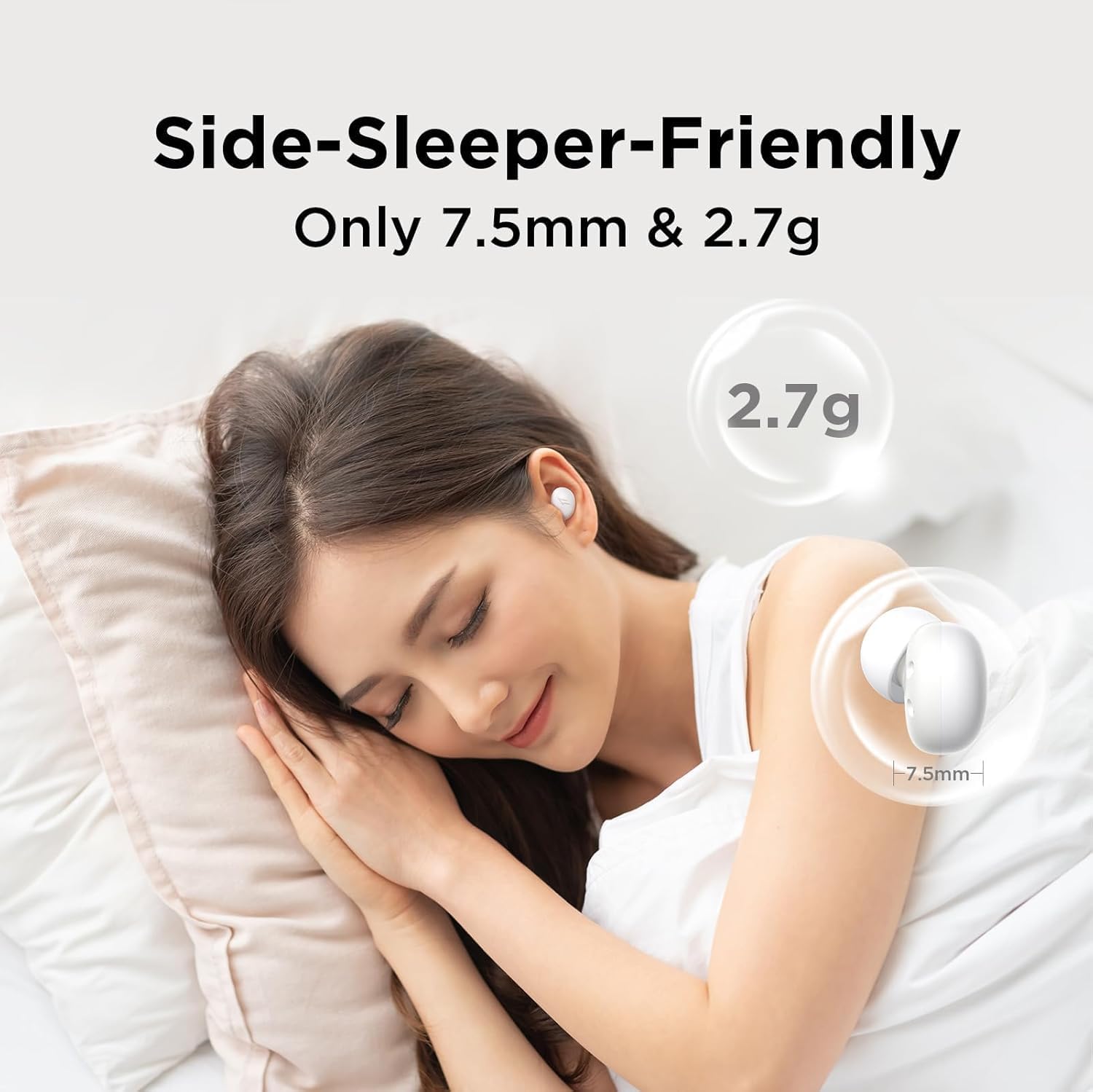
Image: A person sleeping comfortably on their side, demonstrating the low-profile design of the 1MORE Mini Sleep Earbuds.
2. Noise Isolation and Soothing Sounds
The earbuds offer dual noise isolation: passive noise isolation (up to 24dB reduction) and soothing sounds via the 1MORE MUSIC App. This combination effectively masks ambient noise for a tranquil environment.

Image: A couple sleeping soundly, with an overlay indicating 24dB noise reduction provided by the 1MORE Mini Sleep Earbuds.
3. Using the 1MORE MUSIC App
Download the 1MORE MUSIC App to access 30 built-in calming sounds, including nature sounds, designed to aid sleep. The app also features 5 timer options to automatically stop playback after a set duration, or you can opt for continuous play by disconnecting from your device.
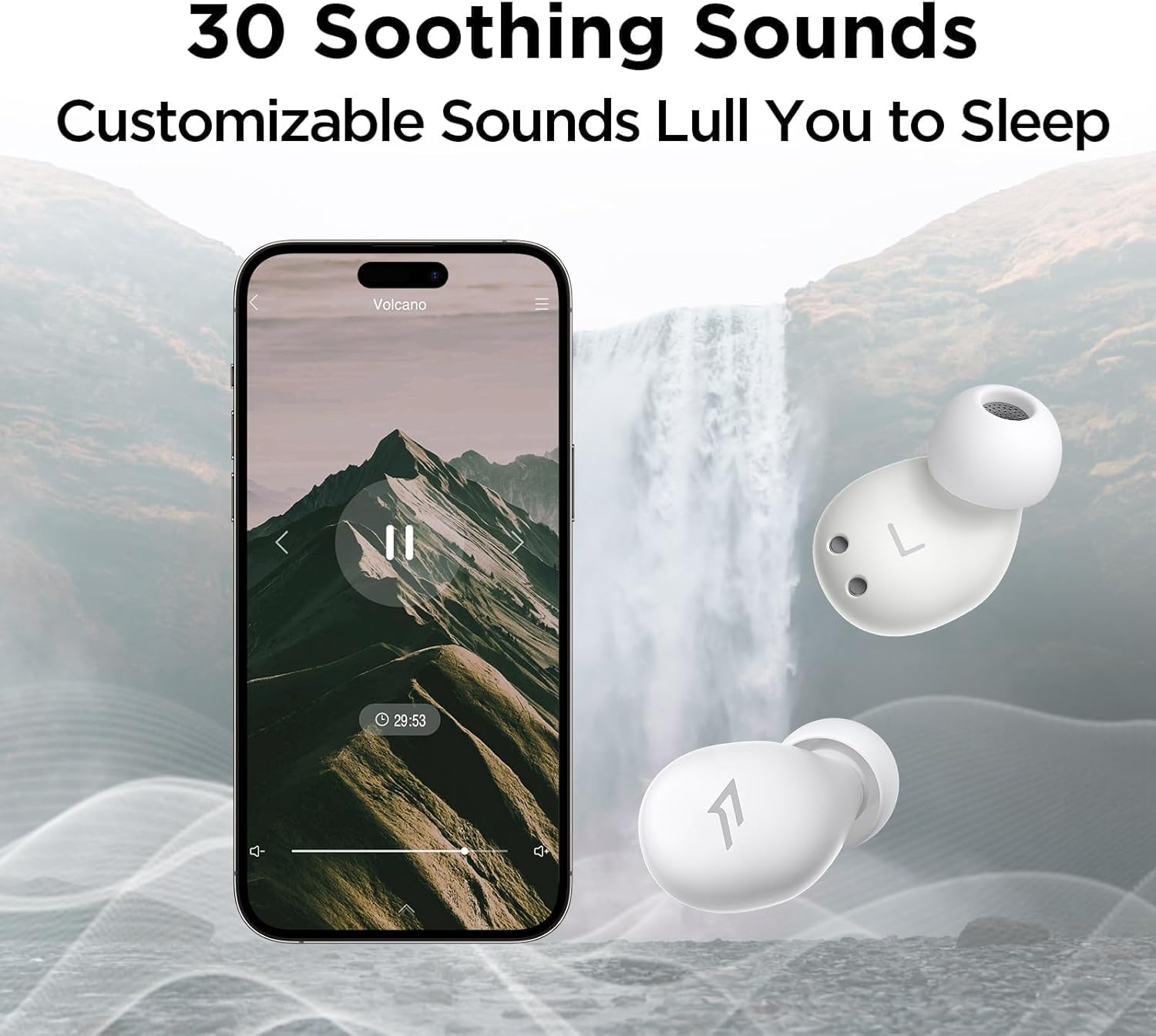
Image: A smartphone displaying the 1MORE MUSIC App interface, showcasing a selection of 30 soothing sounds like "Volcano," "Jet Stream," and "Waves."

Image: The 1MORE MUSIC App interface, highlighting the "Music" and "Soothing" listening modes, along with battery indicators for each earbud and the charging case.
4. Audio Playback
The earbuds feature a full-range balanced armature for clear and detailed sound. They are optimized for soothing audio and do not include touch controls or microphones for calls.
Maintenance
- Cleaning: Regularly clean the ear tips and the earbuds with a soft, dry cloth to maintain hygiene and optimal performance.
- Storage: Store the earbuds in their charging case when not in use to protect them and ensure they remain charged.
- Battery Care: To prolong battery life, avoid fully discharging the earbuds and case frequently. Charge them regularly.
Troubleshooting
| Problem | Possible Cause | Solution |
|---|---|---|
| No sound or low volume | Earbuds not properly paired; low battery; incorrect volume setting on device. | Ensure earbuds are paired correctly. Charge earbuds and case. Adjust volume on your connected device. |
| Earbuds not charging | Charging cable or port issue; earbuds not seated correctly in case. | Check USB-C cable and power source. Ensure earbuds are properly placed in the charging slots. |
| Loud noise when battery is low | This is a design feature to alert you to low battery. | Charge the earbuds before they fully deplete to avoid this alert. There is no option to disable this alert. |
| Earbuds not responding to touch | The earbuds do not have touch control functionality. | Control playback and settings exclusively through the 1MORE MUSIC App on your connected device. |
| One earbud not working or connection issues | Pairing issue; individual earbud fault. | Try re-pairing both earbuds. Ensure both earbuds are charged. If issues persist, contact customer support. |
Specifications
- Model Name: SWZ30
- Brand: 1MORE
- Connectivity Technology: Wireless (Bluetooth 5.3)
- Noise Control: Sound Isolation (24dB reduction)
- Earbud Weight: 2.7 grams (each)
- Earbud Thickness: 7.5mm
- Battery Life (Earbuds): Up to 6 hours (Bluetooth mode), Up to 8 hours (local play mode)
- Battery Life (with Charging Case): Up to 24 hours (Bluetooth mode), Up to 32 hours (local play mode)
- Control Method: App (1MORE MUSIC App)
- Audio Driver Type: Balanced Armature Driver
- Included Components: Eartips (XS, S, M, L)
- Water Resistance Level: Not Water Resistant
- Headphones Jack: No Jack
- Material: Silicone
Warranty and Support
This product is subject to Amazon's standard 30-day return policy. For specific warranty details or technical support, please visit the official 1MORE website or contact their customer service directly. Optional protection plans (2-Year and 3-Year) may be available for purchase separately to extend coverage.
For more information, visit the 1MORE Store on Amazon.
Ask a question about this manual
Ask about setup, troubleshooting, compatibility, parts, safety, or missing instructions. Manuals+ will review the question and use this page’s manual context to help answer it.