
Introduction
Thank you for choosing the VIHELM BLE-PH01 Smart pH Tester. This digital meter is designed for precise measurement of pH, temperature, and relative humidity (RH) in various applications. Featuring Bluetooth connectivity, it allows for real-time data transmission to a mobile application, enabling advanced analysis and data management. Please read this manual thoroughly before operation to ensure proper use and optimal performance.
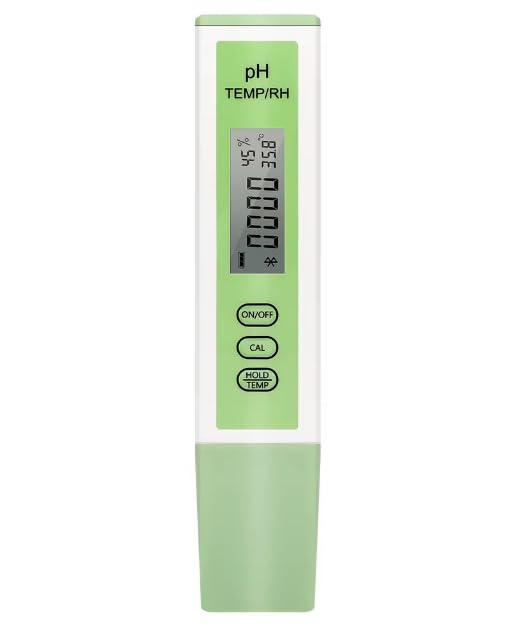
Image: The VIHELM BLE-PH01 Smart pH Tester, a compact digital device for measuring pH, temperature, and humidity.
What's in the Box
- 1 x BLE-PH01 Smart pH Tester
- Calibration powders (pH 4.00, pH 6.86, pH 9.18, pH 7.00, pH 10.01)
- User Manual (this document)
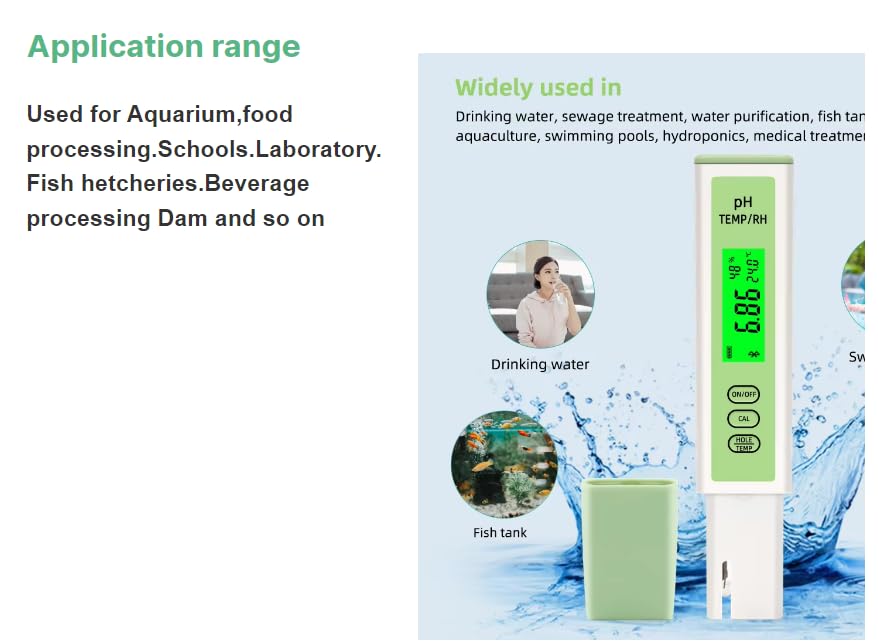
Image: The BLE-PH01 Smart pH Tester alongside its protective case and various pH buffer calibration powders.
Product Overview
Familiarize yourself with the components and controls of your BLE-PH01 meter.
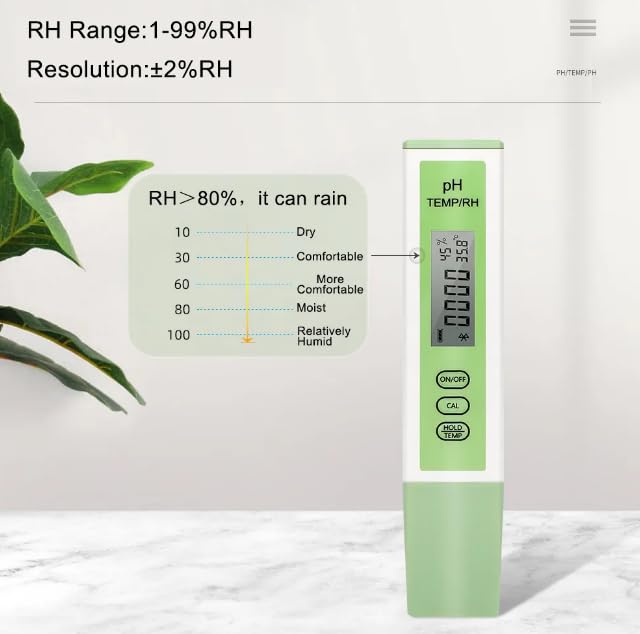
Image: Detailed view of the BLE-PH01 meter's HD LCD screen and buttons, indicating RH%, °C/°F, pH Value, Battery indicator, Bluetooth icon, ON/OFF button, CAL button, and HOLD/TEMP button.
- HD LCD Screen: Displays pH, temperature, and humidity readings, battery level, and Bluetooth connection status.
- ON/OFF Button: Powers the device on or off.
- CAL Button: Initiates the calibration process.
- HOLD/TEMP Button: Toggles between holding the current reading and displaying temperature.
- Probe: Located at the bottom, responsible for taking measurements.
Specifications
| Parameter | Value |
|---|---|
| Model Number | BLE-PH01 |
| pH Range | 0.00 - 14.00 pH |
| Temperature Range | 0.1 - 60.0°C (32.1 - 140.0°F) |
| Humidity Range | 1 - 99% RH |
| Humidity Resolution | ±2% RH |
| Manufacturer | VIHELM |
Setup
1. Battery Installation
The BLE-PH01 meter requires batteries for operation. Open the battery compartment (usually located at the top or back) and insert the batteries according to the polarity indicators. Close the compartment securely.
2. Mobile App Connection
The BLE-PH01 connects to your smartphone via Bluetooth for enhanced functionality. Download the "YINMIK Mobile App" from your device's app store (iOS/Android).
- Ensure Bluetooth is enabled on your smartphone.
- Turn on the BLE-PH01 meter by pressing the ON/OFF button.
- Open the YINMIK Mobile App. The app will automatically search for and connect to the meter.
- Once connected, the Bluetooth icon on the meter's LCD screen will illuminate, and you will see real-time data on your phone.
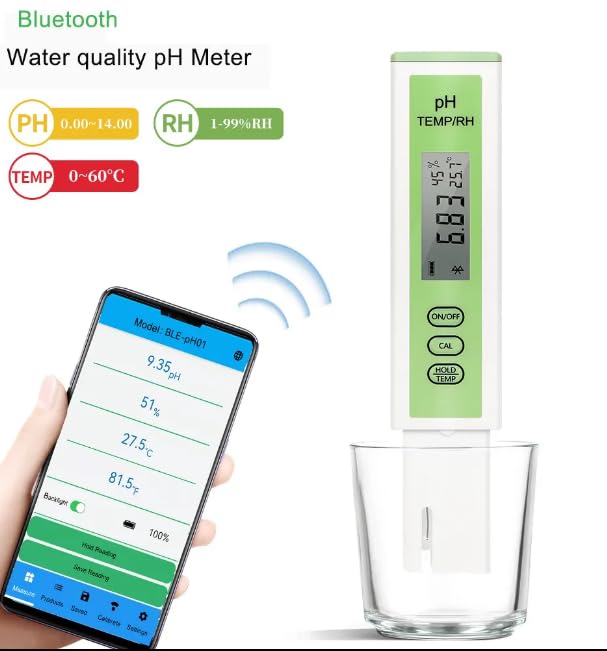
Image: The BLE-PH01 meter wirelessly connected to a smartphone displaying pH, humidity, and temperature readings on the YINMIK Mobile App interface.
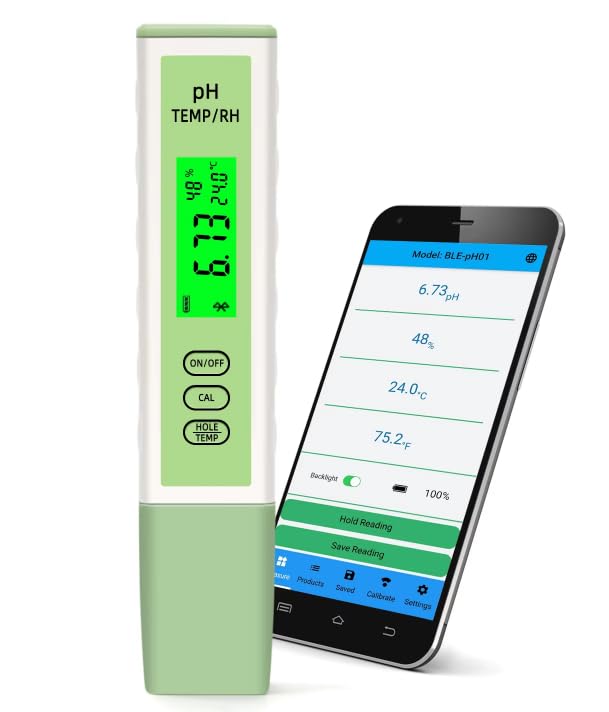
Image: The BLE-PH01 meter positioned next to a smartphone, showcasing the synchronized display of pH, humidity, and temperature data on both the meter's screen and the mobile application.
Operating Instructions
1. Basic Measurement
- Turn on the meter by pressing the ON/OFF button.
- Immerse the probe into the solution to be tested. Ensure the probe is fully submerged.
- Wait for the reading to stabilize on the LCD screen.
- Press the HOLD/TEMP button to hold the current reading on the display. Press again to release.
- To switch between Celsius and Fahrenheit for temperature, use the corresponding setting in the mobile app or press the HOLD/TEMP button (if applicable, refer to app for full control).
2. pH Calibration
The BLE-PH01 supports automatic 5-point pH calibration. Regular calibration ensures accuracy.
- Prepare the calibration buffer solutions (e.g., pH 4.00, 6.86, 9.18 for Asia standard; pH 4.00, 7.00, 10.01 for EU standard).
- Clean the probe with distilled water and dry it gently.
- Press the CAL button on the meter or initiate calibration through the mobile app.
- Immerse the probe into the first buffer solution (e.g., pH 6.86 or 7.00). The meter will automatically recognize the buffer.
- Wait for the reading to stabilize and for the meter/app to indicate successful calibration for that point.
- Rinse the probe with distilled water and repeat the process for the remaining buffer solutions in ascending or descending order.
- The app will display a calibration record for reference.
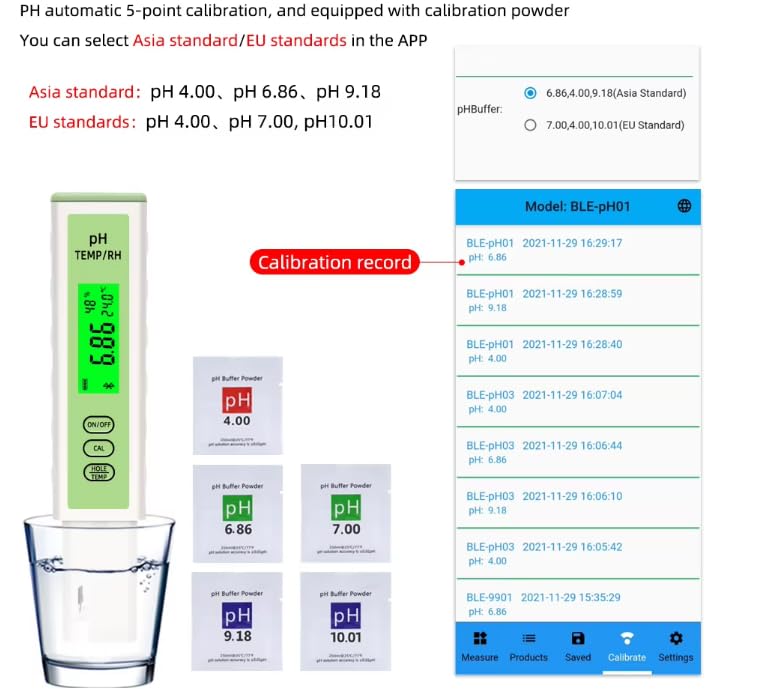
Image: Illustration of the BLE-PH01 meter during pH calibration, showing the use of different pH buffer powders (4.00, 6.86, 7.00, 9.18, 10.01) and a digital display of calibration records within the mobile app.
3. Setting Measurement Limits
You can set maximum and minimum measurement limits for pH and humidity within the YINMIK Mobile App. If a test result exceeds these set ranges, the value will be displayed in red on the app, providing a visual alert.
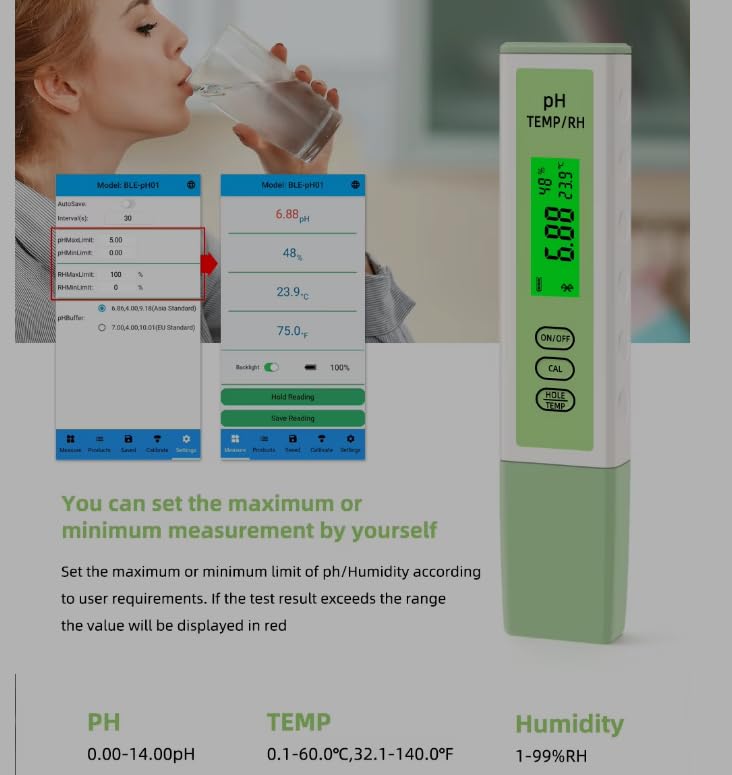
Image: A user interacting with the YINMIK Mobile App to set custom maximum and minimum measurement limits for pH and humidity, with the BLE-PH01 meter displaying a reading.
4. Saving Readings
The YINMIK Mobile App allows for automatic or manual saving of measurement data. Refer to the app's interface for options to save, review, and export your readings.
Application Range
The VIHELM BLE-PH01 Smart pH Tester is versatile and suitable for a wide range of applications, including but not limited to:
- Drinking water quality testing
- Sewage treatment monitoring
- Water purification assessment
- Fish tank and aquarium maintenance
- Aquaculture and hydroponics
- Food processing and beverage production
- School and laboratory experiments
- Medical treatment applications
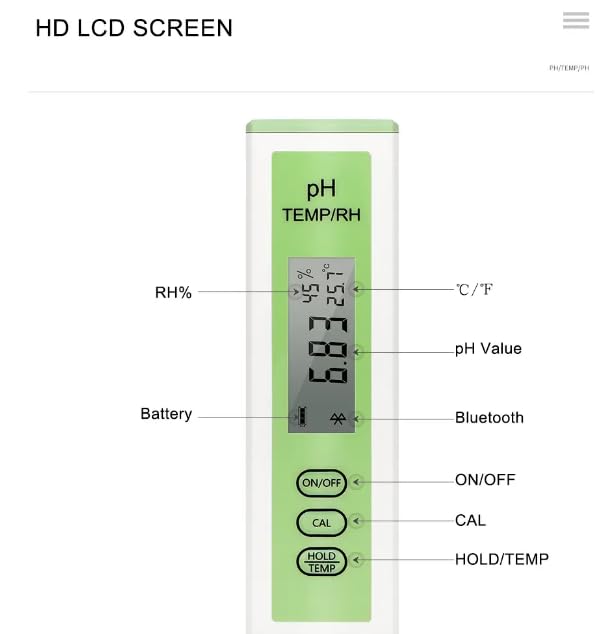
Image: Visual examples of the BLE-PH01 meter's application, including testing drinking water and monitoring fish tank water quality.
Maintenance
1. Probe Cleaning
After each use, rinse the probe thoroughly with distilled or deionized water to remove any residue. Do not wipe the probe vigorously, as this can damage the sensitive glass bulb. Gently blot dry with a lint-free tissue.
2. Storage
Always store the pH probe with its protective cap filled with a storage solution (or pH 4.00 buffer solution if storage solution is unavailable). Never store the probe dry or in distilled water, as this can shorten its lifespan.
3. Battery Replacement
When the battery indicator on the LCD screen shows low power, replace the batteries promptly to ensure accurate readings. Refer to the battery compartment for the correct battery type and orientation.
Troubleshooting
| Problem | Possible Cause | Solution |
|---|---|---|
| Inaccurate pH readings | Probe not calibrated; dirty probe; expired buffer solutions; damaged probe. | Calibrate the meter; clean the probe; use fresh buffer solutions; replace the probe if damaged. |
| Meter does not turn on | Dead batteries; incorrect battery installation. | Replace batteries; check battery polarity. |
| Cannot connect to app via Bluetooth | Bluetooth off on phone; meter not on; app not updated; interference. | Ensure phone Bluetooth is on; turn meter on; update app; move closer to meter. |
| Readings fluctuate excessively | Probe not fully submerged; air bubbles; temperature instability. | Ensure probe is fully submerged; gently stir to remove bubbles; allow sample to reach stable temperature. |
Warranty and Support
For warranty information or technical support, please refer to the contact details provided with your purchase documentation or visit the official VIHELM website. Keep your purchase receipt as proof of purchase.