
1. Product Overview
The POOLHACKER Solar Pool Light is an innovative lighting solution designed to enhance your steel wall above ground pool experience. Featuring 10 vibrant colors and 4 dynamic modes, this LED light is powered by a high-efficiency solar panel, offering hassle-free operation with its integrated light sensor, remote control, and timer functions.
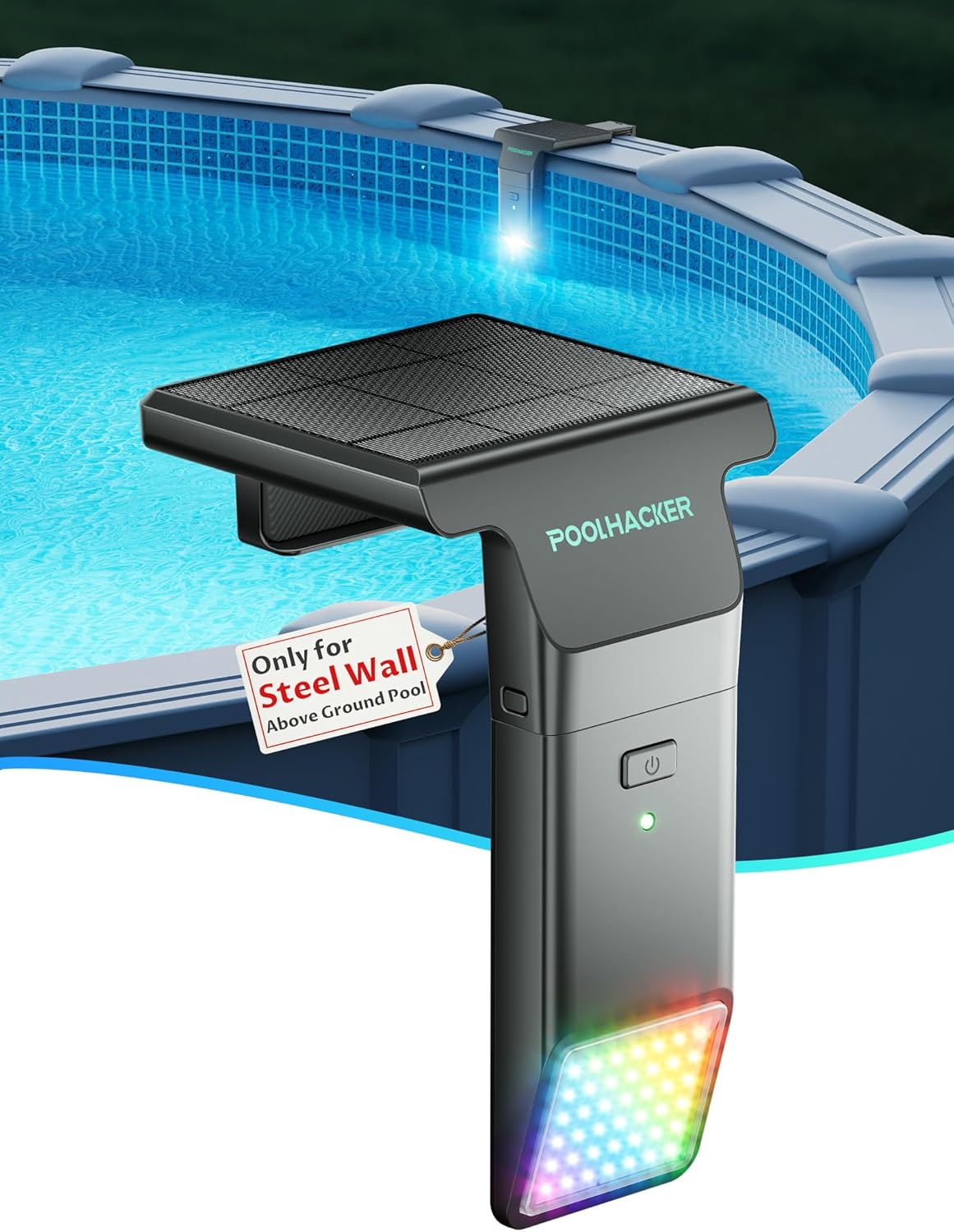
Figure 1.1: POOLHACKER Solar Pool Light installed on a steel wall above ground pool.
Key Features:
- Solar Powered: High-efficiency ETFE monocrystalline silicon solar panel with a 6400mAh battery for extended operation.
- Vibrant Lighting: 10 colors and 4 dynamic modes (Multicolor, Strobe, Gradient, Dimming) with 42 high-quality LEDs and 6800 LUX brightness.
- Smart Control: Remote control with up to 98 feet range, integrated light sensor for automatic dusk-to-dawn operation, and a timed auto-off feature (1, 2, 3, or 4 hours).
- Easy Installation: Integrated design for steel wall above ground pools, no magnets or glue required, ensuring stable and secure placement.
- Durable & Waterproof: Fully waterproof design built to withstand outdoor elements.
2. Safety Information
Please read and understand all safety instructions before installing and operating your POOLHACKER Solar Pool Light. Failure to follow these instructions may result in injury or product damage.
- Do not attempt to disassemble or modify the product.
- Keep the solar panel clean to ensure optimal charging efficiency.
- Ensure the light is securely attached to the pool edge to prevent accidental detachment.
- This product is designed for outdoor use and is waterproof. However, avoid submerging the entire unit for extended periods beyond its intended use.
- Keep the remote control dry and away from water.
3. Product Compatibility
This POOLHACKER Solar Pool Light is exclusively designed for steel wall above ground pools. It is compatible with top rails ranging from 5 inches to 9 inches in width and 1.25 inches to 3 inches in thickness. It is not suitable for metal frame above ground pools, in-ground pools, or inflatable pools.

Figure 3.1: Compatibility illustration for steel wall above ground pools.

Figure 3.2: Visual guide for compatible pool types.
4. Package Contents
Upon opening your package, please ensure all items are present and in good condition:
- 1 x POOLHACKER Solar Pool Light Unit (includes solar panel and LED light panel)
- 1 x Remote Control
- Instruction Manual (this document)
5. Setup & Installation
The POOLHACKER Solar Pool Light features a simple, 2-step setup process. No complex wiring, magnets, or glue are needed.
Step-by-Step Installation:
- Charge the Unit: Before first use, place the solar pool light in direct sunlight for at least 6-8 hours to ensure the internal 6400mAh battery is fully charged. The solar panel is located on the top of the unit.
- Attach to Pool Edge: Identify a suitable location on your steel wall above ground pool's top rail. The light is designed to clip securely onto the edge. Ensure the LED light panel faces into the pool water and the solar panel faces upwards towards the sun.
- Secure Placement: Gently push the unit down until it firmly clips onto the pool rail. The triangular structure ensures stable installation and prevents shifting.
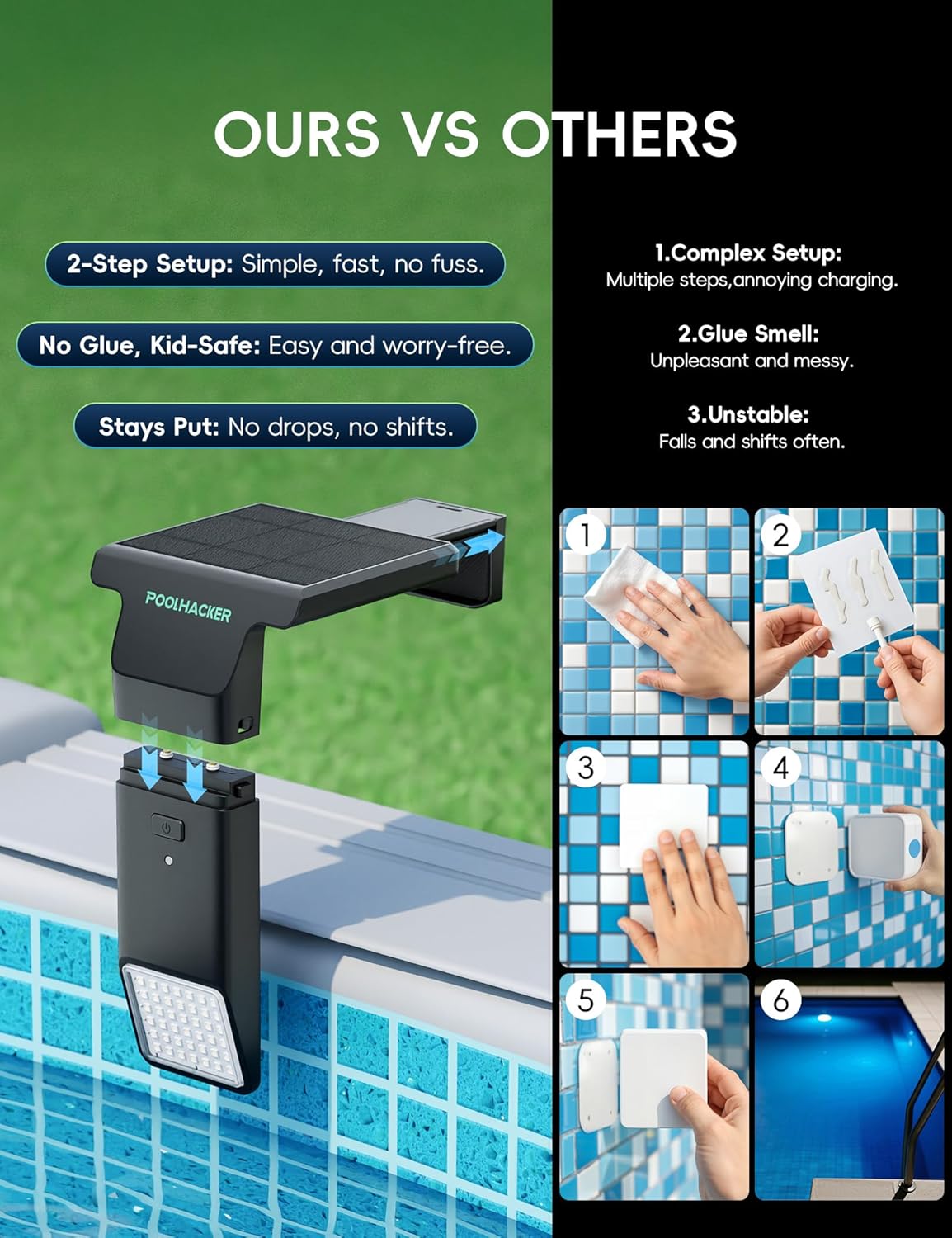
Figure 5.1: Simplified installation process.

Figure 5.2: Solar panel for continuous power.
6. Operation
Your POOLHACKER Solar Pool Light is designed for ease of use, offering automatic and remote-controlled functions.
Automatic Operation (Light Sensor):
The light features an ultra-responsive light sensor. It will automatically turn on at dusk and turn off at dawn, provided the light sensor is active. A white light indicator signifies the sensor is active.
Remote Control Functions:
Use the included remote control to manage your pool light's settings from up to 98 feet away.
- ON/OFF: Press the [ON] button to turn the light on and activate the light sensor. Press the [OFF] button to turn the light off and pause the light sensor.
- Color Selection: Choose from 10 vibrant colors to set the desired ambiance.
- Mode Selection: Cycle through 4 dynamic modes: Multicolor, Strobe, Gradient, and Dimming.
- Brightness Adjustment: Adjust the brightness level to suit your preference. For dark areas like pool steps, boosting to 100% brightness is recommended.
- Timer Function: Set the light to automatically turn off after 1, 2, 3, or 4 hours. The default auto-off timer is 4 hours.
Multi-Light Synchronization:
If you have multiple POOLHACKER solar lighting series products, you can synchronize them. Simply switch all lights to the same mode using their respective remotes, and they will flash in harmony, creating a unified light show.
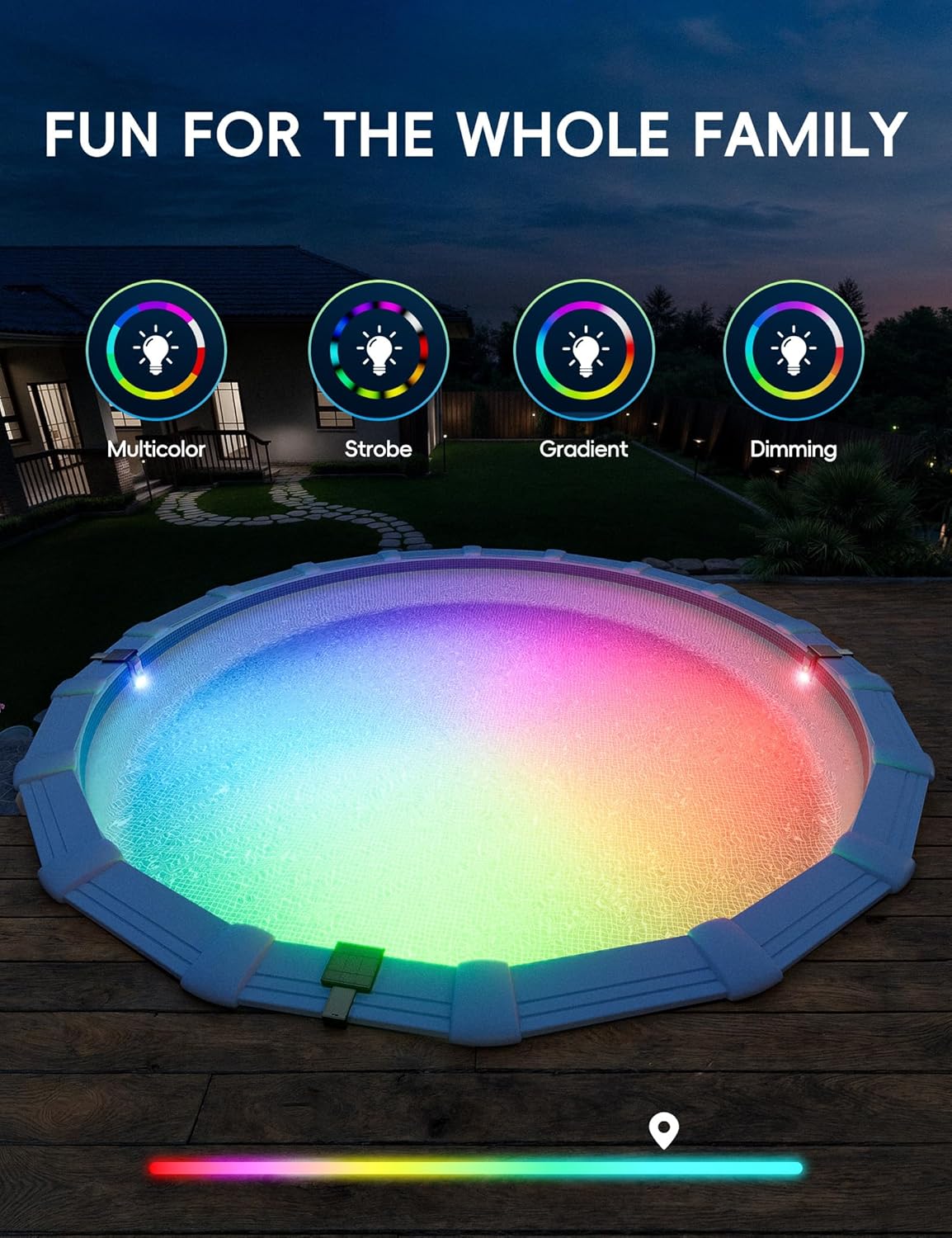
Figure 6.1: Explore 10 colors and 4 modes for diverse ambiance.

Figure 6.2: Convenient timer settings for energy efficiency.

Figure 6.3: Multi-light synchronization for a grand display.
7. Care and Maintenance
Proper care ensures the longevity and optimal performance of your solar pool light.
- Cleaning: Regularly wipe the solar panel with a soft, damp cloth to remove dust, dirt, or debris that may hinder charging efficiency. Ensure the LED light panel is also clean for maximum brightness.
- Solar Panel Exposure: For best performance, ensure the solar panel receives direct sunlight for several hours each day. Avoid shaded areas.
- Winter Storage: In colder climates or during off-season, it is recommended to remove the light from the pool and store it in a dry, protected area to prevent damage from freezing temperatures.
8. Troubleshooting
Light Does Not Turn On Automatically at Night:
- Check Remote OFF: If you previously turned off the light using the [OFF] button on the remote, this also pauses the light sensor. Press [ON] on the remote again or long-press the light's button to restart it. The white light indicator means the sensor is active again.
- Insufficient Charge: Ensure the solar panel has received adequate direct sunlight during the day. Relocate the light to a sunnier spot if necessary.
- Obstruction: Check if anything is blocking the solar panel or the light sensor.
Remote Control Not Responding:
- Battery Check: Ensure the remote control's battery is not depleted. Replace if needed.
- Range: Make sure you are within the 98-foot operating range of the remote.
- Line of Sight: Ensure there are no major obstructions between the remote and the light unit.
9. Specifications
| Feature | Specification |
|---|---|
| Brand | POOLHACKER |
| Model Name | pool light (YC044) |
| Light Source Type | LED (42 LEDs) |
| Brightness | 6800 Lux |
| Power Source | Solar Powered |
| Battery Capacity | 6400mAh |
| Control Method | Remote and Manual (Button) |
| Remote Control Range | Up to 98 feet |
| Colors & Modes | 10 Colors, 4 Modes |
| Installation Type | Surface Mount (Clip-on) |
| Compatibility | Steel Wall Above Ground Pools (Top rail width 5"-9", thickness 1.25"-3") |
| Waterproof Rating | Fully Waterproof Design |
| Product Dimensions | 2 x 2 x 2 inches (approximate, as per data) |
| Item Weight | 2.94 pounds |
10. Warranty and Support
For warranty information and customer support, please refer to the official POOLHACKER website or contact their customer service directly. Keep your purchase receipt as proof of purchase.
Contact Information: Please visit the POOLHACKER Store on Amazon for further assistance and product information.