
1. Introduction
Thank you for choosing the KingHe Solar Street Light 1200W. This manual provides essential information for the proper installation, operation, and maintenance of your solar light. Please read it thoroughly before use to ensure optimal performance and longevity of the product.
This solar street light is designed for outdoor use, offering efficient and eco-friendly illumination without the need for external power wiring. It features a high-efficiency solar panel, a large capacity battery, and intelligent sensing modes for various lighting needs.

Image 1.1: KingHe Solar Street Light providing bright illumination in an outdoor setting.
2. Product Overview
2.1 Key Features
- High Efficiency Solar Panel: Converts sunlight into electricity with up to 26% efficiency, ensuring faster charging and longer operation.
- IP66 Waterproof Rating: Designed to withstand various outdoor weather conditions, including rain and dust.
- Large Capacity Battery: Equipped with an 11000mAh battery for extended illumination, even in winter.
- Energy Saving: Operates on solar power, eliminating electricity costs and reducing environmental impact.
- Automatic Operation: Features a light sensor for automatic dusk-to-dawn operation and a motion sensor for enhanced brightness when movement is detected.
- Wide Angle Illumination: 240-degree wide-angle design provides extensive lighting coverage.
- Remote Control: Allows for easy adjustment of lighting modes and brightness levels.
2.2 Components
The package includes the following components:
- Solar Street Light Unit
- Mounting Bracket
- Installation Screws and Anchors
- Remote Control
- Remote Control Batteries

Image 2.1: Overview of the KingHe Solar Street Light components and dimensions.
3. Setup and Installation
Proper installation is crucial for the optimal performance of your solar street light. No wiring is required for installation.
3.1 Site Selection
Choose an outdoor location that receives direct sunlight for at least 6-8 hours daily. Avoid areas under eaves, trees, or other obstructions that may block sunlight, as this will affect charging efficiency.
3.2 Mounting Options
The solar street light can be mounted on a wall or a pole.
- Wall Mounting: Use the provided screws and anchors to securely attach the mounting bracket to a sturdy wall.
- Pole Mounting: Attach the mounting bracket to a pole using the appropriate hardware. Ensure the pole is stable and can support the weight of the light.
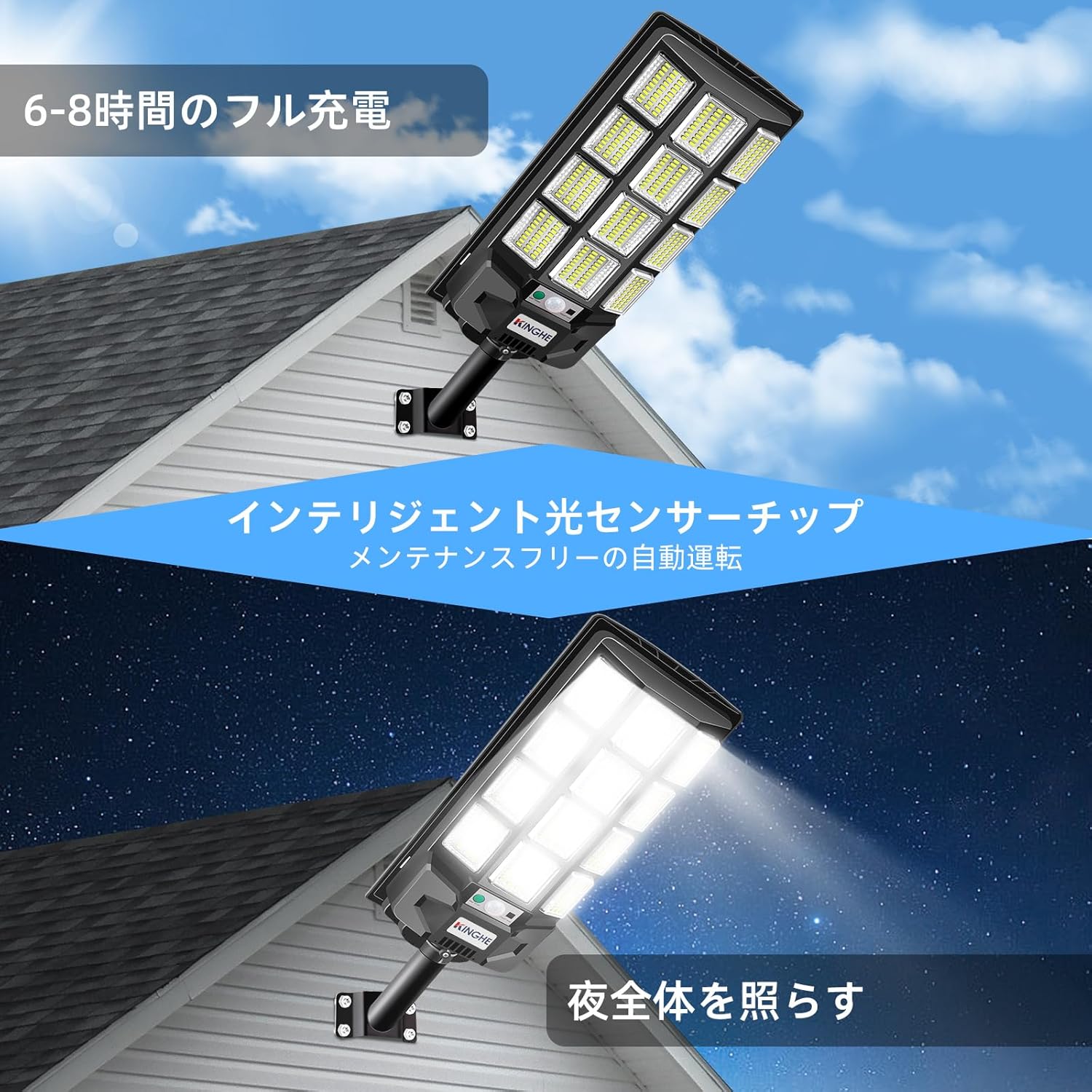
Image 3.1: Example of the solar street light installed on a building wall.

Image 3.2: Installation diagram showing both wall and pole mounting methods.
3.3 Initial Activation
After installation, ensure the solar panel is exposed to direct sunlight for a full day to allow the internal battery to charge sufficiently before first use. The light will automatically turn on at dusk and off at dawn.
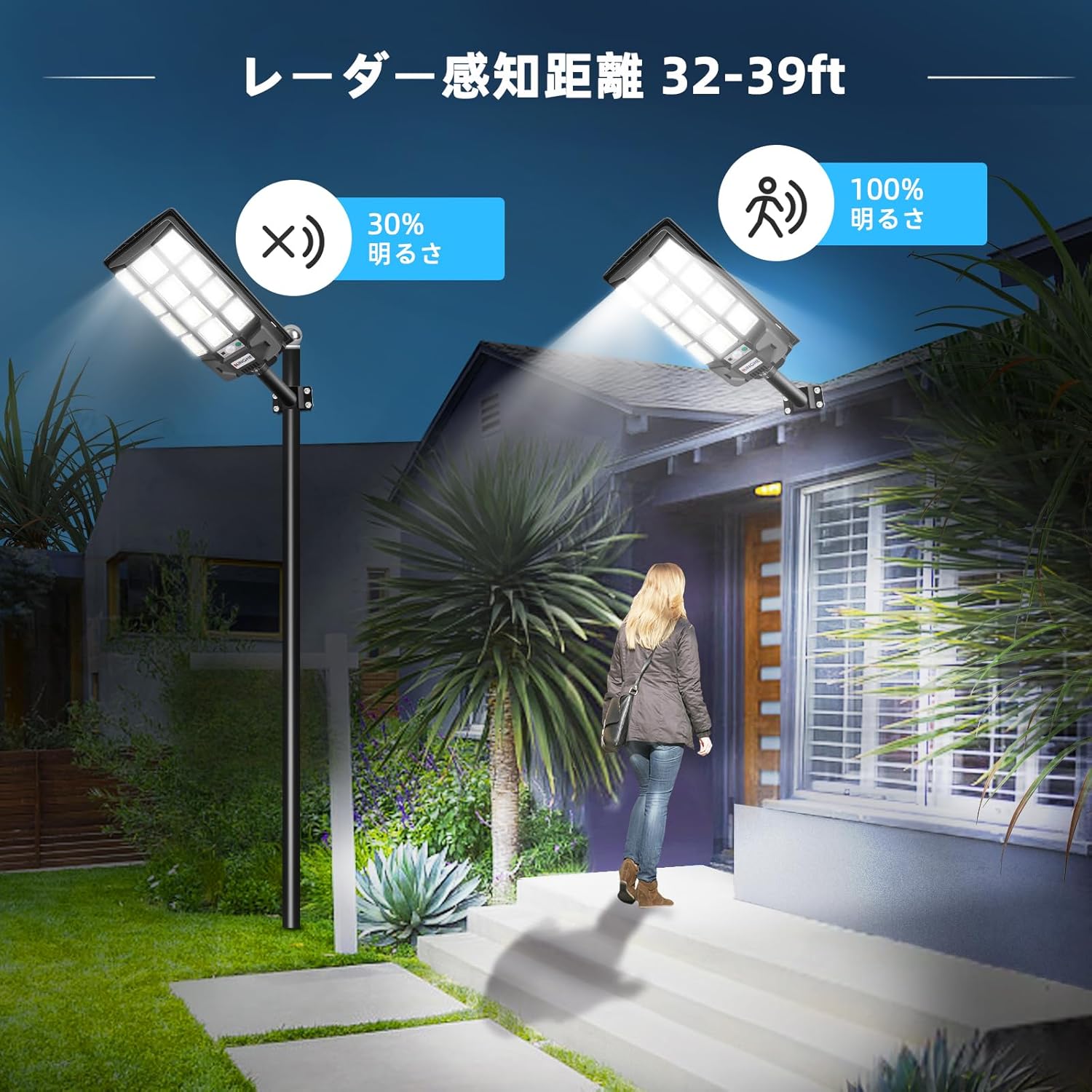
Image 3.3: The solar light charging during the day and illuminating at night.
4. Operating Instructions
The KingHe Solar Street Light features automatic operation and can be controlled via the included remote control.
4.1 Automatic Operation
- Dusk-to-Dawn Sensor: The light automatically turns on at dusk and switches off at dawn to begin charging.
- Motion Sensor: In certain modes, the light will maintain a dim brightness and switch to 100% brightness for a set period when motion is detected.

Image 4.1: Motion sensor activating full brightness when a person approaches.
4.2 Remote Control Functions
The remote control allows you to manually adjust the light's settings:

Image 4.2: Remote control for the solar street light.
- ON: Turns the light on at 100% brightness.
- OFF: Turns the light off. It will automatically turn on the next day at dusk.
- Brightness Control (Sun Icon): Adjusts the maximum brightness. One button sets to 100%, another to 50% for energy saving or cloudy days.
- 2H+SEN: Light stays at 100% brightness for 2 hours, then switches to motion sensor mode. In motion sensor mode, it brightens to 100% when motion is detected and returns to 30% brightness when no motion is detected.
- 4H+SEN: Light stays at 100% brightness for 4 hours, then switches to motion sensor mode. In motion sensor mode, it brightens to 100% when motion is detected and returns to 30% brightness when no motion is detected.
- HL+SEN: Light maintains 50% brightness continuously. When motion is detected, it brightens to 100% and returns to 50% after motion ceases.
- NO SEN: Light stays at 100% brightness until the battery runs out. It will recharge the next day.
5. Maintenance
To ensure the long-term performance of your KingHe Solar Street Light, follow these simple maintenance guidelines:
- Clean Solar Panel: Regularly wipe the solar panel with a soft, damp cloth to remove dust, dirt, and debris. A clean panel ensures maximum sunlight absorption and charging efficiency.
- Clear Obstructions: Periodically check that no new obstructions (e.g., growing tree branches) are blocking sunlight from reaching the solar panel.
- Battery: The integrated 11000mAh lithium-ion battery is designed for durability and does not require user replacement.
6. Troubleshooting
If you encounter issues with your solar street light, refer to the following common problems and solutions:
| Problem | Possible Cause | Solution |
|---|---|---|
| Light does not turn on at night. | Insufficient solar charge; solar panel is dirty or obstructed; light is in OFF mode. | Ensure solar panel receives direct sunlight for 6-8 hours. Clean the solar panel. Press the ON button on the remote control. |
| Light is dim or runs for a short period. | Insufficient solar charge due to cloudy weather or obstruction; battery capacity reduced. | Relocate the light to a sunnier spot. Ensure solar panel is clean. Allow several sunny days for full charge. |
| Motion sensor is not working or is too sensitive. | Sensor obstructed; incorrect mode selected; environmental factors. | Ensure the sensor lens is clear. Select an appropriate sensor mode using the remote. Adjust mounting height or angle if possible. |
| Remote control is unresponsive. | Remote control battery is dead; remote is too far from the light; obstruction between remote and light. | Replace the remote control batteries. Operate the remote closer to the light unit. Ensure no physical obstructions are blocking the signal. |
| Mounting bracket feels unstable (especially on poles). | Improper installation; bracket not tightened sufficiently for pole diameter. | Ensure all screws and anchors are securely fastened. For pole mounting, consider additional bracing or a more suitable bracket if the provided one does not fit snugly. |
7. Specifications
| Specification | Detail |
|---|---|
| Brand | KingHe |
| Model Number | KINGHE-BBW12P1 |
| Product Dimensions | 53.5 x 19.5 x 8 cm |
| Weight | 1.86 kg |
| Battery | 1 Lithium Ion battery (11000mAh capacity) |
| Waterproof Rating | IP66 |
| Material | Aluminum, Glass, Plastic, Metal |
| Style | Asian |
| Light Fixture Form | Floodlight |
8. Warranty and Support
KingHe provides a 12-month manufacturer warranty from the date of purchase for this lighting fixture. We are committed to providing quality products and services to ensure customer satisfaction.
In the event of any defects in product parts or structure, please contact our customer support. You can typically reach customer support through your purchase platform by navigating to "Your Account" → "Order History" → "Sold by" → "Ask a Question". We strive to provide prompt assistance.

