
Introduction
The Imou 3K/5MP Outdoor Solar PTZ Wireless IP Surveillance Camera (Model: IPC-B7C-5M0WEH) provides comprehensive outdoor security with advanced features. This manual guides you through the setup, operation, and maintenance of your camera to ensure optimal performance and security.
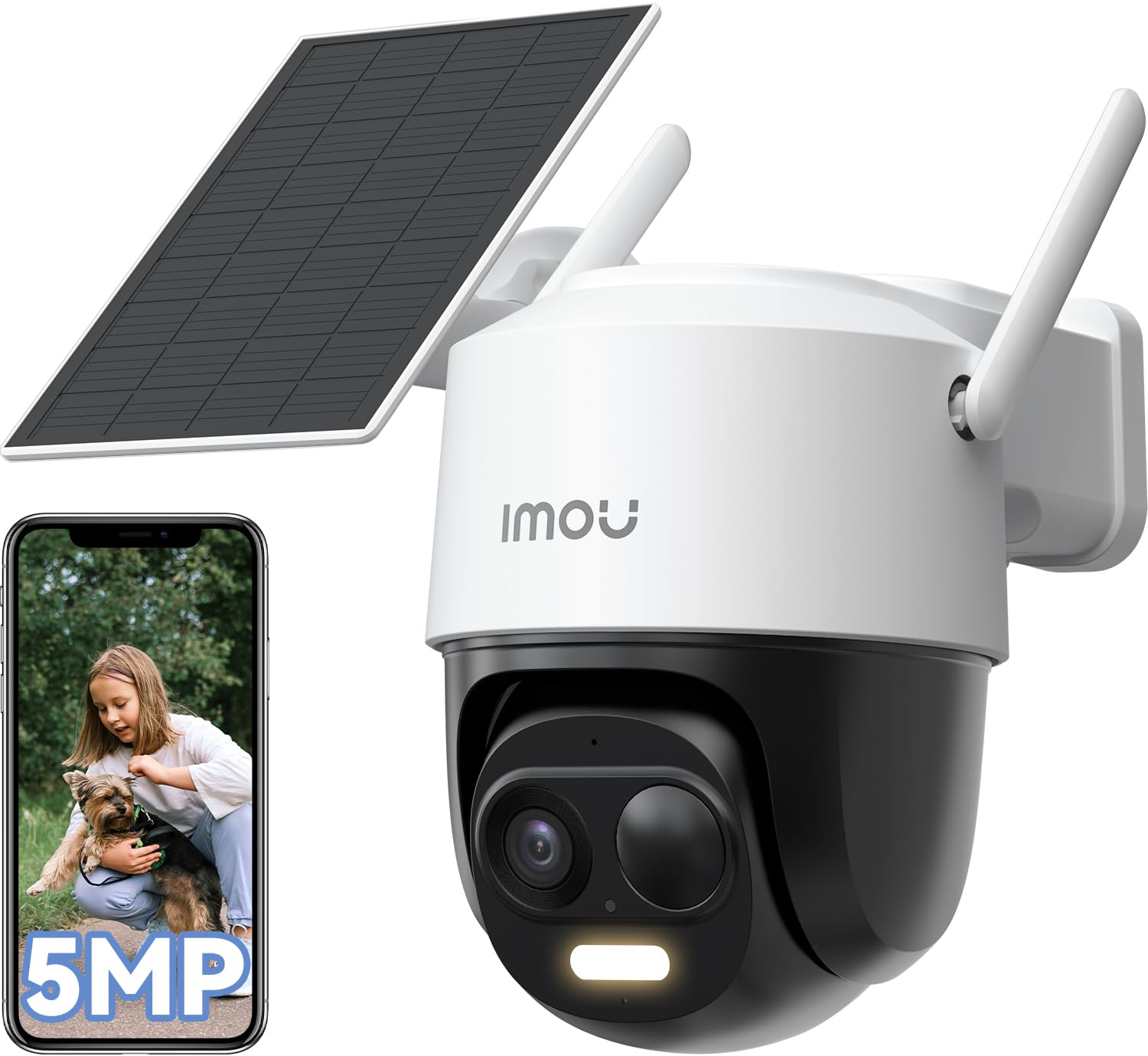
Image: The Imou 3K/5MP Outdoor Solar PTZ Wireless IP Surveillance Camera, showcasing its compact design.
1. Setup
- Unboxing and Components: Verify all components are present: camera unit, solar panel, mounting kit, USB-C cable.
- Charging: Ensure the camera has an initial charge. The solar panel will maintain power after installation.
- App Installation: Download the "Imou Life" app from your smartphone's app store. Create an account or log in.
- Camera Pairing:
- Power on the camera.
- Open the Imou Life app and tap the "+" icon to add a new device.
- Scan the QR code located on the camera or its packaging.
- Follow the in-app instructions to connect the camera to your 2.4GHz Wi-Fi network. Ensure your router is configured for 2.4GHz as 5GHz is not supported for initial setup.
- Mounting:
- Choose a suitable outdoor location with direct sunlight exposure for the solar panel and a clear view for the camera.
- Use the provided mounting template and screws to securely attach the camera and solar panel.
- Connect the solar panel to the camera using the 4-meter USB-C cable. Ensure the connection is secure and waterproof.

Image: The Imou camera mounted with its solar panel, illustrating outdoor installation.
2. Operating Instructions
- Live View: Open the Imou Life app and select your camera to view the live feed.
- PTZ Control: Use the pan-tilt-zoom controls within the app to adjust the camera's viewing angle (360° horizontal rotation). You can set multiple preset positions for quick access.
- Resolution and Zoom: The camera records in 5MP (3K QHD) resolution. Use the digital zoom feature in the app to magnify details.
- Night Vision: The camera automatically switches to night vision in low-light conditions, providing clear images up to 20 meters. Color night vision is available when sufficient ambient light or the camera's spotlight is active.
- AI Detection:
- Enable Person/Vehicle Detection in the app settings. This feature uses AI to distinguish between humans, vehicles, and other moving objects, reducing false alarms.
- Smart Tracking: When a person or vehicle is detected, the camera can automatically track their movement within its field of view.
- Sound and Light Alarm: Configure the camera to activate a powerful spotlight and siren upon detection of suspicious activity.
- Two-Way Audio: Use the microphone and speaker in the camera to communicate with visitors or deter intruders. The app allows for customizable voice options (original, male, robot).
- Privacy Mode: Activate privacy mode via the app to temporarily disable video streaming and recording, ensuring personal privacy when needed.
- Alexa Integration: Connect your Imou camera to Amazon Alexa for voice control and live view display on compatible devices.
- Storage Management:
- MicroSD Card: Insert a microSD card (up to 256GB, not included) into the designated slot for local video storage.
- Imou Cloud Storage: Utilize the optional Imou Cloud service for secure, remote video storage (30-day trial, 7-day recording plan available).
- Motion Detection Zones: Customize specific areas within the camera's view for motion detection to focus on critical zones and minimize unnecessary alerts.

Image: The Imou camera's dome design, indicating its pan-tilt-zoom capabilities for wide area coverage.
3. Maintenance
- Cleaning: Regularly clean the camera lens and solar panel with a soft, damp cloth to ensure clear image quality and efficient solar charging. Avoid abrasive cleaners.
- Firmware Updates: Check the Imou Life app periodically for firmware updates to ensure your camera has the latest features and security enhancements.
- Battery Health: The solar panel is designed to keep the internal battery charged. In prolonged periods of low sunlight, the battery may deplete. Ensure the solar panel is free from obstructions like snow or debris.
4. Troubleshooting
- Camera not connecting to Wi-Fi: Ensure your Wi-Fi network is 2.4GHz. Verify the Wi-Fi password. Move the camera closer to the router during setup.
- Frequent false alarms: Adjust the sensitivity of motion detection in the app. Utilize AI Person/Vehicle Detection to filter out irrelevant movements. Define specific motion detection zones.
- Poor night vision quality: Ensure the camera lens is clean. Check for obstructions blocking the infrared lights.
- Solar panel not charging: Ensure the solar panel is positioned in direct sunlight and free from dirt or obstructions. Verify the USB-C cable connection is secure.
- No audio or poor two-way audio: Check microphone and speaker settings in the app. Ensure there are no physical obstructions.
5. Specifications
| Feature | Specification |
|---|---|
| Model Number | IPC-B7C-5M0WEH |
| Resolution | 5MP (3K QHD), 1620p video recording |
| Field of View | 360° Pan-Tilt-Zoom |
| Night Vision Range | Up to 20 meters |
| Connectivity | Wi-Fi (2.4GHz) |
| Power Source | Solar-powered |
| Water Resistance | IP65 (Waterproof) |
| Special Features | Two-way audio, AI Person/Vehicle Detection, Smart Tracking, Sound & Light Alarm, Privacy Mode, Alexa Integration |
| Storage Options | MicroSD card (max. 256GB), Imou Cloud |
| Dimensions (L x W x H) | 16.5 x 12.6 x 15.4 cm |
| Weight | 1.23 kg |
| Voltage | 5 Volts |
| Battery | 1 x 12V (internal, charged by solar) |
6. Warranty
This product comes with a standard manufacturer's warranty. Please refer to the official Imou website or your purchase documentation for specific warranty terms and conditions.
7. Support
For technical assistance, troubleshooting, or further inquiries, please refer to the Imou Life app's help section or visit the official Imou support website. The Imou Life app supports smartphones, tablets, and PCs.


