
ANKROYU RX 03
ANKROYU RX 03 Industrial Control Board User Manual
Model: RX 03
1. Introduction
The ANKROYU RX 03 Industrial Control Board is a programmable logic controller (PLC) designed for various industrial automation tasks. It features 8 input channels and 7 output channels, enabling versatile control over relays, solenoid valves, and motors. This manual provides essential information for the proper setup, operation, and maintenance of your RX 03 control board.

Front and top view of the ANKROYU RX 03 Industrial Control Board, showing the input/output terminals, USB port, and model designation.
2. Key Features
- Ease of Use: Offers intuitive setup and allows direct program function testing on a computer, providing real-time program monitoring without complex hardware installation.
- Wide Compatibility: Compatible with a broad range of devices and sensors, including position switches, NPN type proximity switches, and magnetic induction switches.
- Control Capabilities: Equipped with 8 input channels and 7 output channels for managing relays, solenoid valves, and motors.
- Versatile Applications: Suitable for diverse industries such as printing, chemical engineering, packaging, textiles, metallurgy, plastics, food processing, and building materials.
- Robust Design: Built for industrial environments, ensuring long-term, dependable performance in automated manufacturing and machinery control.
3. Specifications
| Parameter | Value |
|---|---|
| Model | RX 03 |
| Item Type | Programmable Logic Controller |
| Material | ABS |
| Input Channels | 8 |
| Output Channels | 7 |
| Package Dimensions | 5.91 x 5.91 x 1.97 inches |
| Item Weight | 7.2 ounces |
| Manufacturer | ANKROYU |
| Item Model Number | ANKROYU3amtn6gokd |
4. Package Contents
Upon opening the package, verify that all components are present and undamaged:
- 1 x ANKROYU RX 03 Programmable Logic Controller
5. Setup and Wiring
Proper wiring is crucial for the safe and correct operation of the RX 03 control board. Refer to the wiring diagram below for detailed connection instructions.
5.1 Power Supply Connection
- Connect a 12-24V DC power supply to the designated VCC and GND terminals. Ensure correct polarity.
5.2 Input Connections (X00-X07)
- The 8 input channels (X00 to X07) are designed to connect to various sensors and switches, such as position switches, NPN type proximity switches, and magnetic induction switches.
- Connect the signal output from your input devices to the respective X terminals.
- Ensure common ground (COM) connections are correctly established for all input devices.
5.3 Output Connections (Y00-Y06)
- The 7 output channels (Y00 to Y06) can control external devices like relays, solenoid valves, and small motors.
- Connect the load devices to the Y terminals and the common output (YCOM) as per your application's requirements.
5.4 USB Connection
- Use a standard USB cable to connect the RX 03 board to a computer or compatible Android device for programming and monitoring.

Detailed wiring diagram for the RX 03 Industrial Control Board, illustrating connections for 12-24V power supply, 8-way inputs (X00-X07), 7-way outputs (Y00-Y06), and USB connection to a computer.
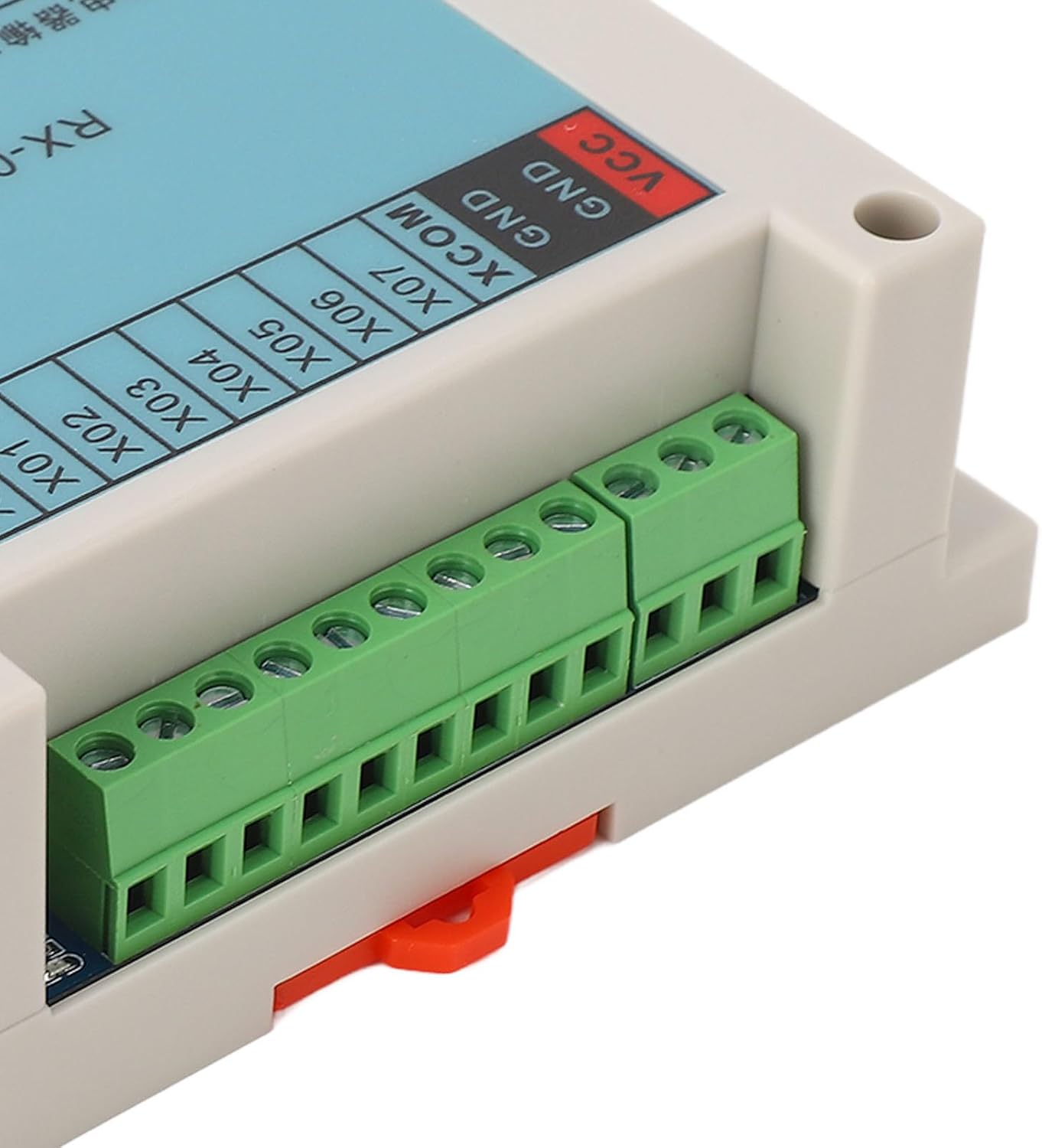
Close-up view of the green screw terminals on the RX 03 Industrial Control Board, designed for secure and reliable wiring connections.
6. Operating Instructions
The RX 03 control board is programmed via a computer or compatible mobile device. The programming software allows you to define logic for inputs and outputs.
6.1 Programming Software
- Obtain the appropriate programming software for the RX 03 from the manufacturer's website or provided resources.
- Install the software on your computer or mobile device.
6.2 Creating and Uploading Programs
- Use the programming software to create your desired control logic. This typically involves defining input conditions and corresponding output actions.
- Connect the RX 03 board to your computer via USB.
- Upload the compiled program to the RX 03 control board using the software interface.
6.3 Real-time Monitoring
- The software allows for real-time monitoring of input states and output activations, aiding in debugging and system verification.

The RX 03 Industrial Control Board supports programming and monitoring via Android devices, allowing mobile phones and tablets to view and modify programs.
7. Applications
The ANKROYU RX 03 Industrial Control Board is suitable for a wide range of industrial applications due to its robust design and versatile control features. Common application areas include:
- Automated manufacturing processes
- Machinery control systems
- Production line control
- Fixture and power control
- Printing and packaging industries
- Chemical engineering
- Textile and metallurgy operations
- Plastics, food, and building materials industries

The RX 03 Industrial Control Board integrated within an industrial control panel, demonstrating its application in a real-world setting alongside other control components.

The RX 03 Industrial Control Board positioned in an industrial environment, highlighting its suitability for various manufacturing and processing applications.
8. Maintenance
The RX 03 Industrial Control Board is designed for low maintenance. Follow these guidelines to ensure its longevity and reliable operation:
- Keep Clean: Regularly clean the exterior of the unit with a soft, dry cloth. Avoid using harsh chemicals or abrasive materials.
- Environmental Conditions: Ensure the operating environment is within specified temperature and humidity ranges. Avoid excessive dust, moisture, and corrosive gases.
- Ventilation: Do not obstruct the ventilation slots on the side of the unit to prevent overheating.
- Connection Integrity: Periodically check all wiring connections to ensure they are secure and free from corrosion.

Side view of the RX 03 Industrial Control Board, showing ventilation slots for heat dissipation, ensuring stable operation.
9. Troubleshooting
This section addresses common issues you might encounter with the RX 03 Industrial Control Board.
9.1 No Power Indication
- Check Power Supply: Verify that the 12-24V DC power supply is correctly connected and providing the specified voltage.
- Polarity: Ensure the power supply polarity is correct (VCC to positive, GND to negative).
9.2 Program Upload Failure
- USB Connection: Confirm the USB cable is securely connected to both the board and the computer/mobile device.
- Driver Installation: Ensure the necessary USB drivers for the RX 03 board are correctly installed on your computer.
- Software Settings: Check that the programming software is configured to communicate with the correct COM port or device.
9.3 Incorrect Output Behavior
- Wiring: Review the output wiring (Y00-Y06) to ensure it matches the diagram and your intended connections.
- Program Logic: Verify the program logic within the software to ensure it correctly defines the desired output conditions.
- Load Compatibility: Ensure the connected load devices (relays, solenoid valves, motors) are compatible with the board's output specifications.
10. Warranty and Support
For warranty information, technical support, or service inquiries, please refer to the ANKROYU official website or contact your authorized dealer. Keep your purchase receipt for warranty claims.
Ask a question about this manual
Ask about setup, troubleshooting, compatibility, parts, safety, or missing instructions. Manuals+ will review the question and use this page’s manual context to help answer it.