
Introduction
Thank you for choosing the Netzu 6206ZD Vibrating Alarm Clock. This device is designed to provide a reliable wake-up experience, especially for heavy sleepers and individuals with hearing impairments, through a combination of loud alarm, powerful vibration, and bright wake-up light. This manual provides detailed instructions for setup, operation, and maintenance to ensure optimal performance.
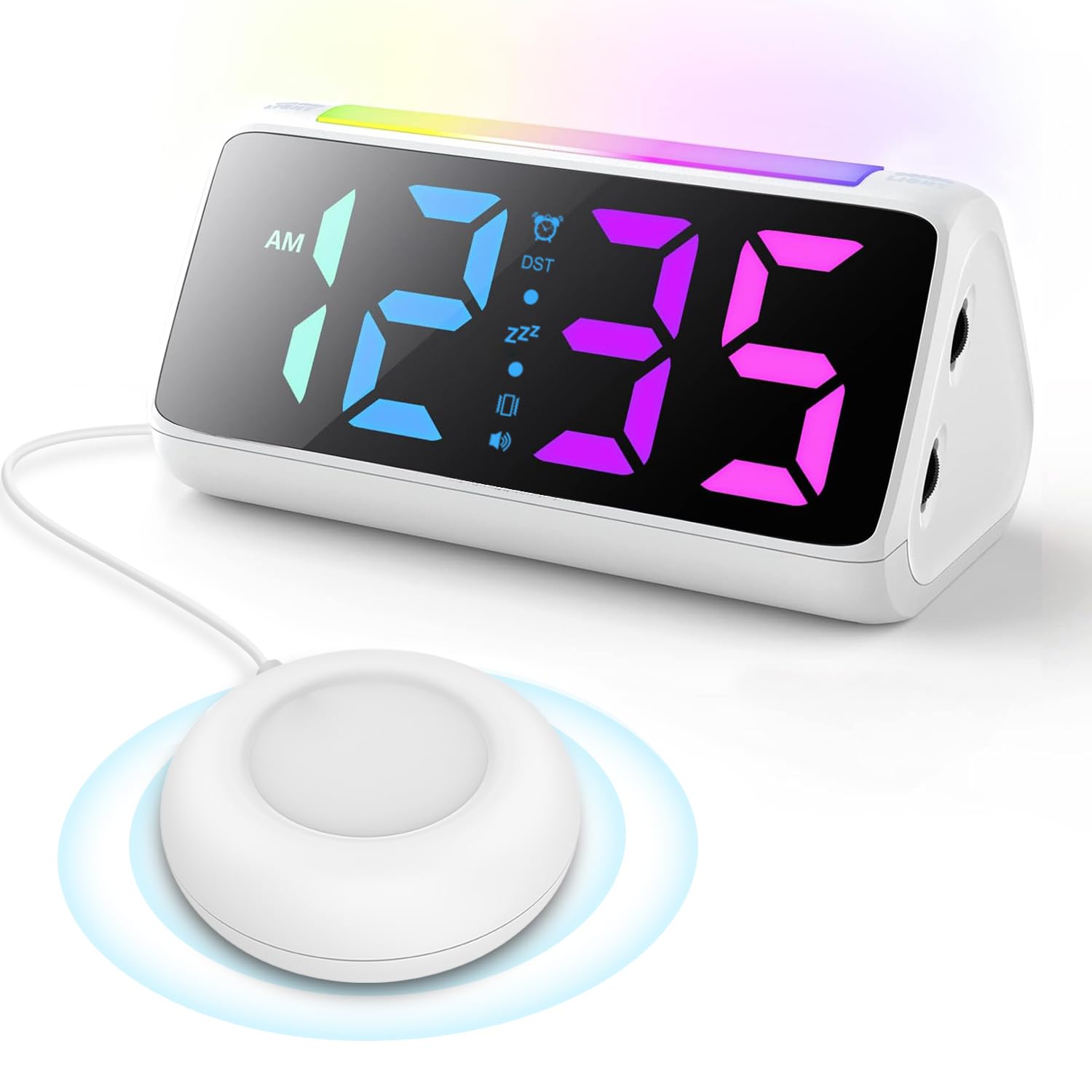
Image: The Netzu 6206ZD Vibrating Alarm Clock with its connected bed shaker unit.
Package Contents
Before proceeding with setup, please ensure all items are present in the package:
- Netzu 6206ZD Alarm Clock Unit
- Vibrating Bed Shaker
- Power Adapter
- USB Charging Cable
- User Manual (this document)

Image: Contents of the Netzu 6206ZD alarm clock package, including the clock, bed shaker, and power accessories.
Setup
1. Power Connection
Connect the provided power adapter to the alarm clock and plug it into a standard electrical outlet. The clock requires continuous power to operate.

Image: The alarm clock connected to a power source via its USB port, also showing a phone charging from the clock's USB output.
2. Battery Backup (Optional)
For retaining time and alarm settings during a power outage, insert 2 AAA batteries (not included) into the battery compartment located on the bottom of the clock. The batteries do not power the display or alarm functions, only memory retention.

Image: The battery compartment on the underside of the alarm clock, showing where to insert AAA batteries for backup.
3. Connecting the Bed Shaker
Plug the vibrating bed shaker into the designated port on the back of the alarm clock. Place the shaker under your pillow, under a fitted sheet, or between your mattress and box spring for optimal vibration.

Image: Diagrams illustrating various placements for the bed shaker: under a pillow, under a fitted sheet, and between the mattress and box spring.
Operating Instructions
1. Setting Time and Date
- Time Format: Press the '12/24H' button to switch between 12-hour and 24-hour display formats.
- Daylight Saving Time (DST): Long press the 'DST' button to add or subtract one hour for daylight saving time adjustments.

Image: Visual representation of 12-hour, 24-hour, and DST time display options on the alarm clock.
2. Setting Alarms
The alarm clock offers three wake-up modes:
- Ring Only: The clock will emit a loud audible alarm.
- Vibrate Only: The bed shaker will activate without an audible alarm.
- Ring + Vibrate: Both the audible alarm and bed shaker will activate simultaneously.
Refer to the specific buttons on your device for setting the alarm time and selecting the desired wake-up mode.

Image: Illustration showing the three available wake-up modes: Loud Ringing Only, Powerful Vibration Only, and Ringing + Vibration.
3. Adjusting Alarm Volume
The alarm features 4 adjustable volume levels, with a maximum output of 110 dB. Use the volume control buttons (typically '+' and '-' or dedicated volume buttons) to set your preferred alarm loudness.

Image: Graphic depicting the four volume levels (75dB, 95dB, 100dB, 110dB) available for the alarm.
4. Snooze Function
When the alarm sounds, press the large snooze button on the top of the clock to activate a 5-minute snooze period. The alarm will sound again after 5 minutes.

Image: A person reaching to tap the snooze button on the alarm clock, indicating a 5-minute snooze duration.
5. Display and Night Light Settings
- Display Brightness: The RGB display offers 11 color options and adjustable brightness from 0% to 100%. Use the dedicated dimmer buttons to adjust the display intensity to your preference.
- Night Light: The clock features a light bar with 9 color modes, which can function as a night light. Activate and cycle through the night light colors using the designated button.

Image: Multiple views of the alarm clock displaying different RGB colors and brightness levels, from 0% to 100%.

Image: The alarm clock illuminated with its night light feature, casting a soft glow.
Maintenance
To ensure the longevity and proper functioning of your Netzu 6206ZD Alarm Clock, follow these maintenance guidelines:
- Cleaning: Wipe the clock and bed shaker with a soft, dry cloth. Do not use abrasive cleaners, solvents, or immerse the unit in water.
- Placement: Place the clock on a stable, flat surface away from direct sunlight, excessive heat, or moisture.
- Power: Always use the provided power adapter. Disconnect power during electrical storms or when not in use for extended periods.
Troubleshooting
| Problem | Possible Cause | Solution |
|---|---|---|
| Clock display is off or flickering. | No power or loose connection. | Ensure the power adapter is securely plugged into the clock and the wall outlet. Check if the outlet is functional. |
| Alarm does not sound/vibrate. | Alarm not set, wrong mode selected, or volume too low. | Verify alarm time is set correctly. Check that the desired wake-up mode (Ring, Vibrate, or both) is selected. Increase alarm volume. Ensure bed shaker is properly connected. |
| Settings lost after power outage. | No backup batteries or batteries are depleted. | Install 2 new AAA batteries for memory retention. |
| Display is too bright/dim. | Brightness level needs adjustment. | Use the dimmer buttons to adjust the display brightness to your preference. |
Specifications
- Model: 6206ZD
- Brand: Netzu
- Color: White
- Display Type: Digital
- Product Dimensions: 6.3"W x 3.15"H
- Power Source: Corded Electric
- Battery Backup: 2 AAA batteries (not included) for memory retention
- Alarm Volume: 4 levels, up to 110 dB
- Snooze Duration: 5 minutes
- Display Features: 11 RGB color options, 0-100% brightness adjustment
- Night Light: 9 color modes
- Time Format: 12/24-hour display, Manual DST adjustment
- Material: Plastic
Warranty and Support
For warranty information or technical support, please refer to the contact details provided with your purchase documentation or visit the official Netzu website. Keep your purchase receipt as proof of purchase for any warranty claims.