
1. Product Overview
The SIXWIN Android Car Stereo is a 10.1-inch touch screen head unit designed for Honda Accord 8th generation vehicles (2008-2013). It features an 8-core processor, 6GB RAM, 128GB storage, Android 13 operating system, Bluetooth 5.0, wireless CarPlay, Android Auto, GPS navigation, HiFi audio, and Wi-Fi connectivity. This unit enhances your in-car entertainment and navigation experience.
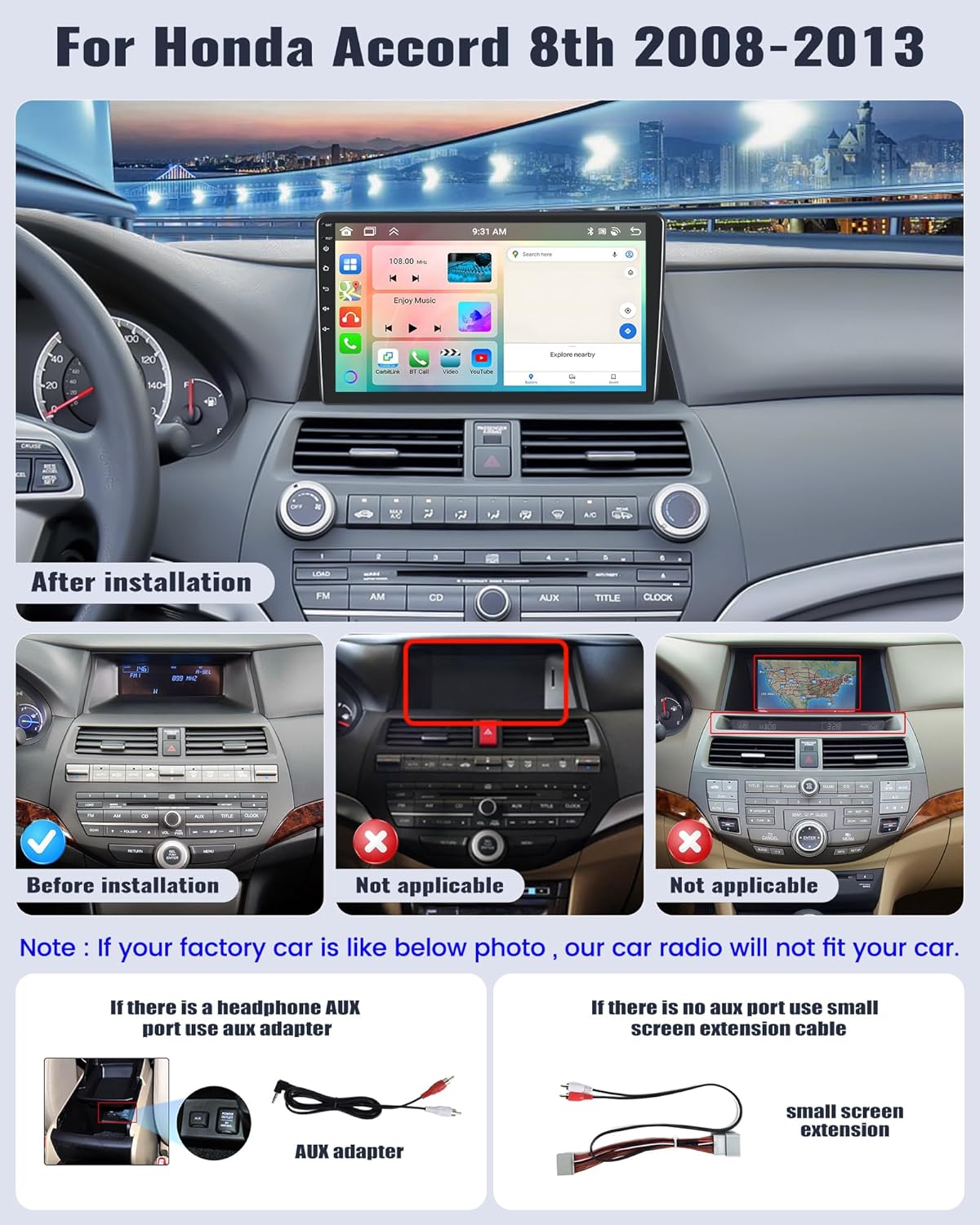
Image: SIXWIN Android Car Stereo installed in a Honda Accord 8th generation dashboard, showing the large 10.1-inch screen integrated seamlessly.
2. What's in the Box
- Car stereo unit
- Dash kit for Honda Accord 8th Gen
3. Safety Information
Always ensure the vehicle is parked and the engine is off before beginning installation. Disconnect the car battery's negative terminal to prevent electrical shorts. If you are unsure about any installation steps, consult a qualified professional. Do not operate the device in a way that distracts you from driving. Always prioritize road safety.
4. Setup and Installation
4.1 Compatibility Check
This car stereo is specifically designed for Honda Accord 8th generation models from 2008 to 2013. Please verify your car's dashboard configuration matches the 'After installation' image below. If your factory car's dashboard is like the 'Not applicable' photos, this car radio will not fit your car.
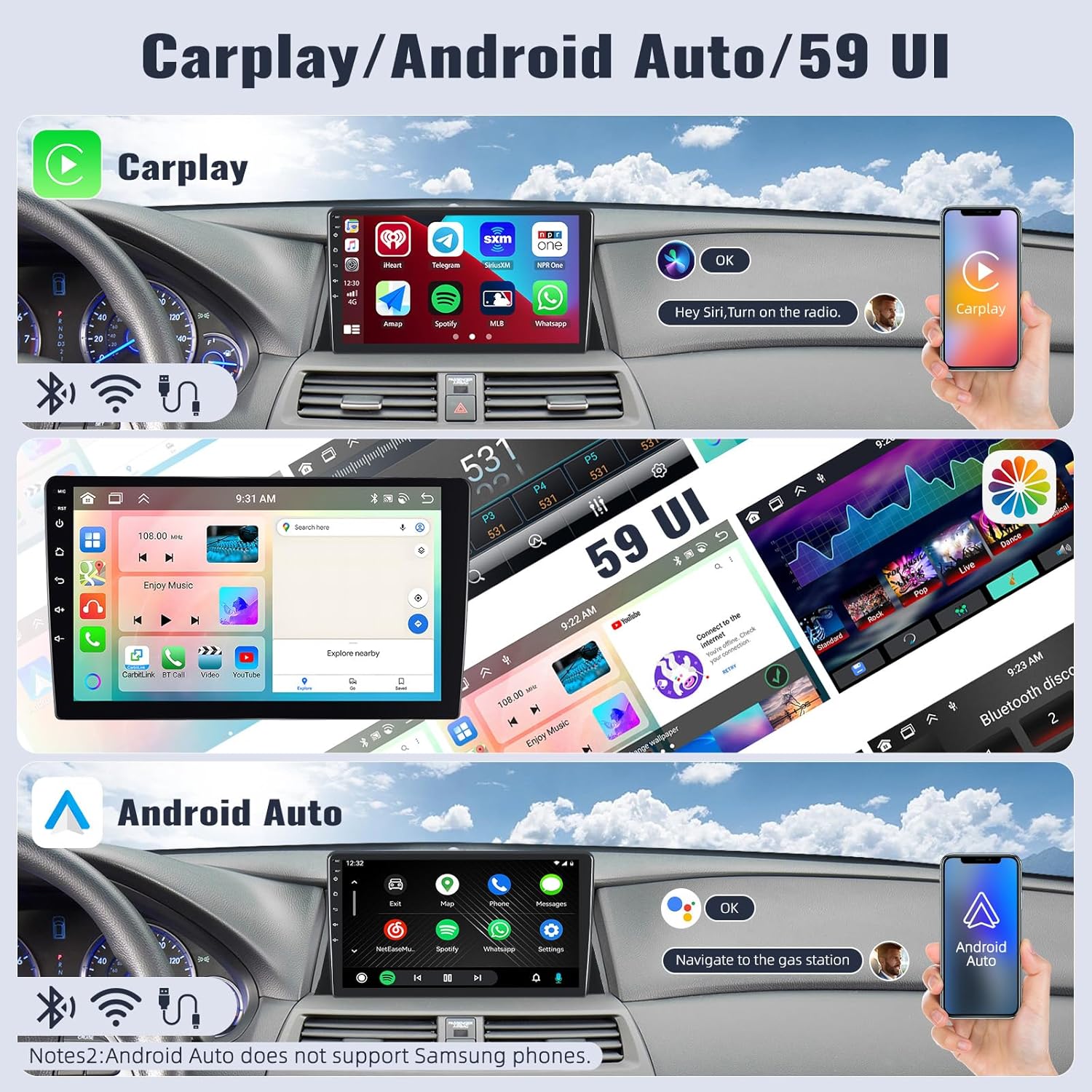
Image: Compatibility guide showing the Honda Accord 8th generation dashboard before and after installation, with examples of incompatible dashboards.
4.2 Wiring Connections
Proper wiring is crucial for correct functionality. Refer to the detailed wiring diagram and instructions provided. Ensure all cables are securely connected.

Image: Detailed wiring diagram illustrating connections for power, GPS antenna, USB, RCA, and rear camera input cables.
4.2.1 AUX Port Connection
If your car has a headphone AUX port in the gear position, connect the provided AUX cable. If there is no AUX port, use the small screen extension cable. Incorrect wiring may result in no sound.

Image: Instructions for connecting the AUX cable based on the presence of a headphone AUX port in the car's gear position.
4.2.2 Rear Camera Wiring
Connect the red wire of the backup camera to the positive terminal of the car's reversing light cable and the black wire to the negative terminal. The white plug must be connected to the main device for Bluetooth and Wi-Fi functionality.

Image: Diagram showing how to connect the backup camera, including positive and negative connections to the reverse light and the main unit plug.
4.3 Installation Videos
Video: Installation guide for RUICAR radio in Honda Accord 8th generation (2008-2012). This video provides a step-by-step visual aid for the installation process.
Video: Installation process for ACCORD 8th radio with Wireless CarPlay and Android Auto. This video demonstrates the physical installation steps.
5. Operating Instructions
5.1 Basic Functions
The unit features a user-friendly interface with various applications for music, video, radio, and more. Navigate through the apps by swiping the screen or using the side buttons.
Video: Demonstration of the main function interface display, showing various applications and navigation.
5.1.1 Music and Video Playback
Access your music and video files through the dedicated applications. The unit supports various formats and offers intuitive playback controls.
Video: Demonstrates music and video playback functionality on the car stereo, including volume control and track navigation.
5.1.2 FM/AM Radio
Tune into your favorite FM and AM radio stations. The unit allows for automatic station search and storage of up to 18 radio stations. Network radio is also available for mainstream stations globally.

Image: Display of the FM/AM radio interface with station presets and the Network Radio feature for global station access.
5.2 Connectivity
5.2.1 Bluetooth 5.0
Connect your smartphone via Bluetooth 5.0 for hands-free calling, playing Bluetooth music, and downloading phonebooks. An external microphone ensures clear communication.

Image: Overview of Bluetooth 5.0 features including hands-free calling, music playback, and phonebook import.
5.2.2 Wireless CarPlay & Android Auto
The 10.1-inch head unit supports both wireless and wired CarPlay and Android Auto. Connect your phone to access maps, GPS navigation, contacts, email, notifications, and music. Voice control (Siri or Google Assistant) is also supported. Note: Samsung phones may not be fully supported for Mirror Link.
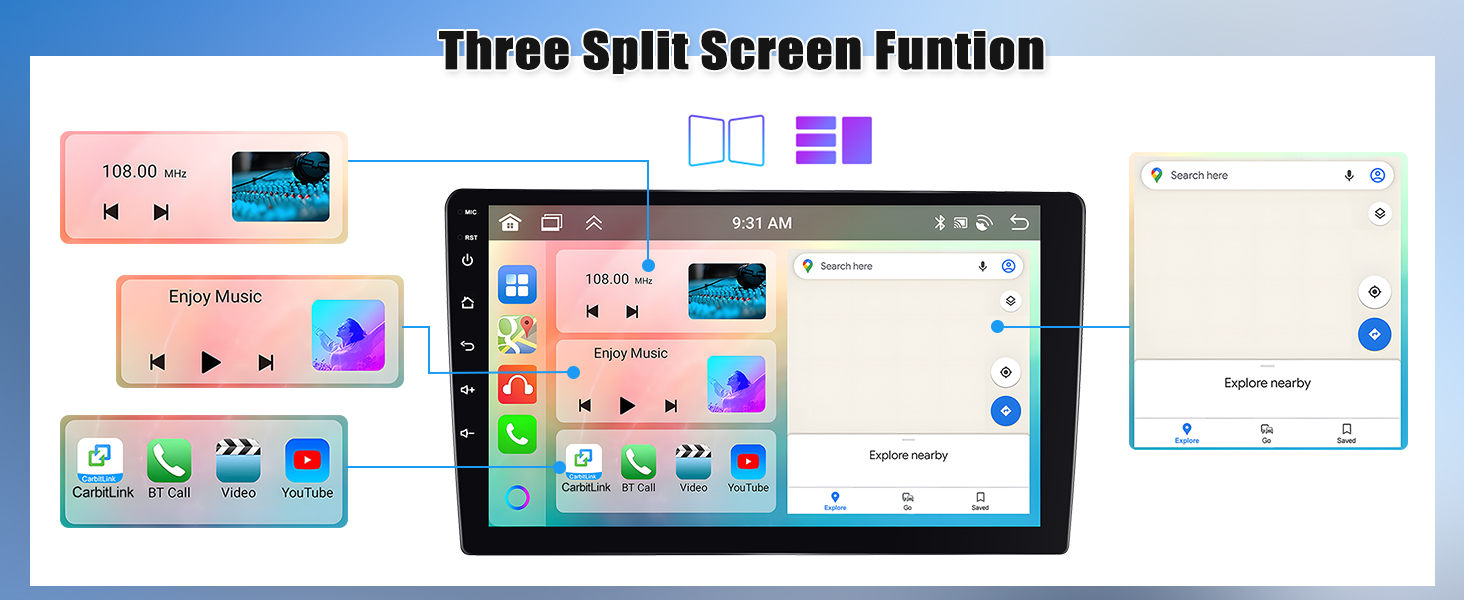
Image: Visual representation of Wireless CarPlay and Android Auto interfaces, highlighting seamless phone integration.
Video: Demonstrates the connection process for Wireless CarPlay and Android Auto, including synchronization of mobile maps, music, and hands-free calling.
5.2.3 Mirror Link
Mirror Link functionality allows you to display your smartphone's screen on the head unit. Supports one-way control for iOS (via Wi-Fi) and two-way control for Android (via Wi-Fi/USB).
Image: Illustration of Mirror Link for Android/iOS, showing screen mirroring and control options.
5.2.4 Wi-Fi Connection
Connect the car stereo to Wi-Fi to use online navigation, download apps, and browse the internet, providing a mobile phone-like experience.
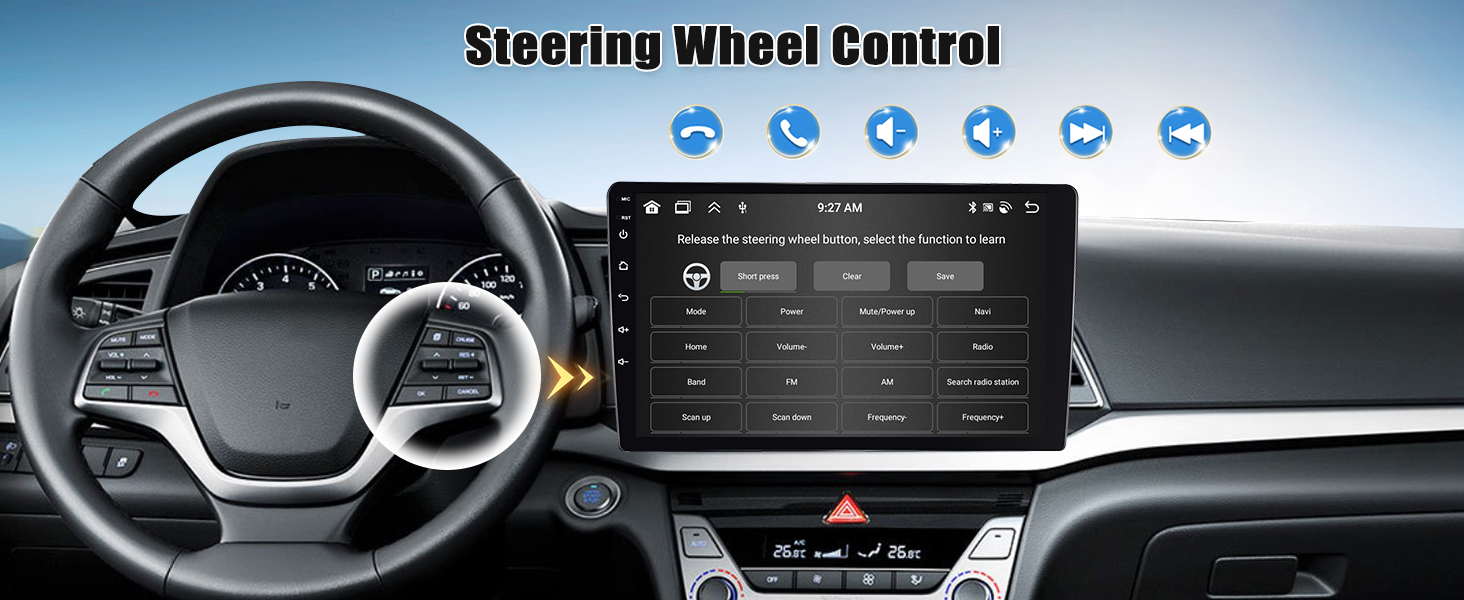
Image: Depicts built-in WiFi capabilities, enabling online video, navigation, and app usage.
Video: Shows online web browsing and installation/usage of other applications via Wi-Fi.
5.3 Navigation
The unit has built-in GPS navigation and supports both online and offline maps. Use the 'Here We Go' app for offline navigation by downloading map data.
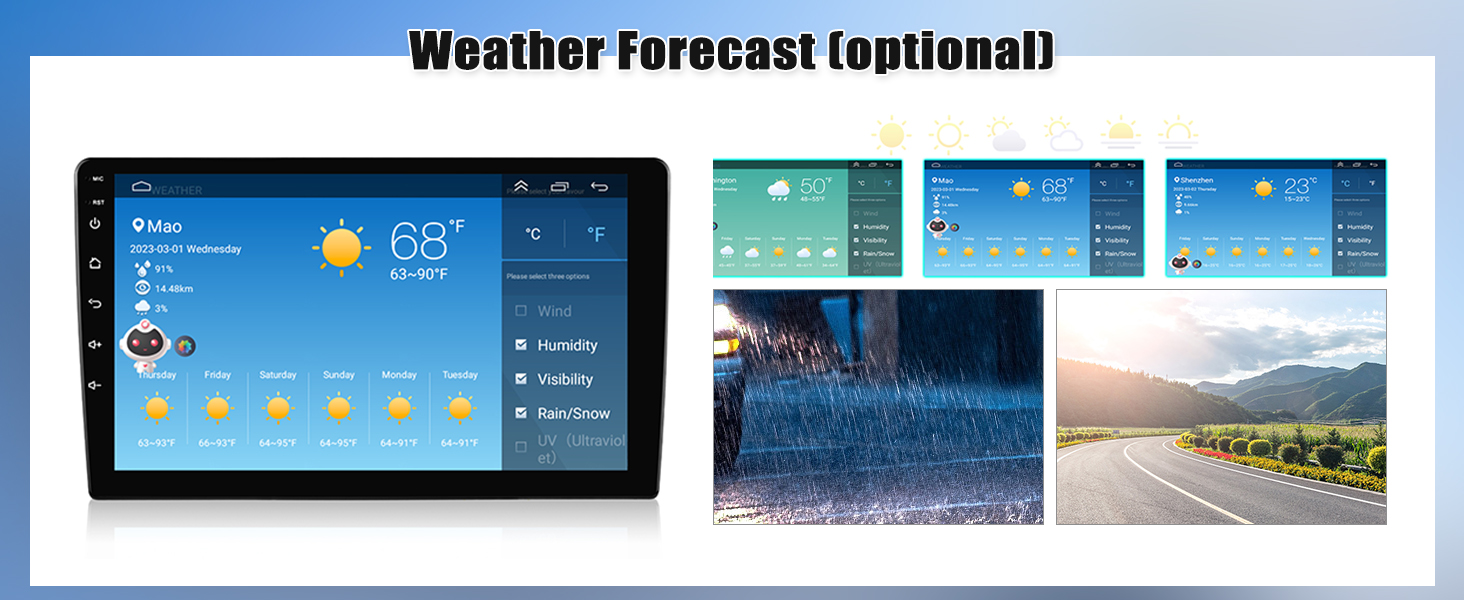
Image: Displays GPS navigation with support for online and offline maps, including the 'Here We Go' app.
Video: Shows maps navigation and support for installing other map applications.
5.4 Sound Settings
Customize your audio experience with the Digital Signal Processor (DSP) featuring 32-band EQ and 7 presets. Adjust smart bass, balance, loudness, delay, and filter settings for optimal sound.
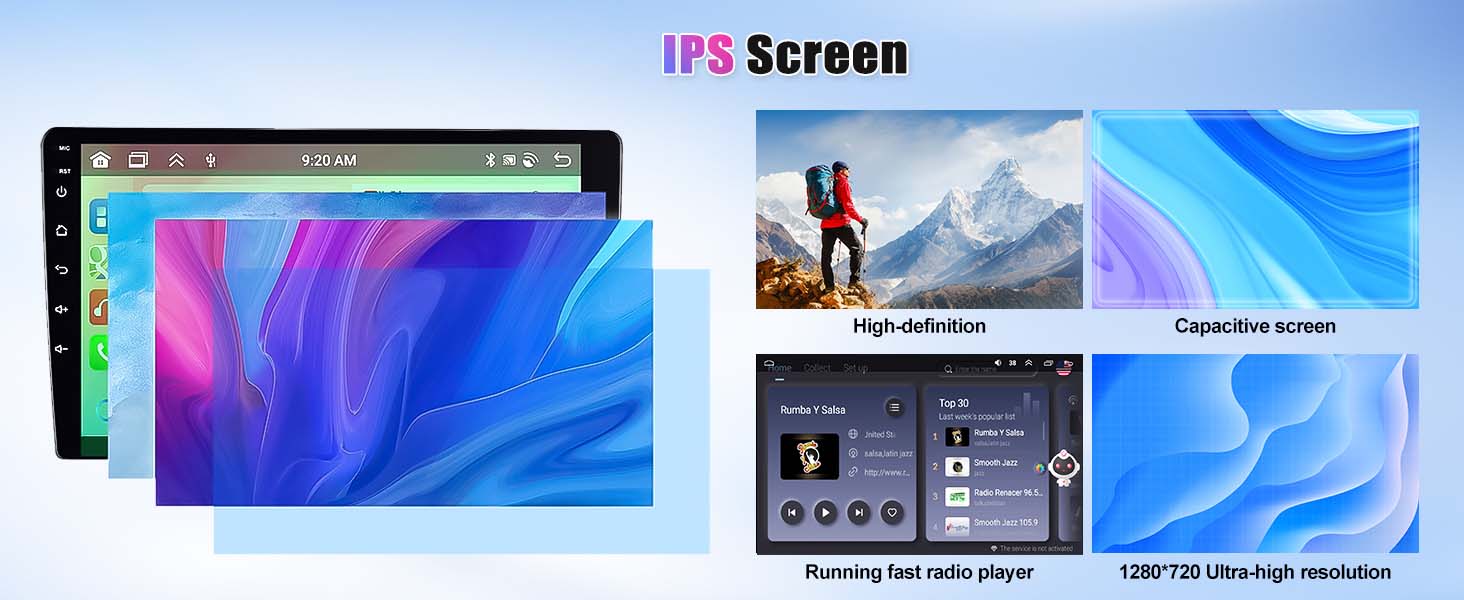
Image: Detailed view of the 32-band EQ and DSP settings for precise audio customization.
Video: Demonstrates Digital Signal Process (DSP) features including Smart Bass, Equalizer, Balance, Loudness, Delay, and Filter adjustments.
5.5 Steering Wheel Control
The unit supports steering wheel controls, allowing you to switch songs, adjust volume, and answer calls without taking your hands off the wheel. Remember to connect the SWC cable and set the controls (password: 1234).
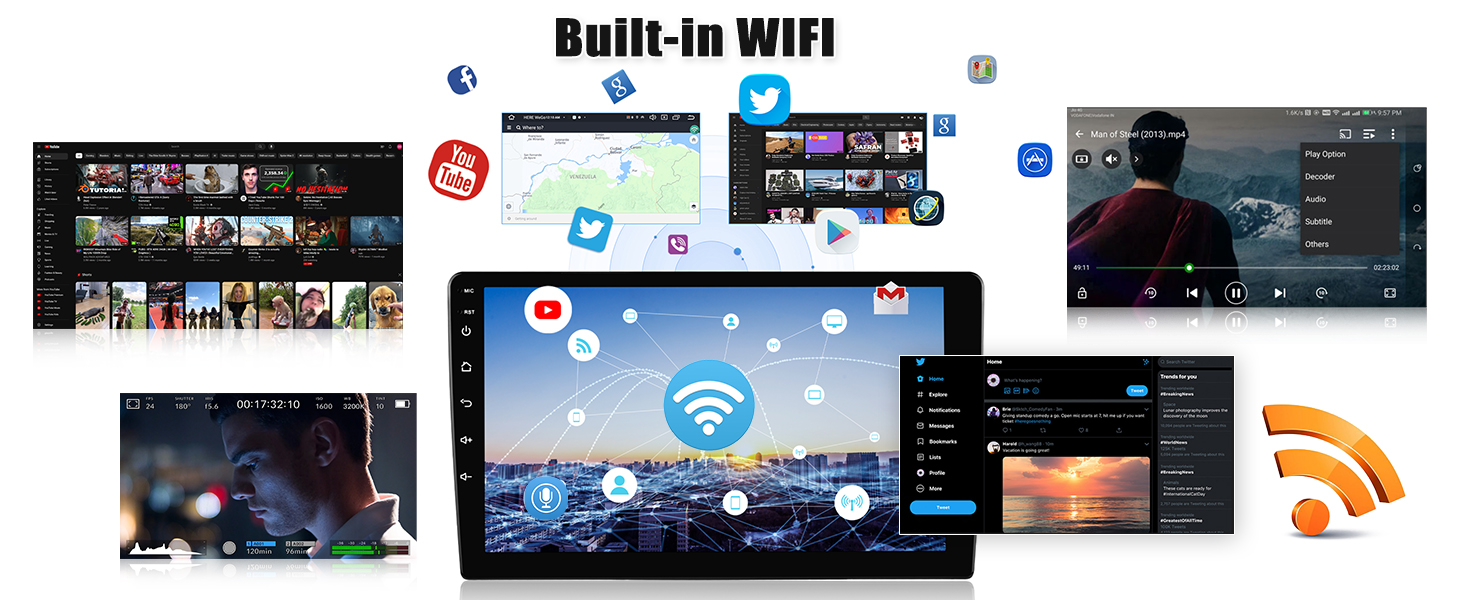
Image: Interface for programming steering wheel controls, showing various functions that can be assigned to buttons.
Video: Demonstrates steering wheel button controls in action, showing how to change radio stations and adjust volume.
Video: Guide on how to set up Steering Wheel Controls (SWC) for the car stereo.
Video: Demonstrates programming of steering wheel control keys, including setting up next, previous, mute, and volume functions.
5.6 Backup Camera
The unit comes with an AHD backup camera that automatically displays the image on the screen when reversing, aiding in safer driving and easier parking.
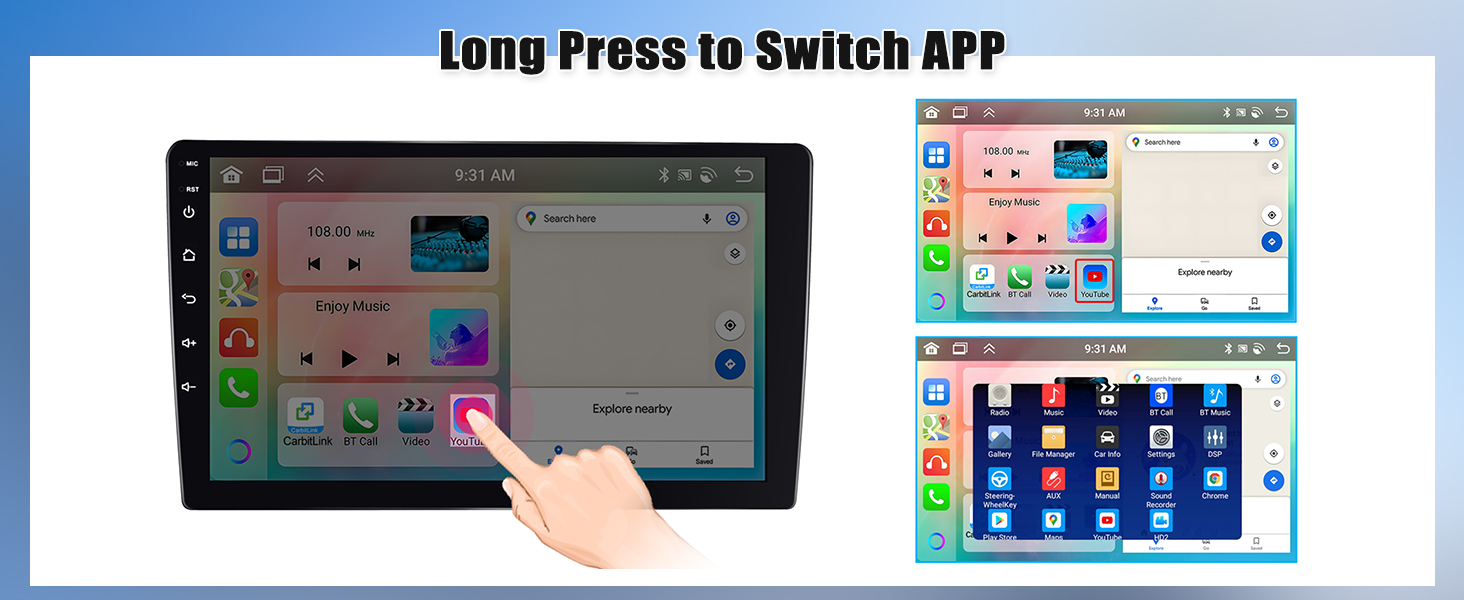
Image: Shows the backup camera view with dynamic parking guidelines on the screen.
Video: Displays the HD reversing image from the backup camera with parking lines.
5.7 Other Features
5.7.1 Weather Forecast
The car radio can display the weather forecast for a week, providing convenient travel information.

Image: Shows the weather forecast display, including current conditions and a weekly outlook.
5.7.2 UI Desktop Themes and Split Screen
Choose from 59 UI desktop themes to personalize your interface. The 4-split screen function allows for multitasking, displaying multiple applications simultaneously.

Image: Demonstrates the three-split screen function and various wallpaper options for interface customization.
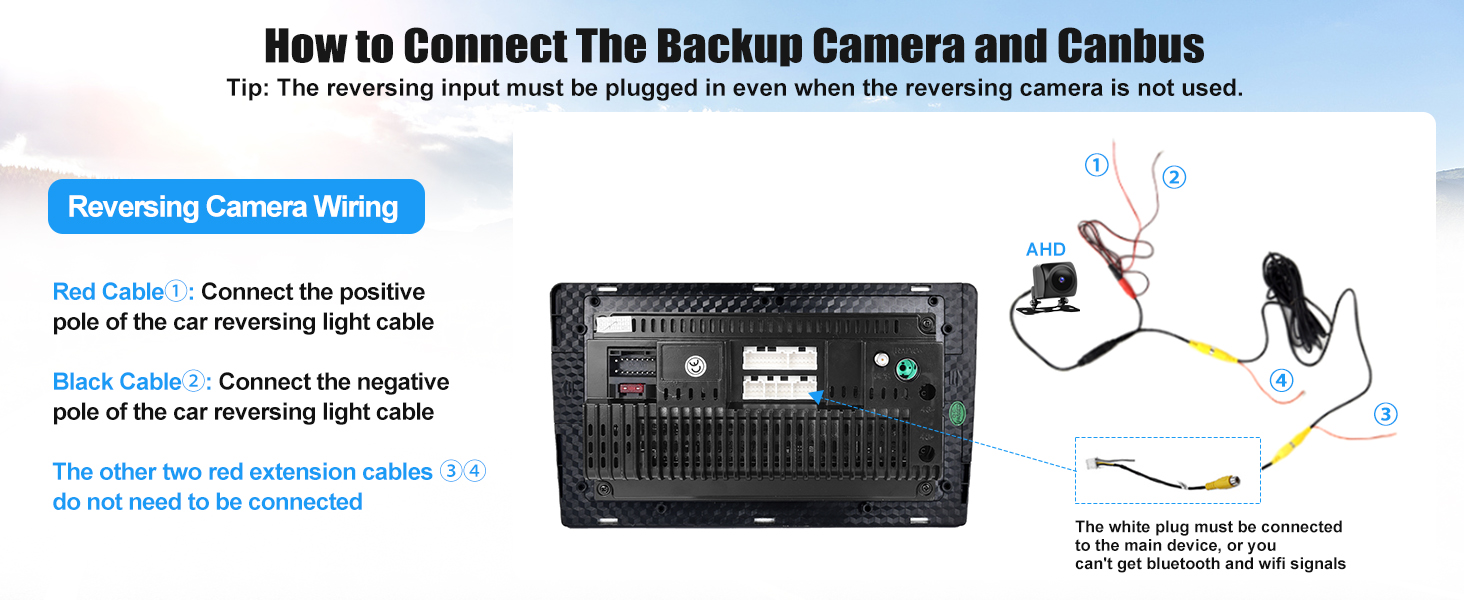
Image: Illustrates how to long-press to switch between applications and manage the split-screen view.
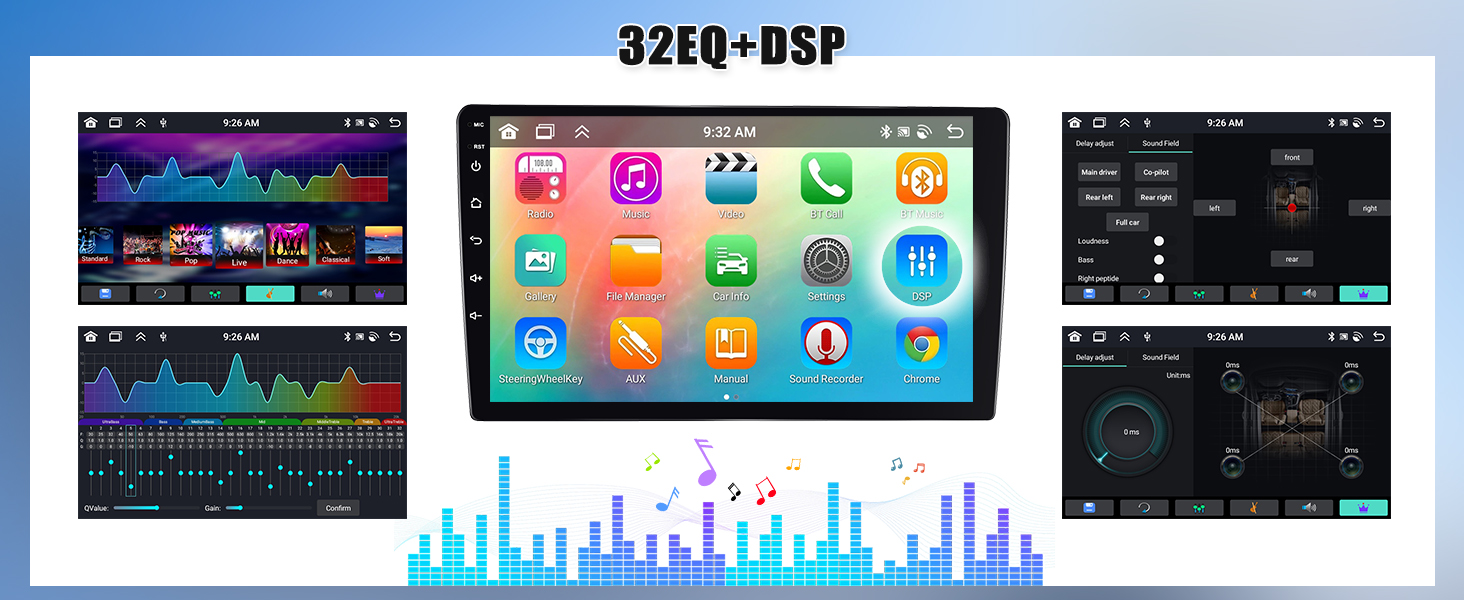
Image: Highlights the IPS screen features, including high-definition display and capacitive touch for responsive interaction.
6. Troubleshooting
If you encounter any issues, please refer to the troubleshooting guide below. Many common problems can be resolved with simple steps.
Video: Essential troubleshooting guide covering 90% of common issues with car stereos.
7. Specifications
- Operating System: Android 13
- Processor: 8 Core
- Memory: 6GB RAM + 128GB Storage
- Screen Size: 10.1 Inches
- Display Resolution: 1280 x 720 (IPS screen)
- Connectivity: Wireless (Wi-Fi, Bluetooth 5.0)
- Special Features: Android Auto, Apple CarPlay, GPS Navigation, Weather Forecast, 59UI Desktop Themes, 4 Split Screen function, Intelligent Voice, Mirror Link, AHD Backup Camera, Steering Wheel Control, DSP 32EQ
- Mounting Type: Dashboard Mount
- Audio Output Mode: Stereo
- Item Weight: 4.55 pounds
- Product Dimensions: 1 x 1 x 1 inches
8. Warranty and Support
This product comes with a 1-year warranty. For online help, user manuals, or installation videos, please contact us at sixwin_vip@163.com.

Image: Customer support representative available to assist with inquiries.