
Introduction
This manual provides comprehensive instructions for the assembly, operation, maintenance, and troubleshooting of your HUANUO 60x30 Inch Electric Standing Desk. Please read this manual thoroughly before use to ensure proper function and safety.
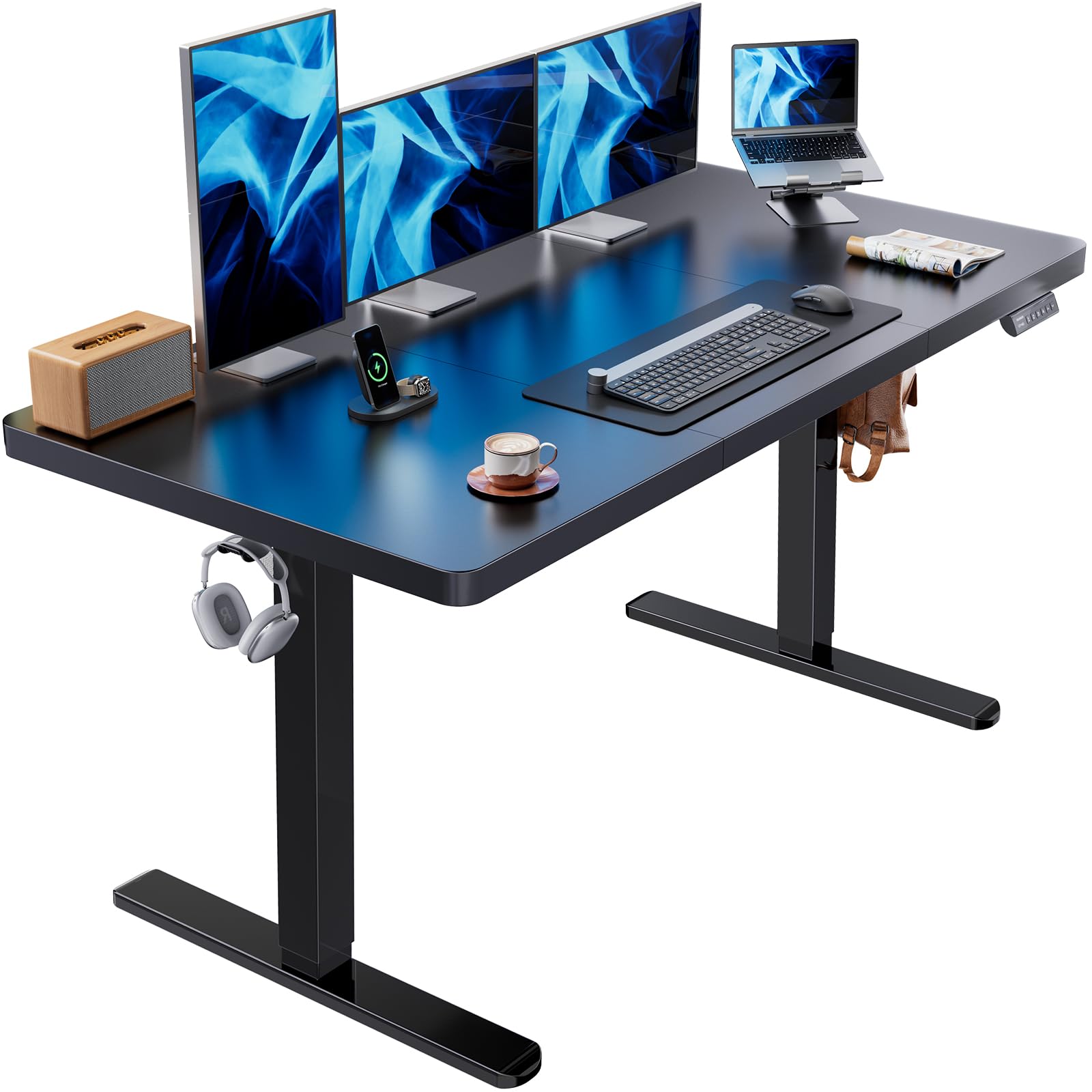
Image: The HUANUO 60x30 Inch Electric Standing Desk, showcasing its design in an office environment.
Safety Information
- Do not exceed the maximum weight limit of 100 kg (220 lbs) on the desktop.
- Ensure all screws and bolts are securely tightened before use.
- Keep children and pets away from the desk during operation.
- Avoid placing liquids directly on the control panel or motor components.
- Disconnect power before cleaning or performing any maintenance.
Setup and Assembly
The HUANUO Electric Standing Desk is designed for straightforward assembly. The desktop and frame are shipped in two separate packages, which may arrive at different times. Please refer to the included detailed instructions and labeled hardware for a hassle-free setup.
Installation Tips:
- When you receive the frame and tabletop, verify the corresponding model on the frame packaging box. Different models may have specific tabletop installation positions, as indicated in the tabletop manual.
- A cable management tray is included to attach underneath your desktop, helping organize power strips and cables.
- Two hooks are provided for hanging headphones or bags, contributing to a clean and clutter-free workspace.
- Assembly is recommended for 1 person.
- A screwdriver is recommended for assembly.

Image: Desk dimensions and packaging information, noting shipment in two boxes.
Assembly Video:
Video: A detailed assembly guide for the HUANUO Electric Standing Desk.
Operating Instructions
The HUANUO Electric Standing Desk features a powerful brushless motor for smooth and quiet height adjustments. The intelligent control panel allows for easy transitions between sitting and standing positions.
Height Adjustment:
- The desk can be smoothly adjusted from a minimum height of 27.9 inches to a maximum height of 46.5 inches.
- Use the Up and Down arrow buttons on the control panel to manually adjust the desk to your desired height.

Image: Visual representation of the desk's adjustable height range, suitable for both sitting and standing.
Memory Presets:
- The control panel includes 4 memory preset buttons (1, 2, 3, 4).
- To save a height: Adjust the desk to your preferred height, then press and hold one of the numbered preset buttons until you hear a beep or see the display flash. The height is now saved to that button.
- To recall a saved height: Simply press the corresponding numbered preset button. The desk will automatically move to the saved height.
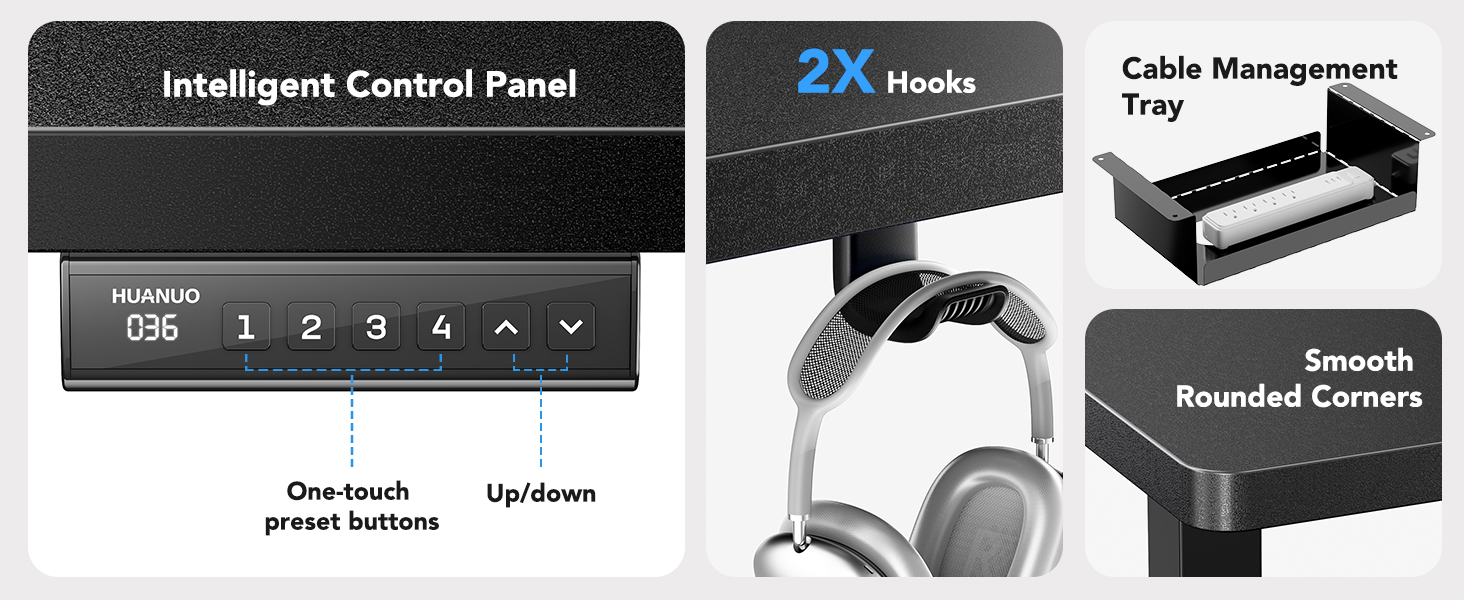
Image: The intelligent control panel with memory presets, along with the cable management tray and headphone hooks.
Operation Video:
Video: A demonstration of the HUANUO Electric Standing Desk's features and operation.
Maintenance
To ensure the longevity and optimal performance of your HUANUO Electric Standing Desk, follow these simple care instructions:
- Regularly wipe the desktop and frame with a damp cloth to remove dust and spills.
- For a thorough cleaning, use a dry cloth after wiping with a damp cloth to prevent water spots.
- Avoid using harsh chemicals or abrasive cleaners, as these can damage the finish.
- Periodically check all screws and connections to ensure they remain tight.
Troubleshooting
If you encounter any issues with your HUANUO Electric Standing Desk, please refer to the following common solutions. If the problem persists, contact customer support.
Common Issues:
-
Desk Not Responding:
- Check if the power cable is securely plugged into both the desk and the wall outlet.
- Ensure there are no obstructions preventing the desk from moving.
- Try resetting the desk by unplugging it for 10 seconds and then plugging it back in.
-
Uneven Movement:
- Verify that the desk is placed on a level surface.
- Ensure the weight on the desktop is evenly distributed and does not exceed the maximum capacity.
- Check for any loose connections in the frame assembly.
-
Motor Noise:
- The brushless motor operates at less than 55 dB, which is generally quiet. If you notice unusual or excessive noise, ensure no cables or objects are interfering with the motor mechanism.
Specifications
| Brand | HUANUO |
| Model Number | HNESD143B |
| Desktop Dimensions | 60 inches (W) x 30 inches (D) |
| Height Adjustment Range | 27.9 inches to 46.5 inches |
| Motor Type | Brushless Motor |
| Noise Level | <55 dB |
| Weight Capacity | 100 kg (220 lbs) |
| Frame Material | Carbon Steel |
| Top Material | Engineered Wood |
| Memory Presets | 4 |
| Included Components | Cable Management Tray, 2 Headphone Hooks |

Image: Detailed features of the brushless motor, including low noise operation and weight capacity.
Warranty Information
The HUANUO 60x30 Inch Electric Standing Desk comes with a Limited Warranty. For specific details regarding coverage, duration, and terms, please refer to the warranty card included with your product or contact HUANUO customer support.
Customer Support
If you have any questions, require assistance with assembly, or need troubleshooting support that is not covered in this manual, please contact HUANUO customer service. Our team is available to help you.
For the most up-to-date contact information, please visit the official HUANUO website or refer to the contact details provided in your product packaging.


