
Introduction
Thank you for choosing the Lightbiz P300E LED Closet Light. This manual provides detailed instructions for the safe and efficient use of your new LED lights. Please read this manual thoroughly before installation and operation, and retain it for future reference.
Safety Information
- Do not expose the device to extreme temperatures or humidity.
- Keep the device away from water and other liquids.
- Do not attempt to disassemble or repair the device yourself. Contact customer support for assistance.
- Ensure proper ventilation when charging.
- Avoid placing two lights too close to each other in 'AUTO' mode, as they may interfere with each other's motion detection.
Package Contents
Verify that all items are present in your package:
- 3 x 24-LED Motion Sensor Lights (Warm White)
- 3 x Adhesive Strips with Magnetic Backing
- 1 x USB Charging Cable
- 1 x Remote Control
- 1 x User Manual
Product Overview
The Lightbiz P300E LED Closet Light features 24 warm white LEDs, a motion sensor, and a built-in rechargeable battery. It can be operated via a button on the light or with the included remote control.

Image: Three Lightbiz P300E LED Closet Lights, each with a central motion sensor, and a white remote control with green and red buttons. The lights emit a warm white glow.
Setup
Charging the Light
Before first use, fully charge the LED lights.
- Connect the provided USB cable to the charging port on the light.
- Connect the other end of the USB cable to a USB charger, computer, or power bank.
- During charging, a RED indicator light will illuminate.
- Once fully charged (approximately 2-3 hours), the indicator light will turn BLUE.

Image: A close-up view of the end of the Lightbiz LED light, highlighting the micro-USB charging port and the red/blue indicator lights. Text indicates 'Charging: RED Light' and 'Charged: BLUE Light', along with icons for computer, USB charger, and power bank as charging sources.
Installation
The Lightbiz LED Closet Light offers flexible installation options:
- Magnetic Adsorption: The light has built-in magnets and can be directly attached to any iron surface.
- Adhesive Strip: For non-magnetic surfaces, use the included adhesive strip with magnetic backing. Peel off the protective film from one side of the adhesive strip and attach it to the desired clean, dry surface. Then, the light can be magnetically attached to the strip. This allows for easy removal for charging.
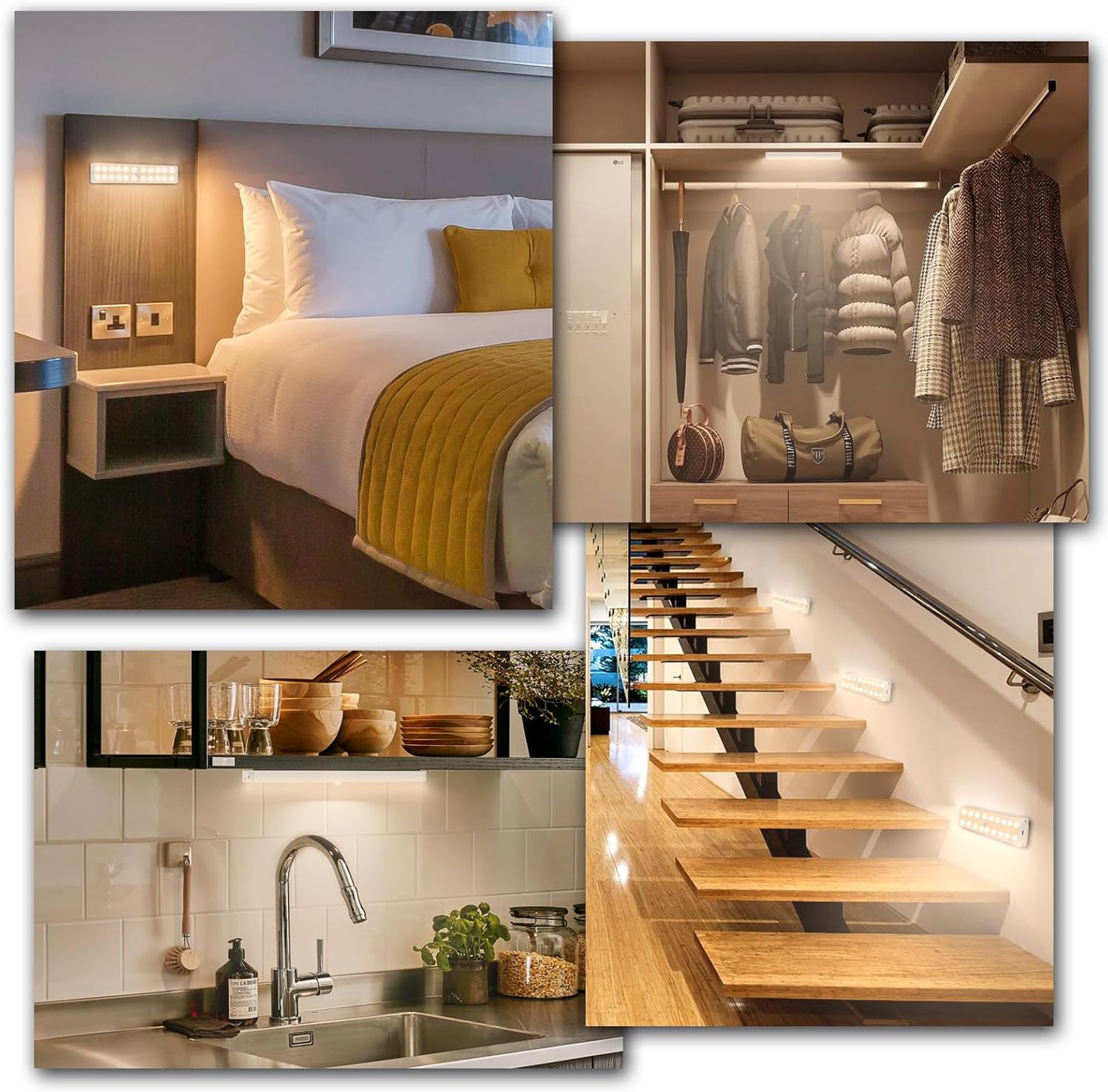
Image: A collage showing the Lightbiz LED lights installed in different home environments, including under a bed frame, inside a closet, along a staircase, and under kitchen cabinets, demonstrating their versatility.
Operating Instructions
Operating via Light Button
The button on the side of the light controls power and mode selection:
- Power ON/OFF: Long press the button for 3-5 seconds.
- Mode Selection: Single press the button to cycle through the modes.
- Night Mode (Blue Indicator): Long press for 3 seconds to turn on. The BLUE indicator lights up. In this mode, the light activates only when motion is detected in sufficiently dark conditions.
- Day Mode (Red Indicator): Single press the button until the RED indicator lights up. In this mode, the light activates when motion is detected, regardless of ambient light conditions (day or night).
- Always-on Mode (Red/Blue Flicker): Single press the button until both RED and BLUE indicators flicker simultaneously. In this mode, the light remains continuously on.

Image: A diagram showing the Lightbiz LED light with an arrow pointing to the side button for 'Power ON/OFF' (long press for 3 seconds) and 'Change Mode' (single press). Below, three scenarios depict the Night Mode (blue indicator, auto-on in dark), Day Mode (red indicator, auto-on in dark and daytime), and Always-on Mode (red & blue flicker, always on), with corresponding images of a closet, entryway, and desk.
Operating via Remote Control
The included remote control provides additional functions and convenience:

Image: A detailed image of the remote control, labeling each button with its function: ON, OFF, Brightness +, Brightness -, 50% Brightness, Night Mode, Day Mode, Always-on Mode, Timing 10min, Timing 30min, Timing 60min, Timing 120min, and Timing OFF.
- ON: Turns the light on.
- OFF: Turns the light off.
- Mode Selection: Press the corresponding button for Night Mode, Day Mode, or Always-on Mode.
- Brightness Adjustment:
- 50% Brightness: Press the '50%' button for a preset brightness level.
- Stepless Dimming: Use the '+' button to increase brightness and the '-' button to decrease brightness.
- Timing Function: Set the light to turn off automatically after a specified duration. Options include 10, 30, 60, or 120 minutes. Press the corresponding button to activate.

Image: An illustration showing the Lightbiz LED lights installed under kitchen cabinets, demonstrating the 2 dimmable ways (stepless dimming from 10% to 100% and a 50% preset) and timing functions (10, 30, 60, 120 minutes) controlled by the remote. A child sleeping in bed suggests the timing function is useful for bedtime.
Maintenance
Cleaning
To maintain optimal performance and appearance, clean the light regularly:
- Ensure the light is off before cleaning.
- Wipe the surface with a soft, dry cloth.
- Do not use abrasive cleaners or solvents, as they may damage the finish.
Battery Care
- Recharge the battery when the light output appears dim or the motion sensor responsiveness decreases.
- Avoid fully discharging the battery frequently to prolong its lifespan.
- If storing the light for an extended period, charge it periodically to prevent deep discharge.
Troubleshooting
- Light does not turn on: Ensure the battery is charged. Check the selected mode (Night, Day, Always-on).
- Motion sensor not working: Verify the light is in Night Mode or Day Mode. Ensure there are no obstructions blocking the sensor. Avoid placing two lights too close to each other in 'AUTO' mode, as they may interfere with each other's motion detection.
- Remote control not responding: Check the remote control battery. Ensure there is a clear line of sight between the remote and the light.
- Light is dim: Recharge the battery. Adjust brightness settings using the remote control.
Specifications
| Material | Aluminum + ABS |
| LED Quantity | 24 LEDs per light |
| Light Color | Warm White (3000 Kelvin) |
| Lumen Output | 150 LM |
| Power | 4W |
| Battery Capacity | 1000mAh |
| Sensing Range | 120°, 3m (10ft) |
| Operating Temperature | 0-80°C |
| Product Dimensions | 7.8"L x 0.4"W x 1.5"H |
| Control Method | Remote Control, Push Button |
| Installation Type | Surface Mount (Magnetic) |
| Indoor/Outdoor Usage | Indoor |
| Water Resistance Level | Not Water Resistant |
Warranty and Support
Lightbiz offers a lifetime warranty for this product. We have high confidence in our products and are committed to your satisfaction.
If you encounter any product quality issues or require assistance, please do not hesitate to contact Lightbiz customer support. Refer to the contact information provided with your purchase or visit the official Lightbiz website for support.