
Tronsmart Mirtune C3 Plus
Tronsmart Mirtune C3 Plus Bluetooth Speaker User Manual
Model: Mirtune C3 Plus
Introduction
This manual provides detailed instructions for the safe and efficient operation of your Tronsmart Mirtune C3 Plus Bluetooth Speaker. Please read this manual thoroughly before using the product and retain it for future reference.
The Tronsmart Mirtune C3 Plus Bluetooth speaker is designed to provide exceptional sound quality and convenience for music lovers on the go. It features powerful 30W stereo sound and Bluetooth 5.3 technology, ensuring a strong and stable connection for seamless streaming. Its IPX7 waterproof rating and durable dust-resistant exterior make it a reliable choice for outdoor adventures, picnics, or poolside gatherings. True Wireless Stereo (TWS) pairing allows you to connect two speakers for an enhanced stereo experience. With up to 18 hours of playtime, this speaker ensures continuous music playback for any event. Its modern design and compact size make it an essential companion for music enthusiasts. Available in black.
Product Features
- Provides powerful 30W stereo sound with seamless Bluetooth 5.3 connection.
- Enables True Wireless Stereo pairing with enhanced stereo sound through dual speakers.
- Features IPX7 water and dust resistance for reliable outdoor use.
- 18 hours of continuous playback ensures you enjoy music throughout long events.
- Great for picnics, poolside gatherings, and adventure trips.
- Built-in Microphone for hands-free calls.
- Portable and compact design.
Package Contents
Please check the package contents upon unboxing to ensure all items are present:
- Tronsmart Mirtune C3 Plus Bluetooth Speaker
- Charging Cable (USB-C)
- User Manual
- Auxiliary Cable (if applicable, not explicitly mentioned but common)
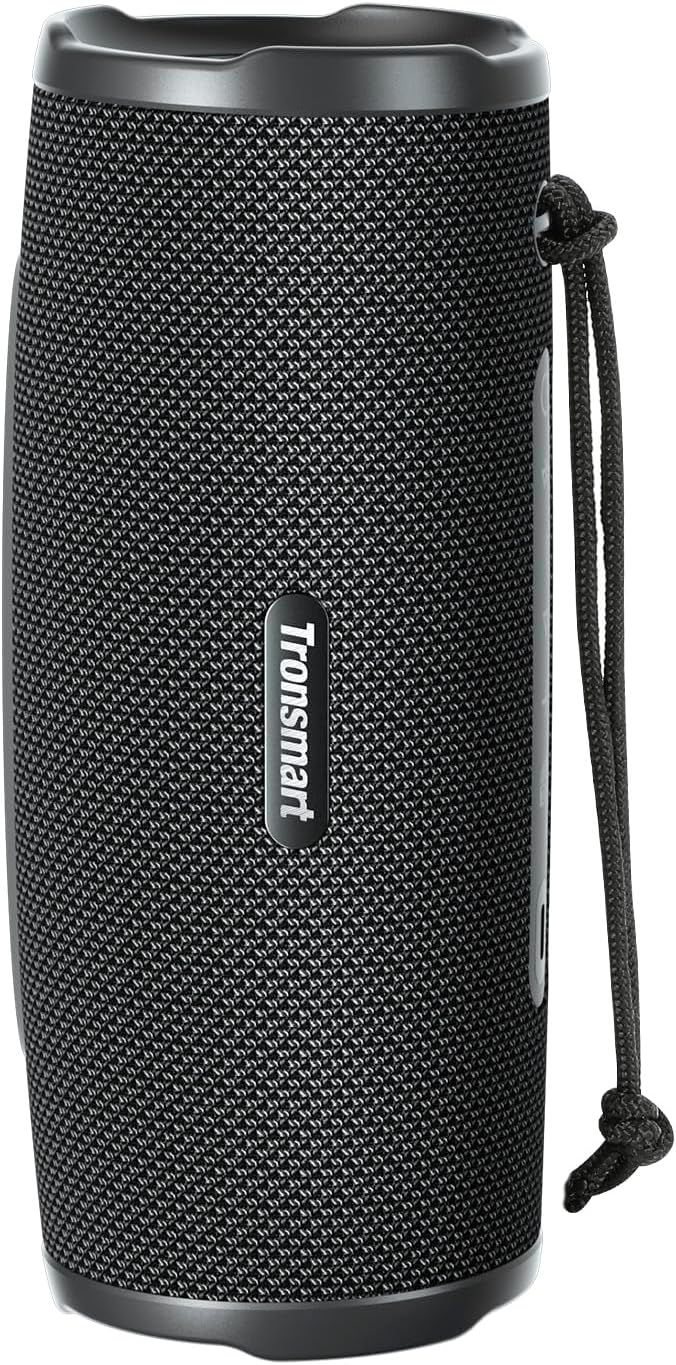
Image: The Tronsmart Mirtune C3 Plus Bluetooth Speaker, showcasing its sleek black design and portable form factor.
Setup
Charging the Speaker
Before first use, fully charge the speaker. Connect the provided USB-C charging cable to the speaker's charging port and the other end to a compatible USB power adapter (not included) or a computer's USB port. The charging indicator light will show the charging status.
Powering On/Off
To power on the speaker, press and hold the power button (⏻) for 2-3 seconds until you hear an audible prompt or see the indicator light illuminate. To power off, press and hold the power button again for 2-3 seconds.
Bluetooth Pairing
- Ensure the speaker is powered on and in Bluetooth pairing mode. The Bluetooth indicator light will typically flash rapidly.
- On your device (smartphone, tablet, computer), enable Bluetooth and search for available devices.
- Select "Tronsmart Mirtune C3 Plus" from the list of devices.
- Once connected, the Bluetooth indicator light will become solid, and you will hear a confirmation sound.

Image: Top view of the Tronsmart Mirtune C3 Plus speaker, showing the power button, Bluetooth indicator, and other control buttons.
Operating Instructions
Basic Controls
- Power Button (⏻): Press and hold to power on/off.
- Play/Pause Button (▶/‖): Press once to play or pause music.
- Volume Up (+): Press to increase volume. Press and hold for next track.
- Volume Down (-): Press to decrease volume. Press and hold for previous track.
- Mode Button (M): Press to switch between Bluetooth, AUX, or other available modes.
True Wireless Stereo (TWS) Pairing
To achieve an enhanced stereo sound experience, you can pair two Tronsmart Mirtune C3 Plus speakers together:
- Ensure both speakers are powered on and not connected to any other Bluetooth device.
- On one speaker (this will be the primary speaker), press the TWS button (often indicated by a chain link icon or "TWS"). The speaker will enter TWS pairing mode.
- The primary speaker will automatically search for the secondary speaker. Once connected, you will hear a confirmation sound, and the TWS indicator light will become solid on both speakers.
- Now, connect your device to the primary speaker via Bluetooth as described in the "Bluetooth Pairing" section.
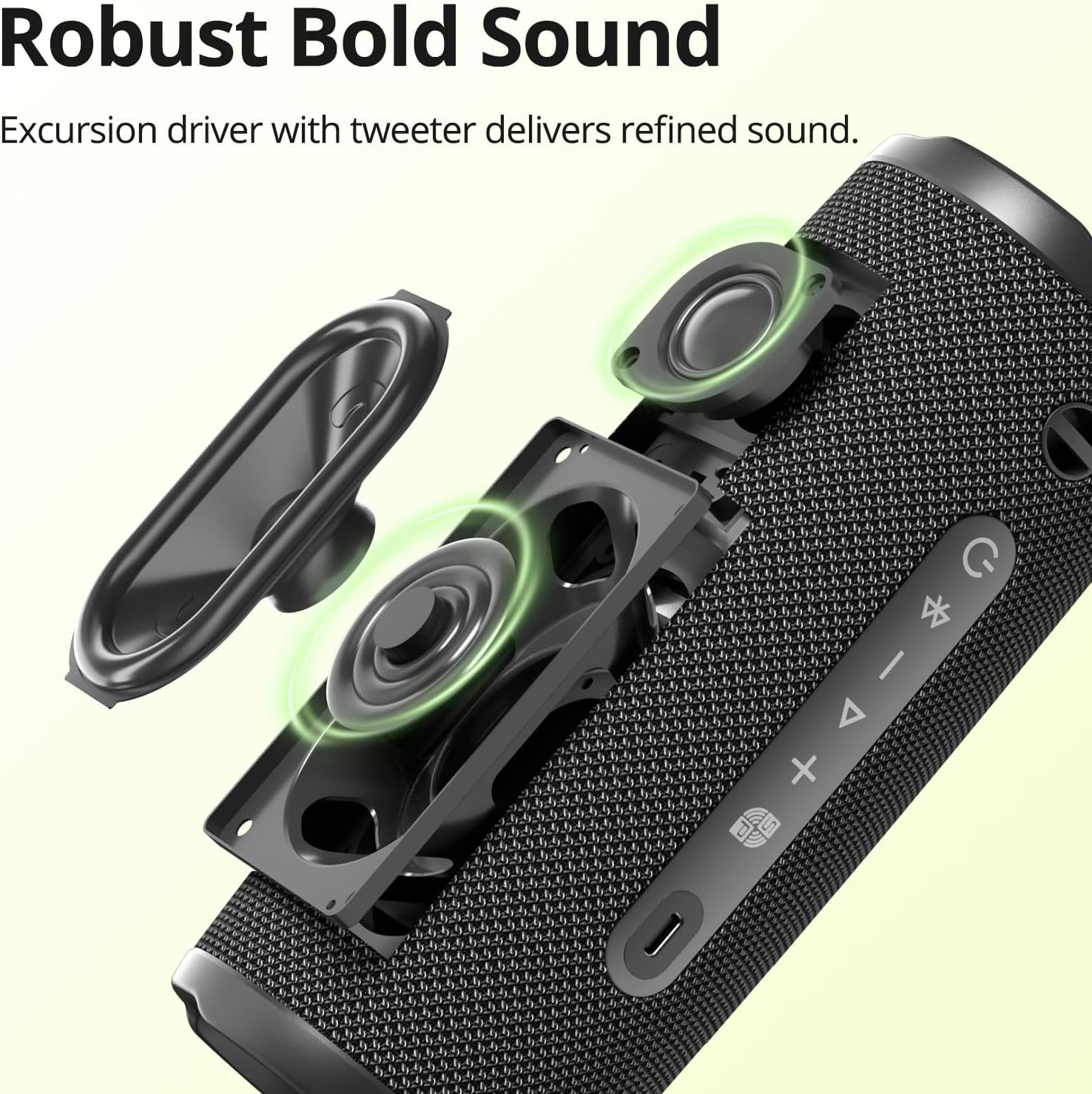
Image: An exploded view diagram illustrating the internal components of the Tronsmart Mirtune C3 Plus speaker, highlighting its robust sound drivers.
Water and Dust Resistance (IPX7)
The speaker is rated IPX7, meaning it can be submerged in water up to 1 meter for 30 minutes. This makes it suitable for use near water, but it is not designed for prolonged submersion. Ensure the charging port cover is securely closed before exposing the speaker to water.

Image: The Tronsmart Mirtune C3 Plus speaker resting on wet rocks, illustrating its IPX7 waterproof capability, ready for poolside or outdoor listening.
Maintenance
- Cleaning: Wipe the speaker with a soft, damp cloth. Do not use abrasive cleaners or solvents.
- Storage: Store the speaker in a cool, dry place away from direct sunlight and extreme temperatures.
- Battery Care: To prolong battery life, avoid fully discharging the battery frequently. Charge the speaker regularly, even if not in use for extended periods.
- Water Exposure: After exposure to water, ensure the charging port is dry before charging.
Troubleshooting
| Problem | Possible Cause | Solution |
|---|---|---|
| Speaker does not power on. | Low battery. | Charge the speaker fully. |
| Cannot pair with Bluetooth device. | Speaker not in pairing mode; device too far; interference. | Ensure speaker is in pairing mode. Move device closer. Turn off other Bluetooth devices. |
| No sound or low volume. | Volume too low; device not connected; incorrect audio source. | Increase volume on speaker and device. Reconnect Bluetooth. Check audio source. |
| TWS pairing fails. | Speakers too far apart; already connected to another device. | Ensure speakers are close. Disconnect from other devices before TWS pairing. |
Specifications
| Feature | Detail |
|---|---|
| Brand | Tronsmart |
| Model Name | Mirtune C3 Plus |
| Connectivity Technology | Bluetooth |
| Maximum Speaker Output Power | 30W |
| Audio Output Mode | Stereo |
| Frequency Response | 20 kHz |
| Special Features | Built-in Microphone, Portable, Waterproof (IPX7) |
| Speaker Type | Subwoofer |
| Mounting Type | Tabletop |
| Material | Plastic |
| Product Dimensions | 21 x 8 x 21 cm |
| Weight | 684 grams |
| Batteries | 1 9V battery required (Included) |
| Country of Origin | China |
Warranty and Support
For warranty information and customer support, please refer to the official Tronsmart website or contact their customer service directly. Keep your purchase receipt as proof of purchase for warranty claims.
Manufacturer: Tronsmart
ASIN: B0DPXLX72X
First Available Date: December 9, 2024
Related documentsMirtune C3 Plus


Ask a question about this manual
Ask about setup, troubleshooting, compatibility, parts, safety, or missing instructions. Manuals+ will review the question and use this page’s manual context to help answer it.