
Introduction
This manual provides detailed instructions for the setup, operation, and maintenance of your Weofly Nova Active Noise Cancelling Headphones. Please read this manual thoroughly before using the product to ensure optimal performance and longevity.
What's in the Box
Upon unboxing your Weofly Nova headphones, please verify that all the following components are included:
- Weofly Nova Over-Ear Headphones
- USB-A to USB-C Charging Cable
- 3.5mm AUX Cable (USB-C to 3.5mm TRS)
- User Manual

Image: The Weofly Nova Active Noise Cancelling Headphones in Sliver, showcasing their design.
Product Overview
The Weofly Nova headphones are designed for comfort and high-quality audio, featuring Active Noise Cancellation and Bluetooth 5.4 connectivity.

Image: A woman wearing the Weofly Nova headphones, illustrating their lightweight and stylish design. The headphones weigh only 130g.

Image: Two pairs of Weofly Nova headphones, one in brown and one in white, highlighting their distinct aesthetic and color options.
Key Features:
- Active Noise Cancellation (ANC): Advanced technology to reduce ambient noise.
- Bluetooth V5.4: For faster and more stable wireless connections.
- Long Battery Life: Up to 58 hours of music playtime on a single charge.
- Comfortable Design: Ultra-soft memory protein earcups and adjustable headband.
- High-Fidelity Sound: 40mm dynamic drivers for clear audio with rich bass.
- Multi-device Connectivity: Connect to two smart devices simultaneously.
Video: An overview of the Weofly Nova Active Noise Cancelling Headphones, demonstrating their features and design.
Setup Instructions
1. Charging the Headphones
Before first use, fully charge your Weofly Nova headphones. A full charge takes approximately 2 hours.
- Connect the USB-C end of the charging cable to the headphone's charging port.
- Connect the USB-A end to a compatible USB power adapter (not included) or a computer's USB port.
- The indicator light will show charging status and turn off or change color when fully charged.

Image: The Weofly Nova headphones being charged via a USB-C cable, illustrating the fast charging capability.
2. Powering On/Off
- To Power On: Press and hold the Power button until the indicator light flashes.
- To Power Off: Press and hold the Power button until the indicator light turns off.
3. Bluetooth Pairing
The headphones support quick pairing. The first time you power them on, they will automatically enter pairing mode.
- Ensure the headphones are powered off.
- Press and hold the Power button for approximately 5 seconds until the indicator light flashes blue and red alternately, indicating pairing mode.
- On your device (smartphone, tablet, laptop), enable Bluetooth and search for available devices.
- Select "Weofly Nova" from the list of devices.
- Once connected, the indicator light will turn solid blue or flash blue slowly.
The headphones can connect to two devices simultaneously. To connect a second device, repeat the pairing process. The headphones will automatically switch between devices for calls or media playback.

Image: An illustration showing the Weofly Nova headphones connecting to a laptop and a smartphone via advanced Bluetooth 5.4, highlighting faster transmission and stable connection.
Operating Instructions
1. Active Noise Cancellation (ANC)
The Weofly Nova headphones feature Active Noise Cancellation to minimize ambient sounds.
- To Activate/Deactivate ANC: Press the dedicated ANC button on the earcup. An audible prompt will confirm the status.

Image: A woman wearing Weofly Nova headphones while focused on her laptop, demonstrating the effectiveness of ANC in reducing distractions.
2. Music Playback
Control your music directly from the headphones:
- Play/Pause: Press the Multi-function button once.
- Next Track: Press and hold the Volume Up button.
- Previous Track: Press and hold the Volume Down button.
- Volume Up: Press the Volume Up button briefly.
- Volume Down: Press the Volume Down button briefly.
3. Call Management
Manage phone calls with ease:
- Answer/End Call: Press the Multi-function button once.
- Reject Call: Press and hold the Multi-function button for 2 seconds.
- Redial Last Number: Double-press the Multi-function button.
4. Voice Assistant
Activate your device's voice assistant:
- Activate Voice Assistant: Triple-press the Multi-function button.

Image: A multi-panel image illustrating the comfort of the headphones during travel, and the functionality of voice assistance and built-in microphone for hands-free calls.
5. Game Mode
For reduced latency during gaming, activate Game Mode:
- Activate/Deactivate Game Mode: Press and hold the Multi-function button for 2 seconds (while not on a call or playing music).
6. Wired Connection
Use the provided 3.5mm AUX cable for a wired connection:
- Connect the USB-C end of the AUX cable to the headphone's USB-C port.
- Connect the 3.5mm end to your audio source's headphone jack.
- The headphones will automatically switch to wired mode.
Maintenance
To ensure the longevity and optimal performance of your Weofly Nova headphones, follow these maintenance guidelines:
- Cleaning: Use a soft, dry cloth to clean the headphones. Do not use abrasive cleaners or solvents.
- Storage: Store the headphones in a cool, dry place away from direct sunlight and extreme temperatures.
- Avoid Moisture: Do not expose the headphones to water or excessive moisture.
- Handle with Care: Avoid dropping or subjecting the headphones to strong impacts.
Troubleshooting
If you encounter issues with your Weofly Nova headphones, refer to the following common solutions:
| Problem | Solution |
|---|---|
| Headphones do not power on | Ensure the headphones are fully charged. Connect to a power source and allow to charge for at least 30 minutes before attempting to power on again. |
| Cannot pair with device | Ensure headphones are in pairing mode (flashing blue/red). Turn off and on your device's Bluetooth. Move headphones closer to the device. Clear previous Bluetooth connections on your device. |
| No sound or low volume | Check headphone and device volume levels. Ensure headphones are properly connected via Bluetooth or AUX cable. Test with a different audio source. |
| ANC not working effectively | Ensure ANC is activated. Adjust headphone fit to ensure a good seal around your ears. ANC is most effective against low-frequency, constant noise. |
| Intermittent connection | Ensure no obstacles are between the headphones and your device. Move away from other wireless devices that may cause interference. Ensure headphones are fully charged. |
Specifications
Technical details for the Weofly Nova Active Noise Cancelling Headphones:
- Model Name: Nova
- Connectivity Technology: Wireless (Bluetooth)
- Wireless Communication Technology: Bluetooth 5.4
- Audio Driver Type: 40mm Dynamic Driver
- Noise Control: Active Noise Cancellation
- Battery Life: Up to 58 hours (music playtime), 40 hours (talk time), 35 hours (ANC mode)
- Charging Time: Approximately 2 hours
- Battery Capacity: 500mAh
- Item Weight: 0.26 Kilograms (9.1 ounces)
- Ear Placement: Over Ear
- Compatible Devices: Cellphones, Tablets, Laptops, Smart Speakers
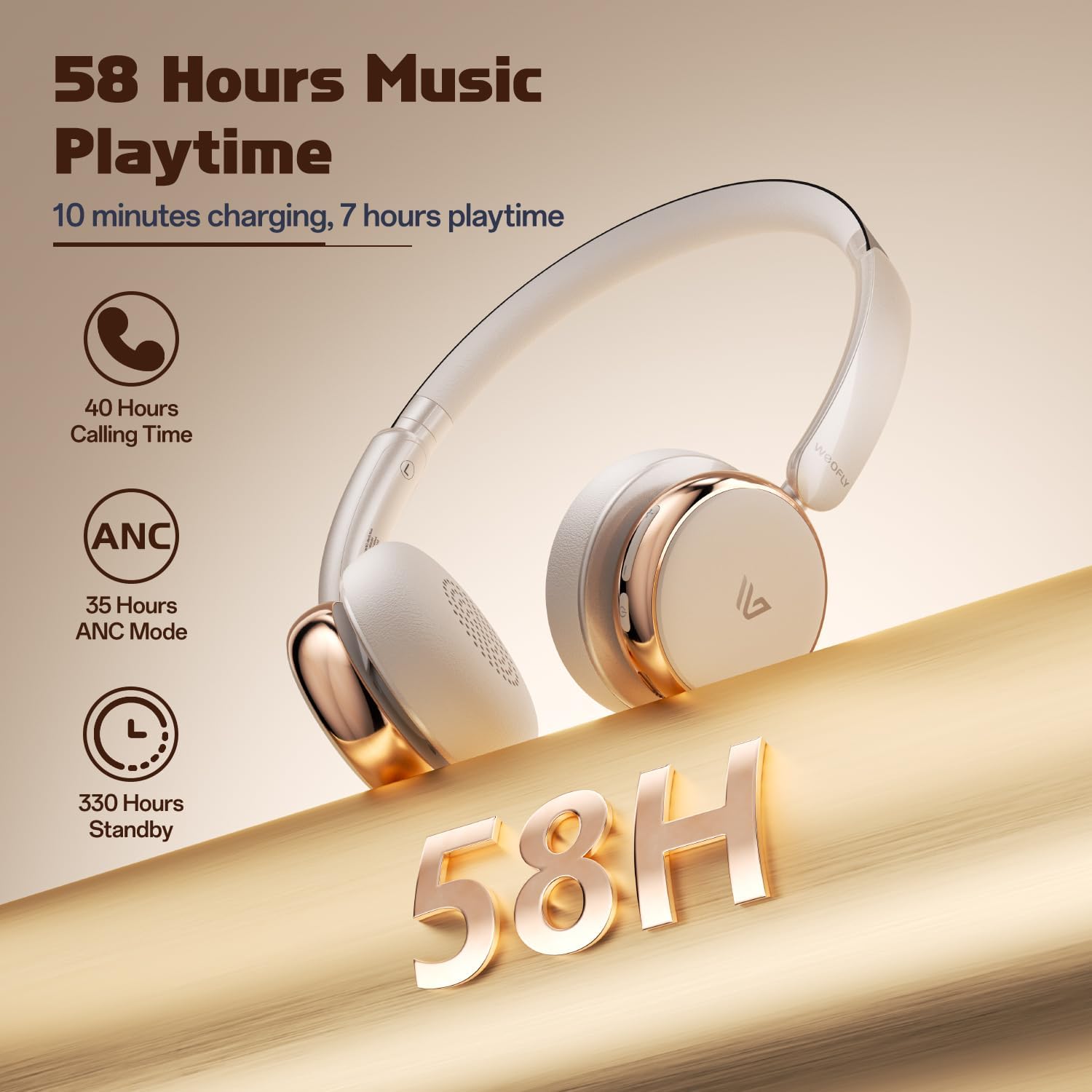
Image: A detailed view of the Weofly Nova earcup, emphasizing the 40mm dynamic driver responsible for high-fidelity sound quality.

Image: The Weofly Nova headphones prominently displaying '58H', signifying their extended battery life of 58 hours for music playback.
Warranty and Support
Weofly products come with a standard manufacturer's warranty. For specific warranty details, please refer to the warranty card included in your product packaging or visit the official Weofly website. For technical support, troubleshooting assistance, or any inquiries regarding your Weofly Nova headphones, please contact Weofly customer service through the contact information provided on our website or in your product documentation.


