
Introduction
The Questyle M15C is a high-fidelity portable Digital-to-Analog Converter (DAC) and headphone amplifier designed to deliver exceptional audio quality. It integrates an ESS ES9281AC DAC chip with Questyle's patented Current Mode Amplification (CMA) technology, ensuring precise and powerful sound reproduction. This device is compatible with iOS, Android, and PC platforms, supporting a wide range of high-resolution audio formats.
Package Contents
Verify that all items are present in the package:
- Questyle M15C USB DAC Headphone Amplifier x1
- Type-C to Type-C Cable x1
- Type-C to USB-A Cable x1
- User Manual x1

Image: The Questyle M15C device shown alongside its packaging and the included Type-C to Type-C and Type-C to USB-A cables.
Product Overview
The M15C features a compact, durable aluminum chassis with a transparent window showcasing its internal circuitry. It includes dual headphone output jacks (3.5mm unbalanced and 4.4mm balanced) and a USB Type-C input port for data and power.

Image: A detailed view of the Questyle M15C, highlighting its transparent casing that reveals the internal circuit board and the various input/output ports.
Setup
- Connect to Source Device: Use the provided Type-C to Type-C cable to connect the M15C to your Android phone, PC, or other compatible device. For iOS devices with a Lightning port, an MFi-certified Lightning to Type-C adapter (Questyle LTC02 or similar, sold separately) is required.
- Connect Headphones: Plug your headphones into either the 3.5mm (unbalanced) or 4.4mm (balanced) output jack on the M15C.
- Power On: The M15C draws power directly from the connected source device and will power on automatically upon connection.
Operating Instructions
Once connected, the M15C functions as an external sound card for your device, bypassing its internal audio processing for superior sound quality.
- Volume Control: Adjust the volume directly from your source device (phone, PC). The M15C does not have its own volume control.
- Gain Adjustment: The M15C features manual gain adjustment. Refer to the device's side for a small switch or button to toggle between low and high gain modes. High gain is recommended for headphones with higher impedance (up to 600 ohms) or lower sensitivity.
- MFi Certification: The M15C is MFi certified, ensuring seamless compatibility and optimal performance with Apple devices when used with an appropriate adapter.
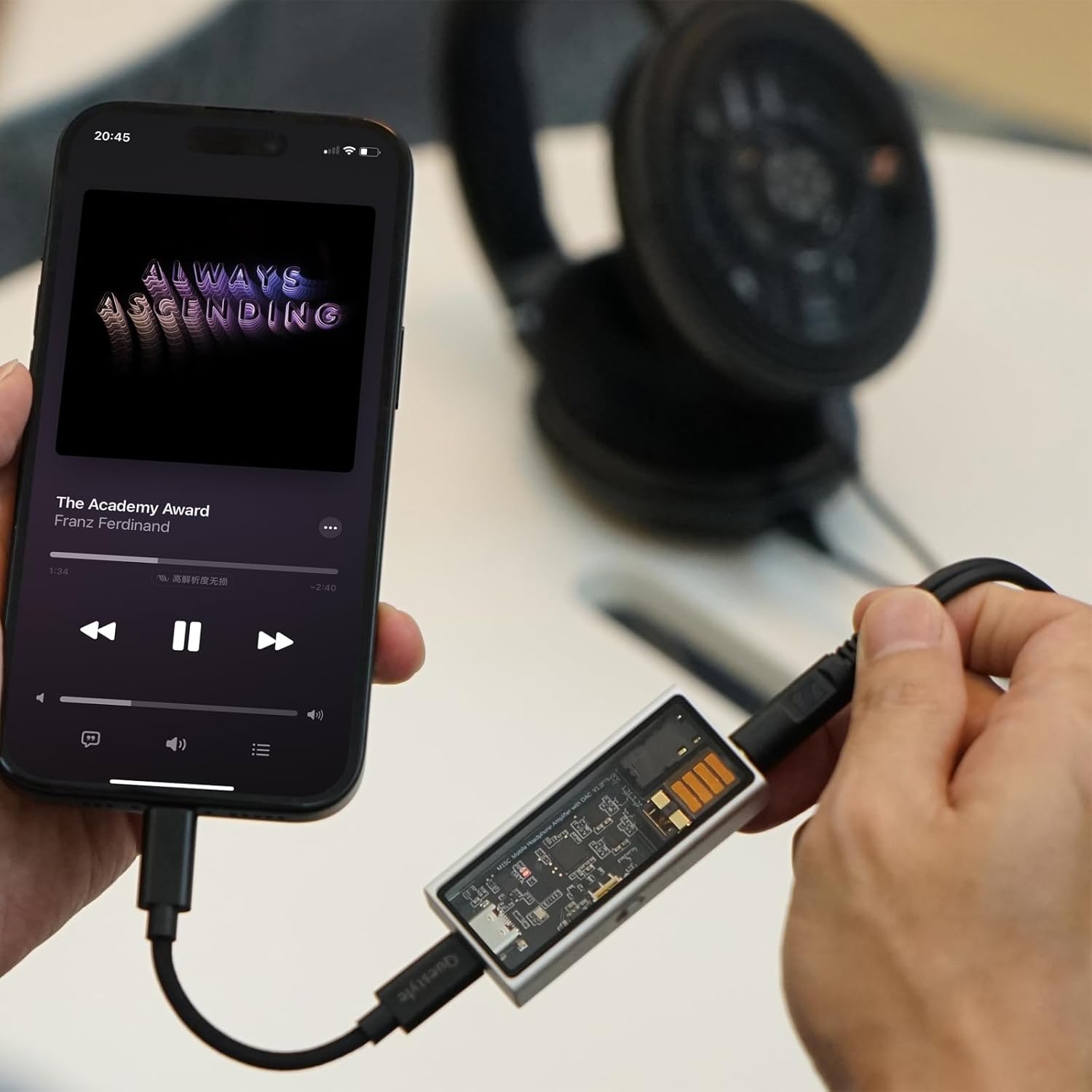
Image: The Questyle M15C connected via a Type-C cable to a smartphone, demonstrating its use as a portable audio enhancement device while playing music.
Connectivity
The M15C offers versatile connectivity options:
- Input: USB Type-C for digital audio input and power.
- Outputs:
- 3.5mm unbalanced headphone jack
- 4.4mm balanced headphone jack
- Compatibility: Supports iOS, Android, and PC operating systems.
Audio Quality Features
The M15C is engineered for superior audio performance:
- DAC Chip: Features an ESS ES9281AC flagship DAC chip.
- Amplification: Incorporates Questyle's Current Mode Amplification (CMA) technology.
- Low Noise: Achieves a bottom noise level below -130dB.
- Low Distortion: Total Harmonic Distortion (THD) of 0.0003%.
- High-Resolution Support: Decodes PCM from 16Bit/44.1kHz up to 32Bit/384kHz and DSD256 (1-bit).
- Output Power: Up to 300mW at 32 ohms.
Maintenance
To ensure the longevity and optimal performance of your Questyle M15C:
- Keep the device clean and free from dust. Use a soft, dry cloth for cleaning.
- Avoid exposing the device to extreme temperatures, humidity, or direct sunlight.
- Do not attempt to disassemble or modify the device, as this will void the warranty.
- Store the device in a safe place when not in use to prevent physical damage.
Troubleshooting
If you encounter issues with your M15C, refer to the following common solutions:
- No Sound:
- Ensure the M15C is securely connected to both the source device and headphones.
- Check the volume level on your source device.
- Verify that the correct audio output device (M15C) is selected in your computer's sound settings or smartphone's audio options.
- Test with different headphones or a different source device to isolate the problem.
- Distorted Sound:
- Reduce the volume on your source device.
- Ensure your audio files are not corrupted or of low quality.
- Check if the gain setting is appropriate for your headphones. If using sensitive headphones, try the low gain mode.
- Device Not Recognized:
- Reconnect the USB cable.
- Try a different USB port on your computer or a different cable.
- For iOS devices, ensure you are using an MFi-certified Lightning to Type-C adapter.
- Restart your source device.
Specifications
| Feature | Specification |
|---|---|
| Brand | Questyle |
| Model | M15C |
| Manufacturer Reference | QS-M15C-Silver |
| ASIN | B0DPX53Z7J |
| Connectivity Technology | Wired (USB Type-C) |
| Material | Aluminum |
| Output Wattage | 300 milliwatts |
| Item Weight | 110 grams |
| Package Dimensions | 14 x 7 x 3 cm |
| DAC Chip | ESS ES9281AC |
| Amplification | Current Mode Amplification (CMA) |
| Noise Level | Below -130dB |
| THD | 0.0003% |
| PCM Support | 16Bit/44.1kHz to 32Bit/384kHz |
| DSD Support | DSD256 (1-bit) |
| Headphone Impedance Support | Up to 600 ohms |
Warranty Information
Questyle products are covered by a limited warranty against defects in materials and workmanship. The specific terms and duration of the warranty may vary by region and retailer. Please retain your proof of purchase for warranty claims. For detailed warranty information, refer to the warranty card included in your product packaging or visit the official Questyle website.
Support
For technical assistance, product inquiries, or customer service, please contact Questyle support through their official website. You may find FAQs, driver downloads, and contact information on their support pages. When contacting support, please have your product model (M15C) and ASIN (B0DPX53Z7J) available.


