
VIHELM BLE-9100
VIHELM BLE-9100 Dissolved Oxygen Meter Instruction Manual
Model: BLE-9100
1. Introduction
This manual provides comprehensive instructions for the proper use, setup, operation, and maintenance of the VIHELM BLE-9100 Dissolved Oxygen Meter. Please read this manual thoroughly before operating the device to ensure accurate measurements and prolong the instrument's lifespan.
The BLE-9100 is a professional dissolved oxygen analyzer designed for precise measurement of dissolved oxygen (DO) and temperature in various aquatic environments. It features Bluetooth connectivity for data synchronization with a mobile application.
2. Product Components
The VIHELM BLE-9100 Dissolved Oxygen Meter package typically includes the following components:
- BLE-9100 Dissolved Oxygen Meter unit
- Dissolved Oxygen Probe with cable
- Probe protective sleeves (6 pieces)
- Instruction Manual (this document)
- Note: 3*1.5V button batteries are NOT included and must be purchased separately.
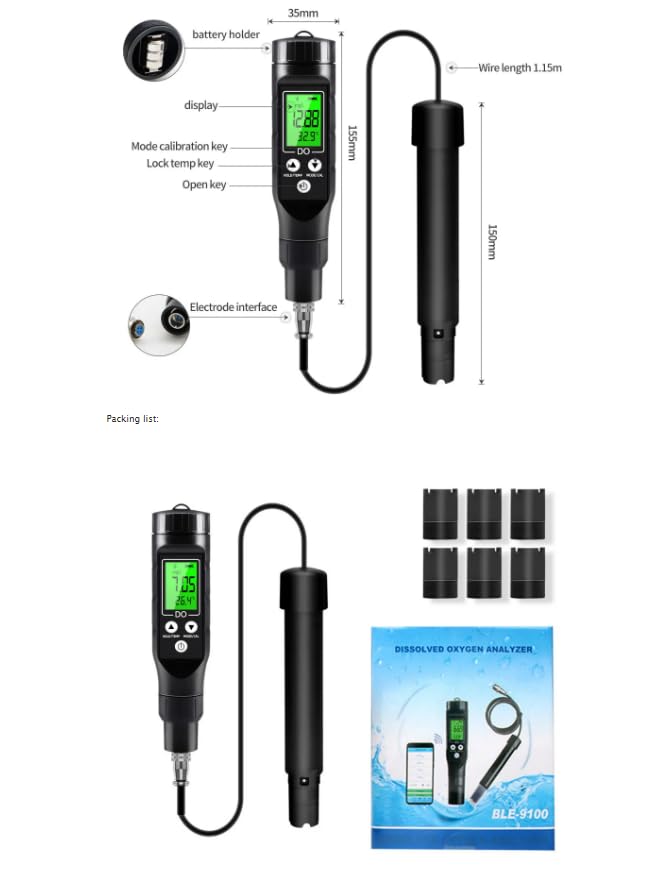
Figure 2.1: Overview of the BLE-9100 Dissolved Oxygen Meter and its components, including the main unit, probe, and dimensions. The image shows the display, mode/calibration key, hold/temp key, power key, electrode interface, battery holder, and probe with cable.
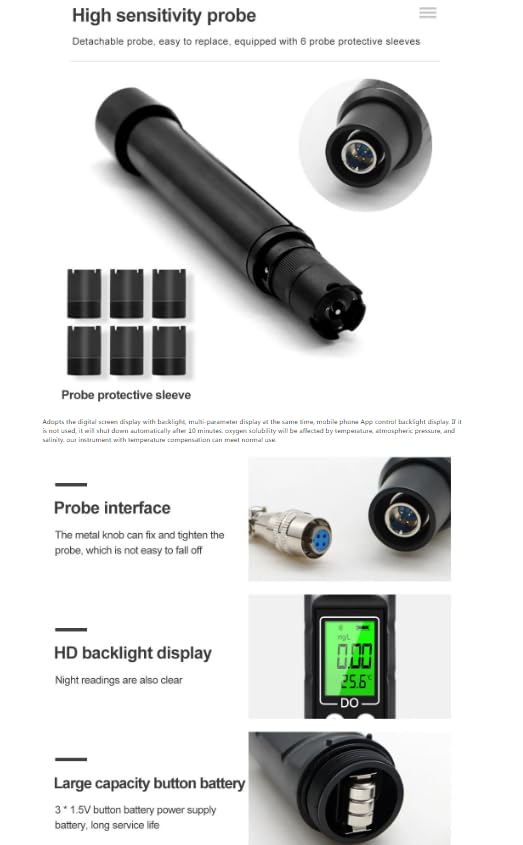
Figure 2.2: Detailed view of the detachable probe, probe interface, HD backlight display, and battery compartment for 3*1.5V button batteries. Six probe protective sleeves are also shown.
3. Specifications
The following table details the technical specifications of the VIHELM BLE-9100 Dissolved Oxygen Meter:
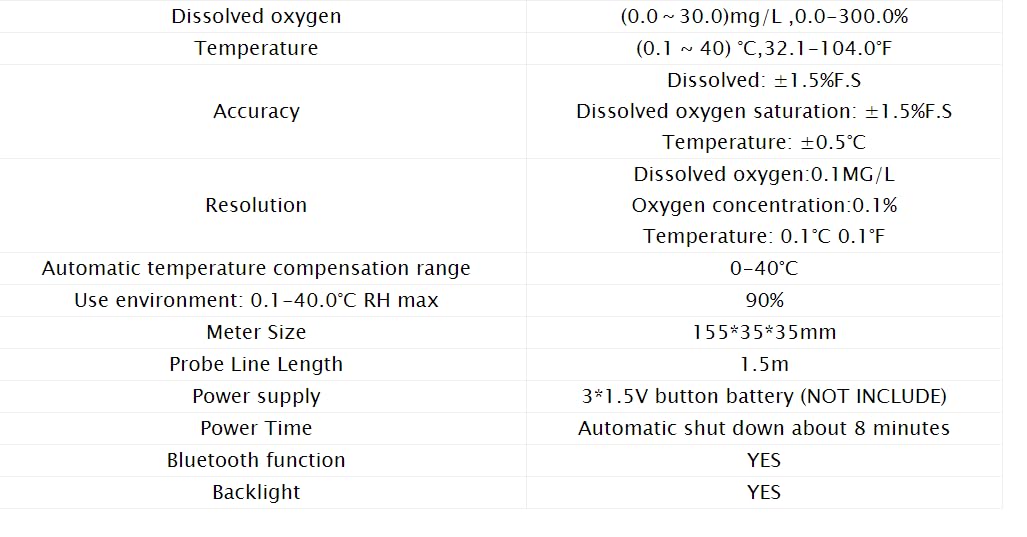
Figure 3.1: Technical specifications of the BLE-9100 Dissolved Oxygen Meter, including measurement ranges, accuracy, resolution, temperature compensation, operating environment, dimensions, probe length, power supply, and features like Bluetooth and backlight.
| Parameter | Value |
|---|---|
| Dissolved Oxygen Range | 0.0 ~ 30.0 mg/L (0.0 ~ 300.0%) |
| Temperature Range | 0.1 ~ 40.0 °C (32.1 ~ 104.0 °F) |
| Dissolved Oxygen Accuracy | ±1.5% F.S |
| Dissolved Oxygen Saturation Accuracy | ±1.5% F.S |
| Temperature Accuracy | ±0.5 °C |
| Dissolved Oxygen Resolution | 0.1 mg/L |
| Oxygen Concentration Resolution | 0.1% |
| Temperature Resolution | 0.1 °C / 0.1 °F |
| Automatic Temperature Compensation | 0-40 °C |
| Operating Environment | 0.1-40.0 °C, RH max 90% |
| Meter Size | 155 * 35 * 35 mm |
| Probe Line Length | 1.5 m |
| Power Supply | 3 * 1.5V button battery (NOT INCLUDED) |
| Automatic Shut-off | Approximately 8 minutes |
| Bluetooth Function | Yes |
| Backlight | Yes |
4. Setup
4.1 Battery Installation
- Locate the battery compartment on the back of the meter unit.
- Open the battery cover.
- Insert three 1.5V button batteries, ensuring correct polarity (+/-).
- Close the battery cover securely.
Figure 4.1: Illustration of the battery compartment, showing where to insert the 1.5V button batteries.
4.2 Probe Connection
- Locate the electrode interface at the bottom of the meter unit.
- Connect the dissolved oxygen probe cable to the interface.
- Tighten the metal knob on the probe connector to ensure a secure connection.
- Ensure the probe protective sleeve is removed before taking measurements.
Figure 4.2: Close-up view of the probe interface, demonstrating how to connect and secure the probe.
5. Operating Instructions
5.1 Power On/Off
Press the Power button (usually marked with a power symbol) to turn the meter on or off. The backlight will illuminate upon power-on.
5.2 Taking Measurements
- Ensure the probe is clean and free from air bubbles.
- Immerse the probe into the sample water. For accurate readings, ensure the probe tip is fully submerged and stable.
- Allow a few moments for the readings to stabilize on the display. The meter will show dissolved oxygen (mg/L or %) and temperature (°C or °F).
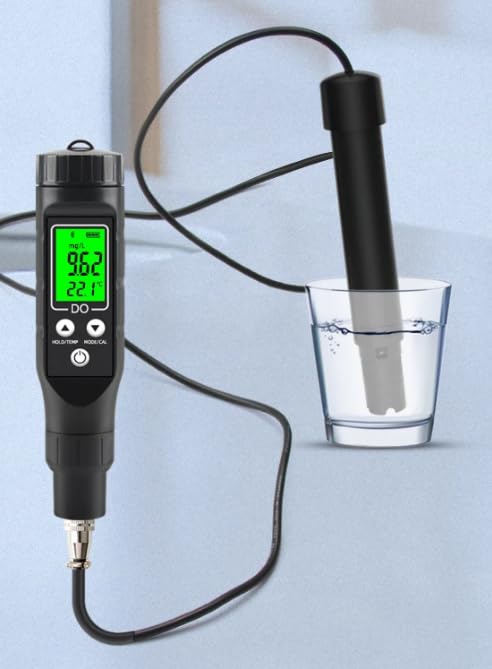
Figure 5.1: The BLE-9100 meter displaying dissolved oxygen and temperature readings while its probe is submerged in a glass of water.
5.3 Mode and Calibration
Press the MODE/CAL button to switch between different display modes or to enter calibration mode. Refer to the on-screen prompts for specific calibration procedures. Regular calibration ensures measurement accuracy.
5.4 Hold/Temperature Unit Conversion
Press the HOLD/TEMP button to either freeze the current reading on the display (Hold function) or to switch between Celsius (°C) and Fahrenheit (°F) temperature units.
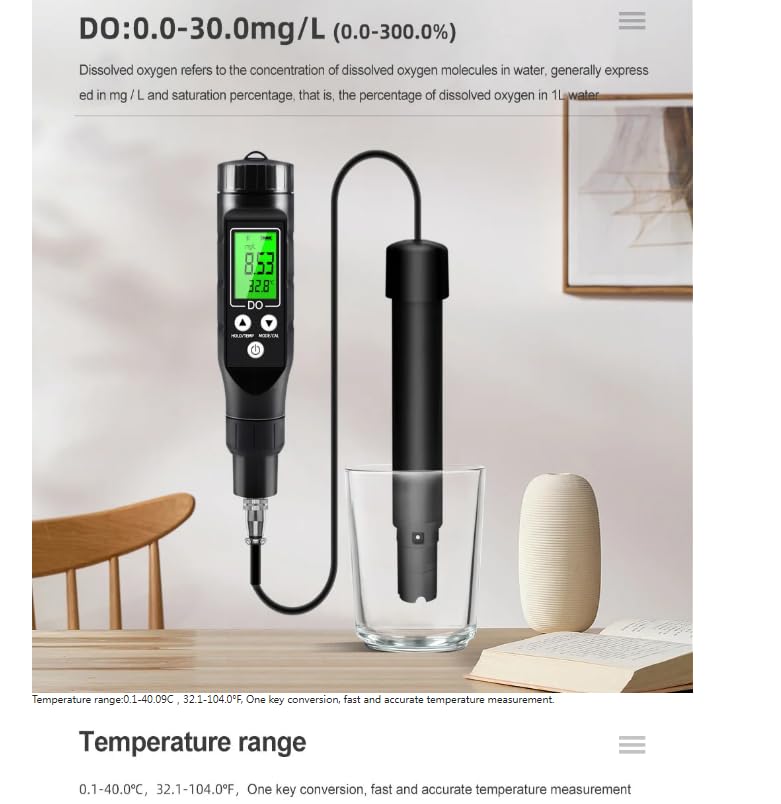
Figure 5.2: Visual representation of temperature unit conversion between Celsius and Fahrenheit, indicating the meter's capability to display temperature in both units.
5.5 Bluetooth Connectivity and Mobile App
The BLE-9100 meter supports Bluetooth connectivity for data synchronization with a dedicated mobile application. This allows for advanced functions such as:
- Real-time data display on your smartphone.
- Setting custom parameters (e.g., min/max values).
- Automatic data storage.
- Viewing product parameters.
- Calibration record management.
- Function settings adjustment.
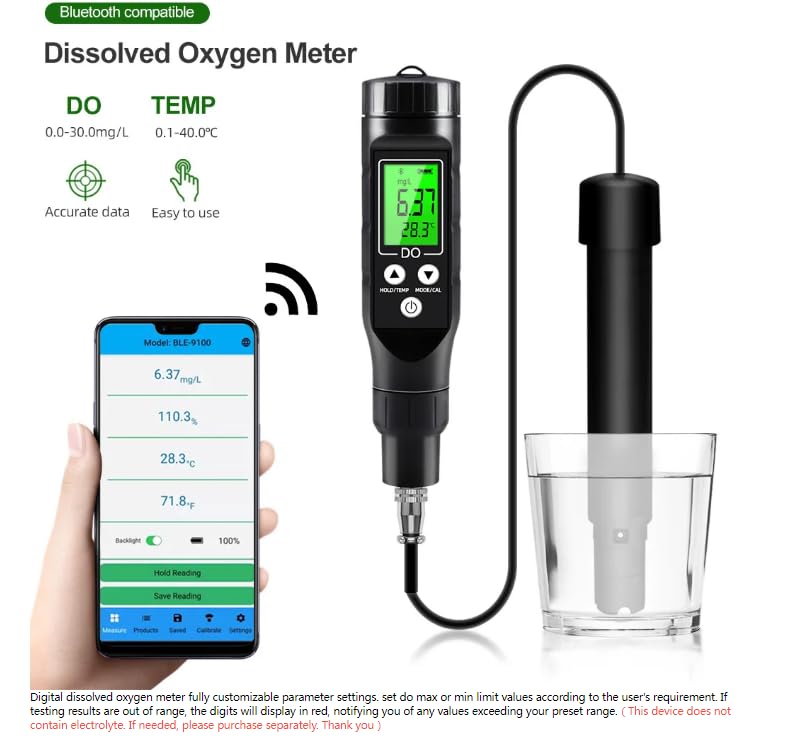
Figure 5.3: The BLE-9100 meter displaying readings, with a smartphone showing the corresponding mobile application interface. The app displays DO, saturation, and temperature, along with options for backlight, hold reading, and save reading.
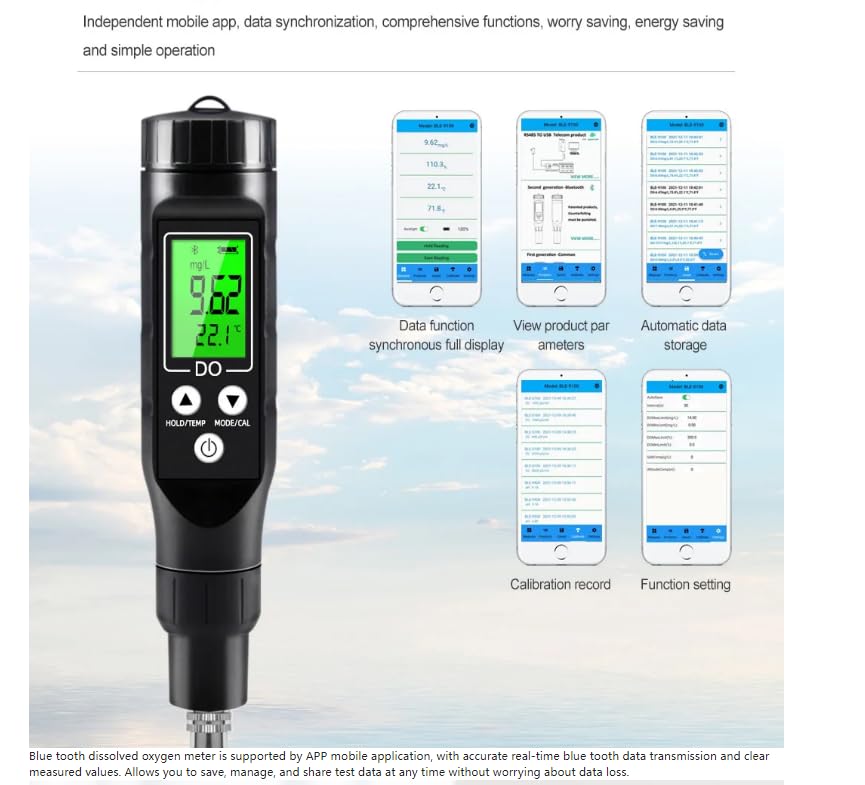
Figure 5.4: Screenshots illustrating various features of the mobile application, including data function synchronous full display, viewing product parameters, automatic data storage, calibration records, and function settings.
5.6 Data Storage and Sharing
The mobile application allows for automatic data storage. You can also manually save and share measurement data, for example, by exporting it to Excel format. This feature facilitates data management and collaboration.
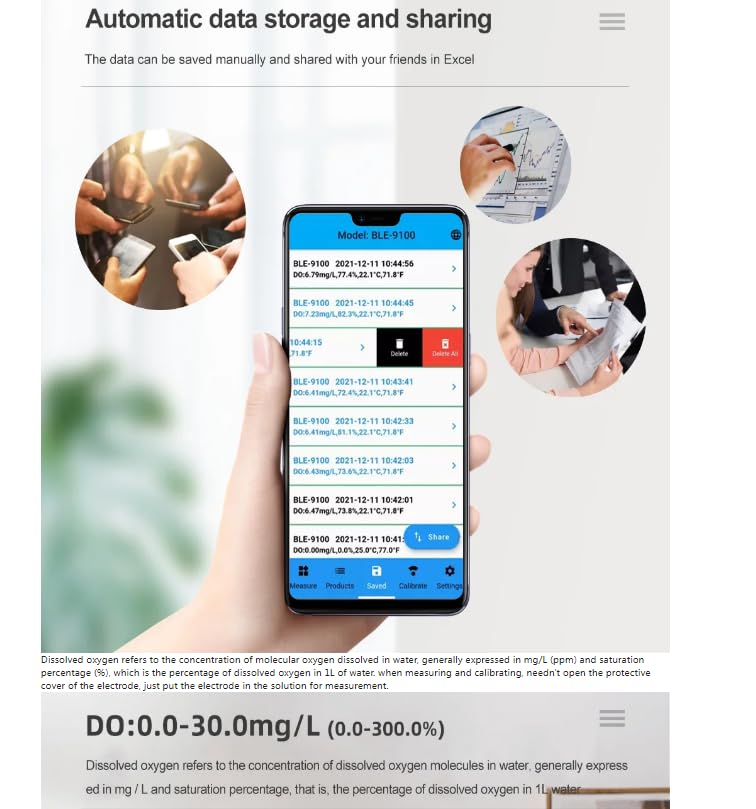
Figure 5.5: The mobile application interface showing a list of recorded data entries with timestamps and corresponding DO and temperature values. Options for sharing data are also visible.
6. Maintenance
6.1 Probe Care
- Always keep the probe clean. Rinse it with distilled water after each use.
- Store the probe with its protective sleeve on to prevent damage and keep the membrane moist.
- If the probe membrane is damaged or contaminated, it may need to be replaced. The probe is detachable for easy replacement.
Figure 6.1: Close-up of the detachable probe and the six included probe protective sleeves, highlighting the ease of replacement and protection.
6.2 Cleaning the Meter
Wipe the meter unit with a soft, damp cloth. Do not use abrasive cleaners or solvents. Ensure no liquid enters the meter's internal components.
6.3 Battery Replacement
When the battery indicator on the display shows low power, replace the three 1.5V button batteries as described in Section 4.1. Remove batteries if the device will not be used for an extended period.
7. Troubleshooting
| Problem | Possible Cause | Solution |
|---|---|---|
| Meter does not power on. | Dead or incorrectly installed batteries. | Replace batteries, ensuring correct polarity. |
| Inaccurate or unstable readings. |
|
|
| Bluetooth connection fails. |
|
|
| Automatic shut-off too soon. | Normal operation (8-minute inactivity). | This is a power-saving feature. Press any button to reactivate. |
8. Intended Use
The VIHELM BLE-9100 Dissolved Oxygen Meter is suitable for a wide range of applications requiring dissolved oxygen and temperature measurements. These include, but are not limited to:
- Drinking water quality monitoring
- Fishery breeding and aquaculture
- Laboratory research and analysis
- Sewage treatment plants
- Farmland irrigation
- Aquariums and swimming pools
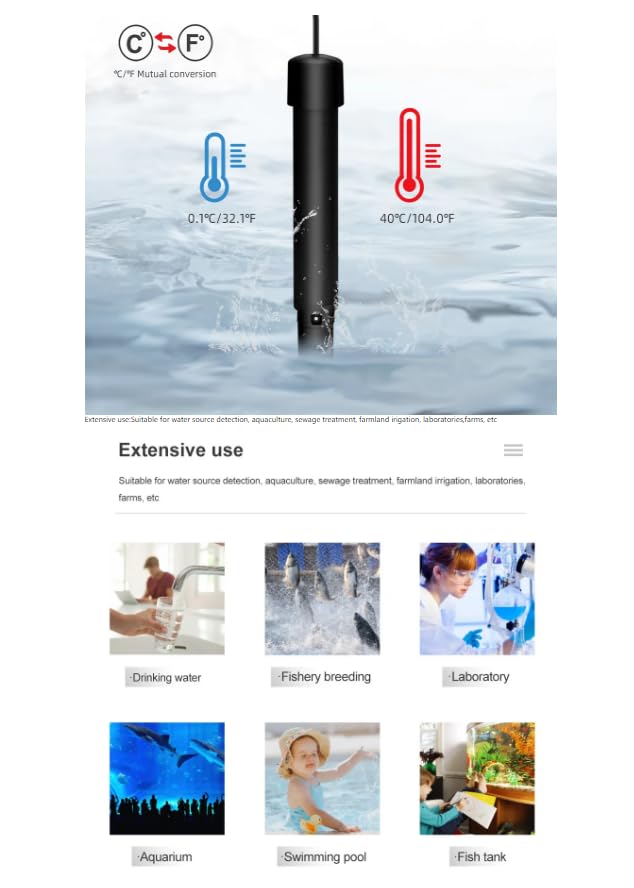
Figure 8.1: Visual examples of the extensive use cases for the dissolved oxygen meter, including drinking water, fishery breeding, laboratory, aquarium, swimming pool, and fish tank environments.
9. Warranty and Support
For warranty information, technical support, or service inquiries, please contact your retailer or the manufacturer directly. Keep your purchase receipt as proof of purchase.