
CAPOXO M79
CAPOXO M79 Open-Ear Wireless Earbuds User Manual
Model: M79 | Brand: CAPOXO
Introduction
Thank you for choosing the CAPOXO M79 Open-Ear Wireless Earbuds. These earbuds are designed to provide a comfortable and high-quality audio experience while keeping you aware of your surroundings. This manual will guide you through the setup, operation, and maintenance of your new earbuds.
Package Contents
- CAPOXO M79 Open-Ear Wireless Earbuds (Left and Right)
- Charging Case with Digital Display
- USB-C Charging Cable
- User Manual
Product Overview
Familiarize yourself with the components of your CAPOXO M79 earbuds and charging case.

Image: The CAPOXO M79 open-ear wireless earbuds are shown inside their charging case, which features a digital LED display indicating battery percentage.
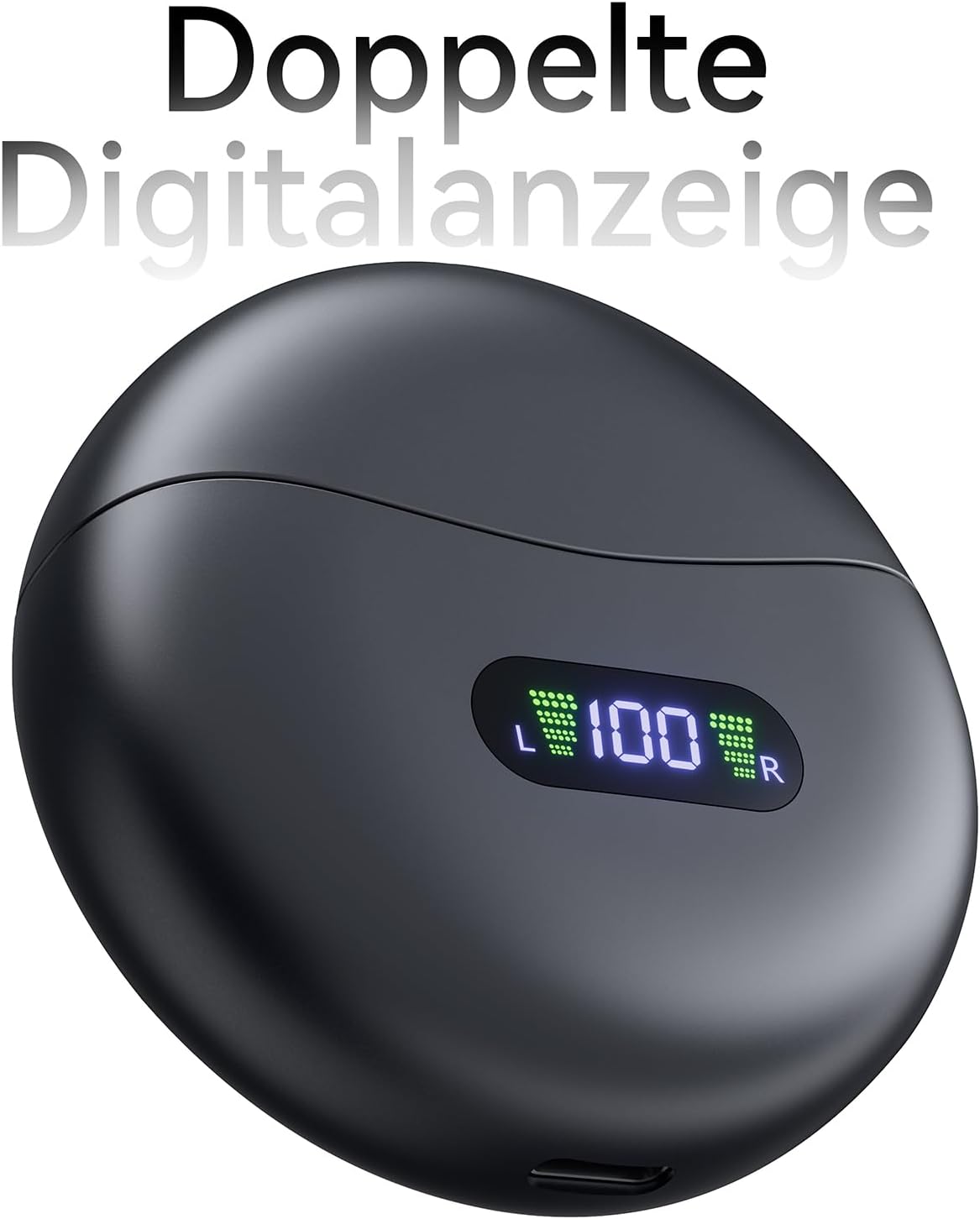
Image: A close-up view of the charging case's digital LED display, showing '100' for full charge and individual battery indicators for left and right earbuds.

Image: A detailed view of the unique clip-on design of the earbuds, highlighting their ergonomic shape for secure placement on the ear.
Key Features:
- Open-Ear Design: Allows you to hear your music and stay aware of your surroundings.
- Comfortable Fit: Lightweight (4.5g per earbud) and made from soft, skin-friendly materials, compatible with glasses.
- Extended Playtime: Up to 5 hours on a single charge, with a total of 40 hours using the charging case.
- Smart Digital Display: LED screen on the charging case shows battery levels.
- Bluetooth 5.4: Provides a stable and clear wireless connection.
- IPX7 Waterproof: Protected against sweat and rain, suitable for outdoor activities.
- Simple One-Touch Controls: Easy management of playback, calls, and voice assistants.
- Powerful Stereo Sound: Equipped with 16.2mm vibration diaphragm speaker drivers for balanced and clear audio.
Setup
1. Initial Charging
Before first use, fully charge the earbuds and the charging case.
- Place both earbuds into the charging case. Ensure they are correctly seated.
- Connect the USB-C charging cable to the charging port on the case and the other end to a USB power adapter (not included) or a computer's USB port.
- The LED digital display on the charging case will show the battery percentage. Allow the case and earbuds to charge until the display shows 100%.

Image: An illustration showing the earbuds and charging case, highlighting 5 hours of playtime on a single charge and a total of 40 hours with the charging case.
2. Pairing with Your Device
The earbuds will automatically enter pairing mode when taken out of the case.
- Open the charging case and remove both earbuds. They will automatically power on and enter pairing mode.
- On your smartphone or Bluetooth-enabled device, go to the Bluetooth settings.
- Search for available devices and select "M79" from the list.
- Once connected, you will hear an audible confirmation, and the earbuds will be ready for use.
Note: If pairing fails, place the earbuds back into the case, close the lid, and then repeat the steps. The earbuds will automatically reconnect to the last paired device when removed from the case.
Operating Instructions
Wearing the Earbuds
The M79 earbuds feature an innovative clip-on design for a secure and comfortable fit.
- Identify the Left (L) and Right (R) earbuds.
- Gently clip each earbud onto the upper part of your ear, ensuring the speaker is positioned towards your ear canal.
- Adjust the position slightly to find the most comfortable and secure fit. The flexible C-shaped band adapts to various ear shapes.

Image: A diagram illustrating how the lightweight (4.5g) earbuds are worn, showing their compatibility with different ear shapes and glasses.
Touch Controls
The earbuds feature intuitive touch controls on their outer surface.
| Function | Action |
|---|---|
| Play/Pause | Single tap on either earbud |
| Next Track | Double tap on the Right earbud |
| Previous Track | Double tap on the Left earbud |
| Volume Up | Triple tap on the Right earbud |
| Volume Down | Triple tap on the Left earbud |
| Answer/End Call | Single tap on either earbud |
| Reject Call | Press and hold for 2 seconds on either earbud |
| Activate Voice Assistant | Press and hold for 3 seconds on either earbud |
Maintenance
Cleaning
- Regularly clean the earbuds and charging case with a soft, dry, lint-free cloth.
- Do not use abrasive cleaners, alcohol, or chemical sprays.
- Ensure charging contacts on both earbuds and case are clean and dry.
Storage
- When not in use, store the earbuds in their charging case to protect them and keep them charged.
- Store in a cool, dry place, away from extreme temperatures and direct sunlight.
Battery Care
- To prolong battery life, avoid fully discharging the earbuds and case frequently.
- Charge the device regularly, even if not used for extended periods.
Troubleshooting
| Problem | Possible Cause | Solution |
|---|---|---|
| Earbuds not pairing | Low battery; not in pairing mode; device Bluetooth off | Charge earbuds and case; ensure earbuds are removed from case; turn on Bluetooth on device; forget device and re-pair. |
| Only one earbud working | One earbud not charged; earbuds not connected to each other | Ensure both earbuds are charged; place both earbuds back in case, close lid, then remove to re-sync. |
| No sound or low volume | Volume too low on device/earbuds; earbud placement; connection issue | Adjust volume on both device and earbuds; ensure earbuds are properly seated; reconnect Bluetooth. |
| Earbuds keep disconnecting | Out of range; interference; low battery | Stay within 10 meters of your device; avoid strong electromagnetic fields; charge earbuds. |
Specifications
| Feature | Detail |
|---|---|
| Model Number | M79 |
| Brand | CAPOXO |
| Connectivity Technology | Wireless (Bluetooth 5.4) |
| Ear Placement | Open Ear |
| Headphone Form Factor | On Ear (Clip-on) |
| Playtime (Earbuds) | Up to 5 hours |
| Total Playtime (with Case) | Up to 40 hours |
| Water Resistance | IPX7 (Sweat and Rainproof) |
| Impedance | 16 Ohms |
| Sensitivity | 85 dB |
| Frequency Response | Up to 20,000 Hz |
| Noise Control | Hybrid Noise Cancellation (for calls) |
| Product Dimensions | 6.29 x 2.7 x 6.3 cm |
| Weight | 100 grams |
| Batteries | 1 x 9V battery required (included) |
Safety Information
- Do not disassemble or modify the product.
- Keep away from extreme temperatures, direct sunlight, and open flames.
- Avoid exposing the earbuds to corrosive liquids.
- Do not use the earbuds at excessively high volumes for prolonged periods to prevent hearing damage.
- Exercise caution when using earbuds in situations requiring awareness of your surroundings (e.g., driving, cycling).
- Keep out of reach of children and pets.
Warranty and Support
CAPOXO products are designed and manufactured to the highest quality standards. For information regarding warranty coverage, technical support, or service inquiries, please refer to the warranty card included with your product or visit the official CAPOXO website. Please retain your proof of purchase for any warranty claims.
Related documentsM79

Ask a question about this manual
Ask about setup, troubleshooting, compatibility, parts, safety, or missing instructions. Manuals+ will review the question and use this page’s manual context to help answer it.