
Introduction
Thank you for choosing the Doublepow LP40 Pro Wireless Earbuds. These earbuds feature advanced Bluetooth 5.3 technology, providing stable and low-latency audio transmission. Designed for comfort and high-fidelity sound, they include a built-in microphone with call noise cancellation for clear communication. This manual will guide you through the setup, operation, and maintenance of your new earbuds.

Image: Doublepow LP40 Pro Wireless Earbuds and their charging case.
What's in the Box
Please check the package contents to ensure all items are present:
- Doublepow LP40 Pro Wireless Earbuds (Left and Right)
- Charging Case
- USB-C Charging Cable
- User Manual
- Additional ear tips (if included)
Video: Unboxing and initial setup of the LP40 Pro earbuds, demonstrating the contents of the package and the pairing process with a smartphone.
Product Overview
Design and Comfort
The LP40 Pro earbuds feature a semi in-ear ergonomic design, ensuring a secure and comfortable fit for extended wear. Each earbud weighs approximately 3.1 grams, making them ultra-lightweight. The charging case is compact and weighs only 30 grams, fitting easily into a pocket.

Image: Illustration of the semi in-ear design, showing how the earbud fits comfortably in the ear.
Audio Technology
Equipped with 13mm high-efficiency dynamic drivers, the LP40 Pro delivers powerful bass, full mid-range, and crisp, clear, balanced stereo sound. The built-in microphone utilizes call noise cancellation to suppress ambient noise, ensuring clear and lifelike sound during calls.

Image: Diagram illustrating the internal metal moving coil horn unit, which contributes to the earbud's sound quality.
Touch Controls
The earbuds feature smart touch control for convenient operation. The capacitive touch interface allows you to manage various functions with simple gestures:
- Play/Pause: Tap once on either earbud.
- Volume Control: Tap and hold (specific gesture may vary, refer to quick start guide).
- Next Track: Double-tap the right earbud.
- Previous Track: Double-tap the left earbud.
- Answer/Hang Up Call: Tap once on either earbud during an incoming call or active call.
- Reject Call: Tap and hold either earbud during an incoming call.
- Activate Voice Assistant: Triple-tap either earbud.
Setup
Charging the Earbuds and Case
Before first use, fully charge the earbuds and charging case. Use the provided USB-C charging cable to connect the case to a power source. The indicator light on the case will show charging status.
- A full charge for the case takes approximately 1.5 hours.
- The earbuds provide about 5-6 hours of playback on a single charge.
- The charging case provides multiple additional charges, extending total playback time to approximately 24 hours.

Image: The charging case with a USB-C cable connected, illustrating the Type-C charging feature.
Pairing with Your Device
- Ensure the earbuds are charged.
- Open the charging case. The earbuds will automatically enter pairing mode.
- On your device (smartphone, tablet, laptop), go to Bluetooth settings and turn Bluetooth on.
- Search for available devices and select "Doublepow LP40 Pro" from the list.
- Once connected, you will hear a confirmation tone, and the earbuds will be ready for use.
After the initial pairing, the earbuds will automatically connect to the last paired device when you open the charging case, provided Bluetooth is enabled on your device and it is within range (up to 10 meters).

Image: Visual representation of the earbuds automatically pairing with a smartphone, highlighting the 10-meter connection distance.
Operating the Earbuds
Music Playback
- Play/Pause: Tap once on either earbud.
- Next Track: Double-tap the right earbud.
- Previous Track: Double-tap the left earbud.
- Volume Up/Down: Use your device's volume controls or the specific touch gesture (refer to quick start guide for exact gesture).
Call Management
- Answer/End Call: Tap once on either earbud.
- Reject Call: Tap and hold either earbud for 2 seconds.
Voice Assistant
- Activate Voice Assistant: Triple-tap either earbud to activate your device's voice assistant (e.g., Siri, Google Assistant).
Monaural and Binaural Use
The LP40 Pro earbuds support both monaural (single earbud) and binaural (both earbuds) use. You can use one earbud independently while the other is in the charging case, or use both for a stereo experience.

Image: Graphic demonstrating the flexibility of using the earbuds either individually (monaurally) or as a pair (binaurally).
Maintenance
To ensure the longevity and optimal performance of your Doublepow LP40 Pro earbuds, follow these maintenance guidelines:
- Cleaning: Regularly clean the earbuds and charging case with a soft, dry, lint-free cloth. Avoid using abrasive materials or harsh chemicals.
- Storage: When not in use, store the earbuds in their charging case to protect them from dust and damage.
- Water Resistance: The LP40 Pro earbuds have an IPX5 waterproof rating, meaning they are resistant to splashes and sweat. Do not submerge them in water or expose them to heavy rain. Ensure they are dry before placing them back in the charging case.
- Temperature: Avoid exposing the earbuds to extreme temperatures (hot or cold) or direct sunlight for prolonged periods.
Troubleshooting
If you encounter any issues with your earbuds, try the following solutions:
- Earbuds not pairing:
- Ensure both earbuds are charged.
- Turn off and on your device's Bluetooth.
- Place both earbuds back in the charging case, close the lid, wait a few seconds, then open it again to re-enter pairing mode.
- Forget the device from your phone's Bluetooth list and try pairing again.
- No sound or low volume:
- Check the volume levels on both your device and the earbuds.
- Ensure the earbuds are properly connected to your device.
- Clean any debris from the earbud speakers.
- Earbuds not charging:
- Ensure the charging cable is securely connected to both the case and the power source.
- Check if the charging case itself has power.
- Clean the charging contacts on both the earbuds and inside the case.
- Connection drops frequently:
- Ensure your device is within the 10-meter Bluetooth range.
- Avoid obstacles between your device and the earbuds.
- Minimize interference from other wireless devices.
If the issue persists, please refer to the manufacturer's support information.
Specifications
| Feature | Specification |
|---|---|
| Model Name | LP40 Pro |
| Brand | Doublepow |
| Connectivity Technology | Wireless (Bluetooth 5.3) |
| Audio Driver Type | Dynamic Driver (13mm) |
| Earpiece Shape | Bud (In-Ear) |
| Noise Control | Active Noise Cancellation (for calls) |
| Battery Life (Earbuds) | Up to 5-6 hours |
| Total Playback Time (with Case) | Up to 24 hours |
| Charging Interface | USB Type-C |
| Charging Time (Case) | Approx. 1.5 hours |
| Control Method | Touch |
| Waterproof Rating | IPX5 |
| Item Weight | Earbud: 3.1 grams (each), Case: 30 grams |
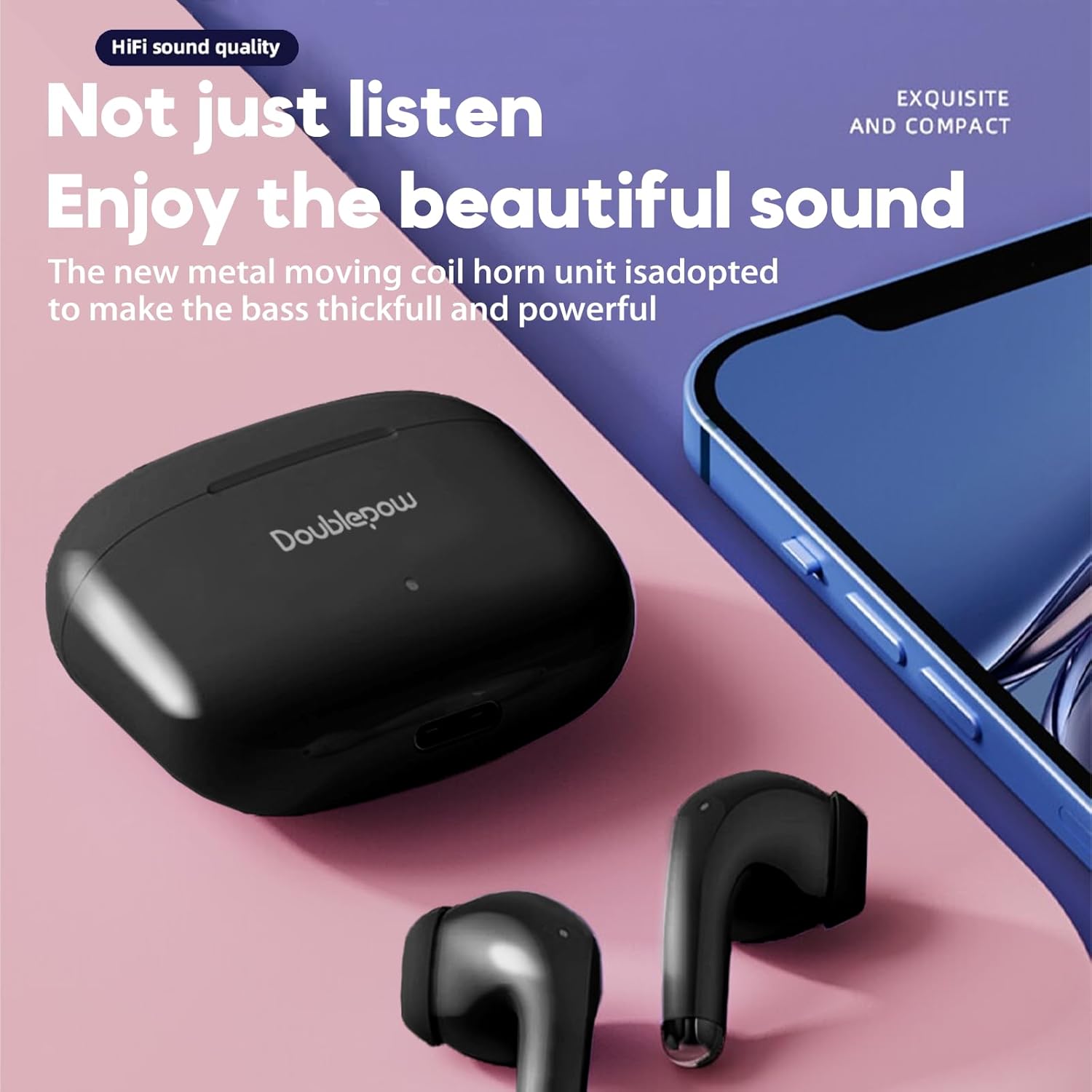
Image: A visual comparison highlighting key differences between the LP40 and LP40 Pro models, including driver diameter and waterproof rating.
Safety Information
Please read and follow these safety precautions to prevent damage to your device or injury to yourself:
- Do not disassemble, repair, or modify the earbuds or charging case.
- Keep the device away from extreme temperatures, direct sunlight, and high humidity.
- Avoid dropping or subjecting the device to strong impacts.
- Do not use the earbuds at excessively high volumes for prolonged periods, as this may cause hearing damage.
- Keep out of reach of children and pets.
Warranty and Support
For warranty information, technical support, or further assistance, please refer to the warranty card included in your product packaging or visit the official Doublepow website. Contact details for customer service may also be found on your purchase receipt.