
1. Introduction
Thank you for choosing the INGCO CIWLI2050 20V Lithium-Ion Cordless Brushless Impact Wrench. This powerful and versatile tool is engineered for efficient fastening and loosening of nuts and bolts in various applications. This manual provides essential information for safe operation, proper maintenance, and effective troubleshooting to ensure optimal performance and longevity of your tool.
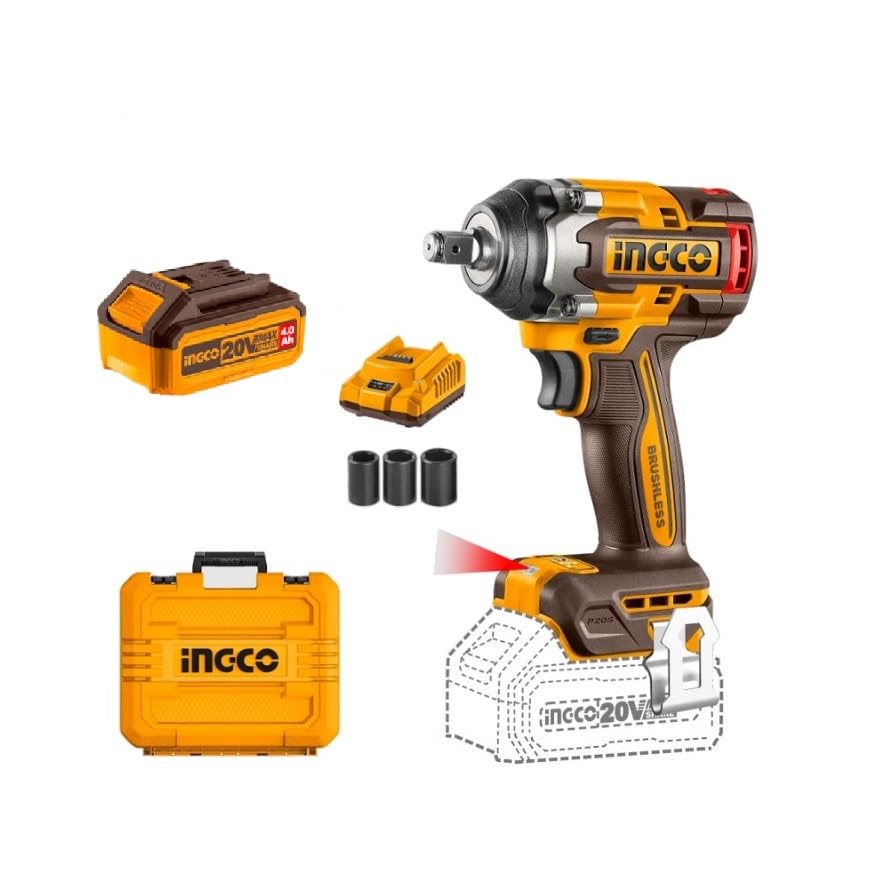
Figure 1: The INGCO CIWLI2050 Impact Wrench and its included accessories.
2. General Safety Instructions
Always follow basic safety precautions when using power tools to reduce the risk of fire, electric shock, and personal injury.
- Work Area Safety: Keep your work area clean and well-lit. Cluttered or dark areas invite accidents. Do not operate power tools in explosive atmospheres, such as in the presence of flammable liquids, gases, or dust.
- Electrical Safety: Avoid body contact with earthed or grounded surfaces such as pipes, radiators, ranges, and refrigerators. Do not expose power tools to rain or wet conditions.
- Personal Safety: Always wear eye protection. Use hearing protection when operating the tool for extended periods. Dress properly; do not wear loose clothing or jewelry. Keep hair, clothing, and gloves away from moving parts.
- Tool Use and Care: Do not force the power tool. Use the correct power tool for your application. Disconnect the plug from the power source and/or the battery pack from the power tool before making any adjustments, changing accessories, or storing power tools.
- Battery Tool Use and Care: Recharge only with the charger specified by the manufacturer. Use power tools only with specifically designated battery packs.
3. Product Overview
The INGCO CIWLI2050 impact wrench is designed for high-performance fastening tasks. Key features include:
- Powerful Brushless Motor: Delivers up to 500 Nm of fastening torque and 650 Nm of nut-busting torque.
- Variable Speed Settings: Three speed settings (0-1200/0-1800/0-2200 RPM) and impact rates (0-2400/0-2800/0-3300 BPM) for versatile applications.
- 1/2-inch Square Drive: Compatible with standard impact sockets.
- Integrated LED Work Light: Illuminates the work area for improved visibility.
- LED Battery Status Indicator: Provides real-time battery charge level.
- Ergonomic Design: Compact and lightweight for comfortable use.

Figure 2: Detailed view of the impact wrench features.
4. Setup
4.1 Battery Charging
The tool is supplied with two 4.0 Ah Lithium-Ion battery packs and a compatible charger. Ensure batteries are fully charged before first use.
- Connect the charger to a 220-240V~50/60Hz power outlet.
- Slide the battery pack onto the charger until it clicks into place.
- The charger indicator light will show the charging status. Refer to the charger's specific instructions for light indications.
- Once fully charged, remove the battery pack from the charger.
4.2 Battery Installation and Removal
- Installation: Align the battery pack with the base of the tool handle and slide it in until it locks securely.
- Removal: Press the battery release button (usually located on the front or sides of the battery pack) and slide the battery out of the tool.
4.3 Socket Installation
The impact wrench features a 1/2-inch square drive for quick and secure socket changes.
- Ensure the tool is switched off and the battery is removed for safety.
- Push the desired socket (e.g., 21mm, 22mm, 24mm) onto the 1/2-inch square drive anvil until it snaps into place.
- To remove, pull the socket firmly off the anvil.
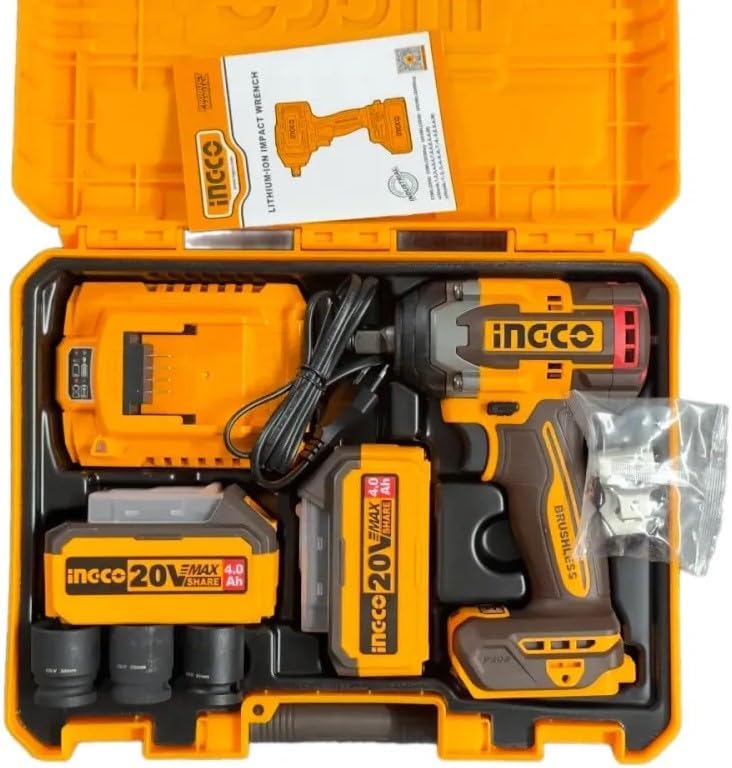
Figure 3: The complete INGCO CIWLI2050 kit with all components.
5. Operating Instructions
5.1 Powering On/Off
To start the tool, press the trigger switch. The tool speed increases as you increase pressure on the trigger. To stop the tool, release the trigger switch.
5.2 Variable Speed and Impact Settings
The tool features three selectable speed and impact rate settings to match the application requirements. Use lower settings for delicate tasks and higher settings for heavy-duty fastening.
- Speed Settings: 0-1200 RPM (Low), 0-1800 RPM (Medium), 0-2200 RPM (High).
- Impact Rate Settings: 0-2400 BPM (Low), 0-2800 BPM (Medium), 0-3300 BPM (High).
Adjust the speed/impact setting using the dedicated control button, typically located near the trigger or on the tool's base.
5.3 Fastening and Loosening
Select the appropriate socket and attach it to the tool. For fastening, ensure the rotation direction is set to clockwise. For loosening, set the rotation direction to counter-clockwise. Apply firm pressure to the fastener and press the trigger.
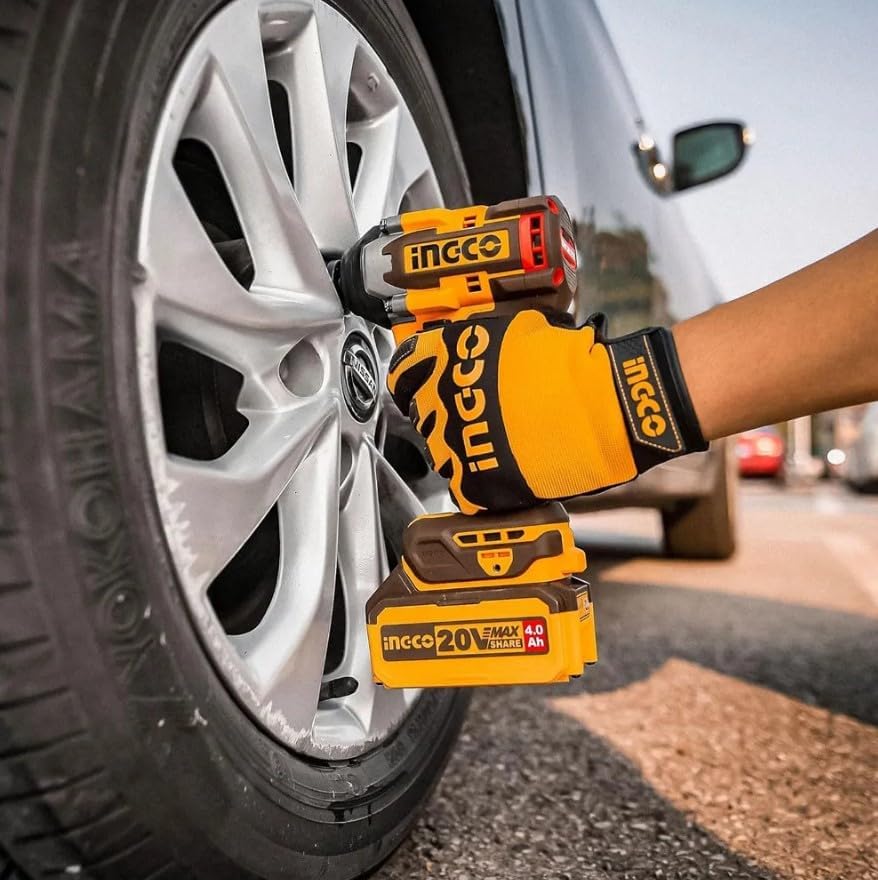
Figure 4: The impact wrench in action, demonstrating its use for automotive tasks.
5.4 LED Work Light and Battery Indicator
- The integrated LED work light activates when the trigger is pressed, illuminating dark work areas.
- The LED battery status indicator on the battery pack shows the remaining charge. Charge the battery when the indicator shows a low charge.
6. Maintenance
Regular maintenance ensures the longevity and safe operation of your impact wrench.
- Cleaning: Keep the tool's ventilation openings clean and free from debris to prevent overheating. Wipe the tool housing with a soft, damp cloth. Do not use harsh chemicals or abrasive cleaners.
- Storage: Store the tool and batteries in a cool, dry place, away from direct sunlight and moisture. Keep them out of reach of children. When storing for extended periods, ensure batteries are partially charged (around 50%) to prolong their lifespan.
- Battery Care: Do not store batteries in a discharged state. Avoid exposing batteries to extreme temperatures.
- Inspection: Periodically inspect the tool for any signs of damage, loose screws, or worn parts. If any damage is found, discontinue use and contact qualified service personnel.

Figure 5: The durable carrying case and included sockets for convenient storage.
7. Troubleshooting
This section addresses common issues you might encounter with your impact wrench.
| Problem | Possible Cause | Solution |
|---|---|---|
| Tool does not start | Battery not charged or improperly installed. | Charge the battery fully. Ensure the battery is securely clicked into place. |
| Reduced power or torque | Battery charge is low. Incorrect speed setting. | Recharge the battery. Select a higher speed/impact setting. |
| Excessive vibration or noise | Socket not properly seated. Damaged internal components. | Ensure the socket is fully engaged on the anvil. If the problem persists, discontinue use and seek professional service. |
| LED work light not functioning | Faulty LED or electrical connection. | Contact customer support for assistance. |
8. Specifications
Technical specifications for the INGCO CIWLI2050 Impact Wrench:
| Feature | Specification |
|---|---|
| Model Number | CIWLI2050 / HKSPA1068 |
| Voltage | 20V |
| Motor Type | Brushless |
| Drive Size | 1/2 inch Square |
| Fastening Torque | Up to 500 Nm |
| Nut-Busting Torque | Up to 650 Nm |
| No-Load Speed | 0-1200 / 0-1800 / 0-2200 RPM |
| Impact Rate | 0-2400 / 0-2800 / 0-3300 BPM |
| Battery Type | 2 x 4.0 Ah Lithium-Ion |
| Charger Input | 220-240V~50/60Hz |
| Included Sockets | 21mm, 22mm, 24mm |
| Product Dimensions | 10 x 20 x 37 cm |
| Product Length | 27 cm |
| Product Weight | 209 grams |
| Material | Alloy Steel |
9. Warranty and Support
For warranty information, service, or technical support, please refer to the warranty card included with your product or contact INGCO customer service directly. Keep your purchase receipt as proof of purchase for any warranty claims.
For further assistance, visit the official INGCO website or contact your local dealer.


