Introduction
The FocoMyLord AI Translation Earbuds (Model A38-B) are designed to effortlessly break language barriers, offering real-time translation across 144 languages. Featuring an open-ear design, these wireless Bluetooth earbuds provide advanced translation technology while allowing you to remain aware of your surroundings. They are compatible with both Android and iOS devices, making them ideal for travel, business meetings, and learning.
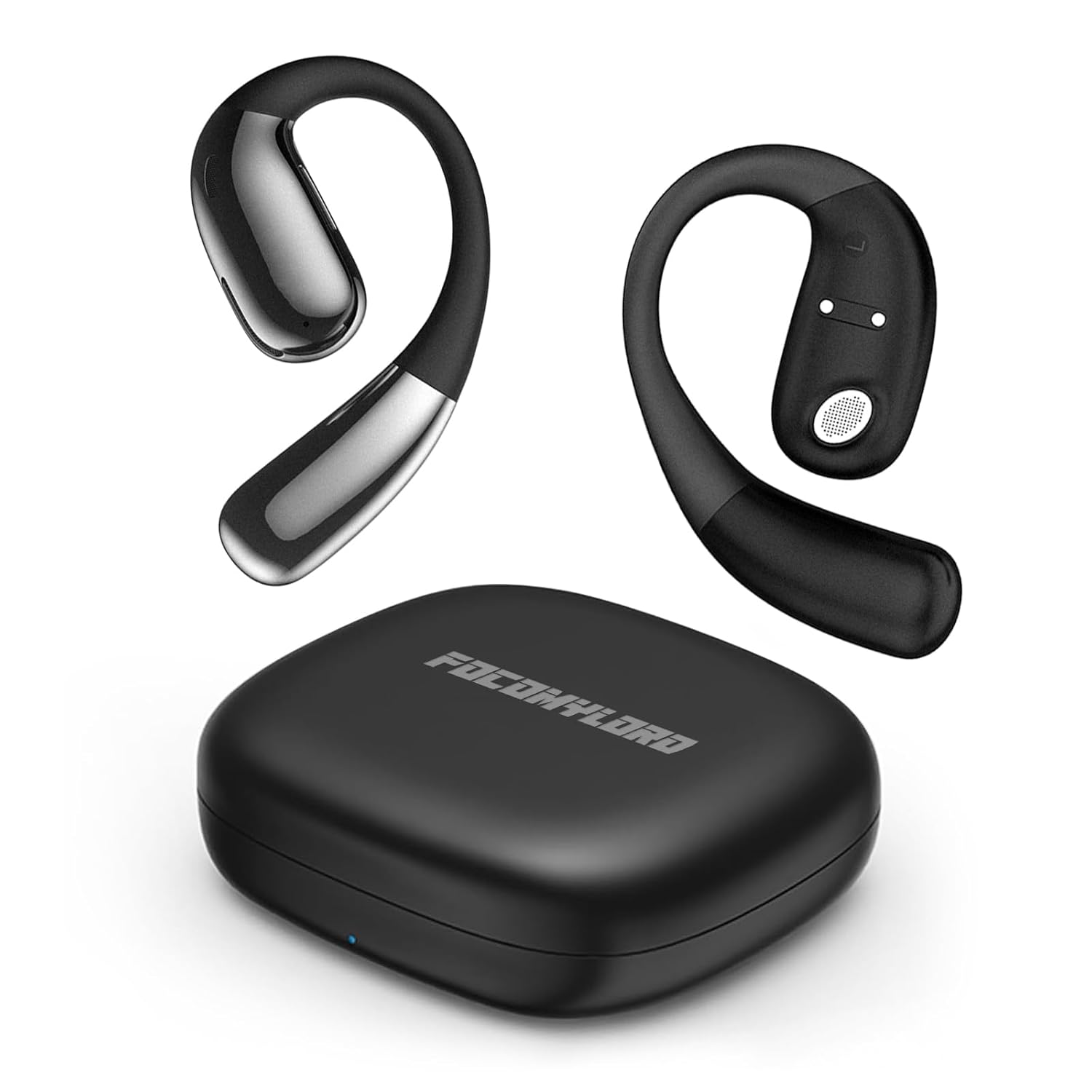
Image: The FocoMyLord AI Translation Earbuds, showing both earbuds and their compact charging case.
What's in the Box
Upon opening your FocoMyLord AI Translation Earbuds package, you will find the following items:
- Translator Earbuds (Left and Right)
- Charging Case
- User Manual (this document)
Setup
1. Charging the Earbuds and Case
Before first use, ensure both the earbuds and the charging case are fully charged. Place the earbuds into the charging case. Connect the charging case to a power source using a compatible USB cable (not included). The indicator light on the case will show charging status.
2. Pairing with Your Device
- Ensure the earbuds are in the charging case and the case lid is open.
- On your smartphone or tablet (Android or iOS), go to the Bluetooth settings.
- Turn on Bluetooth.
- Select "FocoMyLord A38-B" from the list of available devices.
- Once connected, a confirmation sound or message will indicate successful pairing.
3. Installing the Translation App
To utilize the real-time translation features, you must download and install the dedicated FocoMyLord translation application on your smartphone. Search for "FocoMyLord Translator" (or similar, as per product instructions) in your device's app store (Google Play Store for Android, Apple App Store for iOS). Follow the on-screen instructions to complete the app installation and initial setup.

Image: The earbuds in their charging case, surrounded by various greetings in different languages, illustrating their translation capability. Note: The AI translation function requires a mobile app.
Operating Instructions
1. Wearing the Earbuds
The FocoMyLord A38-B earbuds feature an open-ear design for ultimate comfort and situational awareness. Gently place the earbud over your ear, ensuring the ear hook rests securely behind your ear. Adjust for a comfortable and stable fit. The soft silicone material and ultra-light design ensure prolonged comfort.

Image: Diagram illustrating the ergonomic ear hook, soft silicone, and ultra-light features of the open-ear design for maximum comfort.

Image: A person wearing the earbuds while cycling, highlighting the secure and comfortable fit of the open-ear design, allowing awareness of surroundings.
2. Real-Time Translation
Once the earbuds are paired and the translation app is installed and configured, you can begin real-time translation. The earbuds support 144 languages and offer 98% accuracy with simultaneous translation in approximately 0.5 seconds. Refer to the in-app guide for specific modes of translation (e.g., conversation mode, interpreter mode).

Image: Visual representation of the earbuds' natural and instant translation capabilities, highlighting 98% accuracy, 0.5-second simultaneous translation, and support for 74 languages and 70 accents.
The earbuds also support offline voice translation between 8 languages. Please note that certain offline language packages may require an in-app purchase.
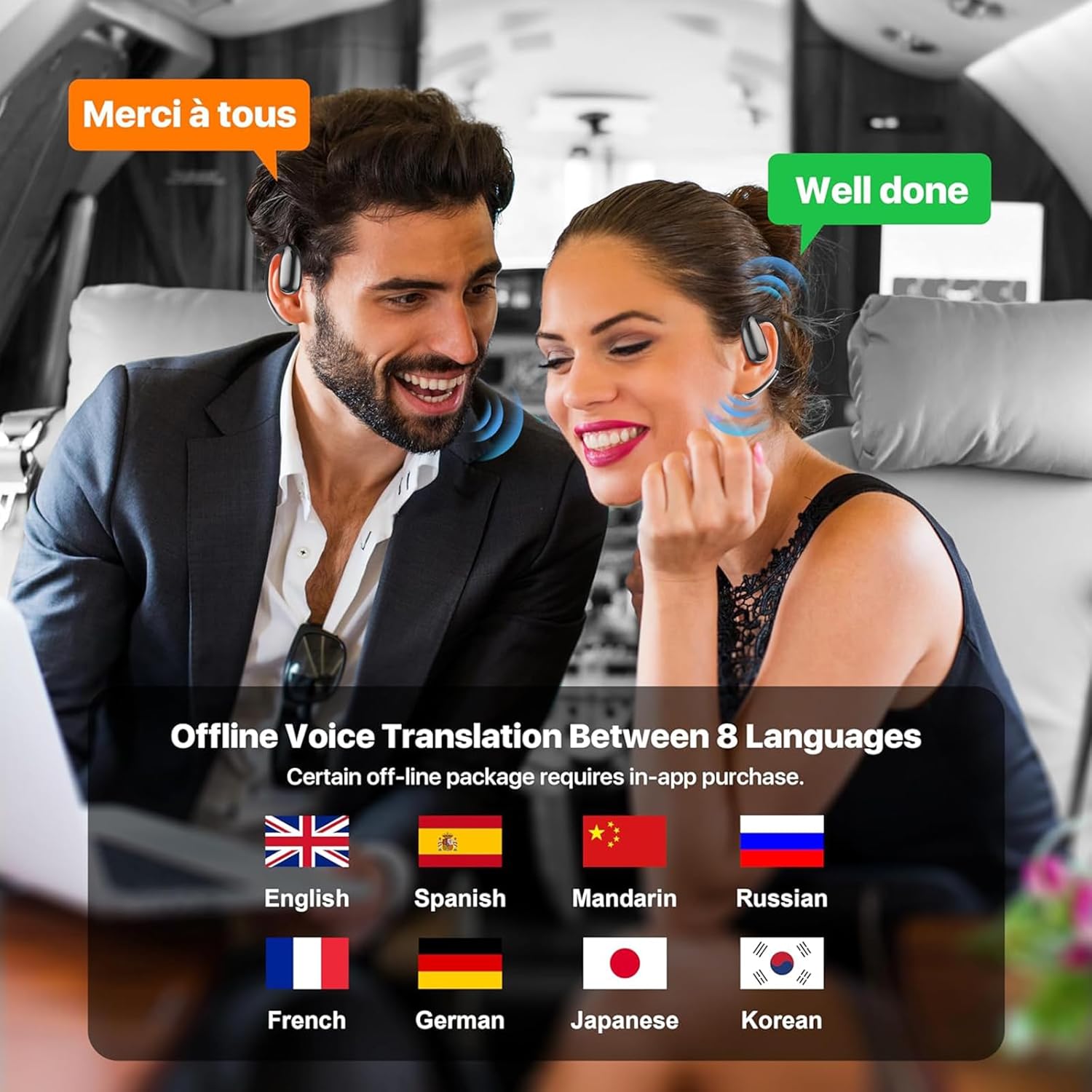
Image: Two individuals engaged in a conversation, each wearing an earbud, demonstrating the real-time translation feature with speech bubbles showing translation from French to English.
3. Audio Playback and Calls
Beyond translation, these earbuds function as standard wireless Bluetooth headsets for audio playback and calls. They feature 10mm speakers for stereo sound and incorporate noise reduction technology for clear audio.

Image: An exploded view of an earbud highlighting its 10mm speaker for Hi-Fi stereo sound, accompanied by a graph illustrating the effect of noise reduction.
- Music Playback: Control playback (play, pause, skip) directly from your connected device.
- Phone Calls: Answer or end calls using the controls on your connected device. The earbuds' microphone will pick up your voice.
Maintenance
To ensure the longevity and optimal performance of your FocoMyLord AI Translation Earbuds, follow these maintenance guidelines:
- Cleaning: Gently wipe the earbuds and charging case with a soft, dry, lint-free cloth. Do not use abrasive cleaners, alcohol, or chemical solvents.
- Storage: When not in use, store the earbuds in their charging case to protect them from dust and damage. Store in a cool, dry place.
- Water Resistance: The earbuds are IPX5 waterproof, meaning they are resistant to splashes and sweat. Do not submerge them in water or expose them to heavy rain. Dry them thoroughly if they get wet.
- Battery Care: For optimal battery life, avoid fully discharging the earbuds and charging case frequently. Charge them regularly, even if not in constant use.
Troubleshooting
If you encounter issues with your FocoMyLord AI Translation Earbuds, please refer to the following common solutions:
| Problem | Possible Cause / Solution |
|---|---|
| Earbuds not pairing |
|
| Translation not working |
|
| Poor audio quality |
|
| Earbuds not charging |
|
Specifications
| Feature | Detail |
|---|---|
| Brand | FocoMyLord |
| Model | A38-B |
| Translation Languages | Up to 144 languages (online) |
| Offline Translation | 8 languages (with potential in-app purchase for packages) |
| Connectivity | Wireless Bluetooth |
| Compatibility | Android, iOS |
| Design | Open-Ear, Ergonomic ear hook, Soft silicone, Ultra light |
| Audio Drivers | 10mm Speakers |
| Water Resistance | IPX5 (splash and sweat resistant) |
| Battery Life | Up to 6 hours continuous use (earbuds) |
| Item Weight | 168 g (total package) |
| Package Dimensions | 12.8 x 8.51 x 3.2 cm |
Warranty and Support
For warranty information and technical support, please refer to the contact details provided on the product packaging or the official FocoMyLord website. Keep your purchase receipt as proof of purchase for any warranty claims.
For further assistance, please contact FocoMyLord customer service.


