
Doublepow LP40 Pro
Doublepow LP40 Pro Wireless Earbuds User Manual
Model: LP40 Pro
Introduction
Thank you for choosing the Doublepow LP40 Pro Wireless Earbuds. These Bluetooth 5.3 headphones are designed to provide a high-fidelity audio experience with features like low latency, noise cancellation, and comfortable wear. This manual will guide you through the setup, operation, maintenance, and troubleshooting of your new earbuds.
Package Contents
- LP40 Pro Wireless Earbuds (Left and Right)
- Charging Case
- USB Charging Cable
- User Manual
Product Overview
Familiarize yourself with the components of your LP40 Pro earbuds and charging case.

Image: The LP40 Pro wireless earbuds resting inside their white charging case, with the Doublepow logo visible on the front and a small blue indicator light.

Image: A diagram illustrating the touch control functions on the LP40 Pro earbud, including play/pause, volume control, track navigation, and voice assistant activation.
Setup
1. Initial Charging
Before first use, fully charge the earbuds and the charging case.
- Connect the provided USB charging cable to the Type-C port on the charging case.
- Connect the other end of the cable to a USB power adapter (not included) or a computer's USB port.
- The indicator light on the charging case will show charging status. A full charge typically takes about 1.5 hours for the case.
- Place the earbuds into the charging case. They will begin charging automatically.

Image: The LP40 Pro charging case connected to a USB-C charging cable, illustrating the charging process and indicating a 24-hour long-lasting battery life with the case.
2. Pairing with a Device
The LP40 Pro earbuds utilize Bluetooth 5.3 for stable and efficient connection.
- Ensure the earbuds are charged and inside the charging case.
- Open the lid of the charging case. The earbuds will automatically enter pairing mode.
- On your device (smartphone, tablet, laptop), go to Bluetooth settings and turn Bluetooth on.
- Search for available devices and select "LP40 Pro" from the list.
- Once connected, you will hear a confirmation tone, and the earbuds will be ready for use.
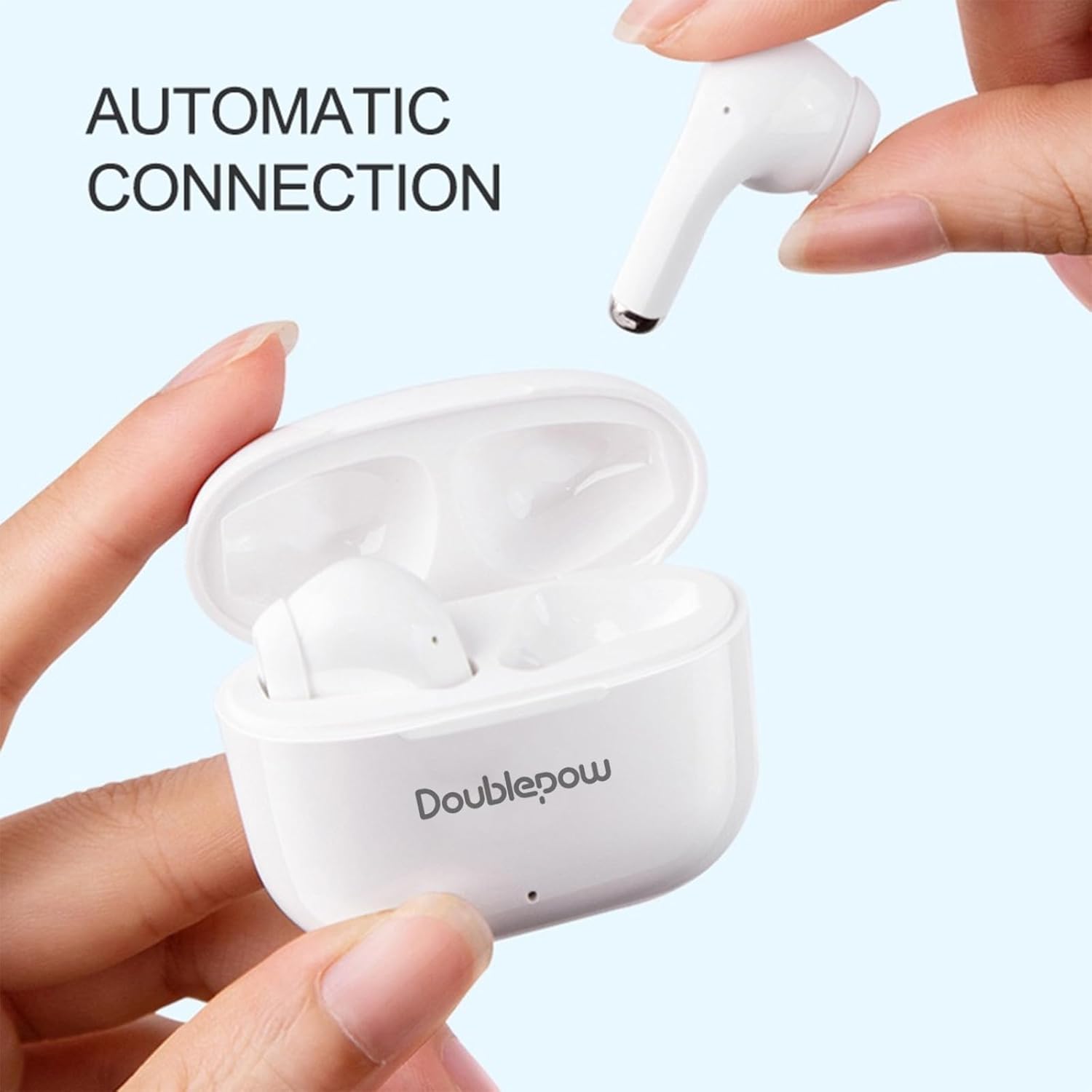
Image: A hand taking an earbud out of the charging case, with text indicating "AUTOMATIC CONNECTION", demonstrating the ease of pairing.
Operating Instructions
Touch Controls
The LP40 Pro earbuds feature smart touch controls for easy management of audio and calls.
| Action | Function |
|---|---|
| Single Tap (Either Earbud) | Play/Pause music, Answer/End call |
| Double Tap (Left Earbud) | Decrease Volume |
| Double Tap (Right Earbud) | Increase Volume |
| Triple Tap (Left Earbud) | Previous Track |
| Triple Tap (Right Earbud) | Next Track |
| Long Press (1.5s, Either Earbud) | Activate Voice Assistant (Siri, Google Assistant) |
| Long Press (2s, During Call) | Reject Call |
Note: Voice assistant functionality may vary based on your device's operating system (e.g., Siri for iOS).
Wearing the Earbuds
For optimal sound quality and comfort, ensure the earbuds are properly seated in your ears.
- Identify the Left (L) and Right (R) earbuds.
- Gently insert each earbud into the corresponding ear canal.
- Adjust the earbud until it feels secure and comfortable.

Image: A woman wearing a white LP40 Pro earbud, demonstrating the ergonomic design and comfortable fit for extended use.
Maintenance and Care
Proper maintenance ensures the longevity and optimal performance of your earbuds.
- Cleaning: Regularly clean the earbuds and charging case with a soft, dry, lint-free cloth. Do not use abrasive cleaners or solvents.
- Storage: When not in use, store the earbuds in their charging case to protect them and keep them charged.
- Temperature: Avoid exposing the earbuds to extreme temperatures (hot or cold) or high humidity.
- Water Resistance: While designed for sports, avoid submerging the earbuds in water. They are resistant to sweat and light splashes, but not fully waterproof.
Troubleshooting
If you encounter issues with your LP40 Pro earbuds, refer to the following common solutions:
| Problem | Possible Solution |
|---|---|
| Earbuds not pairing/connecting |
|
| No sound or low volume |
|
| One earbud not working |
|
| Charging case not charging |
|
Specifications
| Feature | Detail |
|---|---|
| Model Name | LP40 Pro |
| Connectivity Technology | Wireless (Bluetooth) |
| Bluetooth Version | 5.3 |
| Audio Driver Type | Dynamic Driver (13mm) |
| Earbud Weight | Approx. 3.1 grams per earbud |
| Charging Case Weight | Approx. 30 grams |
| Playtime (Single Charge) | Approx. 5-6 hours |
| Total Playtime (with Charging Case) | Approx. 24 hours |
| Charging Time (Case) | Approx. 1.5 hours (Type-C) |
| Control Method | Touch |
| Compatible Devices | Tablets, Television, Telephones, Laptops, Smart Speaker (Bluetooth enabled) |
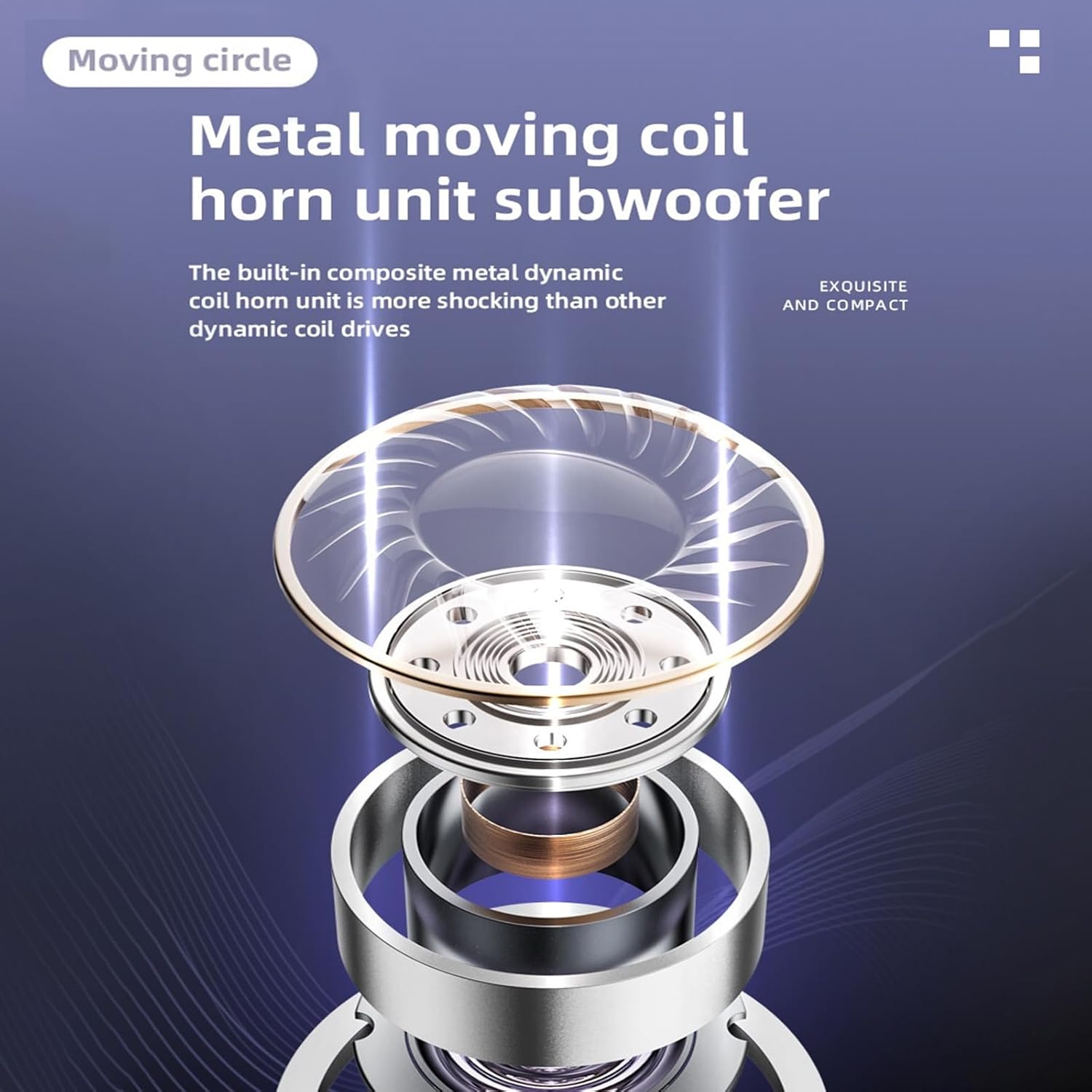
Image: A detailed diagram showing the internal structure of the LP40 Pro's metal moving coil horn unit subwoofer, highlighting its dynamic driver technology.
Warranty and Support
Doublepow products are designed for reliability and performance. For warranty information and technical support, please refer to the official Doublepow website or contact their customer service directly.
- Official Website: www.doublepow.com (Example link, replace with actual if available)
- Customer Service: Refer to the contact information provided on the product packaging or official website.
Please retain your proof of purchase for warranty claims.
Related documentsLP40 Pro


Ask a question about this manual
Ask about setup, troubleshooting, compatibility, parts, safety, or missing instructions. Manuals+ will review the question and use this page’s manual context to help answer it.