
Introduction
This manual provides instructions for the safe and efficient use of your Suptig Handle Power Bank Mount, Model RSX-440. Please read this manual thoroughly before operating the device and retain it for future reference.
Package Contents
Verify that all items are present in your package:
- 1x Suptig Handle Power Bank
- 1x Charging Cable (USB-A to Type-C)
- 1x Tripod Mount Adapter
- 1x Wrist Rope Strap

Image: Contents of the Suptig Handle Power Bank Mount package, including the power bank, charging cable, tripod mount adapter, and wrist strap.
Product Features
- Integrated Power Bank: 10,000mAh capacity for extended device usage.
- Wide Compatibility: Designed for various action cameras (GoPro Hero series, DJI Osmo Pocket, Akaso, Insta360), digital cameras, and smartphones.
- Two-Way Charging: Features USB-A and Type-C ports for simultaneous output to multiple devices. The Type-C port also supports input for fast charging the power bank itself.
- Built-in Bipod/Tripod: Integrated foldable legs allow the handle to stand independently on flat surfaces.
- Versatile Mounting Options:
- Standard 1/4-inch mounting screw on top for connecting cameras or selfie sticks.
- 1/4-inch nut on the bottom for installation on external tripods.
- Multiple Protection System: Incorporates intelligent protection against overheating, overcharging, overcurrent, overvoltage, and short circuits.

Image: The Suptig Handle Power Bank Mount shown connected to a digital camera, an action camera, a smartphone, and a DJI Osmo Pocket, illustrating its broad compatibility.
Setup and Installation
- Attaching a Camera/Device:
Locate the standard 1/4-inch mounting screw on the top of the handle. Align your camera or device's 1/4-inch thread with this screw and rotate the device clockwise until securely fastened. For action cameras requiring a GoPro-style mount, use the included tripod mount adapter.

Image: Detail of the 1/4-inch screw port at the top of the handle and the turning knob for quick and secure device installation.
- Using as a Tripod:
The handle features integrated foldable legs. Gently pull the legs outwards from the main body until they lock into place, forming a stable bipod. Place the handle on a flat, stable surface.
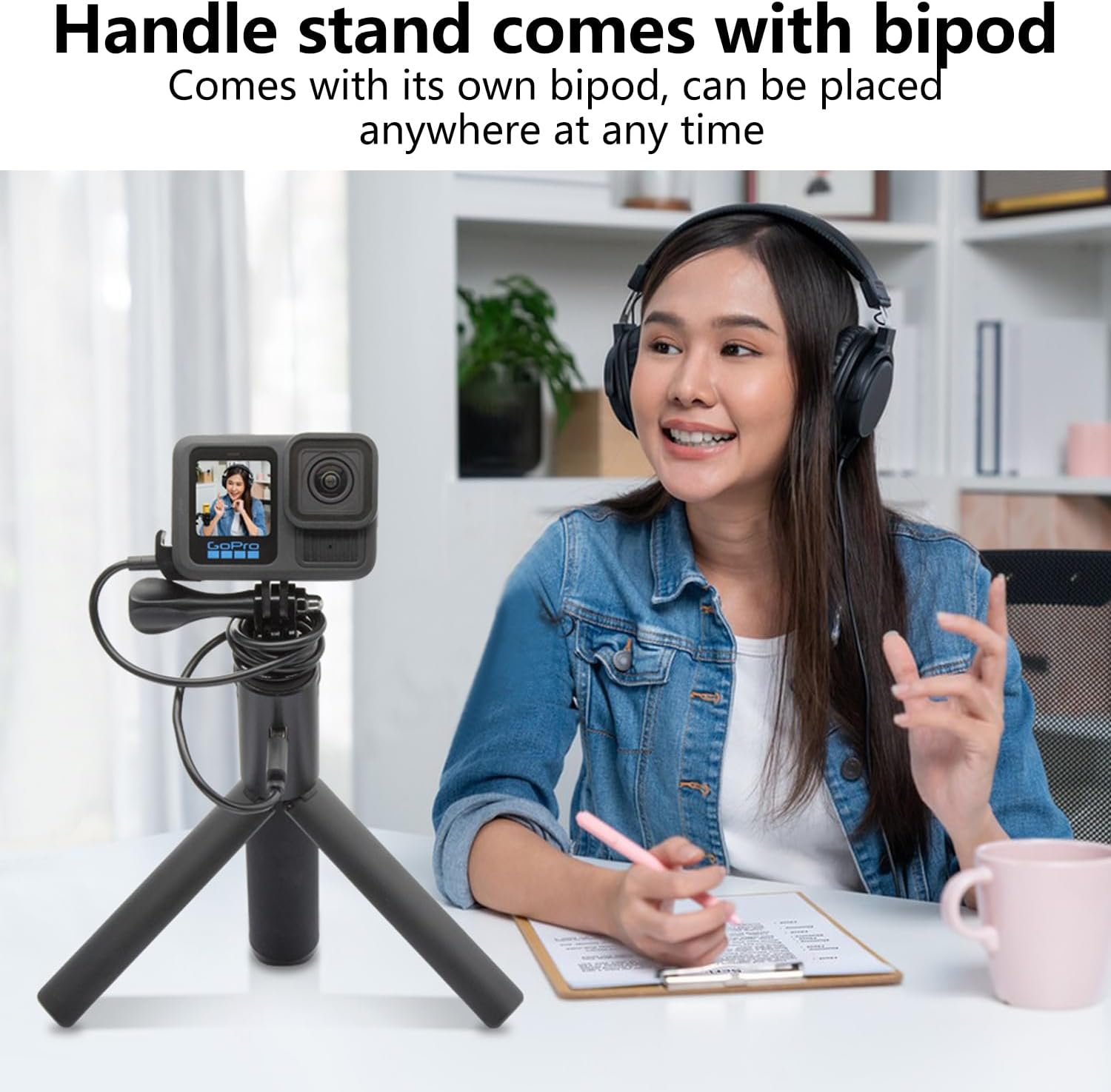
Image: The Suptig Handle Power Bank Mount standing on a desk with its integrated bipod, holding a GoPro camera.
- Mounting on an External Tripod:
The bottom of the handle has a 1/4-inch nut. This allows you to attach the handle to larger tripods or other mounting accessories with a standard 1/4-inch screw.
- Attaching the Wrist Strap:
Thread the wrist rope strap through the designated loop on the handle for added security during handheld use.
Operation
- Charging External Devices:
Connect your device (camera, smartphone, etc.) to either the USB-A port or the Type-C port on the handle using an appropriate charging cable. The power bank will automatically begin charging your device. Multiple devices can be charged simultaneously if both ports are used.
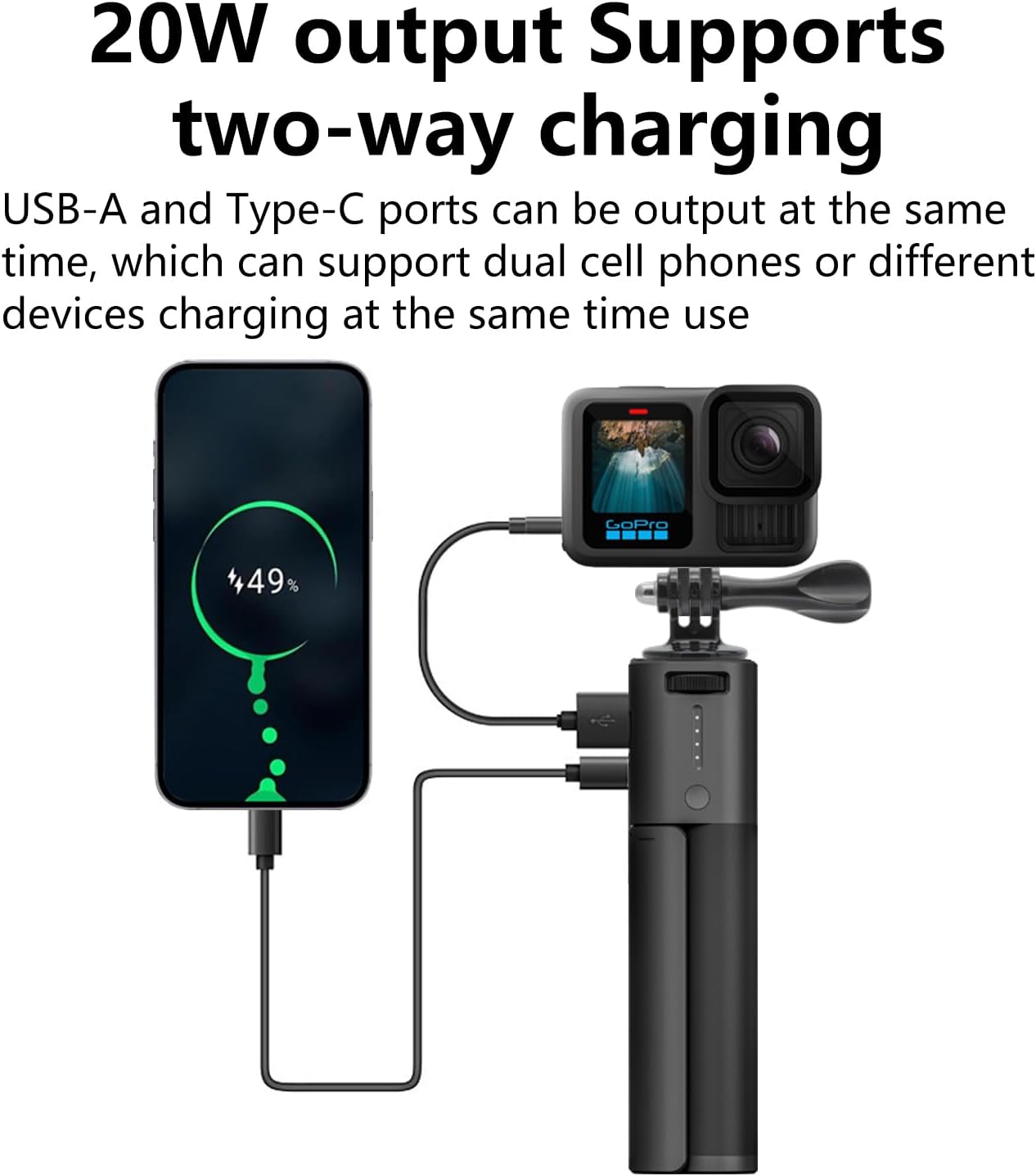
Image: The Suptig Handle Power Bank Mount demonstrating simultaneous charging of a smartphone via USB-C and a GoPro camera via USB-A.
- Recharging the Power Bank:
To recharge the Suptig Handle Power Bank, connect the included charging cable (or another compatible Type-C cable) to the Type-C port on the handle and plug the other end into a USB power source (e.g., wall adapter, computer USB port). The indicator lights on the handle will show the charging status.

Image: Detailed view of the USB-A output port and the Type-C input/output port on the side of the handle power bank.
- Checking Battery Level:
Press the small button near the indicator lights to check the current battery level of the power bank. The lights will illuminate to show the remaining charge.
Compatibility
The Suptig Handle Power Bank Mount is compatible with a wide range of devices, including but not limited to:
- GoPro Hero series (Hero 13, 12, 11, 10, 9, 8, 7, 6, 5, 4, 3, Session, Max, Fusion)
- DJI Osmo Pocket series (Osmo Pocket 3, Osmo Pocket 2)
- Canon, Nikon, Akaso, DJI Action cameras
- Insta360 cameras
- Various smartphones
- Other digital cameras with 1/4-inch tripod threads
Safety Information
The Suptig Handle Power Bank is equipped with an intelligent protection chip to ensure safe operation. This includes protection against:
- Overheating
- Overcharging
- Overcurrent
- Overvoltage
- Short circuits
To maintain safety and prolong the product's lifespan, please observe the following:
- Do not expose the device to extreme temperatures, direct sunlight, or moisture.
- Do not disassemble or attempt to repair the device yourself.
- Keep out of reach of children.
- Use only approved charging cables and adapters.
Specifications
| Model Number | RSX-440 |
| Battery Capacity | 10,000mAh |
| Battery Cell Composition | Lithium Ion |
| Product Dimensions | 6.6 x 1.5 x 1.0 inches (approx. 16.8 x 3.8 x 2.5 cm) |
| Item Weight | 8.2 ounces (approx. 232 grams) |
| Input/Output Ports | USB-A (Output), Type-C (Input/Output) |
| Color | Black |
Note: The product dimensions and weight are approximate and may vary slightly.
Maintenance
- Clean the device with a soft, dry cloth. Do not use liquid cleaners or solvents.
- Store the power bank in a cool, dry place when not in use.
- Avoid dropping or subjecting the device to strong impacts.
Troubleshooting
- Device not charging:
- Ensure the power bank is sufficiently charged.
- Check that the charging cable is securely connected to both the power bank and the device.
- Try a different charging cable or port.
- Verify that your device is compatible with the power bank's output specifications.
- Power bank not recharging:
- Ensure the charging cable is securely connected to the Type-C input port and the power source.
- Verify that the power source is active and providing sufficient power.
- Try a different charging cable or power adapter.
- Handle bipod feels unstable:
- Ensure the foldable legs are fully extended and locked into position.
- Place the handle on a flat, level surface.
- Avoid placing excessively heavy devices on the handle when using it as a bipod.
Warranty and Support
For warranty information and customer support, please refer to the contact details provided with your purchase or visit the official Suptig website. Keep your proof of purchase for warranty claims.