
XDOBO 1983 plus
XDOBO 1983 MAX Bluetooth Portable Speaker User Manual
Model: 1983 Plus
1. Introduction
Thank you for choosing the XDOBO 1983 MAX Bluetooth Portable Speaker. This powerful speaker delivers 120W of sound with deep bass, is IPX5 waterproof, and offers up to 12 hours of continuous playback. This manual provides essential information for setting up, operating, maintaining, and troubleshooting your speaker to ensure optimal performance and longevity.
2. Safety Information
- Do not expose the speaker to extreme temperatures or direct sunlight for prolonged periods.
- While the speaker is IPX5 waterproof, do not submerge it in water. IPX5 protects against low-pressure water jets from any direction.
- Keep the speaker away from flammable materials.
- Use only the provided charging cable and a certified power adapter to charge the device.
- Avoid listening at excessively high volumes for extended periods to prevent hearing damage.
- Do not attempt to disassemble, repair, or modify the speaker yourself. Contact qualified service personnel for assistance.
3. Package Contents
Please check the package for the following items:
- XDOBO 1983 MAX Bluetooth Portable Speaker
- USB Charging Cable
- AUX Cable
- Shoulder Strap
- User Manual (this document)
4. Product Overview
Familiarize yourself with the speaker's components and controls.
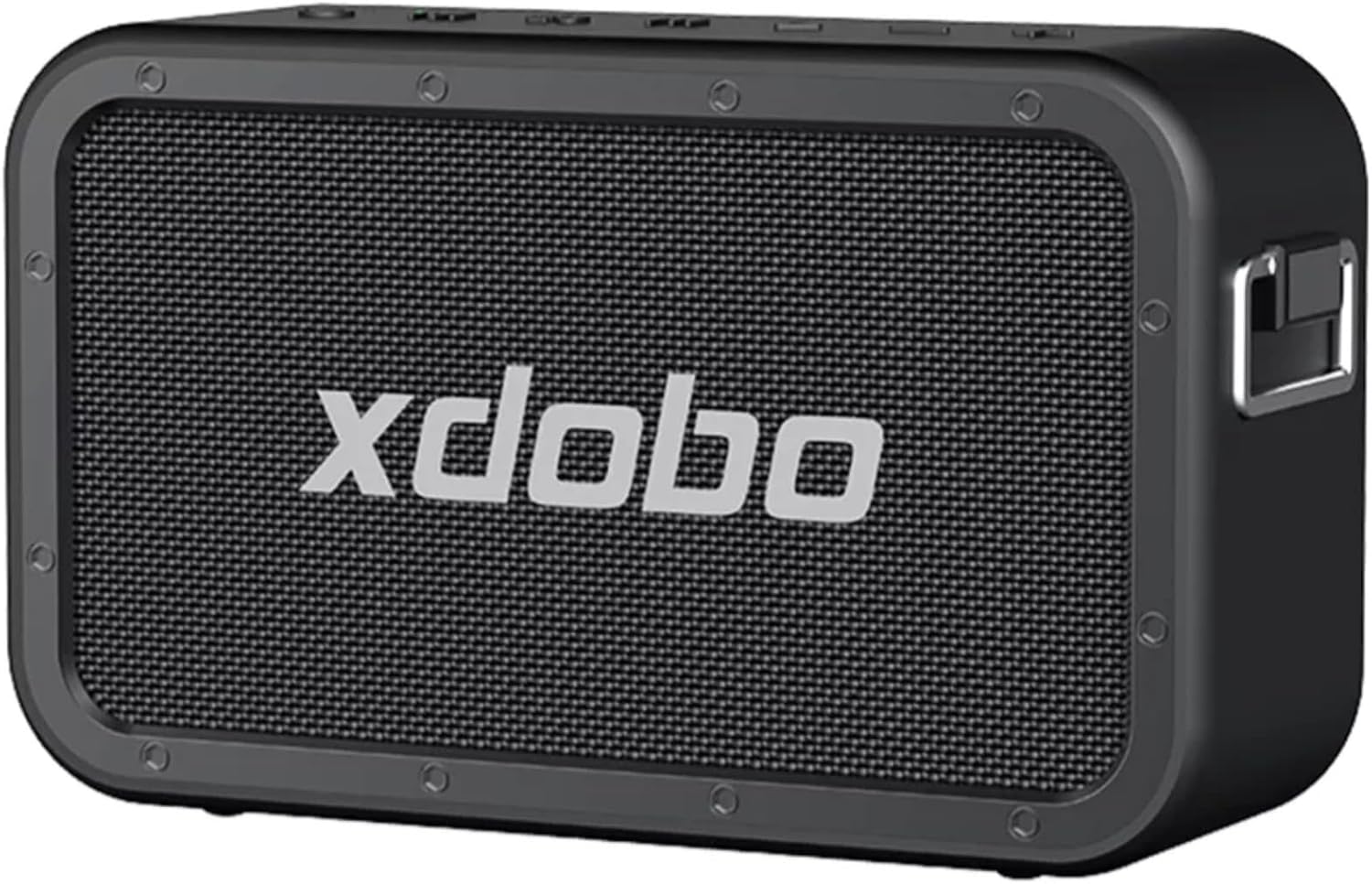
Figure 4.1: Front view of the XDOBO 1983 MAX speaker. This image displays the speaker's front grille with the XDOBO brand name prominently displayed, highlighting its robust and sleek design.
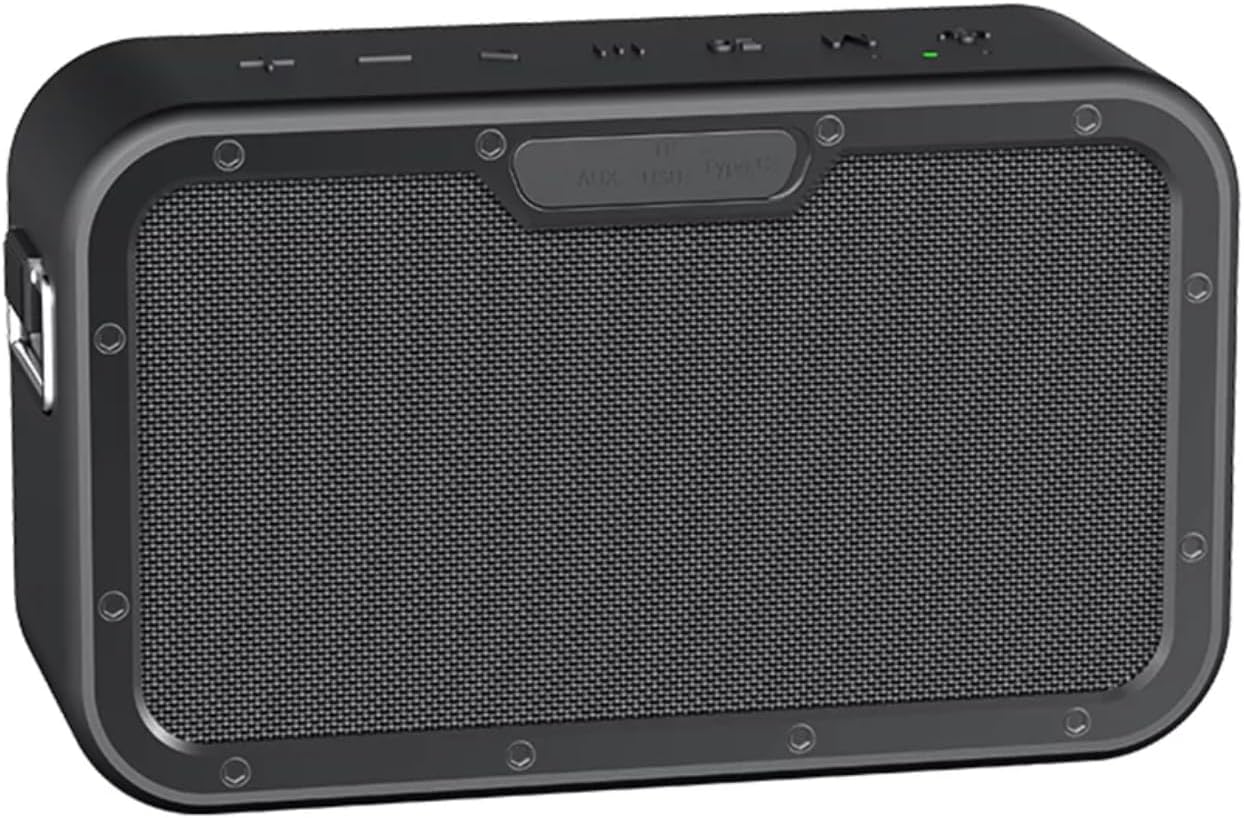
Figure 4.2: Rear view of the XDOBO 1983 MAX speaker. This image shows the back of the speaker, including the protective cover for the various input ports such as AUX, USB, and TF card slots, ensuring water resistance.

Figure 4.3: Internal components of the XDOBO 1983 MAX speaker. This diagram illustrates the speaker's internal structure, highlighting the placement of the tweeters and woofers, which contribute to its powerful and clear sound output.
5. Setup
5.1 Charging the Speaker
Before first use, fully charge the speaker. Connect the provided USB charging cable to the speaker's charging port and the other end to a compatible USB power adapter (not included) or a computer's USB port. The charging indicator light will show the charging status and turn off when fully charged.
5.2 Initial Bluetooth Pairing
- Power on the speaker by pressing and holding the power button. The Bluetooth indicator light will flash, indicating it's in pairing mode.
- On your mobile device (smartphone, tablet, laptop), enable Bluetooth.
- Search for available Bluetooth devices. Select "XDOBO 1983 MAX" from the list.
- Once connected, the Bluetooth indicator light on the speaker will become solid, and you will hear a confirmation tone.
6. Operating Instructions
6.1 Playback Modes
The XDOBO 1983 MAX speaker supports multiple playback modes:
- Bluetooth Mode: Connect wirelessly to your device as described in Section 5.2.
- USB Playback: Insert a USB flash drive containing audio files into the USB port. The speaker will automatically switch to USB mode and begin playback.
- TF Card Playback: Insert a TF (microSD) card with audio files into the TF card slot. The speaker will automatically switch to TF card mode and begin playback.
- AUX Mode: Connect an external audio device using the provided 3.5mm AUX cable to the AUX input port. The speaker will automatically switch to AUX mode.

Figure 6.1: Speaker demonstrating 4 Playback Modes. This image shows the speaker in a home office setting, emphasizing its versatility with various audio input options.
6.2 True Wireless Stereo (TWS) Function
You can pair two XDOBO 1983 MAX speakers together for a true wireless stereo experience.
- Ensure both speakers are powered on and not connected to any Bluetooth device.
- On one speaker (this will be the primary speaker), press and hold the TWS button (if available, or a designated pairing button) until you hear a prompt.
- The two speakers will automatically connect to each other. You will hear a confirmation tone once TWS pairing is successful.
- Now, connect your mobile device to the primary speaker via Bluetooth as described in Section 5.2. Audio will play through both speakers in stereo.

Figure 6.2: TWS Mode setup with two speakers. This image illustrates the True Wireless Stereo functionality, showing two speakers positioned to create an immersive audio experience.
6.3 Power Bank Function
The XDOBO 1983 MAX speaker can also function as a power bank to charge your mobile devices.
- Connect your smartphone or other USB-powered device to the speaker's USB output port using your device's charging cable.
- The speaker will begin charging your device. This feature is useful for on-the-go charging.

Figure 6.3: Speaker utilizing Powerbank Function. This image shows the speaker actively charging a smartphone, highlighting its utility as a portable power source.
6.4 EQ Button
The speaker features an EQ button to cycle through different sound modes (e.g., 3D, deep bass, standard). Press the EQ button to switch between modes and find your preferred audio profile. The difference in sound is noticeable across modes.
7. Maintenance
7.1 Cleaning
- Wipe the speaker with a soft, dry cloth.
- Do not use abrasive cleaners, alcohol, benzene, or other chemical solvents, as they may damage the surface.
7.2 Storage
- Store the speaker in a cool, dry place away from direct sunlight and extreme temperatures.
- If storing for an extended period, charge the battery to about 50% every three months to preserve battery life.
7.3 Battery Care
- Avoid fully discharging the battery frequently.
- Do not leave the speaker connected to power for excessively long periods after it is fully charged.
8. Troubleshooting
| Problem | Possible Cause | Solution |
|---|---|---|
| Speaker does not power on. | Battery is depleted. | Charge the speaker fully. |
| No sound. | Volume is too low; incorrect input mode; device not connected. | Increase volume on speaker and source device; switch to correct playback mode; ensure Bluetooth/AUX connection is stable. |
| Bluetooth pairing fails. | Speaker not in pairing mode; device Bluetooth off; interference. | Ensure speaker is in pairing mode; turn device Bluetooth off/on; move closer to speaker; clear previous pairings. |
| Charging issue. | Faulty cable or adapter; dirty charging port. | Try a different USB cable and power adapter; gently clean the charging port. |
9. Specifications
| Model Name | 1983 Plus |
| Speaker Type | Surround Sound |
| Special Features | Multi-room audio, Built-in microphone, Bass boost, High-resolution audio, Waterproof |
| Recommended Uses | For parties, home use, outdoors, beach |
| Compatible Devices | Laptop, Tablet, Smartphone, Amazon Echo Device |
| Battery Life | 12 Hours |
| Color | Black |
| Dimensions (D x W x H) | 8.5 x 24 x 11 centimeters |
| Waterproof Rating | IPX5 |
| Wattage | 120 watts |
| Max Speaker Output Power | 140 Watts |
| Connectivity Technology | Bluetooth 5.3 |
| Weight | 2565 grams |
10. Warranty and Support
10.1 Warranty Information
The XDOBO 1983 MAX speaker comes with a limited warranty. Please refer to the warranty card included in your package or contact your retailer for specific terms and conditions.
10.2 Customer Support
If you encounter any issues or have questions not covered in this manual, please contact XDOBO customer service or your authorized dealer for assistance. Provide your product model and purchase details when seeking support.
Related documents1983 plus


Ask a question about this manual
Ask about setup, troubleshooting, compatibility, parts, safety, or missing instructions. Manuals+ will review the question and use this page’s manual context to help answer it.