
1. Introduction and Overview
Thank you for choosing the Brushmo Super Sonic Electric Toothbrush. This manual provides essential information for the safe and effective use of your new toothbrush. Please read it thoroughly before first use and keep it for future reference.
The Brushmo Super Sonic Electric Toothbrush is designed to deliver a comprehensive oral cleaning experience with its advanced sonic technology and customizable brushing modes. It features a long-lasting battery and a waterproof design for convenience and durability.

Image: Brushmo Super Sonic Electric Toothbrush in black, pink, and white, showcasing different brush heads and key features.
2. What's in the Box
Your Brushmo Super Sonic Electric Toothbrush package includes the following components:
- 1 x Brushmo Super Sonic Electric Toothbrush Handle (Model: BM01)
- 4 x Brushmo Click-On Replacement Brush Heads (Plaque Control, Whitening, Gum Care Sensitive, Total Clean)
- 1 x USB Type-C Charger with Power Adapter
- 1 x Charging Base

Image: All components included in the Brushmo Super Sonic Electric Toothbrush package.
3. Product Features
3.1. 5 Customizable Brushing Modes
The toothbrush offers five distinct brushing modes to cater to various oral care needs. Each mode is designed for optimal performance with specific brush head types.
- Clean: Standard mode for daily plaque removal.
- White: Designed for surface stain removal and brightening.
- Sensitive: Gentle cleaning for sensitive teeth and gums.
- Gum Care: Massages gums for improved gum health.
- Deep Clean: Intensive cleaning for hard-to-reach areas.
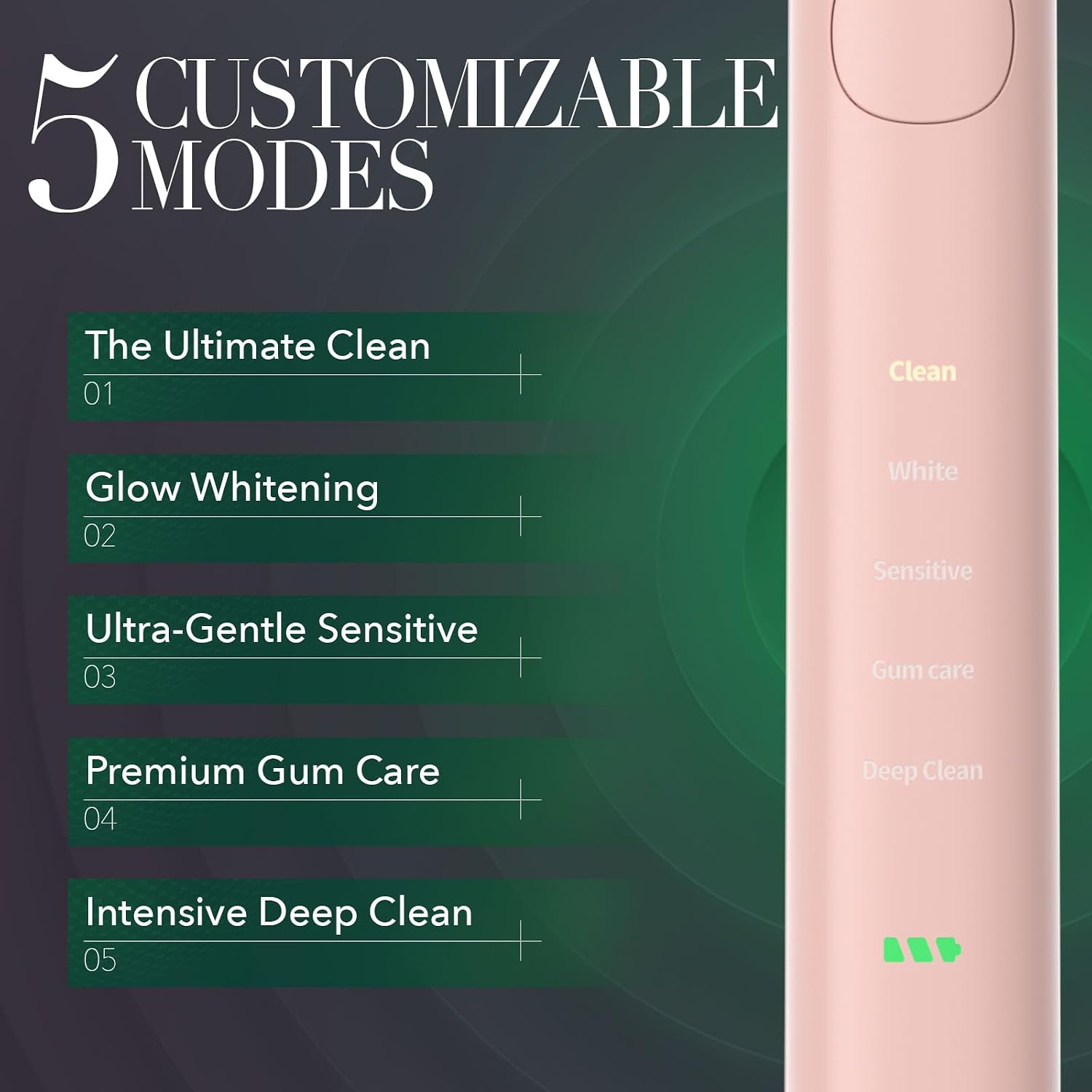
Image: Visual representation of the five brushing modes available on the Brushmo Super Sonic Electric Toothbrush.
3.2. Long-Lasting Battery & Waterproof Design
- 30-Day Battery Life: Enjoy up to 30 days of brushing on a single full charge, making it ideal for travel.
- IPX7 Waterproof: The toothbrush is fully waterproof and can be safely used in the shower or bath, and rinsed under running water.
- 2-Minute Smart Timer: A built-in timer ensures you brush for the dentist-recommended two minutes, with 30-second interval pauses to guide you to brush all quadrants of your mouth.

Image: Visual highlights of the toothbrush's battery life, waterproofing, and smart timer.
3.3. Brush Head Types
The Brushmo Super Sonic Electric Toothbrush comes with four specialized brush heads, each designed for a specific cleaning purpose:
- Plaque Control: Effectively removes plaque from tooth surfaces.
- Whitening: Features bristles designed to polish away surface stains.
- Gum Care Sensitive: Softer bristles for gentle cleaning along the gumline.
- Total Clean: All-around cleaning for daily use.

Image: A selection of Brushmo replacement brush heads with their respective names.
4. Setup
- Unpack: Carefully remove all components from the packaging.
- Charge: Before first use, fully charge the toothbrush for approximately 12-16 hours. Place the toothbrush handle onto the charging base and connect the USB Type-C charger to a power adapter and then to a power outlet. The indicator light will flash while charging and turn solid when fully charged.
- Attach Brush Head: Align the desired brush head with the metal shaft on the toothbrush handle and push it down firmly until it clicks into place.
Video: A demonstration of unboxing the Brushmo Super Sonic Electric Toothbrush, attaching a brush head, and placing it on the charging base.
5. Operating Instructions
- Wet Brush Head: Wet the bristles of the brush head and apply a small amount of toothpaste.
- Power On: Press the power button to turn on the toothbrush. It will start in the last used mode.
- Select Mode: Press the power button repeatedly to cycle through the five brushing modes (Clean, White, Sensitive, Gum Care, Deep Clean) until you reach your desired mode.
- Brush Teeth: Place the brush head against your teeth at a slight angle towards the gumline. Gently glide the brush head across your teeth, allowing the sonic vibrations to do the cleaning. Do not scrub aggressively.
- Quadrant Timer: The toothbrush will pause briefly every 30 seconds to indicate when to move to the next quadrant of your mouth.
- Power Off: After the 2-minute cycle is complete, the toothbrush will automatically turn off. You can also press and hold the power button to turn it off manually at any time.
- Rinse: Rinse your mouth and the brush head thoroughly after brushing.
6. Charging Instructions
To charge your Brushmo Super Sonic Electric Toothbrush:
- Ensure the toothbrush handle is dry before placing it on the charging base.
- Connect the USB Type-C cable to the charging base and the power adapter.
- Plug the power adapter into a suitable electrical outlet.
- Place the toothbrush handle vertically onto the charging base. The indicator light on the handle will flash to show it is charging.
- Once fully charged, the indicator light will remain solid. A full charge typically takes 12-16 hours.
- The toothbrush can hold a charge for up to 30 days with regular use.

Image: The Brushmo toothbrush on its charging base, illustrating the charging process.
7. Maintenance and Care
- After Each Use: Rinse the brush head thoroughly under running water. Remove the brush head and rinse the metal shaft area of the handle. Wipe the handle with a damp cloth.
- Cleaning the Handle: Clean the toothbrush handle with a damp cloth and mild soap if necessary. Do not use abrasive cleaners or harsh chemicals.
- Replacing Brush Heads: Dentists recommend replacing brush heads every 3 months, or sooner if the bristles become frayed. To replace, simply pull the old brush head off the shaft and push a new one on until it clicks.
- Storage: Store the toothbrush in a cool, dry place when not in use.
8. Troubleshooting
| Problem | Possible Cause | Solution |
|---|---|---|
| Toothbrush does not turn on. | Low battery or not charged. | Charge the toothbrush fully (12-16 hours). Ensure charger is properly connected. |
| Weak vibrations. | Low battery. | Recharge the toothbrush. |
| Brush head feels loose. | Brush head not properly attached. | Remove and re-attach the brush head, ensuring it clicks firmly into place. |
| Indicator light not working. | Fully charged or a malfunction. | If fully charged, the light will be solid or off. If not charging, check connections or contact support. |
9. Specifications
- Model Number: BM01-pink
- Product Dimensions: 8 x 5 x 3 inches; 4.52 ounces
- Battery: 1 Lithium Ion battery (included)
- Waterproof Rating: IPX7
- Brushing Modes: Clean, White, Sensitive, Gum Care, Deep Clean
- Brush Strokes: Up to 33,600 per minute
- Battery Life: Up to 30 days on a single charge
- Material: Nylon (bristles)
- Age Range: Adult
- Manufacturer: Brushmo
10. Warranty and Support
For warranty information, product support, or to purchase additional replacement heads, please visit the official Brushmo website or contact our customer service team. Keep your purchase receipt as proof of purchase for any warranty claims.
Online Support: Visit the Brushmo Store on Amazon