
Camcamp SC52
Camcamp POE Security Camera System User Manual
Model: SC52 | Brand: Camcamp
1. Introduction
Thank you for choosing the Camcamp POE Security Camera System. This system is designed to provide comprehensive surveillance for your property with advanced features such as dual-lens cameras, two-way audio, auto-tracking, PTZ capabilities, and color night vision. This manual will guide you through the setup, operation, and maintenance of your new security system.
2. What's in the Box
Please verify that all components are present and in good condition:
- 4 x Dual-Lens POE Security Cameras
- 1 x 8-Channel NVR (Network Video Recorder) with pre-installed 500GB HDD
- 4 x Ethernet Cables (for cameras)
- 1 x Power Adapter for NVR
- 1 x USB Mouse
- 1 x HDMI Cable
- Mounting Screws and Plugs
- Quick Start Guide

Image: Overview of the Camcamp POE Security Camera System components.
3. Setup
3.1 POE (Power Over Ethernet) Connection
The Camcamp system utilizes POE technology, meaning a single Ethernet cable provides both power and data transmission for each camera. This simplifies installation and ensures a stable connection.

Image: Simplified POE setup with a single Ethernet cable.
- Connect each POE camera to an available POE port on the NVR using the provided Ethernet cables.
- Connect the NVR to your router using an Ethernet cable for network access and remote viewing.
- Connect the NVR to a monitor or TV via HDMI or VGA cable for local viewing and configuration.
- Plug the NVR's power adapter into a power outlet.
3.2 NVR Initial Setup
Upon first power-up, the NVR will guide you through the initial setup process, including setting up a password and configuring basic network settings. The pre-installed 500GB HDD is ready for 24/7 recording.

Image: NVR connectivity for local display and network access.
3.3 Camera Placement
Strategically place your cameras to maximize coverage. The dual-lens design allows for both a fixed wide-angle view and a movable PTZ view from a single camera, reducing blind spots.
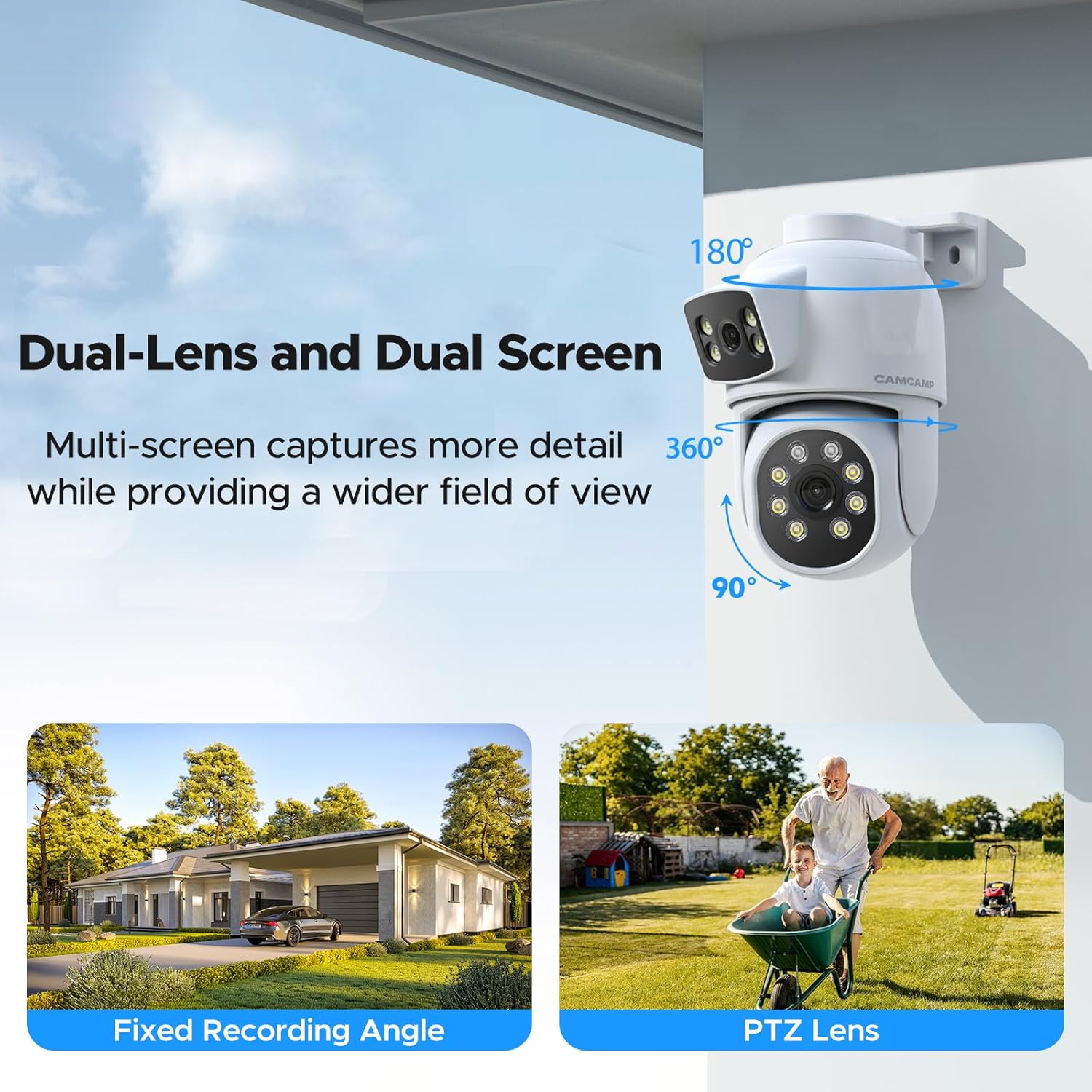
Image: Dual-lens and dual-screen capabilities for comprehensive coverage.
For optimal performance, ensure cameras are mounted securely and have a clear line of sight to the areas you wish to monitor.
Video: Demonstrates the dual-lens functionality of the security cameras, providing comprehensive coverage.
4. Operating Instructions
4.1 Dual-Lens and PTZ Control
Each camera features a fixed wide-angle lens for continuous monitoring and a PTZ (Pan-Tilt-Zoom) lens for dynamic tracking. You can control the PTZ lens remotely via the mobile app or NVR interface.

Image: Humanoid tracking and PTZ functionality for dynamic surveillance.
Video: Illustrates precise motion tracking, ensuring no blind spots in the surveillance area.
Video: Showcases the clear footage provided by the POE PTZ camera system.
4.2 Two-Way Audio
Engage in real-time conversations with visitors or deter intruders using the built-in microphone and speaker on each camera.

Image: Real-time two-way audio functionality for communication.
4.3 Color Night Vision
The system provides clear, full-color video even in total darkness, up to 100ft. This is achieved by combining infrared LEDs with a white spotlight.

Image: Multiple night vision modes for enhanced visibility.
4.4 Auto Tracking and Smart Motion Alerts
Cameras can automatically detect and follow movement. When motion is detected, you will receive instant phone alerts, and the camera can activate its spotlight and siren to deter potential threats.
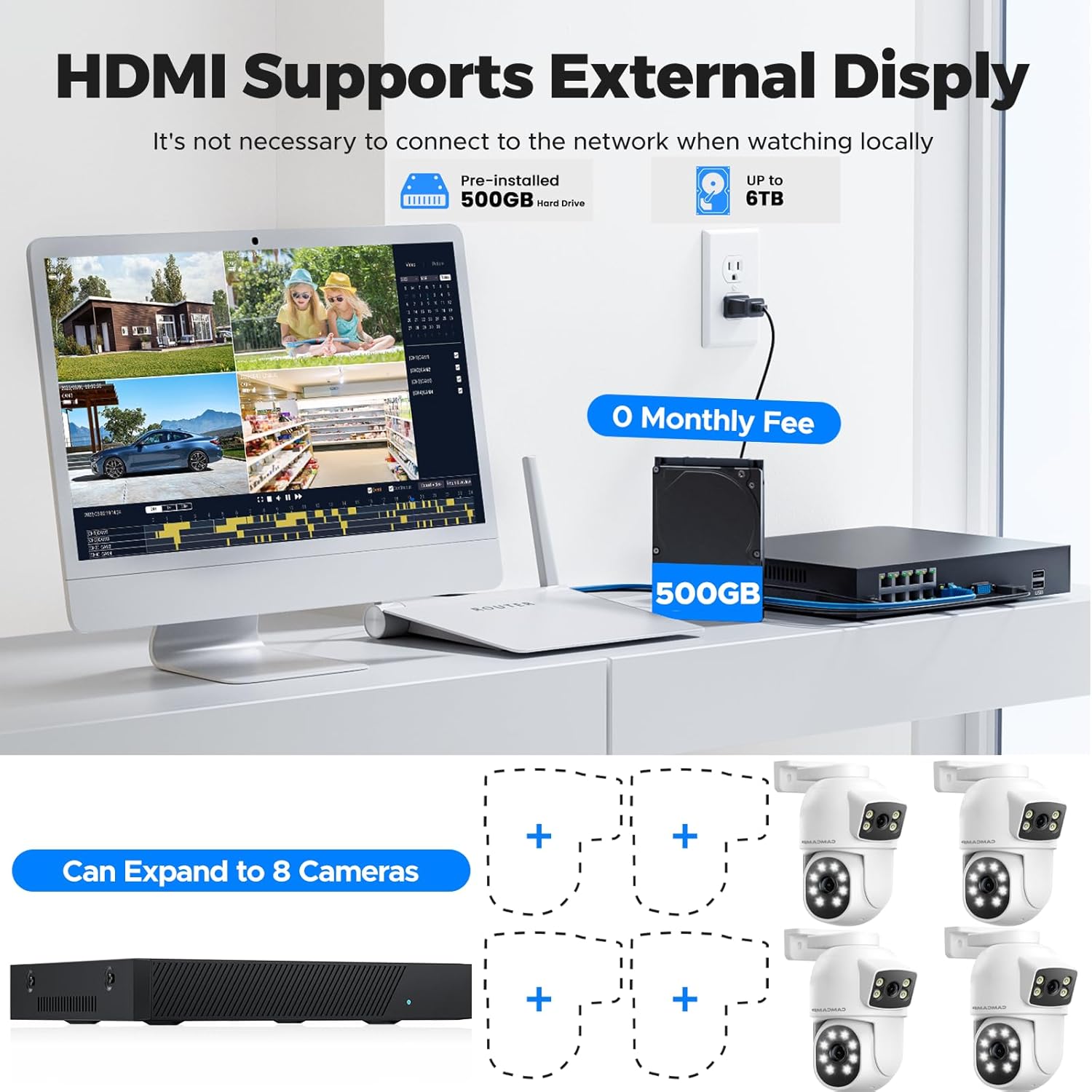
Image: Smart PIR motion detection and instant alert features.
4.5 24/7 Recording and Local Storage
The NVR comes with a pre-installed 500GB HDD, allowing for continuous 24/7 recording without any monthly fees. The storage is expandable up to 6TB.
5. Maintenance
To ensure optimal performance and longevity of your Camcamp security system, follow these maintenance guidelines:
- Cleaning: Regularly wipe the camera lenses with a soft, damp cloth to remove dust and dirt. Avoid abrasive cleaners.
- Cable Inspection: Periodically check all Ethernet cables for any signs of wear, damage, or loose connections.
- Environmental Protection: The cameras are IP66 waterproof, designed to withstand various weather conditions from -13°F to 122°F (-10°C to 50°C). However, avoid direct high-pressure water jets.

Image: IP66 waterproof rating ensures durability in various weather conditions.
6. Troubleshooting
If you encounter issues with your Camcamp security system, refer to the following common solutions:
| Problem | Possible Solution |
|---|---|
| No video display on monitor | Check HDMI/VGA cable connection. Ensure NVR is powered on. Verify monitor input source. |
| Camera not showing video | Check Ethernet cable connection to both camera and NVR. Ensure POE port is active. Restart the NVR. |
| No remote access via app | Ensure NVR is connected to the internet. Check network settings on NVR and mobile device. Restart router and NVR. |
| Motion detection not working | Verify motion detection settings are enabled in the NVR/app. Adjust sensitivity. Ensure camera view is clear. |
| Two-way audio issues | Check audio settings in NVR/app. Ensure microphone and speaker are not obstructed. |
For more detailed troubleshooting or issues not listed here, please contact Camcamp customer support.
7. Specifications
| Feature | Detail |
|---|---|
| Brand | Camcamp |
| Model Number | SC52 |
| Connectivity Technology | Wired (POE) |
| Video Capture Resolution | 1080p |
| Number of Channels | 8 |
| Memory Storage Capacity | 500 GB (expandable up to 6TB) |
| Special Features | Dual-Lens, 2-Way Audio, Auto Tracking, PTZ, Color Night Vision, IP66 Waterproof |
| Night Vision Range | 100 Feet |
| Recording Modes | Motion Recording, Schedule Recording, 24/7 Recording |
| Compatible Devices | Smartphones, Personal Computers, Laptops, Tablets, TV |
| Product Dimensions | 13 x 7 x 10 inches |
| Item Weight | 13.13 pounds |
8. Warranty and Support
Camcamp provides customer support for its products. If you have any questions, require technical assistance, or need to inquire about warranty information, please contact:
- Phone: (626)-420-9375 (GMT-8 9:00-17:00, Mon-Fri)
- Online Support: Visit the official Camcamp Store on Amazon for FAQs and additional resources: Camcamp Store
Please have your model number (SC52) and purchase details ready when contacting support.
Related documentsSC52

Ask a question about this manual
Ask about setup, troubleshooting, compatibility, parts, safety, or missing instructions. Manuals+ will review the question and use this page’s manual context to help answer it.