
QISHENKOLA HCS350 Pro
HCS350 Pro Smart Game Projector User Manual
Model: HCS350 Pro | Brand: QISHENKOLA
Introduction
Welcome to the user manual for your QISHENKOLA HCS350 Pro Smart Game Projector. This device combines a high-definition projector with a powerful gaming console, offering a versatile entertainment and presentation solution. Featuring native 1280x1080P resolution with 4K support, dual-band Wi-Fi 6, Bluetooth 5.4, and an Android 12.0 operating system, the HCS350 Pro is designed for exceptional visual and interactive experiences. This manual provides essential information for setup, operation, maintenance, and troubleshooting to ensure optimal performance and longevity of your projector.

Image: The HCS350 Pro Portable Video Projector shown with two wireless game controllers, highlighting its dual functionality.
What's in the Box
Upon opening the package, please verify that all the following items are included:
- HCS350 Pro Projector
- Gift box
- Wireless Game Stick (Controller)
- Remote control (Note: Remote control batteries are not included)
Product Overview
The HCS350 Pro is a compact and versatile projector designed for both home theater and gaming. It features a sleek design with intuitive controls and multiple connectivity options.

Image: The HCS350 Pro projector, its remote, and two game controllers, demonstrating its primary use for gaming and media projection.

Image: A visual summary of the HCS350 Pro's key features, including Auto Keystone, 450 ANSI lumens, Android 11.0 (OS 11.0), manual focus, Bluetooth 5.4, 1080P native resolution, dual 5W speakers, and Wi-Fi 6 connectivity.
Setup Guide
1. Unpacking and Inspection
Carefully remove all components from the packaging. Inspect the projector and accessories for any signs of damage. Retain the packaging for future storage or transport.
2. Placement
Position the projector on a stable, flat surface. The HCS350 Pro supports 180° free projection, allowing for flexible placement on tables, floors, or even ceilings. Ensure there is adequate ventilation around the projector to prevent overheating.
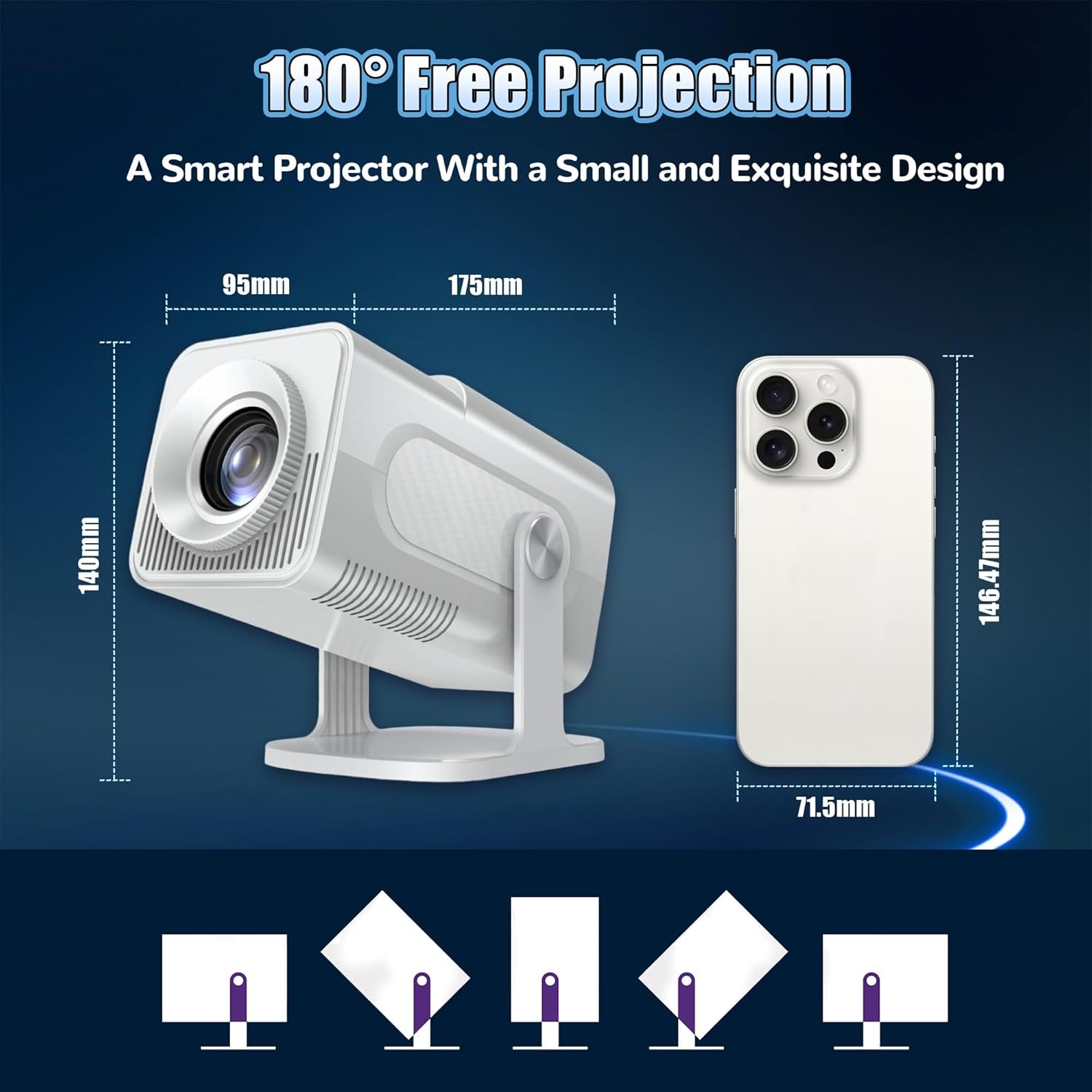
Image: A diagram illustrating the compact dimensions of the HCS350 Pro projector (95mm x 175mm x 140mm) and its ability to rotate 180 degrees for flexible projection angles.
3. Power Connection
Connect the power adapter to the 'Power Input' port on the projector and then plug it into a standard electrical outlet.
4. Connecting External Devices
The HCS350 Pro offers various ports for connecting external devices:
- HD Port: Connect devices such as laptops, game consoles, TV boxes, or tablets for video and audio input.
- USB Ports: For USB drives, external hard drives, or charging devices.
- TF-card Slot: For memory cards.
- Audio Output: Connect external speakers or headphones.

Image: A detailed view of the HCS350 Pro's rear panel, illustrating the location of the power button, HD input, power input, USB ports, TF-card slot, and audio output, along with examples of compatible devices.
Operating Instructions
1. Power On/Off
Press the power button on the projector or the remote control to turn the device on. Press and hold the power button to turn it off.
2. Focus and Keystone Correction
The HCS350 Pro features manual focus and automatic keystone correction. The built-in high-precision sensor detects real-time movement for faster and more accurate focus. For side projections, use the remote control for further adjustments to correct image distortion.

Image: A visual guide to the projector's keystone correction capabilities, demonstrating automatic vertical correction and manual four-corner adjustment via remote control for optimal image alignment.
3. Wireless Connectivity (Wi-Fi & Bluetooth)
The projector supports dual-band Wi-Fi 6 and Bluetooth 5.4. Navigate to the settings menu to connect to your Wi-Fi network for online streaming and updates. Bluetooth allows connection to external audio devices like speakers or headphones.

Image: A comparison illustrating the improved stability and speed of Wi-Fi 6 connectivity compared to Wi-Fi 5, enhancing the wireless experience.
4. Smart System & Applications
Equipped with the Android 12.0 system, the HCS350 Pro provides access to over 4,000 application programs. Explore a diverse entertainment realm from trending movies and TV series to educational and social software.
5. Voice Control
Utilize the voice remote to search for your favorite movies, videos, or music, check the weather, and more, providing a convenient and hands-free operating experience.
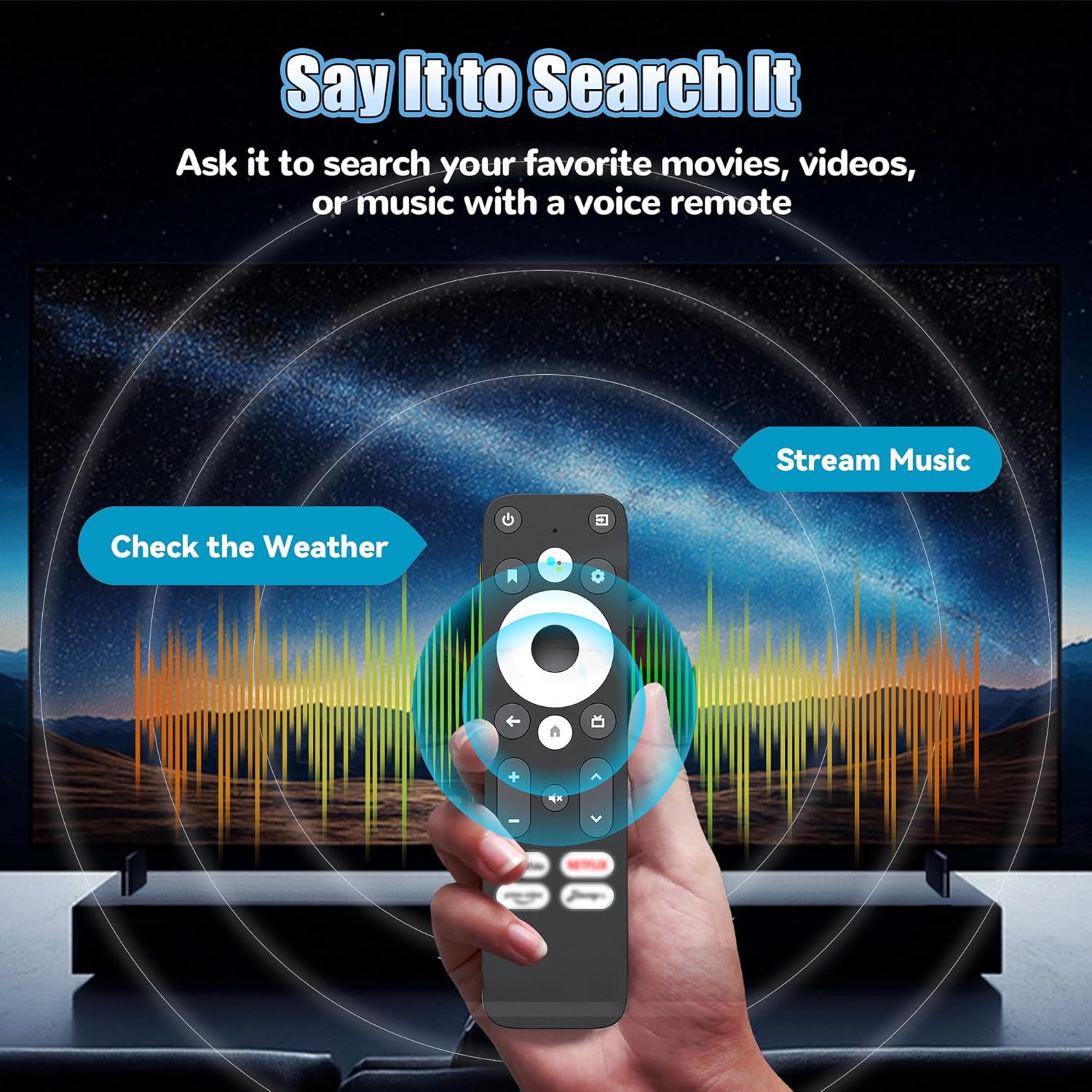
Image: A hand holding the projector's remote control, highlighting its voice search capabilities for finding content, checking weather, and streaming music.
6. Gaming & Media Playback
The projector supports full HD 4K videos and comes with built-in games, offering a high dynamic contrast ratio of 10,000:1 for stunning visuals. The 50% zoom function allows for flexible screen sizing.

Image: A visual comparison demonstrating the superior clarity and detail of a 1080P HD display from the HCS350 Pro compared to a standard 720P SD display.

Image: Highlights of the projector's cinematic quality, including clear 1280x1080 resolution, a 50% zoom function for flexible sizing, and a high 10000:1 contrast ratio for vivid images.
7. Usage Scenarios
The HCS350 Pro is designed for various applications, including:
- Gaming: Enjoy immersive gaming experiences with the included wireless controllers.
- Home Theater: Create a cinematic atmosphere for movie nights.
- Outdoor Cinema: Its portable design allows for entertainment outdoors.
- Presentations: Ideal for office or educational presentations.

Image: Four distinct usage scenarios for the HCS350 Pro: gaming, home theater, outdoor cinema, and office presentations, demonstrating its versatility.

Image: A collage of various settings where the HCS350 Pro projector is used, including indoor home theaters, outdoor gatherings, and bedrooms, emphasizing its portability and ability to provide a large screen experience anywhere.
Maintenance
Proper maintenance ensures the longevity and optimal performance of your projector.
1. Cleaning the Lens
Use a soft, lint-free cloth specifically designed for optical lenses to gently wipe the projector lens. Avoid using abrasive cleaners or excessive force, which can scratch the lens.
2. General Cleaning
Wipe the exterior of the projector with a soft, dry cloth. Do not use liquid or aerosol cleaners directly on the device. Ensure ventilation openings are free from dust and obstructions.
3. Storage
When not in use for extended periods, store the projector in a cool, dry place, away from direct sunlight and extreme temperatures. It is recommended to use the original packaging for storage.
Troubleshooting
If you encounter issues with your HCS350 Pro projector, refer to the following common problems and solutions:
- No Image / Power:
- Ensure the power adapter is securely connected to both the projector and a working power outlet.
- Press the power button firmly on the projector or remote.
- Blurry Image:
- Adjust the manual focus ring on the projector until the image is clear.
- Check keystone correction settings. If the image is distorted, use the auto-keystone feature or manually adjust via the remote.
- No Sound:
- Check the volume level on the projector and the connected source device.
- Ensure external speakers or headphones are properly connected if used.
- Verify that the audio output is not muted.
- Wi-Fi/Bluetooth Connectivity Issues:
- Ensure the projector is within range of your Wi-Fi router or Bluetooth device.
- Restart the projector and your router/Bluetooth device.
- Verify Wi-Fi password is correct.
- Remote Control Not Responding:
- Ensure batteries are correctly inserted and not depleted (Note: remote control batteries are not included with the product).
- Point the remote directly at the projector's IR receiver.
Specifications
| Feature | Description |
|---|---|
| Brand Name | QISHENKOLA |
| Model Number | HCS350 Pro |
| Product Dimensions | 4.06 x 3.66 x 9.45 inches |
| Country of Origin | China |
| Color | Black |
| Display Resolution | Native 1280 x 1080P (Supports 4K video) |
| Contrast Ratio | 10,000:1 |
| Special Features | Built-In 3D, Auto Keystone Correction, 50% Zoom Function, Low Noise (25 DB) |
| Connectivity Technology | Wi-Fi 6 (Dual-band 2.4G/5G), Bluetooth 5.4, Ethernet (100M) |
| Operating System | Android 12.0 |
| Processor | Quad-core ARM Cortex-A53 chip with Mali-G31 GPU (Supports OpenGL ES 3.2, Vulkan 1.1, OpenCL 2.0) |
| Recommended Uses | Home Cinema, Gaming |

Image: A detailed view of the Quad-core ARM Cortex-A53 chip with Mali-G31 GPU, highlighting the powerful processing unit within the projector.

Image: A graphic illustrating the superior performance of the Allwinner H713 chip (ARM Cortex-A53) used in the HCS350 Pro compared to other common processors, emphasizing its stability and speed.
Warranty and Support
For information regarding the product warranty, including terms, conditions, and duration, please refer to the warranty card included in your product packaging or contact QISHENKOLA customer support directly. Support contact details are typically available on the manufacturer's official website or through your point of purchase.
Ask a question about this manual
Ask about setup, troubleshooting, compatibility, parts, safety, or missing instructions. Manuals+ will review the question and use this page’s manual context to help answer it.