
Introduction
The BOBLOV W4 2K Mini Body Camera is a compact and lightweight wearable camera designed for capturing personal moments in high-resolution 2K video. Its user-friendly design, including one-click recording and versatile wearing options, makes it suitable for various daily activities. This manual provides essential information for setting up, operating, and maintaining your W4 camera.
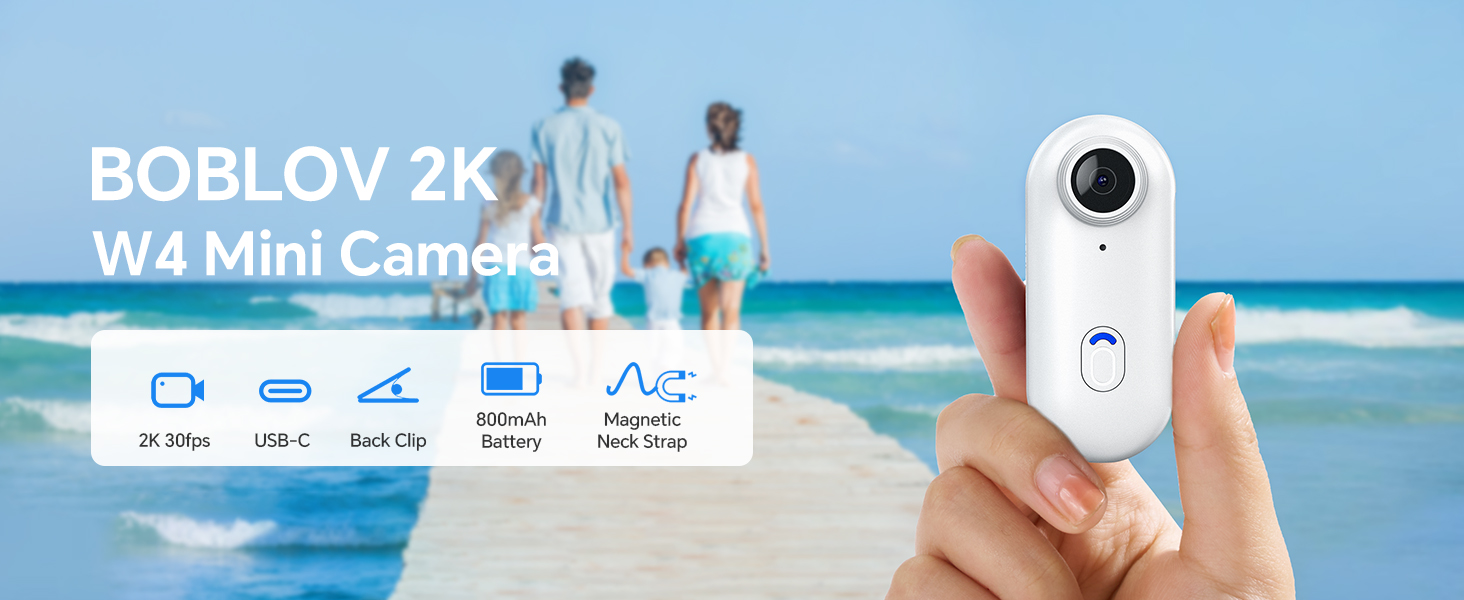
Image: The BOBLOV W4 2K Mini Body Camera, shown in a family setting, highlighting its use for capturing personal moments.
Setup
Package Contents
Before you begin, ensure all items are present in the package:
- BOBLOV W4 Body Camera
- Back Clip (360° rotatable)
- Magnetic Neck Strap
- USB Cable
- User Manual
- Adapter (USB-C to USB-A)
- Card Reader (USB-A)
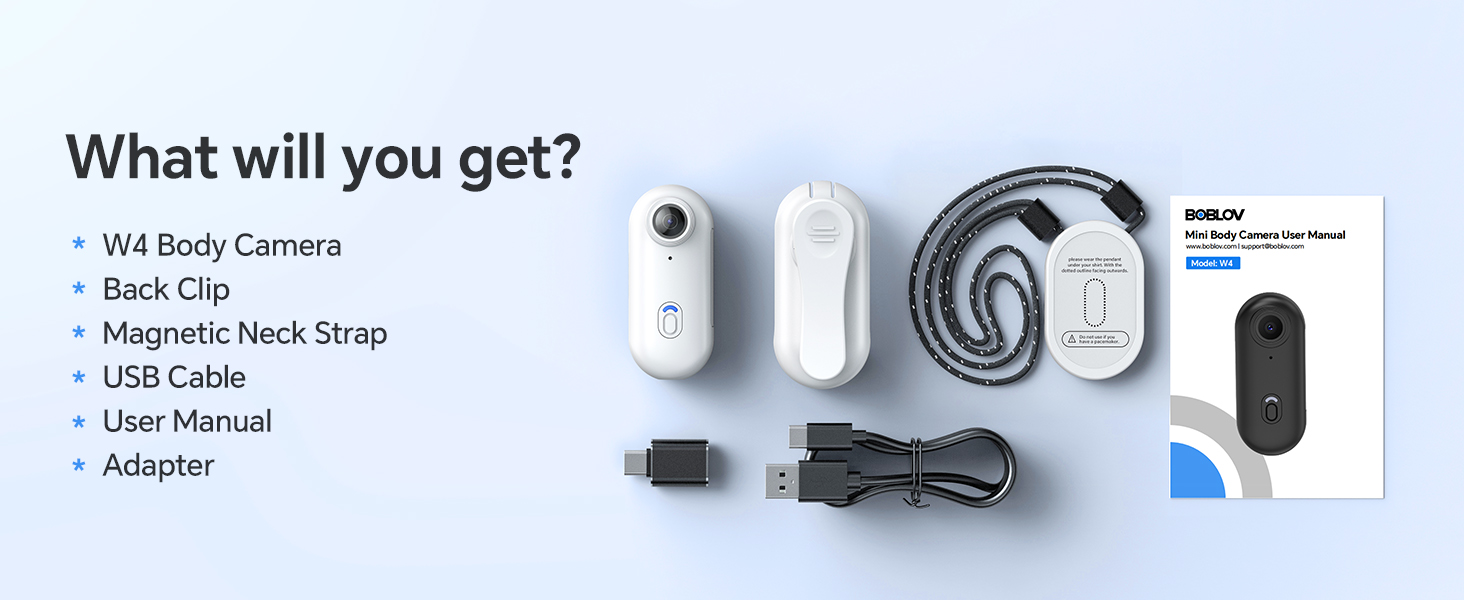
Image: All components included in the BOBLOV W4 package, including the camera, clips, cables, and manual.
Charging the Camera
- Connect the provided USB cable to the camera's charging port.
- Connect the other end of the USB cable to a power source (e.g., computer USB port or a wall adapter).
- The camera's indicator light will show charging status. Refer to the "Operating" section for light indicators.
- A full charge provides approximately 90 to 120 minutes of continuous 2K recording.

Image: The BOBLOV W4 camera connected via USB cable for charging, illustrating the charging process.
Memory Card (Internal 64GB)
The BOBLOV W4 camera comes with an internal 64GB memory, eliminating the need for an external SD card. This provides ample storage for your 2K video recordings.
Connecting to Computer
To access recorded files, connect the camera to your computer using the provided USB cable. The camera is compatible with both Windows and Mac operating systems. You can also use the included card reader for direct access to the internal memory if supported by your computer.
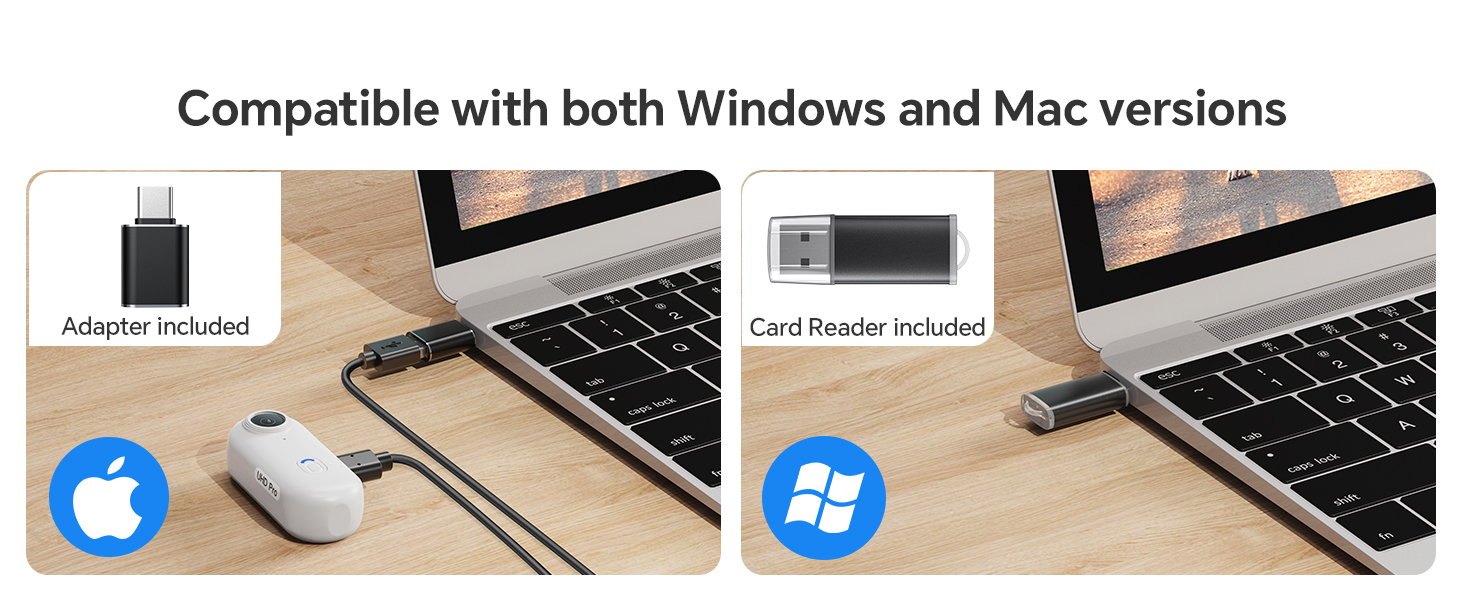
Image: The BOBLOV W4 camera connected to a laptop, demonstrating compatibility with both Windows and Mac systems for data transfer.
Operating Instructions
Camera Button Introduction

Image: Diagram illustrating the main video button and low battery warning indicator on the BOBLOV W4 camera.
- Video Button:
- To start/stop recording in standby mode, press the button briefly. The camera will vibrate and the indicator light will blink blue.
- Low Battery Warning:
- When the battery life is less than 15 minutes, the low battery warning status will activate. The red flashing indicator will flash 5 times every 5 minutes.
Wearing Options
The W4 camera offers versatile wearing options for hands-free recording:
- With the Back Clip: Attach the 360° rotatable back clip to your clothing, backpack strap, or other suitable surfaces.
- With the Magnetic Neck Strap: Use the magnetic neck strap for a secure and comfortable fit around your neck, allowing for a first-person perspective.

Image: A person wearing the BOBLOV W4 camera using the back clip, demonstrating its rotatable feature.

Image: A person wearing the BOBLOV W4 camera with the magnetic neck strap, showing an alternative hands-free carrying method.
Maintenance
- Cleaning: Use a soft, dry cloth to clean the camera body. For the lens, use a specialized lens cleaning cloth. Avoid abrasive materials or harsh chemicals.
- Storage: Store the camera in a cool, dry place away from direct sunlight and extreme temperatures.
- Battery Care: For optimal battery life, avoid fully discharging the battery frequently. Charge the camera regularly, even if not in use, to maintain battery health.
- Data Management: Regularly transfer important recordings to a computer or external storage device to prevent data loss and free up internal memory.
Troubleshooting
| Problem | Possible Cause | Solution |
|---|---|---|
| Camera does not turn on. | Low battery or camera frozen. | Charge the camera for at least 30 minutes. If still unresponsive, try resetting by holding the power button for 10 seconds. |
| Cannot record video. | Insufficient battery or memory. | Ensure the camera is sufficiently charged. Check if the internal 64GB memory is full and transfer files to free up space. |
| Poor video quality. | Dirty lens or low light conditions. | Clean the camera lens with a soft cloth. Ensure adequate lighting for optimal 2K recording. |
| Computer does not recognize camera. | Faulty USB cable or driver issue. | Try a different USB port or cable. Ensure your computer's operating system is up to date. Restart both the camera and computer. |
Specifications

Image: Diagram showing the compact size and lightweight design (50g) of the BOBLOV W4 camera.
- Brand: BOBLOV
- Model: W4
- Video Capture Resolution: 2K (2560x1440)
- Photo Sensor Technology: CMOS
- Flash Memory Type: Micro SD (Internal 64GB)
- Video Capture Format: MOV
- Compatible Audio Format: AAC, MP3, PCM
- Connectivity Technology: Wired (USB)
- Special Features: Lightweight, One-Click Recording
- Water Resistance Level: Not water resistant
- Image Stabilization: No
- Form Factor: Ultra compact
- Battery Duration: 90-120 minutes (continuous recording)
- Battery Type: 800 mAh (1 A battery included)
- Maximum Focal Length: 6.8
- Minimum Focal Length: 6.8
- Lens Type: Wide Angle
- Focus Type: Fixed Focus
- Maximum Screen Resolution: 2K
- Installed Flash Memory Size: 63 GB
- Compatible Devices: Computer, Smartphone
- Recommended Uses: Outdoor Security, Personal Recording
- Final Resolution: 2.1 MP
- Shooting Modes: Automatic, Hands-free
- Image Aspect Ratio: 16:9
- Exposure Control Type: Automatic
- Effective Video Resolution: 1080 Pixels (Note: While marketed as 2K, effective video resolution is listed as 1080 Pixels in some specifications.)
Warranty Information
BOBLOV provides a 24-month product coverage for registered BOBLOV supporters. Please retain your proof of purchase for warranty claims. For detailed warranty terms and conditions, refer to the official BOBLOV website or contact customer support.
Customer Support
For any technical assistance, product inquiries, or support, BOBLOV offers a quick response within 24 hours and lifetime technical support. Please visit the official BOBLOV website for contact information or refer to the included user manual for specific support channels.
Official BOBLOV Website: www.boblov.com (Note: This is a placeholder URL, please verify the actual website.)


