
1. Introduction
This manual provides essential instructions for the setup, operation, and maintenance of your SSK SD450 2TB Portable Solid State Drive. Please read this guide thoroughly before using the device to ensure optimal performance and longevity.
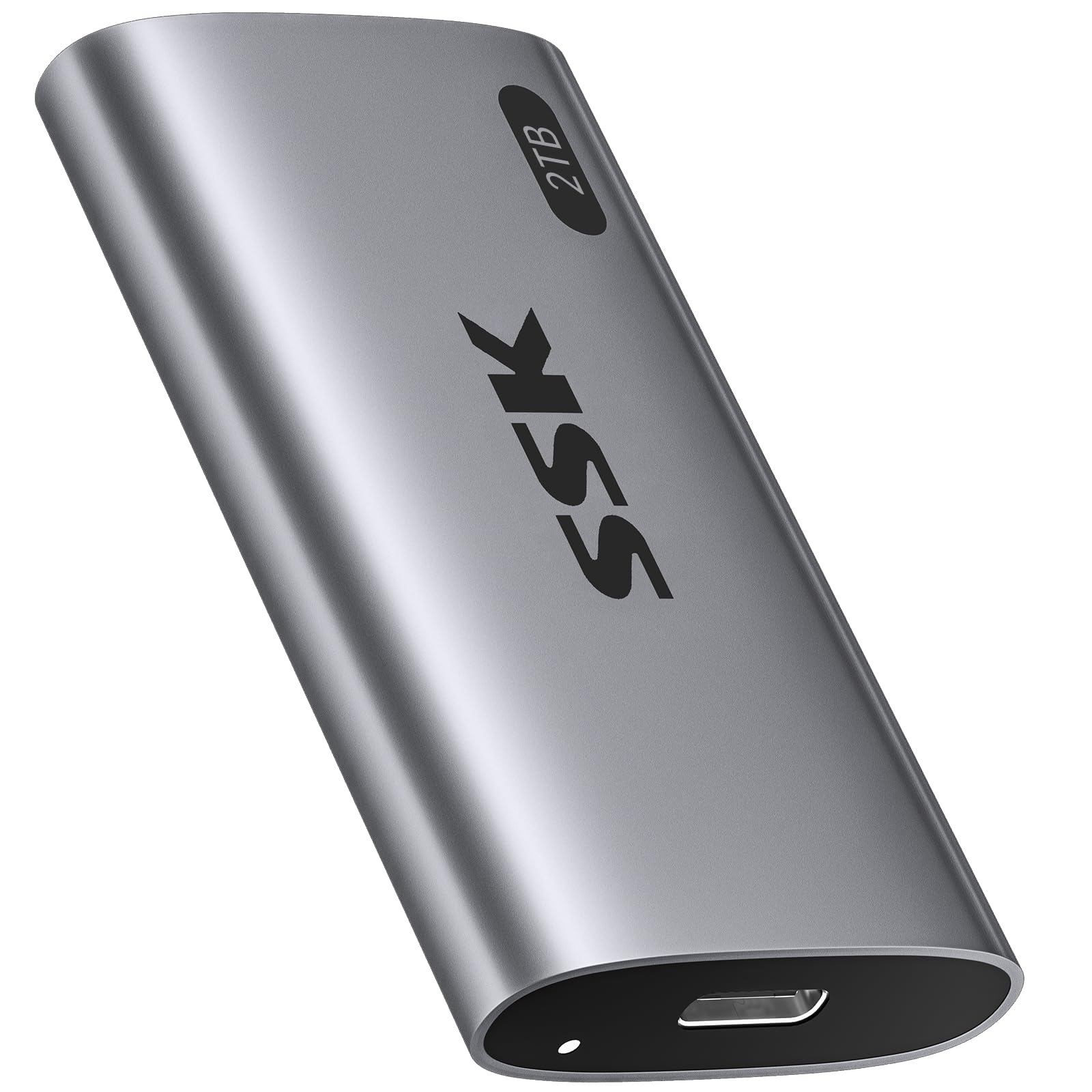
Image: The SSK SD450 2TB Portable SSD, a compact and lightweight external storage device.
2. Package Contents
Verify that all items are present in the package:
- 1 x SSK SD450 2TB External SSD
- 1 x USB 3.2 Gen2 Type-C to Type-C Cable
- 1 x USB-A Adapter
3. Product Overview
The SSK SD450 is a high-speed portable SSD designed for efficient data transfer and reliable storage across multiple platforms. It features a durable aluminum alloy case for effective heat dissipation and includes advanced data management technologies.
Key Features:
- High-Speed Performance: Up to 550MB/s read and write speeds via USB 3.2 Gen2 interface.
- Durable Construction: Thick aluminum alloy casing for superior heat dissipation and protection.
- Advanced Data Management: Supports S.M.A.R.T. monitoring for drive health and TRIM technology for consistent write speeds and extended longevity.
- Wide Compatibility: Works with Windows, Mac, Android, Linux, iOS, and devices like iPhone 15/Pro, laptops, desktops, and tablets.
- OTG Functionality: Supports On-The-Go (OTG) for direct connection to compatible mobile devices with low power consumption (less than 5 Watts).
- Portable Design: Weighs only 43g with compact dimensions (2.5 x 1.3 x 0.4 inches).
- LED Indicator: Provides visual feedback on device activity.

Image: The SSK SD450 Portable SSD connected to a laptop, illustrating its high-speed data transfer capabilities with read speeds up to 550MB/s and write speeds up to 500MB/s.

Image: The compact and lightweight design of the SSK SD450 Portable SSD, highlighting its dimensions and weight for easy portability.
4. Setup
The SSK SD450 Portable SSD is designed for plug-and-play operation. No drivers are typically required for most operating systems.
Connecting to a Device:
- Identify the appropriate cable for your device. Use the included USB-C to USB-C cable for USB-C ports or attach the USB-A adapter to the USB-C cable for USB-A ports.
- Connect one end of the cable to the USB-C port on the SSK SD450 SSD.
- Connect the other end of the cable (or adapter) to an available USB port on your computer, smartphone, or tablet.
- The LED indicator on the SSD will illuminate to show it is powered on and active.
For a visual guide on connecting and using the SSD, please refer to the video below:
Video: Demonstrates connecting the SSK Portable SSD to a smartphone and transferring files, highlighting its plug-and-play functionality and fast transfer speeds.
5. Operating Instructions
File Transfer:
Once connected, the SSK SD450 SSD will appear as an external drive on your device. You can drag and drop files, copy and paste, or use your operating system's file management tools to transfer data to and from the SSD.
- Windows/Mac: The drive will appear in 'This PC' (Windows) or 'Finder' (Mac).
- Android/iOS (iPhone 15/Pro with USB-C): The drive will be accessible through your device's file manager application.
OTG Functionality:
The SSD supports OTG (On-The-Go) function, allowing direct connection to compatible mobile devices (e.g., iPhone 15/Pro, Android smartphones/tablets with USB-C). This enables direct file access and transfer without needing a computer. Ensure your mobile device supports OTG and has a USB-C port for direct connection.

Image: The SSK SD450 Portable SSD connected to a smartphone, demonstrating its OTG support for low power consumption and direct file access.
6. Data Management
The SSK SD450 incorporates technologies to maintain data integrity and drive performance:
- S.M.A.R.T. (Self-Monitoring, Analysis and Reporting Technology): This feature allows you to monitor the health of your external solid state drive. Compatible software can provide alerts regarding potential drive issues, helping to prevent data loss.
- TRIM Technology: Ensures consistent write speeds and extends the longevity of the portable SSD by actively managing data blocks that are no longer in use.

Image: Icons representing UASP, S.M.A.R.T., TRIM, and Auto Sleep features, emphasizing the SSD's safe storage capabilities.
7. Compatibility
The SSK SD450 Portable SSD offers broad compatibility with various devices and operating systems:
- Operating Systems: Windows, macOS, iOS, Linux, Android.
- Devices: Desktops, Laptops (MacBook Air/Pro, DELL XPS), Smartphones (iPhone 15/Pro, Samsung, Huawei Mate), Tablets (iPad Pro), Cameras, TV Boxes.
- Interface: USB 3.2 Gen2 (backward compatible with USB 3.1, 3.0, 2.0).
Note: Only newer iPhones with USB-C are supported. Older Lightning models do not qualify for direct connection.

Image: The SSK SD450 Portable SSD connected to a smartphone, demonstrating its use as mobile personal storage with 5W ultra-low power consumption for phone OTG and iPad.
8. Heat Dissipation
The SSK SD450 features a thick aluminum alloy case that provides superior heat dissipation. This design ensures reliable performance and prevents overheating, even during prolonged large file transfers, maintaining stable operation.

Image: A diagram illustrating the internal components and the aluminum alloy shell of the SSK SD450, alongside a graph showing its lower operating temperature compared to other SSDs.
9. Troubleshooting
Drive Not Detected:
- Ensure the USB cable is securely connected to both the SSD and your device.
- Try connecting the SSD to a different USB port on your device.
- Test with a different USB cable if available.
- Restart your computer or mobile device.
- Check your device's Disk Management (Windows) or Disk Utility (Mac) to see if the drive is recognized but unformatted. If so, format the drive (this will erase all data).
Slow Transfer Speeds:
- Ensure you are using a USB 3.2 Gen2 compatible port and cable for optimal performance. Older USB ports (e.g., USB 2.0) will result in significantly slower speeds.
- Close any unnecessary applications running in the background that might be consuming system resources.
- Verify that your device's drivers are up to date.
Overheating:
- While the SSK SD450 is designed for efficient heat dissipation, prolonged heavy use in a poorly ventilated area can still cause warmth. Ensure adequate airflow around the device.
- If the device becomes excessively hot, disconnect it and allow it to cool down before resuming use.
10. Specifications
| Feature | Detail |
|---|---|
| Model Number | SD450 |
| Digital Storage Capacity | 2 TB |
| Hard Disk Interface | Serial ATA-600 |
| Connectivity Technology | USB 3.2 Gen2 (6Gbps) |
| Read Speed (Max) | Up to 550 MB/s |
| Special Features | OTG Function, Portable, S.M.A.R.T., TRIM Support |
| Hard Disk Form Factor | 2.5 Inches |
| Compatible Devices | Camera, Desktop, Laptop, Smartphone, Tablet |
| Installation Type | External Hard Drive |
| Color | Space Gray |
| Item Weight | 1.52 ounces (43g) |
| Product Dimensions | 2.5 x 1.3 x 0.4 inches |
11. Maintenance
- Safe Removal: Always safely eject or unmount the SSD from your operating system before physically disconnecting it to prevent data corruption.
- Firmware Updates: Periodically check the SSK official website for any available firmware updates for your SSD model. Firmware updates can improve performance, stability, and compatibility.
- Physical Care: Keep the SSD clean and free from dust. Avoid exposing it to extreme temperatures, moisture, or strong magnetic fields. Do not drop or subject the device to strong impacts.
- Data Backup: While SSDs are reliable, it is always recommended to regularly back up important data to multiple storage locations to prevent unforeseen data loss.
12. Warranty and Support
For warranty information, technical support, and service inquiries, please refer to the documentation included with your product or visit the official SSK website. Warranty terms and conditions may vary by region and product. Keep your purchase receipt as proof of purchase for warranty claims.
SSK may offer additional data recovery plans. Please check the manufacturer's website for details on available protection plans.


