
1. Introduction
This manual provides essential information for the proper setup, operation, and maintenance of your ZWP Replacement TV Remote Control. Designed for compatibility with various Element TV models, this remote offers a straightforward, out-of-the-box experience without the need for complex programming.
2. Package Contents
- 1 x ZWP Replacement TV Remote Control
Note: Batteries are not included in the package.
3. Setup
The ZWP Replacement TV Remote Control is designed for immediate use with compatible Element TV models without requiring any programming. Simply install the batteries, and the remote will be ready to operate your television.
3.1 Battery Installation
- Locate the battery compartment on the back of the remote control.
- Slide open the battery compartment cover.
- Insert two (2) AAA batteries, ensuring the positive (+) and negative (-) terminals align correctly with the markings inside the compartment.
- Close the battery compartment cover securely.
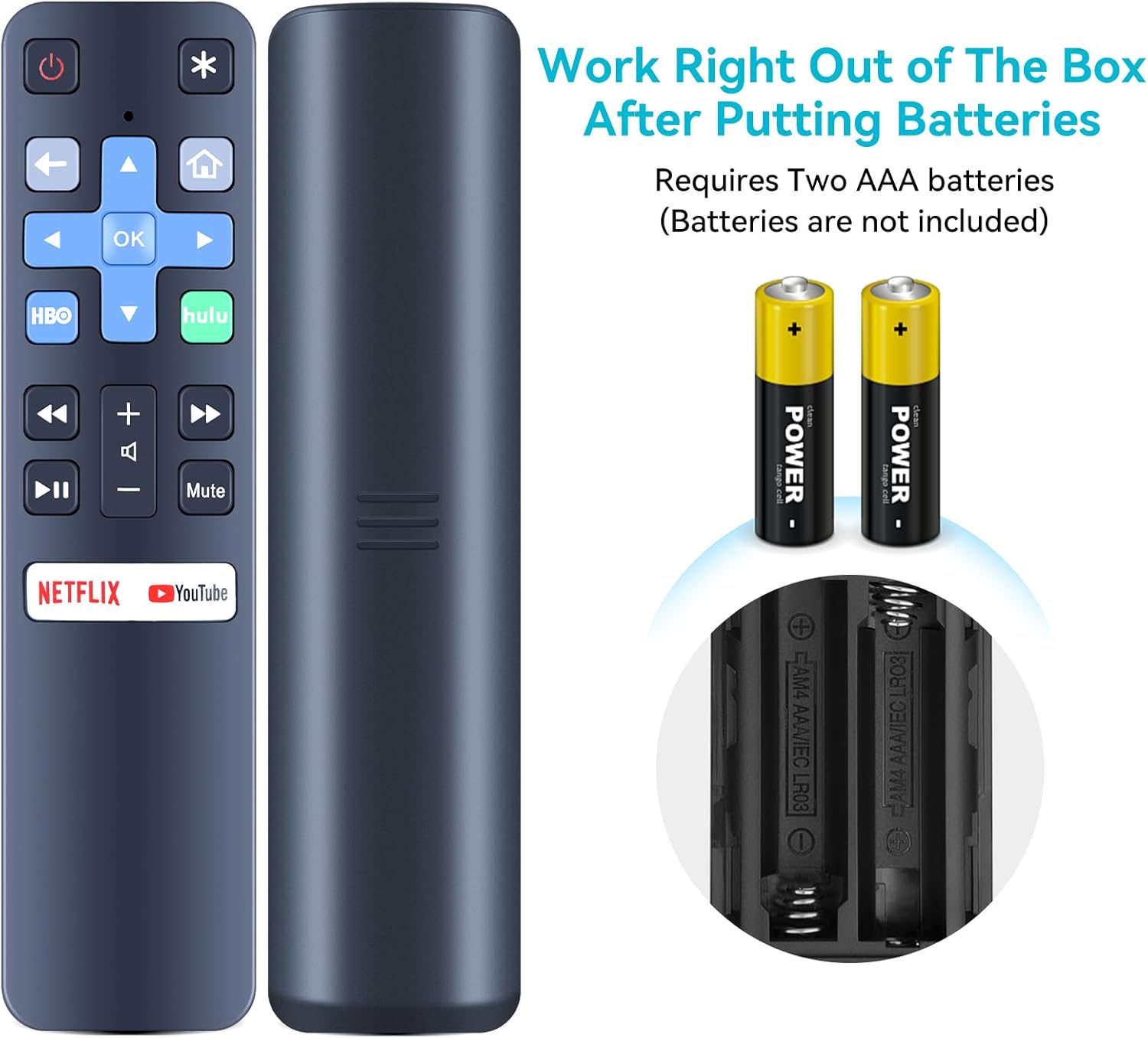
Figure 3.1: The remote control's battery compartment and required AAA batteries. The remote is ready for use immediately after battery insertion.
Important: Ensure batteries are inserted with correct polarity. Incorrect insertion may prevent the remote from functioning.
4. Operating Instructions
This remote control provides intuitive access to your Element TV's functions. Point the remote directly at your television and press the desired button.

Figure 4.1: Overview of the ZWP Replacement TV Remote Control buttons.
4.1 Key Functions
- Power Button (⏻): Turns the TV on or off.
- Navigation Pad (Up, Down, Left, Right, OK): Used to navigate menus and select options.
- Volume Up/Down (+/-): Adjusts the TV's volume.
- Mute Button: Mutes or unmutes the TV's audio.
- Channel Up/Down (▶▶ / ◀◀): Changes TV channels.
- Dedicated App Buttons (Netflix, YouTube, HBO, Hulu): Provides direct access to these streaming applications.
- Home Button (⌂): Returns to the TV's home screen.
- Back Button (←): Returns to the previous screen or menu.
4.2 Optimal Performance
For best performance, ensure a clear line of sight between the remote control and the TV's infrared receiver. The remote is designed for long-range and multi-angle control, providing reliable operation up to 26 feet and within a 120-degree angle.

Figure 4.2: The remote offers long-range and multi-angle control for flexible use.
4.3 Product Features
The remote control is constructed from high-quality ABS material, ensuring durability and a comfortable grip. It features a smart chip for stable signal transmission and quick response times, contributing to an enhanced user experience.

Figure 4.3: Key attributes of the remote control, including material and comfort.

Figure 4.4: The remote's stable and smart signal technology.

Figure 4.5: The remote's quick response capability.
5. Maintenance
5.1 Battery Replacement
Replace batteries when the remote's response becomes sluggish or it stops functioning. Always replace both batteries at the same time with new AAA batteries. Do not mix old and new batteries, or different types of batteries.
5.2 Cleaning
To clean the remote control, gently wipe its surface with a soft, dry cloth. For stubborn dirt, a slightly damp cloth can be used, followed by a dry cloth. Avoid using abrasive cleaners, solvents, or excessive moisture, as these can damage the remote.
6. Troubleshooting
If you encounter issues with your remote control, please refer to the following common problems and solutions:
- Remote not responding:
- Check if the batteries are inserted correctly with the proper polarity.
- Replace old batteries with new AAA batteries.
- Ensure there is a clear line of sight between the remote and the TV's infrared receiver. Remove any obstructions.
- Confirm that the remote is compatible with your specific Element TV model (refer to the compatibility list in the Introduction).
- Buttons not working:
- Press the button firmly.
- Clean the remote's surface, especially around the buttons, to ensure no debris is interfering.
- Short operating range:
- Replace batteries with new ones.
- Ensure no strong light sources (like direct sunlight) are interfering with the TV's IR receiver.
7. Specifications
| Feature | Specification |
|---|---|
| Brand | ZWP |
| Model Number | EL4KAMZ5517 |
| Compatible Devices | Television (Element EL4KAMZ5517, EL4KAMZ6517, EL4KAMZ4317, EL4KAMZ5017) |
| Color | Black |
| Special Feature | Ergonomic design |
| Max Number of Supported Devices | 1 |
| Item Weight | 1.92 ounces |
| Package Dimensions | 10 x 3 x 1 inches |

Figure 7.1: Physical dimensions of the remote control.
8. Warranty and Support
This product is designed for reliable performance. While specific warranty details are not provided in this manual, for any questions, concerns, or assistance with your ZWP Replacement TV Remote Control, please do not hesitate to contact the seller directly. They are committed to helping you resolve any issues you may encounter.
Contact information for support is typically available through your purchase platform or seller's store page.