Introduction
Thank you for choosing the HOMCOM Overstuffed Executive Office Chair, Model 921-810V00BK. This manual provides essential information for the safe assembly, operation, and maintenance of your new office chair. Please read these instructions thoroughly before use and retain them for future reference.
Important Safety Information
Do not exceed the maximum weight capacity of 300 pounds. Ensure proper assembly according to the provided instructions. Use the reclining and swivel features carefully to avoid tipping or injury. Always ensure the chair is stable before sitting or reclining. Keep hands and feet clear of moving parts during adjustment.
Setup and Assembly
This product requires assembly. Please follow the detailed assembly instructions provided in the packaging. Ensure all components are present and undamaged before beginning assembly. It is recommended to assemble the chair on a soft, clean surface to prevent scratches.
General Assembly Steps:
- Unpack all components and verify against the parts list (usually found in the separate assembly guide).
- Attach the casters to the chair base.
- Insert the gas lift cylinder into the chair base.
- Attach the seat mechanism to the underside of the seat cushion.
- Connect the backrest to the seat cushion.
- Place the assembled seat and backrest onto the gas lift cylinder.
- Attach armrests and any other remaining components.
- Ensure all screws are tightened securely.

Image: Components of the HOMCOM Executive Office Chair laid out for assembly, showing the base, wheels, seat, backrest, and armrests.
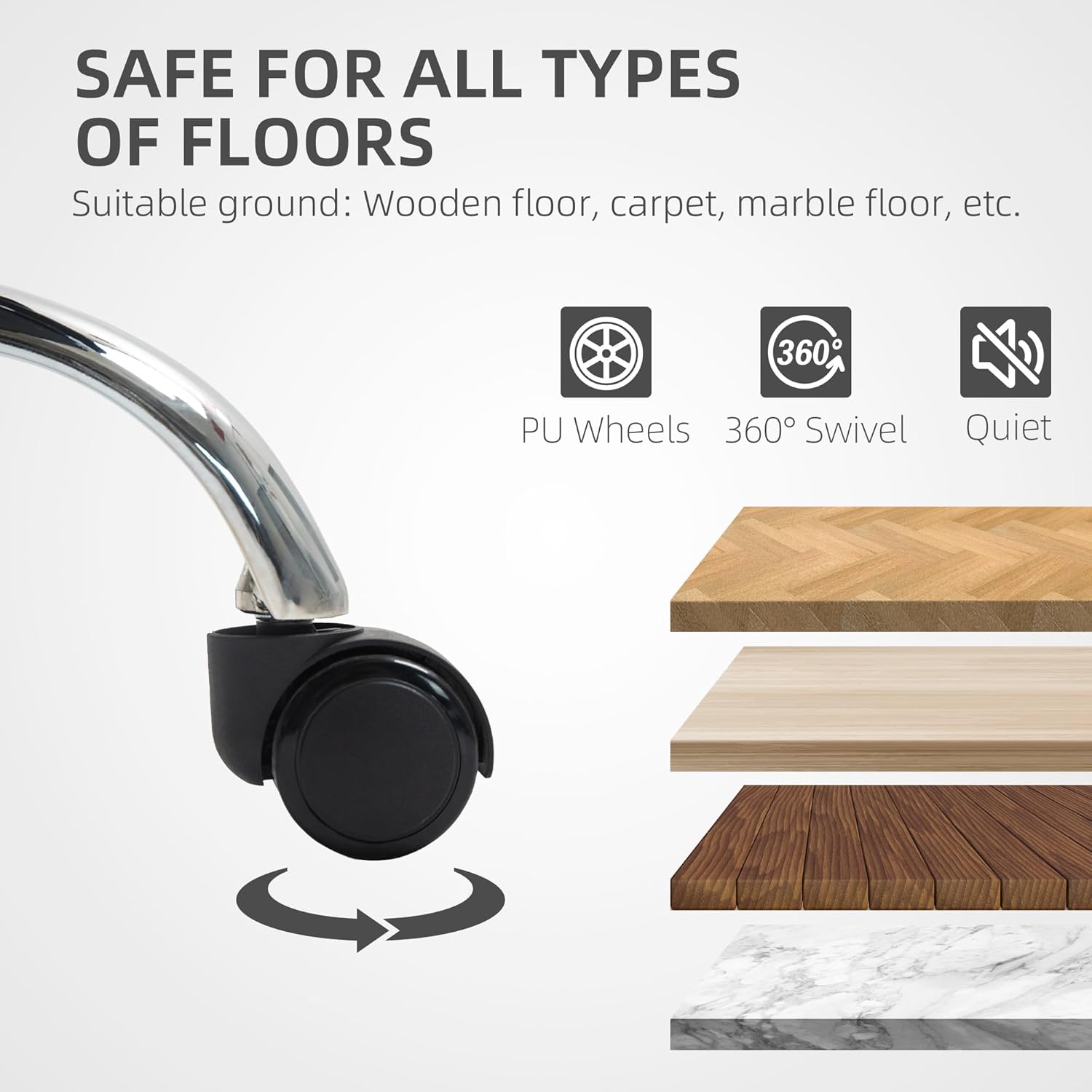
Image: A cardboard box with the HOMCOM logo and "1x PACKAGE" indicating the product comes in one package.
Operating Instructions
1. Height Adjustment
To adjust the chair's height, locate the lever on the right side beneath the seat. While seated, pull the lever upwards to lower the chair. To raise the chair, stand up and pull the lever upwards. Release the lever at the desired height to lock it in place.

Image: A close-up view of the chair's height adjustment lever located under the seat, showing its function.
2. Reclining Function
The chair offers a stepless reclining angle from 90° (working mode) to 135° (resting mode). To recline, locate the lever on the left side beneath the seat. Pull the lever upwards and lean back to the desired angle. Release the lever to lock the backrest position. To return to an upright position, pull the lever and lean forward.

Image: A diagram illustrating the reclining function of the chair, showing 90° working mode, 115° watching/cross-legged mode, and 135° resting mode with the footrest extended.
Video: Demonstration of the HOMCOM Executive Office Chair's reclining and footrest features, showing a user transitioning from working to resting positions.
3. Footrest Operation
The integrated footrest can be extended for added comfort, especially when reclining. To deploy, pull the footrest out from beneath the seat. To retract, push it back until it is fully stowed. The footrest can be partially extended for a cross-legged sitting position.

Image: A user demonstrating the extension of the integrated footrest from beneath the seat of the HOMCOM Executive Office Chair.
4. Swivel and Mobility
The chair features 360° swivel capability and smooth-rolling casters suitable for various floor types, including wooden, carpet, and marble. This allows for effortless movement and flexibility within your workspace.

Image: A close-up of the chair's PU wheels, with icons indicating 360° swivel and quiet operation, and examples of compatible floor types (wooden, carpet, marble).
Maintenance
To maintain the appearance and longevity of your HOMCOM Executive Office Chair:
- Cleaning: The water-resistant PU leather upholstery can be cleaned with a damp cloth. For spills, wipe immediately with a wet cloth. Avoid abrasive cleaners or harsh chemicals.
- Inspection: Periodically check all screws and connections to ensure they remain tight. Re-tighten if necessary.
- Casters: Keep the casters free of hair and debris to ensure smooth rolling.
- Avoid Direct Sunlight: Prolonged exposure to direct sunlight can cause the upholstery to fade or crack.
Troubleshooting
If you encounter any issues with your chair, please refer to the following common solutions:
- Chair not adjusting height: Ensure the gas lift lever is fully engaged. If the issue persists, the gas lift cylinder may need replacement.
- Chair wobbles: Check all assembly screws and ensure they are securely tightened. Verify that the chair base is properly seated on the gas lift.
- Casters not rolling smoothly: Inspect casters for trapped debris (hair, lint, etc.) and clean as needed.
- Reclining mechanism stuck: Ensure no obstructions are preventing the backrest from moving. Check the reclining lever for proper engagement.
For further assistance, please contact HOMCOM customer support.
Specifications
| Feature | Detail |
|---|---|
| Brand | HOMCOM |
| Model Name | Office Chair |
| Model Number | 921-810V00BK |
| Color | Black |
| Material | Faux Leather, Foam |
| Product Dimensions (D x W x H) | 26.4"D x 26.4"W x 49.2"H |
| Item Weight | 47 pounds |
| Weight Capacity | 300 lbs (Maximum) |
| Back Style | Solid Back, High Back |
| Arm Style | Pillow-Top |
| Special Features | Adjustable Backrest (90°-135°), Cushion Availability, Upholstered Leather, Wide Seat, Integrated Footrest, Swivel |
| Furniture Base Movement | Swivel |
| Leg Style | Wheels (Casters) |
| Product Care Instructions | Wipe Clean |
| UPC | 196393141960 |

Image: Technical drawing showing the dimensions of the HOMCOM Executive Office Chair, including height, width, and depth measurements.
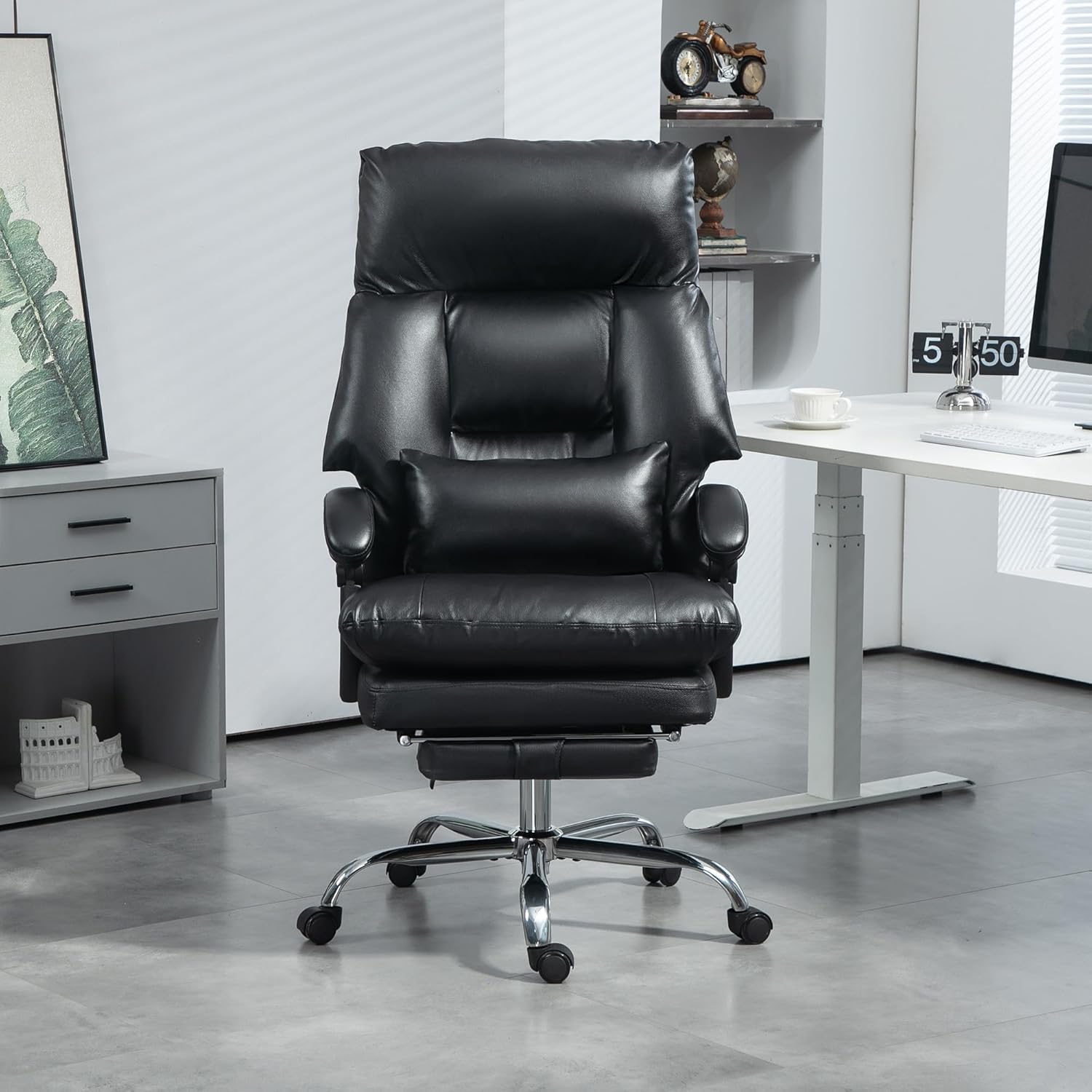
Image: A close-up view highlighting the extra thickened cushion of the chair, showing its sleek PU leather, selected foam, and thick padding (20 cm).
Warranty Information
For specific warranty details regarding your HOMCOM Overstuffed Executive Office Chair, please refer to the warranty card included with your product packaging or visit the official HOMCOM website. Keep your purchase receipt as proof of purchase for any warranty claims.
Customer Support
If you require assistance, have questions, or need to report a problem, please contact HOMCOM customer support. Contact information can typically be found on the product packaging, the official HOMCOM website, or through your retailer.
Online Resources:
- Visit the HOMCOM Store on Amazon for product information and updates.


