
Introduction
Thank you for choosing the WSKEN Retro Bluetooth Speaker YE03. This manual provides essential information for the proper setup, operation, and maintenance of your new speaker. Please read it thoroughly before use to ensure optimal performance and longevity of the device.

Image: The WSKEN Retro Bluetooth Speaker YE03, showcasing its vintage design and compact size, presented alongside its gift packaging.
Package Contents
Upon unboxing, please verify that all items listed below are included in your package:
- 1 x WSKEN Retro Bluetooth Speaker (Model YE03, Black)
- 1 x Type-C Charging Cable
- 1 x Instruction Manual (this document)
- 1 x Warranty Card
Video: An unboxing demonstration of the WSKEN Retro Bluetooth Speaker, showing the speaker and its accessories within the luxury gift box.
Product Overview
Controls and Features
The WSKEN Retro Bluetooth Speaker YE03 combines a vintage aesthetic with modern functionality. Familiarize yourself with the control layout:
- Lever Switch: Toggles power on/off.
- Volume Knob: Adjusts the audio output level.
- Next/Pause or Play Button: Controls playback.
- Previous/Play Mode Button: Navigates tracks and switches modes.
- Rotating CD Visual: The decorative CD rotates with music playback and features ambient lighting.
- Bluetooth 5.3: Provides stable wireless connection up to 50 feet.
- 360° Hi-Fi Stereo Sound: Delivers balanced and powerful audio.
- 20-Hour Battery Life: Extended playback on a single charge.
- TF Card Support: Allows direct playback from a memory card.
- Built-in Microphone: For hands-free calling.

Image: Detailed view of the speaker's top and front, highlighting the power lever, volume knob, playback buttons, and the illuminated rotating CD visual.

Image: A visual representation of the speaker's 360-degree stereo sound capability.
Setup
1. Charging the Speaker
Before initial use, fully charge the speaker. Connect the provided Type-C charging cable to the charging port on the back of the speaker and plug the other end into a compatible USB power source (e.g., wall adapter, computer USB port). The charging indicator light will illuminate during charging and turn off when fully charged. A full charge provides approximately 20 hours of playback.
2. Powering On/Off
To power on the speaker, push the lever switch located on the front panel downwards. You will hear an audible confirmation. To power off, pull the lever switch upwards.
3. Bluetooth Pairing
Follow these steps to pair your speaker with a Bluetooth-enabled device:
- Ensure the speaker is powered on and in Bluetooth pairing mode (indicated by a blinking light or audible prompt).
- On your device (smartphone, tablet, laptop), navigate to the Bluetooth settings.
- Search for available devices. The speaker will appear as "YE03".
- Select "YE03" to connect. Once paired, you will hear a confirmation sound, and the indicator light will become solid.
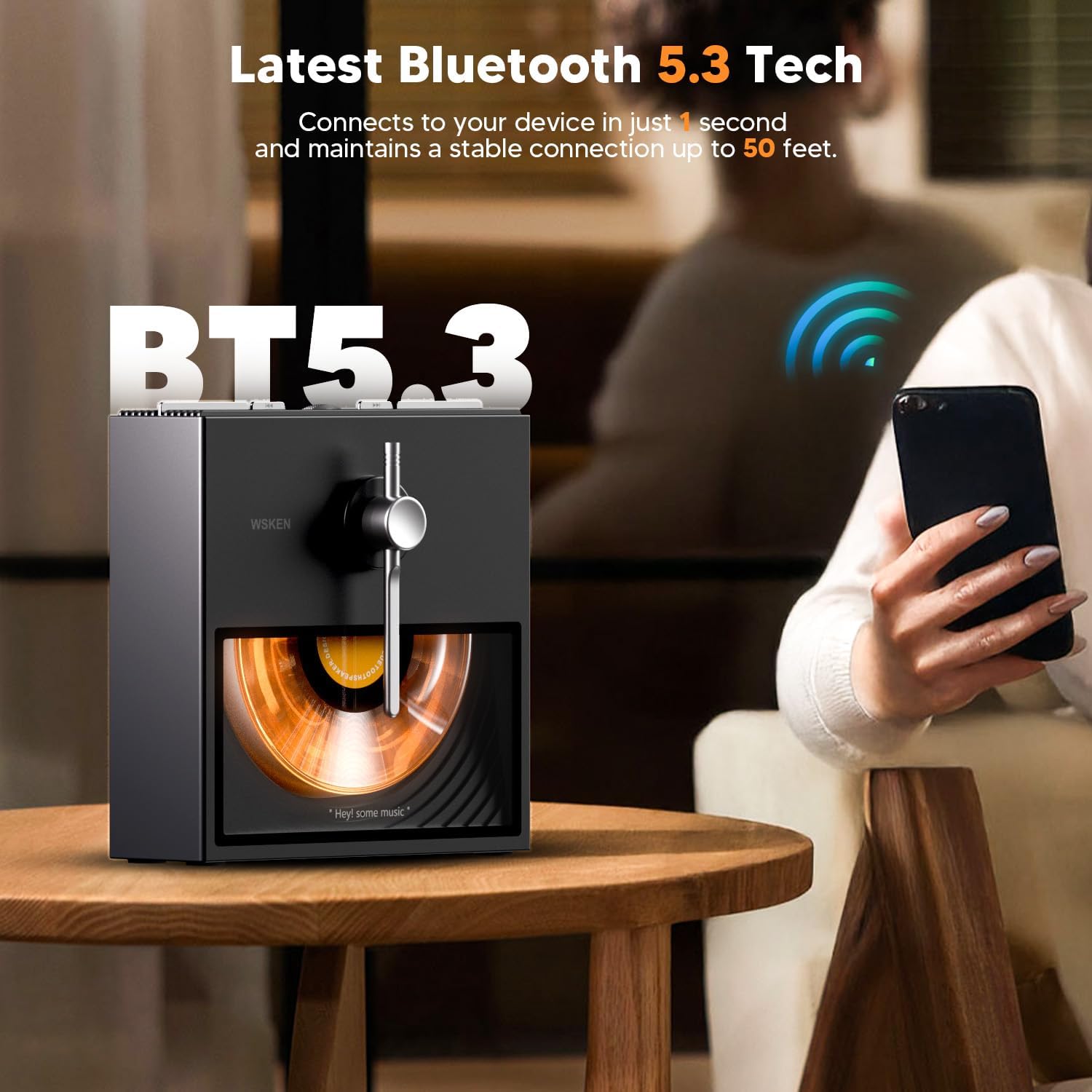
Image: The speaker connected via Bluetooth 5.3 to a smartphone, illustrating its wireless capability.
4. TF Card Usage
To play music directly from a TF (MicroSD) card:
- Insert a TF card (up to 32GB, not included) with MP3 audio files into the TF card slot on the back of the speaker.
- The speaker will automatically detect the card and switch to TF card playback mode, or you can manually switch modes by pressing and holding the 'Previous/Play Mode' button for 3 seconds.
- Use the playback controls to manage your music.

Image: The rear panel of the speaker, showing the Type-C charging port and the TF card slot for direct media playback.
Operating Instructions
Music Playback
Once connected via Bluetooth or playing from a TF card, use the top-mounted controls for music management:
- Play/Pause: Press the 'Next/Pause or Play' button once to play or pause the current track.
- Adjust Volume: Rotate the volume knob to increase or decrease the sound level.
- Next Track: Double-click the 'Next/Pause or Play' button to skip to the next song.
- Previous Track: Double-click the 'Previous/Play Mode' button to go back to the previous song.
Special Features
The speaker features a unique visual element:
- Rotating CD Visual: During music playback, the simulated CD on the front panel will rotate and illuminate with ambient golden lights, enhancing the retro experience.
Video: A tutorial demonstrating the use of the speaker's controls for power, volume, and track navigation, as well as the rotating CD visual.
Maintenance
To maintain your WSKEN Retro Bluetooth Speaker in optimal condition:
- Cleaning: Use a soft, dry cloth to wipe the speaker's surface. Avoid using abrasive cleaners, solvents, or harsh chemicals.
- Storage: Store the speaker in a cool, dry place away from direct sunlight and extreme temperatures when not in use for extended periods.
- Water Exposure: This speaker is not waterproof. Avoid exposing it to water or excessive moisture.
Troubleshooting
If you encounter any issues with your speaker, please refer to the following common solutions:
- Speaker does not power on: Ensure the battery is charged. Connect the speaker to a power source using the Type-C cable.
- Cannot pair via Bluetooth:
- Ensure the speaker is in pairing mode (blinking indicator).
- Turn off and then on your device's Bluetooth.
- If previously paired, delete "YE03" from your device's Bluetooth list and attempt to reconnect.
- To reset the speaker's Bluetooth, press and hold the 'Next/Pause or Play' and 'Previous/Play Mode' buttons simultaneously for 3 seconds until you hear a "ding dong" sound. Then, try pairing again.
- No sound or low volume:
- Check the volume level on both the speaker and your connected device.
- Ensure the speaker is properly connected via Bluetooth or that the TF card is inserted correctly.
- TF card not recognized: Ensure the TF card is formatted correctly (FAT32) and contains compatible audio files (MP3). Reinsert the card firmly.
Video: A guide on how to troubleshoot Bluetooth connection issues, including deleting the device and resetting the speaker's Bluetooth.
Specifications
| Model Name | YE03 |
| Brand | WSKEN |
| Connectivity Technology | Bluetooth 5.3 |
| Maximum Range | 50 Feet |
| Speaker Type | Portable Speaker |
| Audio Output Mode | Stereo |
| Speaker Maximum Output Power | 5 Watts |
| Battery Capacity | 2000 Milliamp Hours (approx. 20H playback) |
| Control Method | Touch, Lever Switch, Knob |
| Special Features | Built-in Microphone, Portable, Stereo Pairing, Support TF Card, Ambient Lighting |
| Product Dimensions | 6.49"D x 2.08"W x 6.29"H |
| Item Weight | 1.96 pounds |
| Material | Metal, Polycarbonate (PC) |
| Is Waterproof | False |
Warranty and Support
The WSKEN Retro Bluetooth Speaker YE03 comes with a Lifetime Technical Support. If you have any questions, concerns, or require assistance with your product, please refer to the contact information provided on your warranty card or visit the official WSKEN support channels. Our team is dedicated to ensuring your satisfaction.