Introduction
This manual provides essential information for the safe and efficient operation, installation, and maintenance of your Cecotec Bolero Dresscode Dry 10500 Inverter Heat Pump Dryer. Please read these instructions thoroughly before using the appliance and retain them for future reference.
Safety Information
Always adhere to the following safety guidelines to prevent injury or damage to the appliance:
- Ensure the dryer is installed on a stable, level surface in a well-ventilated area.
- Do not block ventilation openings.
- Connect the appliance to a properly grounded electrical outlet.
- Do not dry items that have been soiled with flammable substances.
- Regularly clean the lint filter to maintain efficiency and prevent fire hazards.
- Keep children and pets away from the appliance during operation.
- Unplug the dryer before performing any maintenance or cleaning.
Product Overview
The Cecotec Bolero Dresscode Dry 10500 Inverter is a 10 kg capacity heat pump dryer designed for efficient and gentle garment care. It features an Inverter Motor Plus for quiet and durable operation, along with advanced functions for optimal drying results.
Key Features:
- 10 kg Capacity: Suitable for large laundry loads.
- Heat Pump Technology: Energy-efficient and gentle drying.
- Inverter Motor Plus: Ensures quiet, long-lasting, and energy-efficient performance.
- 14 Drying Programs: Versatile options for various fabric types and moisture levels.
- Woolmark Certification: Provides optimal care for wool garments.
- UV Care Feature: Uses ultraviolet light to sterilize clothes during drying, reducing bacteria.
- Light Ironing Function: Reduces wrinkles, simplifying the ironing process.
- Comfort Mode: Ultra-quiet operation for minimal disturbance.
- Delay Start Function: Program the drying cycle to start at a convenient time.
- My Fav Function: Save and quickly access your preferred drying program.
- KidLock Function: Prevents accidental program changes by children.
- Energy Efficiency: Rated A+++ (old scale) / C (new scale) for reduced power consumption.
Dimensions and Weight:
Refer to the image below for the physical dimensions of the dryer.
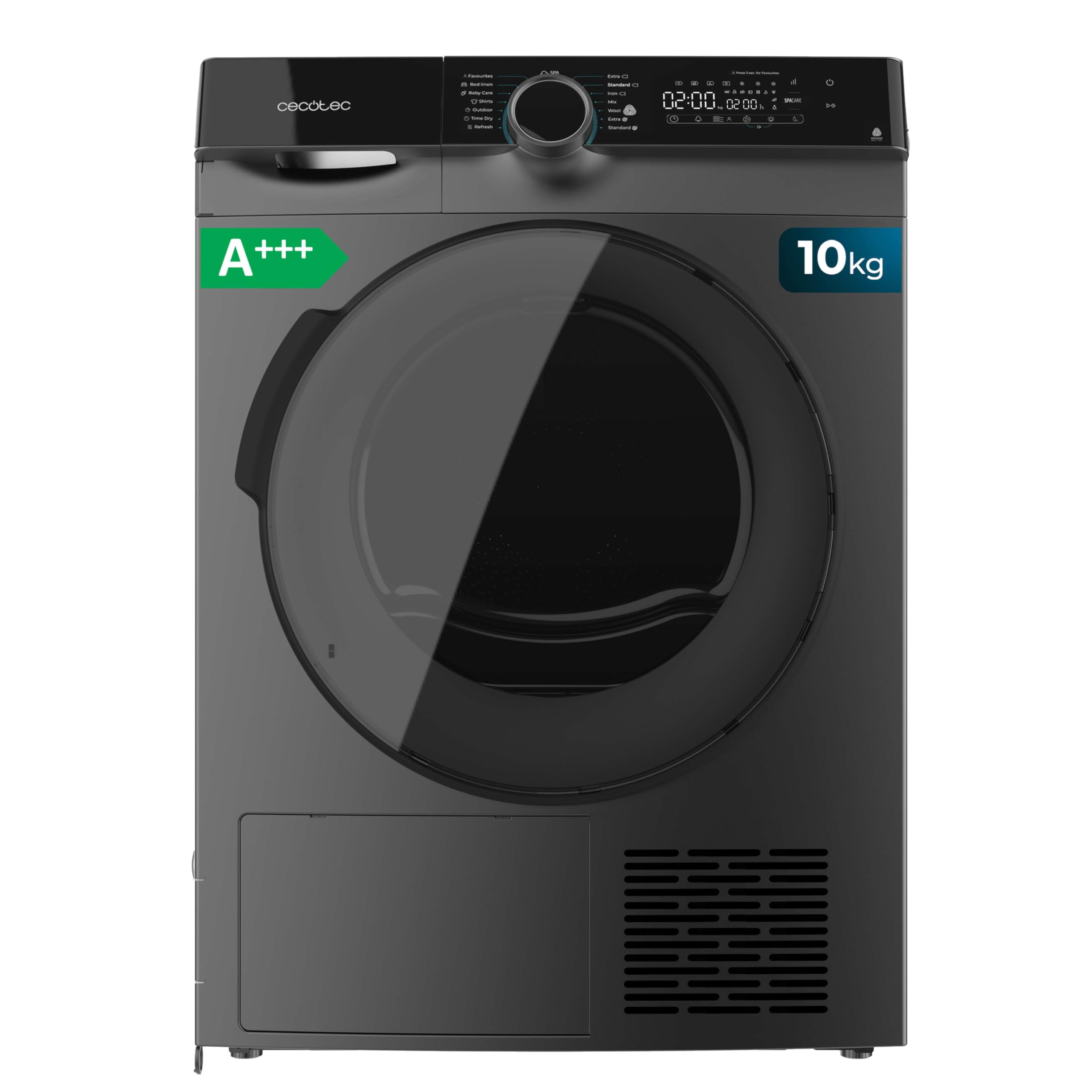
Image: Front-side view of the Cecotec Bolero Dresscode Dry 10500 Inverter dryer, illustrating its dimensions: Height 85 cm, Width 60 cm, Depth 68 cm.
- Height: 85 cm
- Width: 60 cm
- Depth: 68 cm
- Weight: 47.75 kg
Control Panel:
The control panel allows you to select programs and activate various functions. Familiarize yourself with the dial and buttons for optimal use.

Image: A user's hand adjusting the program selection dial on the dryer's control panel, showing various program options and digital display.
Setup and Installation
1. Unpacking
Carefully remove all packaging materials. Inspect the dryer for any transit damage. Keep packaging materials away from children.
2. Placement
Place the dryer on a firm, level floor. Ensure there is adequate space around the appliance for ventilation. Do not install the dryer in areas prone to freezing temperatures or excessive humidity. Adjust the leveling feet to ensure stability.
3. Electrical Connection
Connect the dryer to a dedicated, grounded electrical outlet that matches the voltage and current requirements specified on the appliance's rating label. Do not use extension cords or adapters.
Operating Instructions
1. Loading Laundry
Open the dryer door and load your laundry. Do not overload the dryer; ensure clothes can tumble freely. For best results, sort laundry by fabric type and drying requirements.

Image: A man carefully placing folded laundry into the open drum of the Cecotec dryer.
2. Program Selection
Turn the program selection dial to choose one of the 14 available drying programs. The display will show the estimated drying time. Consult the program guide in the full manual for detailed descriptions of each program.
3. Special Functions
- UV Care: Activate this function for enhanced sterilization of garments using UV light during the drying cycle. This helps eliminate bacteria and ensures thorough cleaning.
- Light Ironing: Select this option to reduce creasing and make ironing easier after the drying cycle.
- Comfort Mode (Silence): For ultra-quiet operation, activate Comfort Mode. This is ideal for running the dryer during night hours or in environments where noise reduction is critical.
- Delay Start: Use this function to set a delayed start time for your drying cycle, allowing your laundry to be ready when you need it.
- My Fav: After selecting your preferred program and options, use the My Fav function to save these settings for quick access in future cycles.

Image: A teddy bear and soft blanket inside the dryer drum, with an overlay graphic indicating UV sterilization against germs.

Image: A Cecotec dryer operating in a quiet setting, with a cat sleeping undisturbed in a pet bed nearby, highlighting the Comfort Mode.

Image: A user interacting with the dryer's control panel, specifically selecting the 'My Fav' (My Favorites) program option.
4. KidLock Function
To prevent accidental changes to the drying program by children, activate the KidLock function. Refer to the full manual for specific instructions on how to engage and disengage this safety feature.
Maintenance
Regular maintenance ensures optimal performance and extends the lifespan of your dryer.
1. Cleaning the Lint Filter
Clean the lint filter after every drying cycle. Pull out the filter, remove accumulated lint, and rinse if necessary. A clogged lint filter reduces drying efficiency and can be a fire hazard.
2. Emptying the Water Tank
The heat pump dryer collects condensed water in a removable tank. Empty this tank after each cycle. If the tank is full, the dryer will pause operation.
3. Cleaning the Condenser
Periodically clean the condenser unit as instructed in the full manual. This typically involves removing the condenser cover and gently cleaning any accumulated lint or debris.
4. Exterior Cleaning
Wipe the exterior surfaces of the dryer with a soft, damp cloth. Do not use abrasive cleaners or solvents.
Troubleshooting
If you encounter issues with your dryer, refer to the following common solutions before contacting customer service:
- Dryer not starting: Check if the power cord is securely plugged in, the door is fully closed, and the program is selected.
- Clothes not drying properly: Ensure the lint filter is clean, the water tank is empty, and the load size is appropriate for the selected program.
- Unusual noise: Check for foreign objects in the drum or filter area. Ensure the dryer is level.
- Error codes: Consult the comprehensive troubleshooting section in the full user manual for specific error code meanings and solutions.
Specifications
| Feature | Specification |
|---|---|
| Brand | Cecotec |
| Model Name | Bolero Dresscode Dry 10500 Inverter |
| Capacity | 10 kg |
| Type | Heat Pump Dryer, Front Loader |
| Motor Type | Inverter Motor Plus |
| Number of Programs | 14 |
| Energy Efficiency Class (New Scale) | C |
| Noise Level | 65 dB |
| Dimensions (H x W x D) | 85 cm x 60 cm x 68 cm |
| Item Weight | 47.75 kg |
| Material | Alloy Steel |
Energy Label Information:
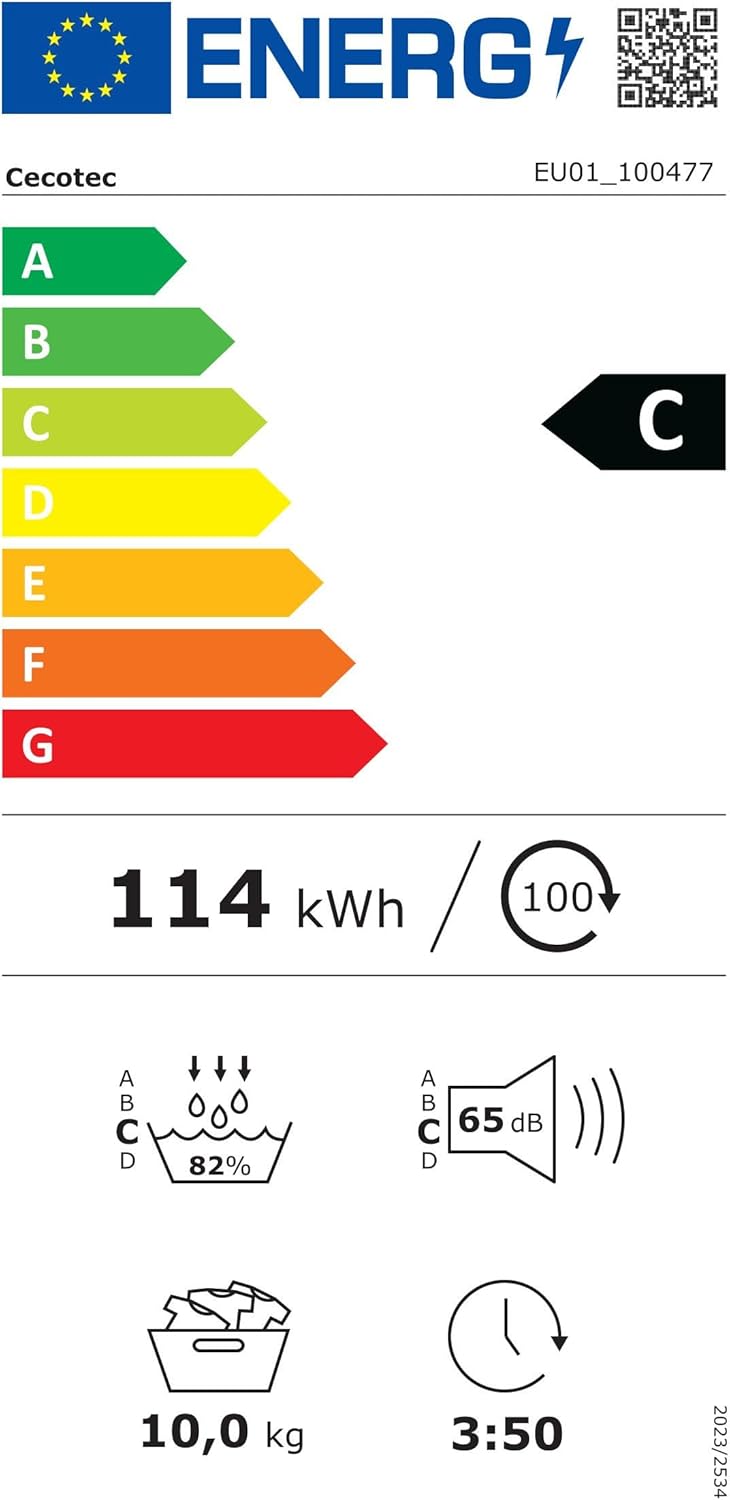
Image: The EU Energy Label for the Cecotec dryer, indicating its energy efficiency class C, annual energy consumption, capacity, noise level, and program duration.
For detailed energy information, visit the EPREL database.
Warranty and Support
Your Cecotec Bolero Dresscode Dry 10500 Inverter Heat Pump Dryer comes with a standard manufacturer's warranty. Please refer to the warranty card included with your purchase for specific terms and conditions, including coverage duration and claim procedures.
For technical support, spare parts, or service inquiries, please contact Cecotec customer service through their official website or the contact information provided in your product documentation.


