
1. Introduction
Thank you for choosing the coldSky Rechargeable Hand Warmers. This manual provides essential information for the safe and efficient operation, maintenance, and care of your device. Please read these instructions thoroughly before first use and retain them for future reference.

Image 1.1: coldSky Rechargeable Hand Warmers
2. Product Features
- 2-in-1 Magnetic Design: Two individual hand warmers can be magnetically combined into a single unit for 360° heat coverage.
- Enhanced Heating Surface: An upgraded design provides a significantly larger heating area for improved warmth distribution.
- Ergonomic and Portable: Palm-sized and designed for a comfortable grip, making them easy to carry and use.
- Digital Display: A clear LED screen shows battery life and current heating level.
- Three Heat Settings: Adjustable temperature levels to suit your comfort needs.
- Long-lasting Battery: Total 4000mAh capacity provides 5 to 16 hours of heat depending on the setting.

Image 2.1: Magnetic 2-in-1 Functionality
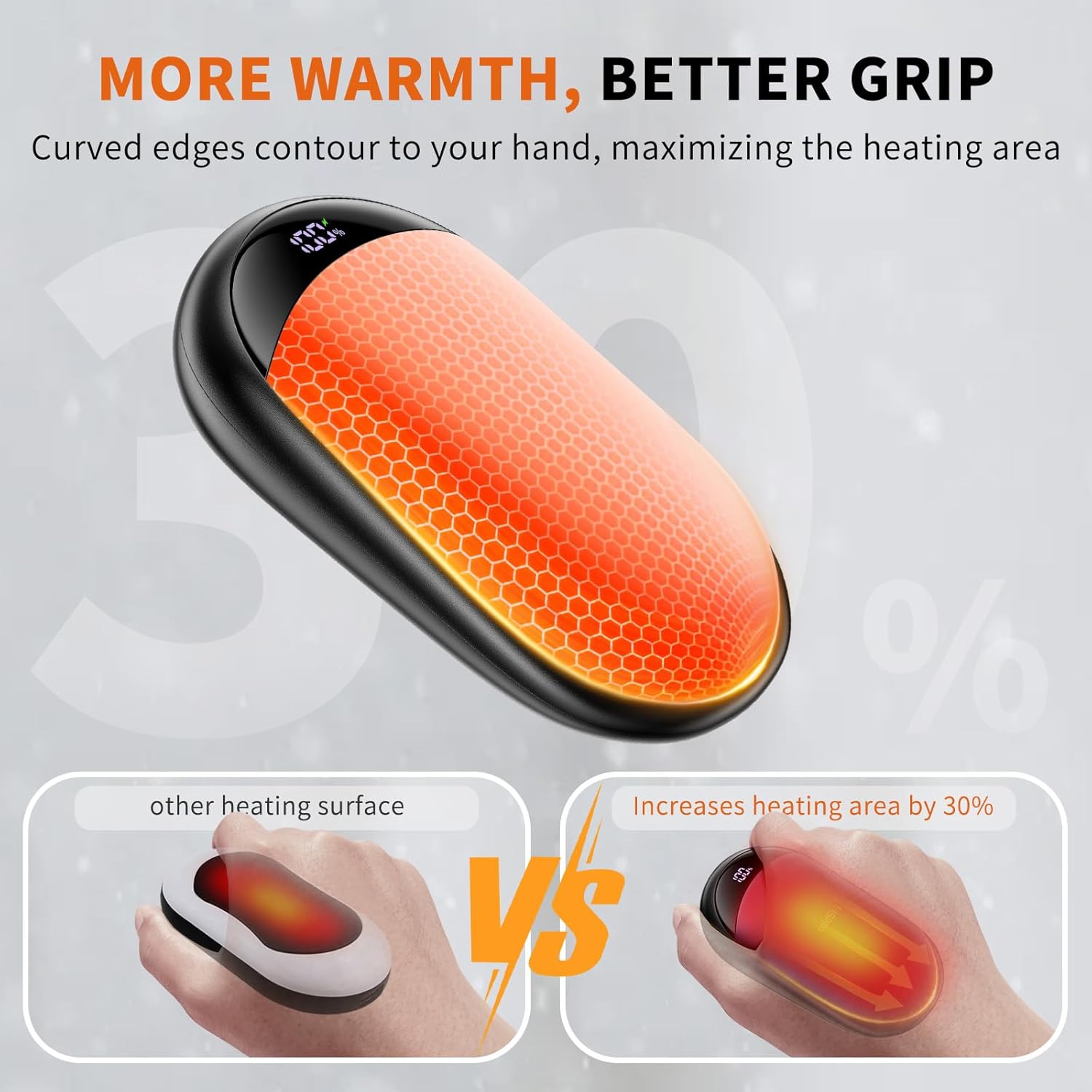
Image 2.2: Larger Heating Surface

Image 2.3: Portable Design
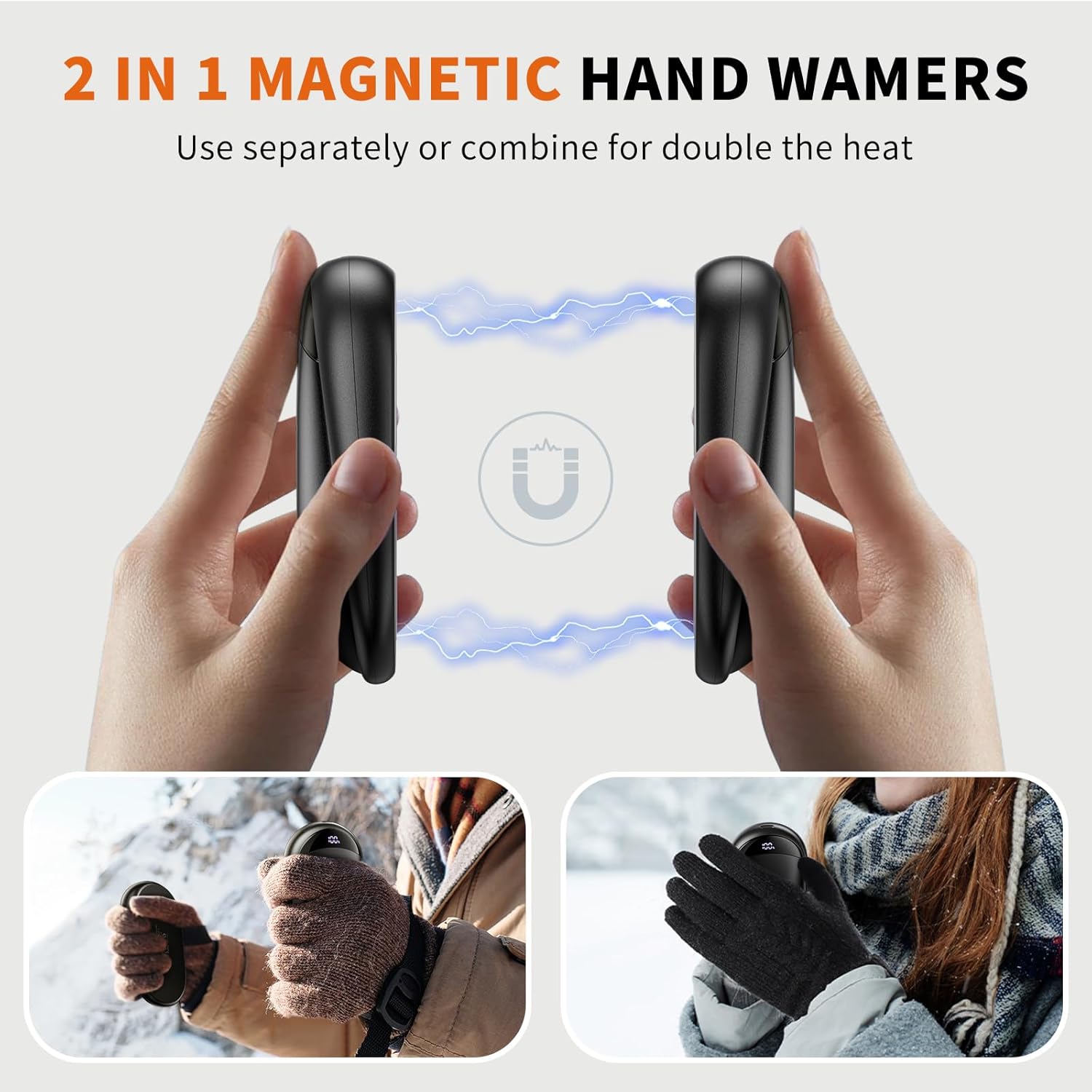
Image 2.4: Three Heating Levels
3. Package Contents
The coldSky Rechargeable Hand Warmer package includes:
- 2 x coldSky Rechargeable Hand Warmers
- 1 x USB Charging Cable
- 1 x User Manual

Image 3.1: Package Contents
4. Setup
4.1 Initial Charging
- Before first use, fully charge both hand warmers.
- Connect the provided USB charging cable to the charging port on each hand warmer.
- Plug the other end of the USB cable into a compatible USB power adapter (not included) or a computer USB port.
- The digital display will show the charging progress. A full charge typically takes approximately 3 hours.
4.2 Magnetic Connection
The two hand warmers can be used individually or magnetically connected. Simply bring the flat sides of the two warmers together, and they will snap into place.
5. Operating Instructions
5.1 Power On/Off
- To power on: Long press the power button for 3 seconds. The digital display will illuminate, and the device will begin heating.
- To power off: Long press the power button for 3 seconds. The display will turn off, and heating will cease.
5.2 Adjusting Heat Levels
Once powered on, short press the power button to cycle through the three heat settings:
- Level 1: 104-113°F (40-45°C)
- Level 2: 113-122°F (45-50°C)
- Level 3: 122-131°F (50-55°C)
5.3 Digital Display
The LED digital display provides real-time information:
- Battery Percentage: Shows the remaining power.
- Heating Level: Indicates the current heat setting (1, 2, or 3).
- Charging Indicator: Appears when the device is charging.
When the device is off, a short press of the power button will briefly display the remaining battery percentage.
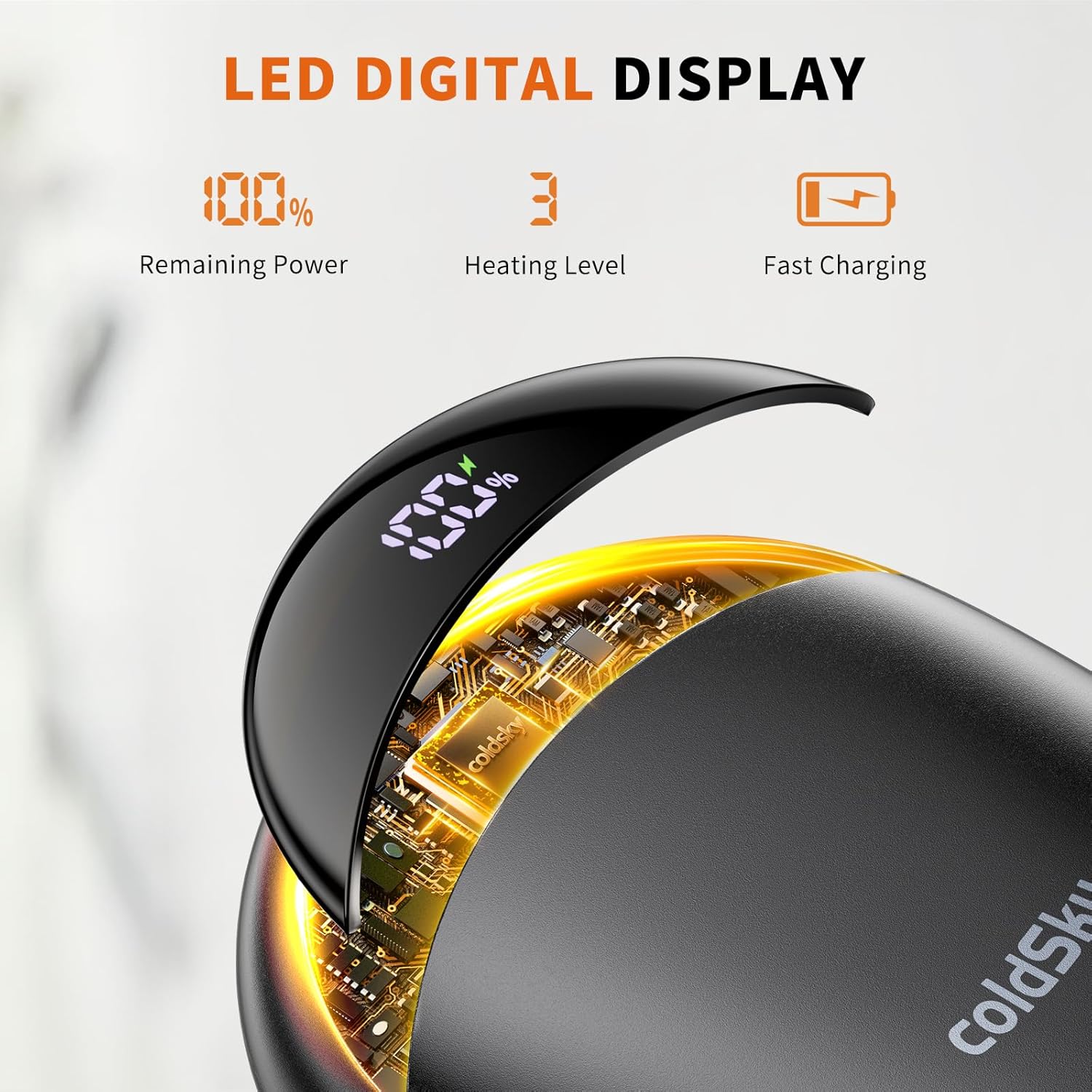
Image 5.1: LED Digital Display

Image 5.2: Operation Guide
5.4 Video Demonstration
Video 5.1: This video demonstrates the coldSky Rechargeable Hand Warmers, highlighting their magnetic connection and how to activate the heating function.
6. Charging
To recharge your coldSky Hand Warmers:
- Ensure the hand warmers are powered off.
- Connect the USB charging cable to the charging port on each unit.
- Connect the USB cable to a 5V/2A power source.
- The digital display will show the battery percentage increasing during charging.
- Once 100% is displayed, the hand warmers are fully charged. Disconnect them from the power source.
7. Safety Information
Please observe the following safety precautions:
- Do not expose the device to extreme temperatures, direct sunlight, or open flames.
- Avoid dropping or subjecting the device to strong impacts.
- Do not attempt to disassemble, repair, or modify the device.
- Keep out of reach of children and pets.
- If the device becomes excessively hot, discontinue use immediately.
- Use only the provided or a certified USB charging cable.
- Do not use while sleeping.

Image 7.1: Built-in Safety Protections
8. Maintenance
- Cleaning: Wipe the surface of the hand warmers with a soft, dry cloth. Do not use abrasive cleaners or immerse in water.
- Storage: Store the hand warmers in a cool, dry place when not in use. Ensure they are fully charged before long-term storage to preserve battery life.
9. Troubleshooting
| Issue | Possible Cause | Solution |
|---|---|---|
| Device does not turn on. | Low battery. | Charge the device fully. |
| Device not heating. | Device not powered on or low battery. | Long press the power button to turn on. Ensure the device is charged. |
| Charging is slow or not working. | Faulty cable or power adapter. | Try a different USB cable or power adapter. Ensure the power source is 5V/2A. |
| Heat is inconsistent. | Low battery or external temperature. | Recharge the device. In extremely cold conditions, performance may vary. |
10. Specifications
| Feature | Detail |
|---|---|
| Model Name | LY116 |
| Brand | coldSky |
| Color | Black |
| Material | Aluminum, Plastic |
| Battery Capacity | 4000mAh (total for 2 units) |
| Charging Time | Approximately 3 Hours |
| Heat Settings | 3 Levels (104-131°F / 40-55°C) |
| Power Source | Battery Powered |
| Charging Port | Type-C |
| Size | Palm-sized |
| Item Package Dimensions | 6.26 x 4.09 x 1.02 inches |
| Package Weight | 0.24 Kilograms |
11. Warranty and Support
The coldSky Rechargeable Hand Warmers come with a 1-Year Manufacturer Warranty. For warranty claims, technical support, or any inquiries regarding your product, please contact coldSky customer service through the retailer where the product was purchased or refer to the contact information provided on the product packaging.