
1. Introduction
This manual provides essential information for the safe and efficient operation of your elejoy 40A MPPT Solar Charge Controller, Model EMD600W. This device is designed to maximize power harvesting from solar panels and efficiently charge various battery types in 12V/24V systems. It features advanced Maximum Power Point Tracking (MPPT) technology, universal battery compatibility, and a robust IP65 waterproof and dustproof design.
Please read this manual thoroughly before installation and operation to ensure proper use and longevity of the product.
2. Safety Information
WARNING: Failure to follow these safety instructions may result in serious injury, death, or damage to the controller or other equipment.
- Electrical Safety: Always disconnect power from the solar panels and battery before installing or servicing the controller. Use insulated tools.
- Battery Safety: Batteries can produce explosive gases. Ensure adequate ventilation. Avoid sparks and open flames. Wear eye protection.
- Voltage: The solar panel array can produce high voltages. Exercise extreme caution.
- Installation: Install the controller in a well-ventilated area, away from flammable materials. Ensure all connections are tight and secure.
- Water and Dust: While the controller is IP65 rated, avoid submerging it or exposing it to direct high-pressure water jets.
- Children: Keep the device out of reach of children.
3. Product Overview
The elejoy EMD600W MPPT Solar Charge Controller is designed for robust performance in various environments. It features a durable aluminum casing, an integrated cooling fan, and an intuitive LCD display for monitoring system parameters.

Figure 3.1: elejoy 40A MPPT Solar Charge Controller EMD600W. This image shows the top-down view of the controller, highlighting its heat sink, fan, LCD display, control buttons, and wired connections with a terminal block.
3.1 LCD Display and Buttons
The integrated LCD provides real-time data on your solar system's performance. The buttons allow for easy navigation and parameter adjustment.

Figure 3.2: LCD Display and Control Buttons. This image provides a detailed view of the controller's LCD screen, displaying PV voltage, battery voltage, charging current, and internal temperature. It also labels the 'SET', 'OK', '+', and '-' buttons for user interaction.
- SET Button: Enters parameter setting mode.
- OK Button: Confirms selections or exits setting mode.
- + Button: Increases values or navigates up.
- - Button: Decreases values or navigates down.
4. Installation (Setup)
4.1 Mounting the Controller
Mount the controller vertically on a non-flammable surface, ensuring adequate airflow around the heat sink. Maintain at least 6 inches (15 cm) of clearance above and below the unit for optimal cooling. The IP65 rating allows for outdoor installation, but protection from direct, prolonged exposure to harsh weather is recommended.

Figure 4.1: IP65 All-Terrain Protection. This image shows the elejoy controller being splashed with water, visually confirming its IP65 waterproof and dustproof capabilities, suitable for various outdoor conditions.
4.2 Wiring Connections
Follow the wiring sequence carefully to prevent damage to the controller or system components. Use appropriate wire gauges for your system's current and distance.
- Connect the Battery: Connect the battery cables to the controller's battery terminals (positive to positive, negative to negative). Ensure the battery is connected first to establish the system voltage.
- Connect the Solar Panels: Connect the solar panel cables to the controller's PV terminals (positive to positive, negative to negative). Ensure correct polarity.

Figure 4.2: Basic Wiring Diagram. This diagram illustrates the straightforward connection process, showing a solar panel connected to the controller, which then connects to a battery, emphasizing ease of setup.
Note: The controller requires power from the solar panels to operate. If the controller does not power on after connecting the battery, ensure sufficient light is reaching the solar panels.
5. Operation
5.1 Initial Power-Up and Settings
Once the battery and solar panels are connected, the controller will power on and display system information. You may need to configure the battery type and charging parameters.
- Press the SET button to enter the parameter setting menu.
- Use the + and - buttons to navigate through options or adjust values.
- Press the OK button to confirm a selection or save a setting.
5.2 Battery Compatibility
The controller supports various battery types, including Lead Acid, Lithium, and LiFePO4. Ensure the correct battery type is selected in the settings for optimal charging and battery longevity.
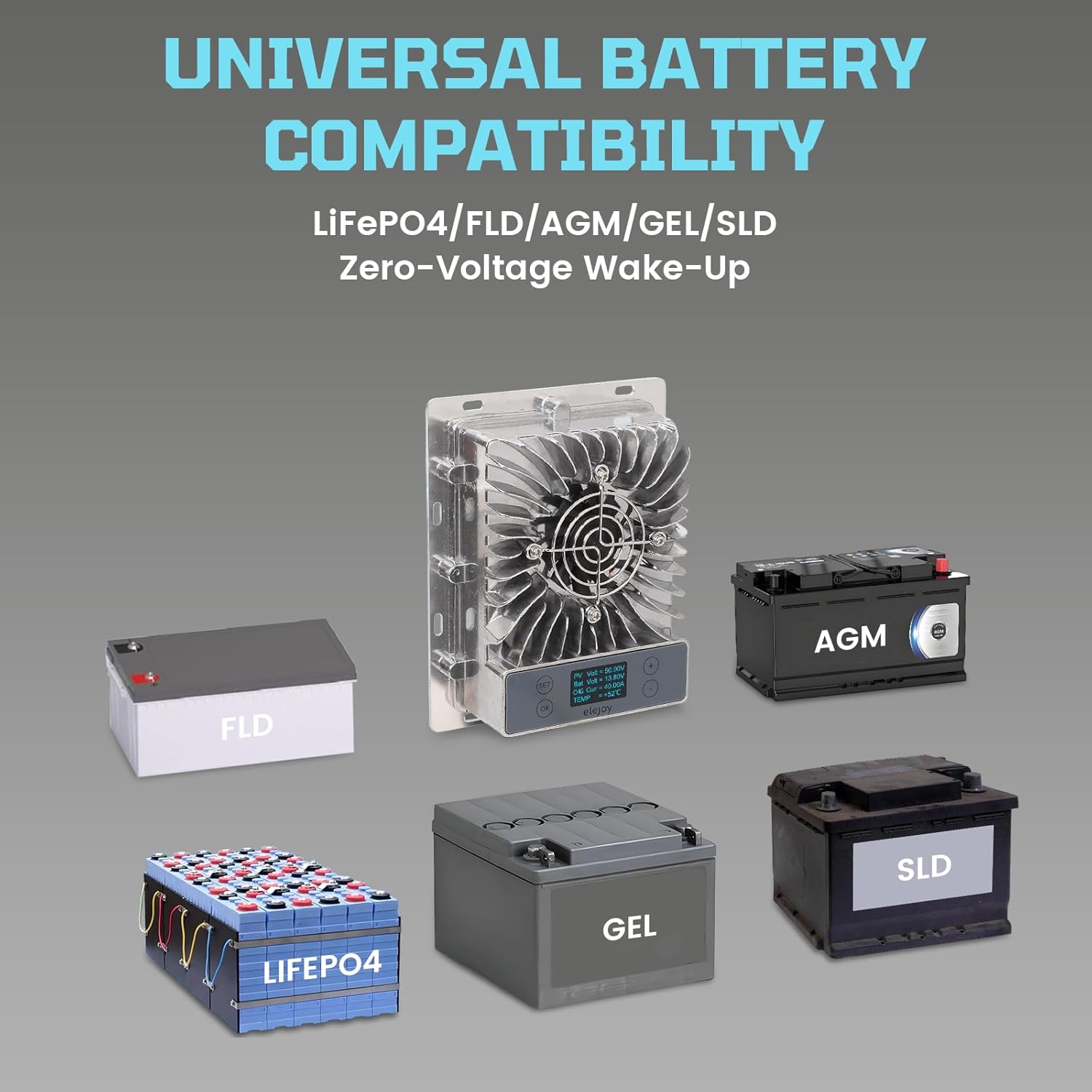
Figure 5.1: Universal Battery Compatibility. This image displays the elejoy controller's ability to work with multiple battery chemistries, including LiFePO4, FLD, AGM, GEL, and SLD, highlighting its versatility.
5.3 Monitoring System Data
The LCD display cycles through various parameters, including:
- PV Voltage (PV Volt)
- Battery Voltage (Bat Volt)
- Charging Current (CHG Curr)
- Internal Temperature (TEMP)
6. Maintenance
Regular maintenance ensures the longevity and optimal performance of your solar charge controller.
- Cleaning: Periodically clean the controller's exterior with a dry cloth. Ensure the cooling fan and heat sink fins are free from dust and debris to maintain efficient heat dissipation.
- Connection Check: Annually inspect all wiring connections for tightness and corrosion. Loose connections can cause overheating and damage.
- Environmental Conditions: The controller is designed for a wide operating temperature range (-40℃ to 65℃). Ensure it is not exposed to temperatures outside this range for prolonged periods.
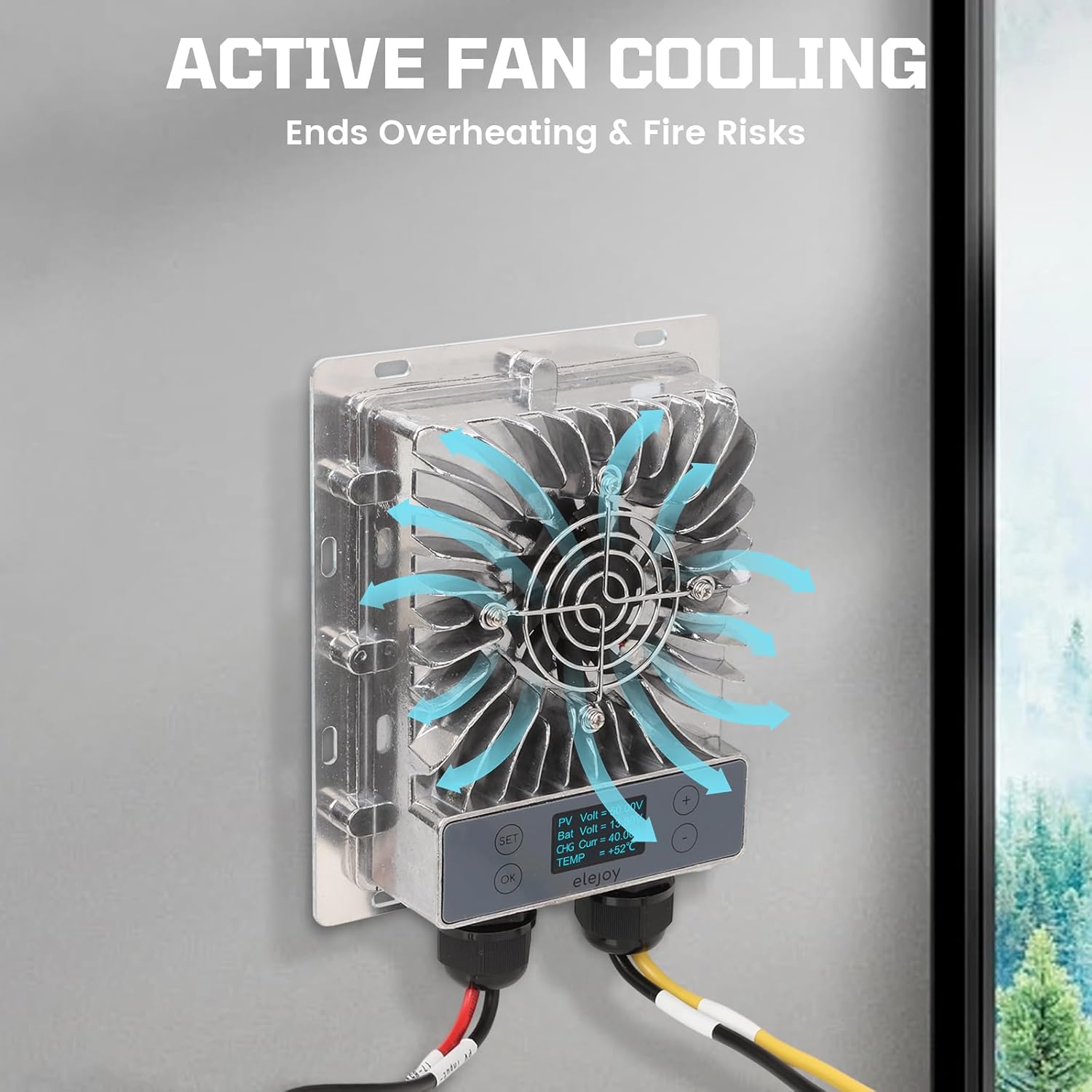
Figure 6.1: Active Fan Cooling. This image illustrates the active fan cooling mechanism of the elejoy controller, showing how air circulates to prevent overheating and ensure stable operation.

Figure 6.2: Extreme Temperature Range. This visual demonstrates the controller's capability to function reliably across a broad spectrum of temperatures, from freezing cold to intense heat, making it suitable for diverse climates.
7. Troubleshooting
This section addresses common issues you might encounter with your elejoy MPPT Solar Charge Controller.
- Controller Does Not Power On:
- Ensure the battery is connected correctly and has sufficient voltage.
- Verify that solar panels are connected and receiving adequate sunlight. The controller requires PV input to fully activate.
- Check all wiring for loose connections or incorrect polarity.
- Low Charging Current:
- Confirm solar panels are clean and not shaded.
- Check for proper battery type selection in the controller settings.
- Verify that the solar panel voltage is within the controller's input range (17-85V DC).
- Overheating:
- Ensure the controller is mounted in a well-ventilated area with sufficient clearance for airflow.
- Clean any dust or debris from the cooling fan and heat sink.
- Verify that the ambient temperature is within the specified operating range.
8. Specifications
The following table details the technical specifications of the elejoy 40A MPPT Solar Charge Controller EMD600W.
| Feature | Specification |
|---|---|
| Model Number | EMD600W |
| Max Input Power | 600W |
| Max Input Voltage | 84 Volts |
| Output Current | 40 Amp |
| Output Voltage Range | 10-30V DC (Auto-detects 12V/24V systems) |
| Tracking Efficiency | 99.5% |
| Battery Compatibility | Lead Acid, Lithium, LiFePO4 (FLD, AGM, GEL, SLD) |
| Display Type | LCD |
| Protection Rating | IP65 Waterproof/Dustproof |
| Operating Temperature | -40℃ to 65℃ (-40℉ to 149℉) |
| Dimensions (L x W x H) | 6.77 x 5.43 x 1.85 inches (17.2 x 13.8 x 4.7 cm) |
| Item Weight | 2.7 pounds (1.22 kg) |
| Material | Aluminum |
9. Warranty and Support
For warranty information, please refer to the documentation provided at the time of purchase or contact your retailer. elejoy is committed to providing quality products and customer support.
If you encounter any issues or have questions regarding your elejoy 40A MPPT Solar Charge Controller, please contact elejoy customer support through your purchase platform or the official elejoy website for assistance.
