
1. Introduction
Thank you for choosing the TriPole Foldable Standing Fan KW12. This portable and rechargeable pedestal fan is designed to provide powerful, quiet airflow with versatile features for various indoor environments. This manual provides essential information for the safe and efficient operation of your fan.

Figure 1: TriPole Foldable Standing Fan KW12 with accessories.
2. Package Contents
Ensure all items are present upon unpacking:
- TriPole Foldable Standing Fan KW12
- Remote Control
- Charging Adapter (Cord)
- User Manual (This document)
3. Product Features & Components
3.1 Foldable and Adjustable Design
The fan features a retractable design, allowing it to be easily folded for storage or extended for use as a standing fan. The height is adjustable from 22 to 41 inches. The fan head can be rotated up and down by 200° and oscillates horizontally across an 80° range.
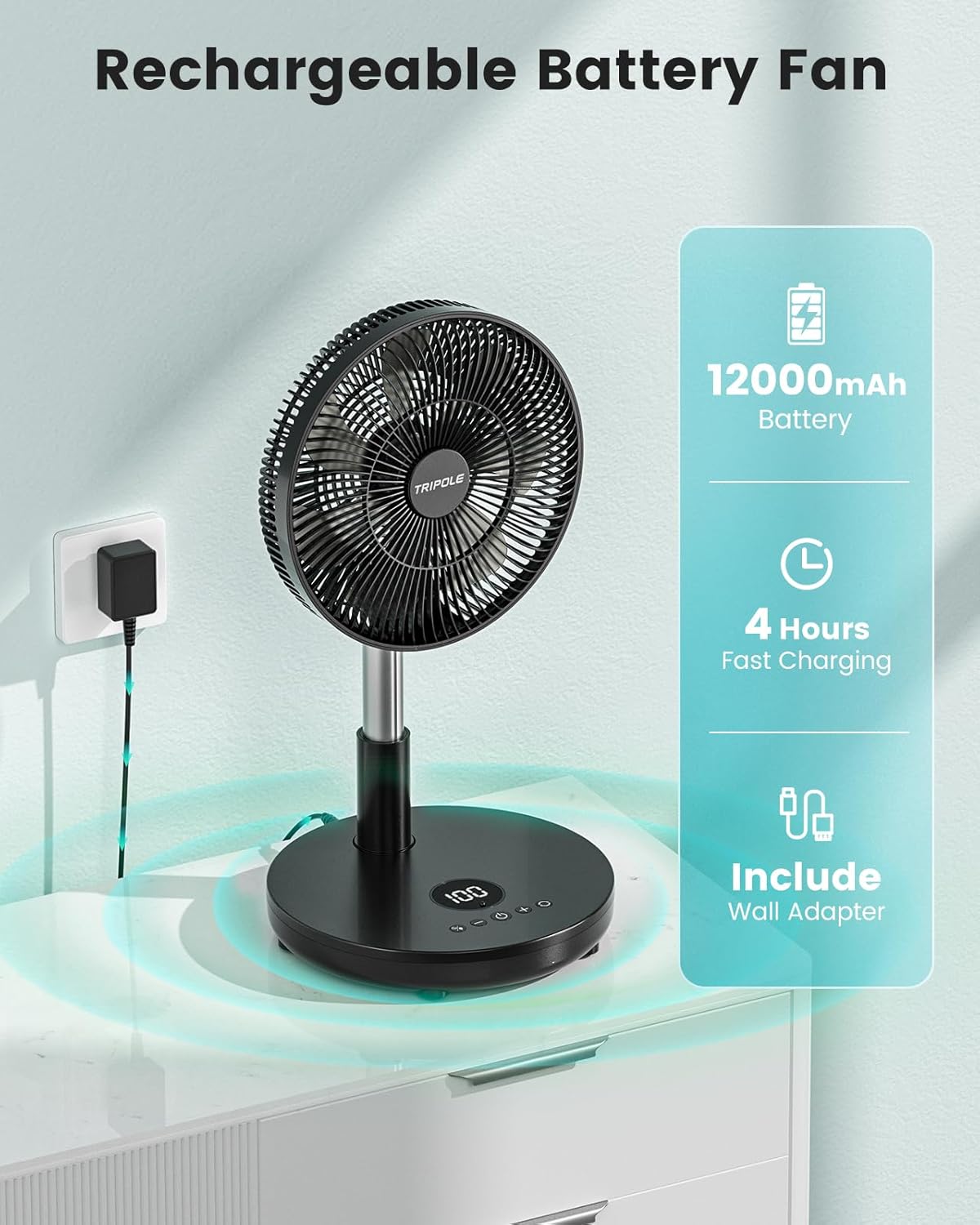
Figure 2: Fan dimensions and adjustability features.
3.2 Rechargeable Battery & Charging
Equipped with a 44.4Wh built-in rechargeable battery, the fan offers extended cordless operation. A full charge takes approximately 4 hours using the provided charging adapter. Battery life ranges from 6.2 to 42 hours in stationary mode and 5 to 21.5 hours during oscillation, depending on the speed setting.
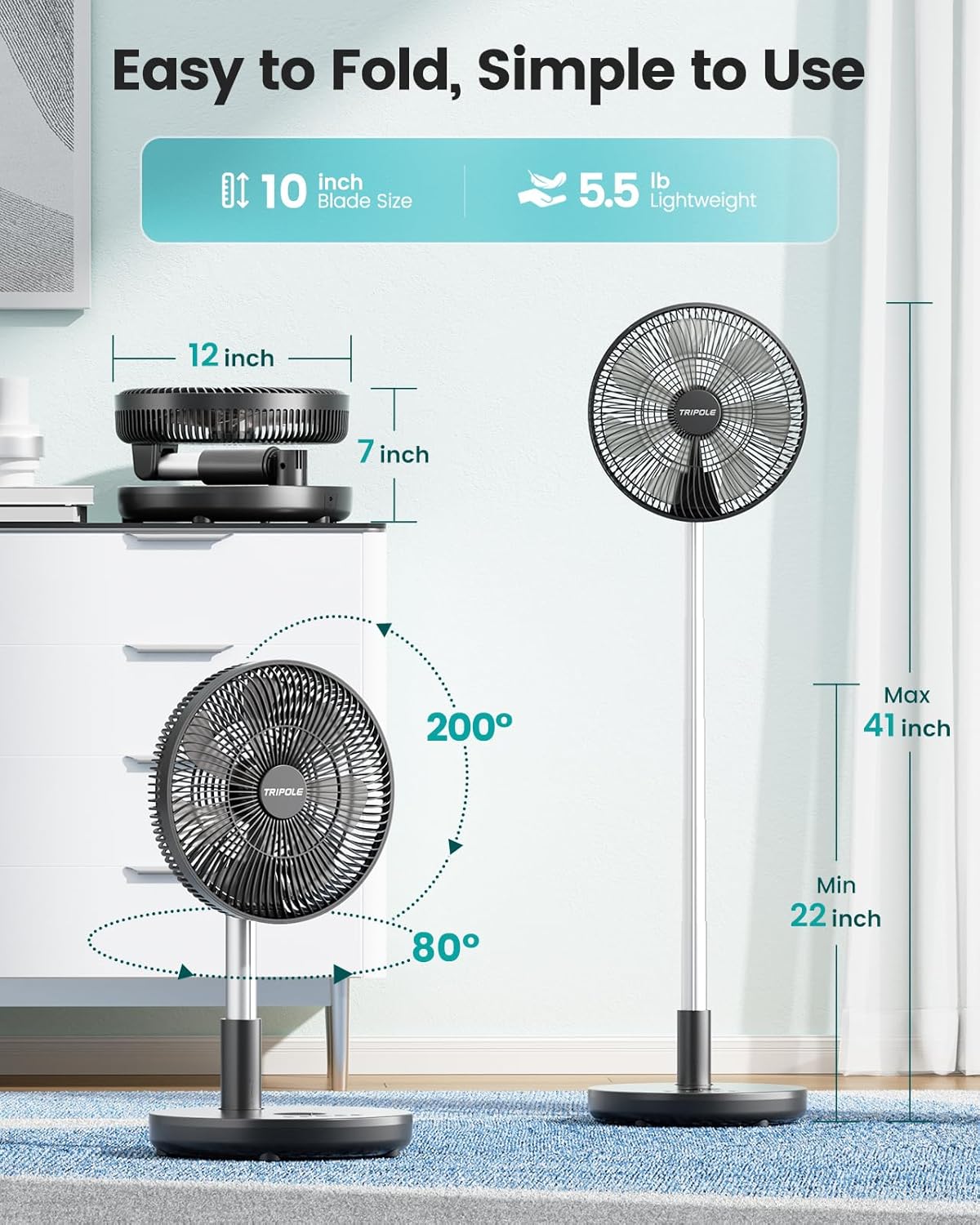
Figure 3: Charging the TriPole fan.
3.3 Control Panel & Remote Control
The fan can be operated via the integrated control panel on the base or with the included remote control. The remote has a maximum operating range of 20 feet.

Figure 4: Remote control and fan base controls.
3.4 Airflow & Quiet Operation
The fan offers 6 wind speed settings, providing airflow up to 4.2 m/s. Upgraded brushless motors ensure quiet operation, maintaining a noise level of 30-45 dB. The lowest speed is nearly inaudible, suitable for sleeping environments.

Figure 5: Multi-speed cooling and battery duration.
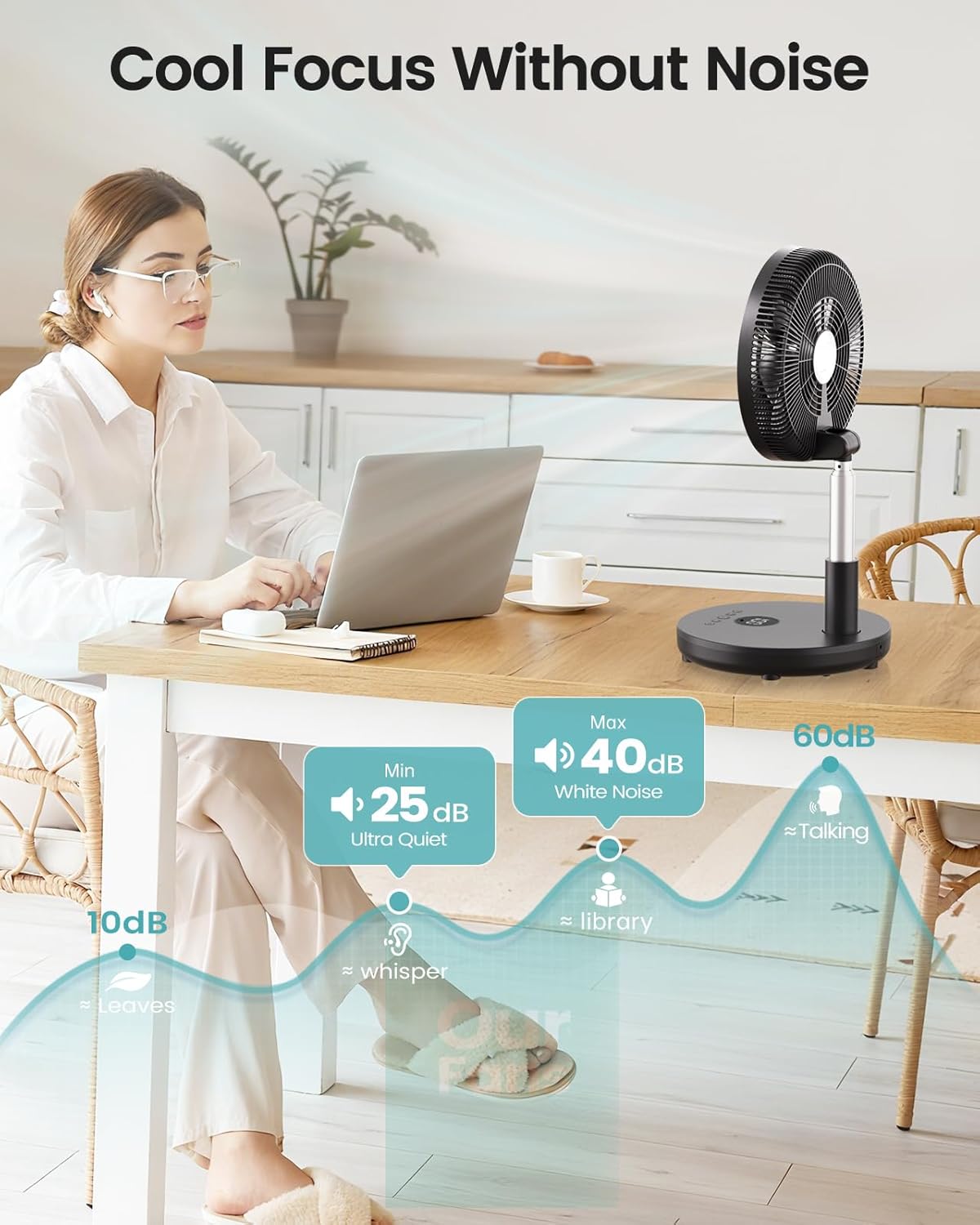
Figure 6: Quiet operation noise levels.
3.5 Large LED Display & Screen-Off Function
A large LED display on the fan base shows remaining battery life and current functions. A screen-off function allows you to turn off the display light, preventing distractions during sleep.

Figure 7: LED display and screen-off feature for undisturbed sleep.
3.6 Easy to Clean
The fan is designed for easy cleaning with a removable front cover. Simply unscrew the bottom screw and turn the fan cover clockwise to open and access the blades.
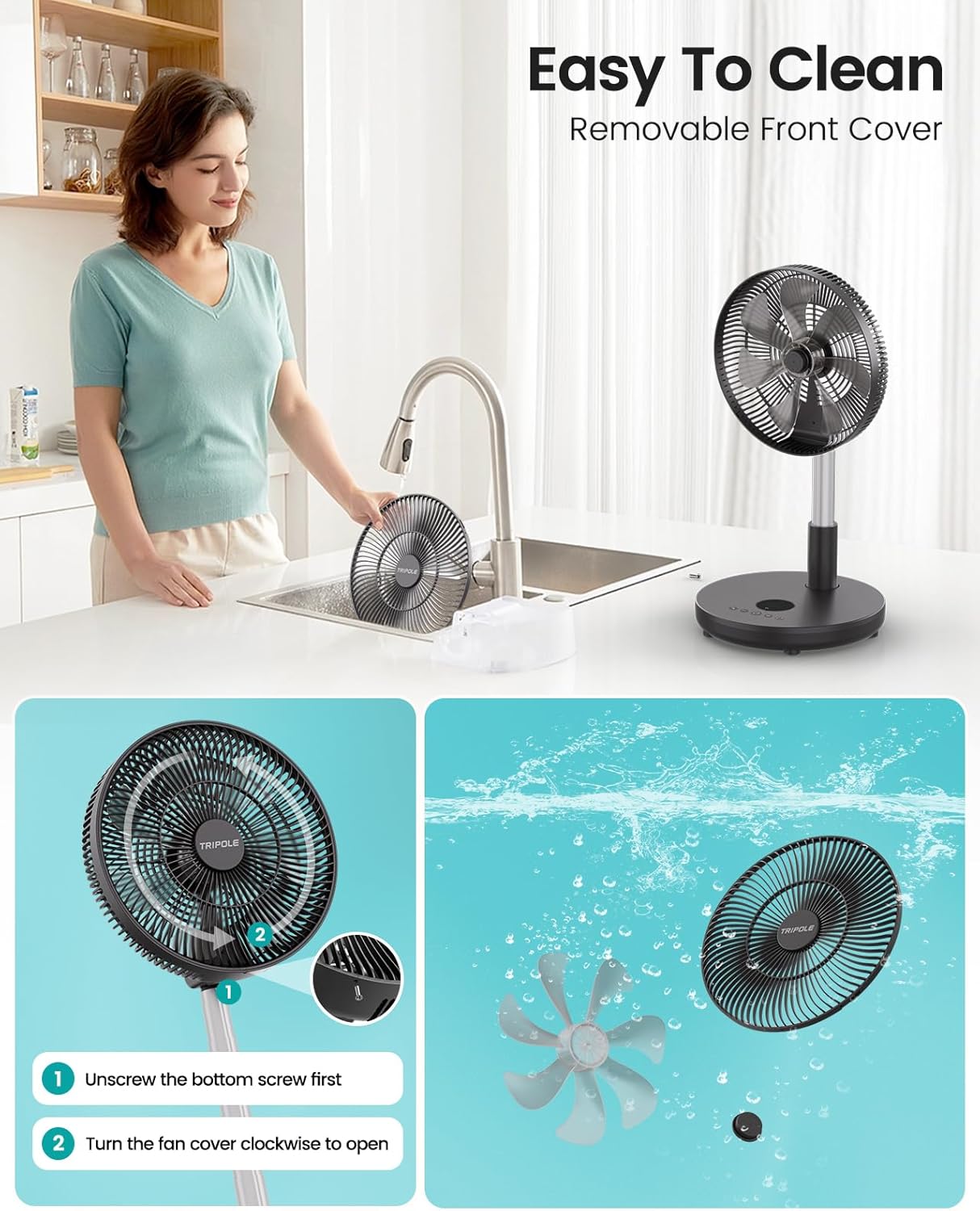
Figure 8: Steps for disassembling the fan for cleaning.
4. Setup & Assembly
The TriPole Foldable Standing Fan KW12 comes pre-assembled and ready for use. To set up:
- Place the fan on a stable, flat surface.
- To extend the fan, gently pull the fan head upwards from the base. The telescopic pole will extend. Ensure the pole is securely locked at your desired height.
- To fold the fan, push the fan head downwards towards the base until it collapses completely.
5. Operating Instructions
5.1 Power On/Off
- Press the Power button (
 ) on the control panel or remote to turn the fan on or off.
5.2 Speed Adjustment
- Press the '+' or '-' buttons on the control panel or remote to cycle through the 6 available wind speeds.
5.3 Oscillation
- Press the Oscillation button (
 ) on the control panel or remote to activate or deactivate the 80° horizontal oscillation.
5.4 Timer Function
- Press the Timer button (
 ) to set the fan to automatically turn off after a specified duration (1-8 hours, in 1-hour increments).
5.5 Screen-Off Function
- To turn off the LED display light, press the Screen-Off button (
 ) on the remote control. Press again to reactivate.
5.6 Height & Angle Adjustment
- Adjust the fan's height by pulling the telescopic pole up or down.
- Manually tilt the fan head up or down to adjust the vertical airflow direction (up to 200°).
6. Charging Instructions
To charge the fan:
- Locate the charging port on the back of the fan base.
- Connect the provided charging adapter to the fan and plug it into a standard electrical outlet.
- The LED display will indicate the charging status. A full charge typically takes 4 hours.
- Once fully charged, disconnect the adapter.
7. Maintenance
Regular cleaning ensures optimal performance and longevity of your fan.
7.1 Cleaning the Fan Blades and Grille
- Ensure the fan is turned off and unplugged from any power source.
- Unscrew the bottom screw of the front grille.
- Turn the front fan cover clockwise to detach it from the main unit.
- Carefully remove the fan blades.
- Wash the front cover and fan blades with mild soap and water. Rinse thoroughly and allow them to dry completely before reassembly.
- Wipe the main unit and rear grille with a soft, damp cloth. Do not immerse the main unit in water.
- Reassemble the fan by reversing the removal steps.
8. Specifications
| Feature | Specification |
|---|---|
| Brand | TriPole |
| Model Name | KW12 |
| Color | Black |
| Power Source | Battery Powered (Cordless) |
| Battery Capacity | 44.4Wh (12000mAh) |
| Charging Time | Approx. 4 hours |
| Battery Life (Stationary) | 6.2 - 42 hours |
| Battery Life (Oscillation) | 5 - 21.5 hours |
| Wind Speed Settings | 6 Speeds (Max airflow 4.2 m/s) |
| Noise Level | 30 - 45 dB |
| Height Adjustment | 22 - 41 inches |
| Vertical Tilt | 200° |
| Oscillation Angle | 80° |
| Control Method | Remote, On-base buttons |
| Remote Range | Up to 20 ft |
| Timer Function | 1-8 hours (1-hour increments) |
| Special Features | Large LED Display, Screen-Off Function, Removable Front Cover for Cleaning |
| Product Dimensions | 11.8"D x 11.8"W x 40.6"H |
| Item Weight | 5.39 pounds (2.45 kg) |
9. Product Overview Video
Video 1: An overview of the TriPole Standing Fan's features and functionality, including its adjustable height, oscillation, and controls.