
1. Introduction
This manual provides essential instructions for the safe and effective use of your UpBright 24V AC/DC Adapter. This adapter is specifically designed to be compatible with Homvana H101, H102, and H103 humidifiers, providing the necessary power for their operation.
Please read this manual thoroughly before using the adapter and retain it for future reference.
2. Safety Information
To ensure safe operation and prevent damage, please observe the following safety precautions:
- Do not expose the adapter to liquids: Avoid water, rain, or excessive moisture.
- Use in well-ventilated areas: Ensure adequate airflow around the adapter to prevent overheating.
- Avoid extreme temperatures: Do not operate or store the adapter in excessively hot or cold environments.
- Inspect for damage: Before each use, check the adapter and cord for any signs of damage. Do not use if damaged.
- Unplug when not in use: Disconnect the adapter from the power outlet when not actively powering a device.
- Use with compatible devices only: This adapter is designed for Homvana H101, H102, and H103 humidifiers. Using it with incompatible devices may cause damage.
- Keep out of reach of children.
This product is certified with CE, CCC, and ROHS standards, indicating compliance with health, safety, and environmental protection requirements.
3. Product Overview
The UpBright 24V AC/DC Adapter provides a stable power source for your compatible humidifier. It features a standard barrel round connector for easy attachment.

Figure 1: Front view of the UpBright 24V AC/DC Adapter. This image shows the main body of the adapter with its two-prong plug and the attached power cord terminating in a barrel-type connector.

Figure 2: Side view of the UpBright 24V AC/DC Adapter. This image provides a different angle of the adapter, highlighting its compact design and the connection point for the power cord.
Package Contents:
- 1 x UpBright 24V AC/DC Adapter
4. Setup
Follow these steps to set up your UpBright AC/DC Adapter:
- Connect to Humidifier: Locate the power input port on your Homvana H101, H102, or H103 humidifier. Insert the barrel connector of the UpBright adapter firmly into this port.
- Connect to Power Outlet: Plug the adapter's two-prong plug into a standard 120V AC wall outlet. Ensure the outlet is easily accessible.
- International Use (if applicable): If you are in a region requiring a different plug type, ensure you use the appropriate outlet adapter. The product may come with suitable international outlet adapters (AU, EU, UK) depending on your region.

Figure 3: Example of international outlet adapters (AU, EU, UK) that may be included for international orders. This image also shows a 'Product Warranty' seal and a 'Limited Warranty Certificate'.
5. Operating Instructions
The UpBright 24V AC/DC Adapter functions as a power supply. Once properly connected to your Homvana humidifier and a power outlet, it will continuously provide the necessary 24V DC power for the humidifier's operation. There are no user-adjustable settings on the adapter itself.
- Ensure the humidifier is switched on according to its own instruction manual to begin operation.
- If the humidifier has a power indicator light, it should illuminate once power is supplied.
6. Maintenance
Proper maintenance ensures the longevity and safe operation of your adapter:
- Cleaning: Always unplug the adapter from the wall outlet before cleaning. Use a dry, soft cloth to wipe the exterior of the adapter. Do not use liquid cleaners or abrasive materials.
- Storage: When not in use for extended periods, store the adapter in a cool, dry place, away from direct sunlight and extreme temperatures. Avoid tightly coiling the power cord to prevent damage.
- Cord Care: Regularly inspect the power cord for any kinks, cuts, or fraying. If any damage is observed, discontinue use immediately.
7. Troubleshooting
If you encounter issues with your adapter, refer to the following troubleshooting guide:
- No Power to Humidifier:
- Ensure the adapter is securely plugged into both the wall outlet and the humidifier.
- Check if the wall outlet is functional by plugging in another device.
- Inspect the adapter and its cord for any visible damage.
- Adapter Feels Warm:
- It is normal for the adapter to feel slightly warm during operation.
- If it becomes excessively hot, unplug it immediately and ensure it is used in a well-ventilated area, not covered by anything.
- Adapter Not Fitting Humidifier:
- Verify that your humidifier model is indeed Homvana H101, H102, or H103. This adapter is specifically designed for these models.
- Ensure the barrel connector is aligned correctly with the humidifier's power input port.
Built-in Protections:
The UpBright adapter incorporates multiple safety features to protect both the adapter and your connected device:

Figure 4: Security Protection features. This diagram highlights the adapter's multiple professional protections, including good heat resistance, VO-grade fire-retardant materials, overcharge protection, overvoltage protection, overheat protection, and overcurrent protection.
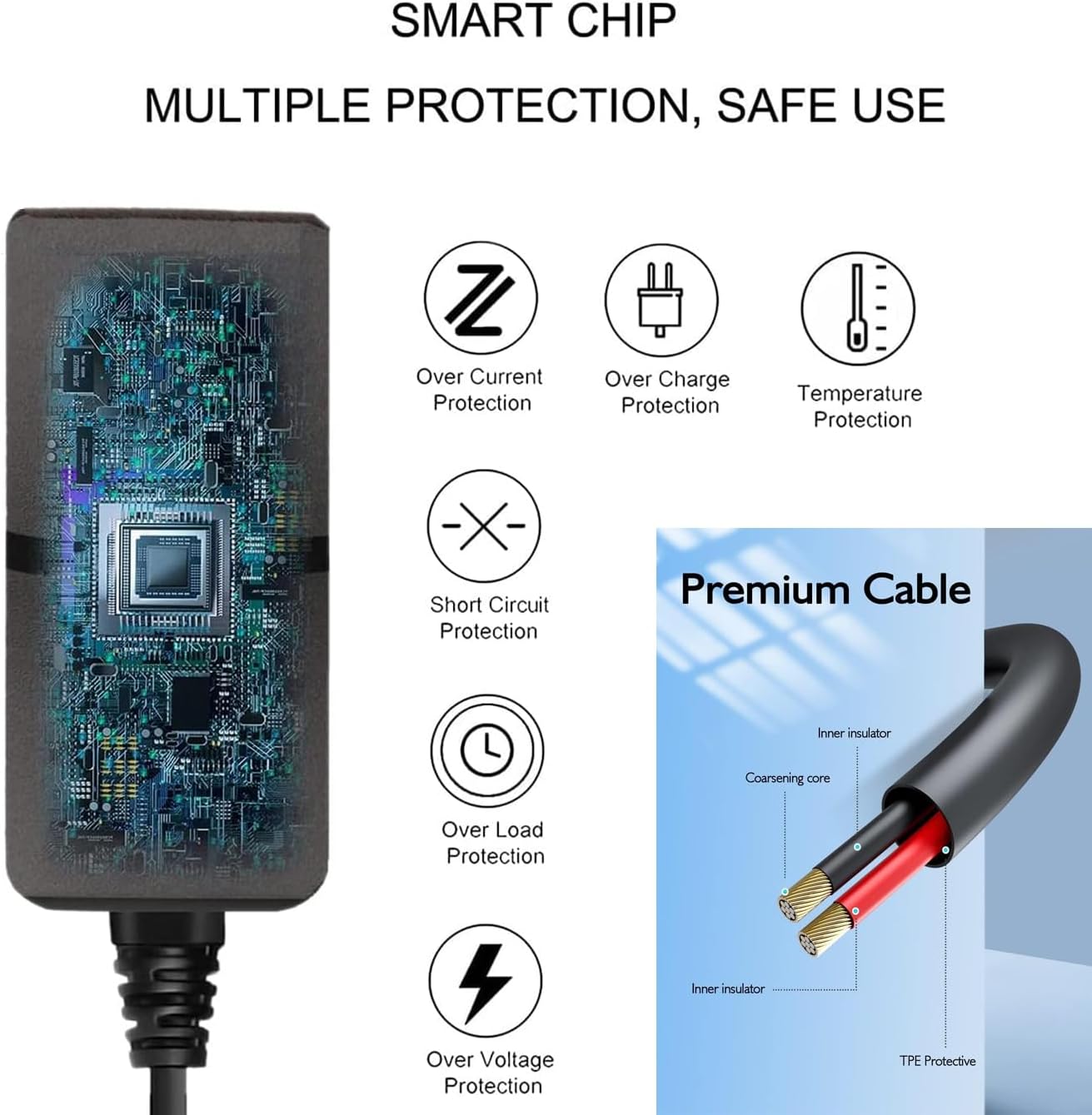
Figure 5: Smart Chip and Premium Cable. This image details the smart chip's multiple protections (over current, over charge, temperature, short circuit, over load, over voltage protection) and the construction of the premium cable with inner insulator, coarsening core, and TPE protective layer.
8. Specifications
| Brand | UPBRIGHT |
| Model Number | Homvana H101 H102 H103 Power Supply |
| Product Dimensions | 4 x 3 x 2 inches |
| Item Weight | 4 ounces |
| Input Voltage | 120 Volts (AC) |
| Output Voltage | 24 Volts (DC) |
| Connector Type | Barrel Round Connector |
| Compatible Devices | Homvana H101, H102, H103 Humidifiers |
| Color | Black |
| Manufacturer | UpBright |
9. Warranty Information
This UpBright AC/DC Adapter comes with a limited warranty. Please refer to the 'UpBright Limited Warranty Certificate' included with your product for specific terms, conditions, and duration of the warranty.
Retain your proof of purchase for any warranty claims.
10. Support
For further assistance or inquiries regarding your UpBright 24V AC/DC Adapter, please contact the manufacturer, UpBright.
You can find more information about UpBright products and support options by visiting the official UpBright store page: UpBright Store
