
1. Introduction
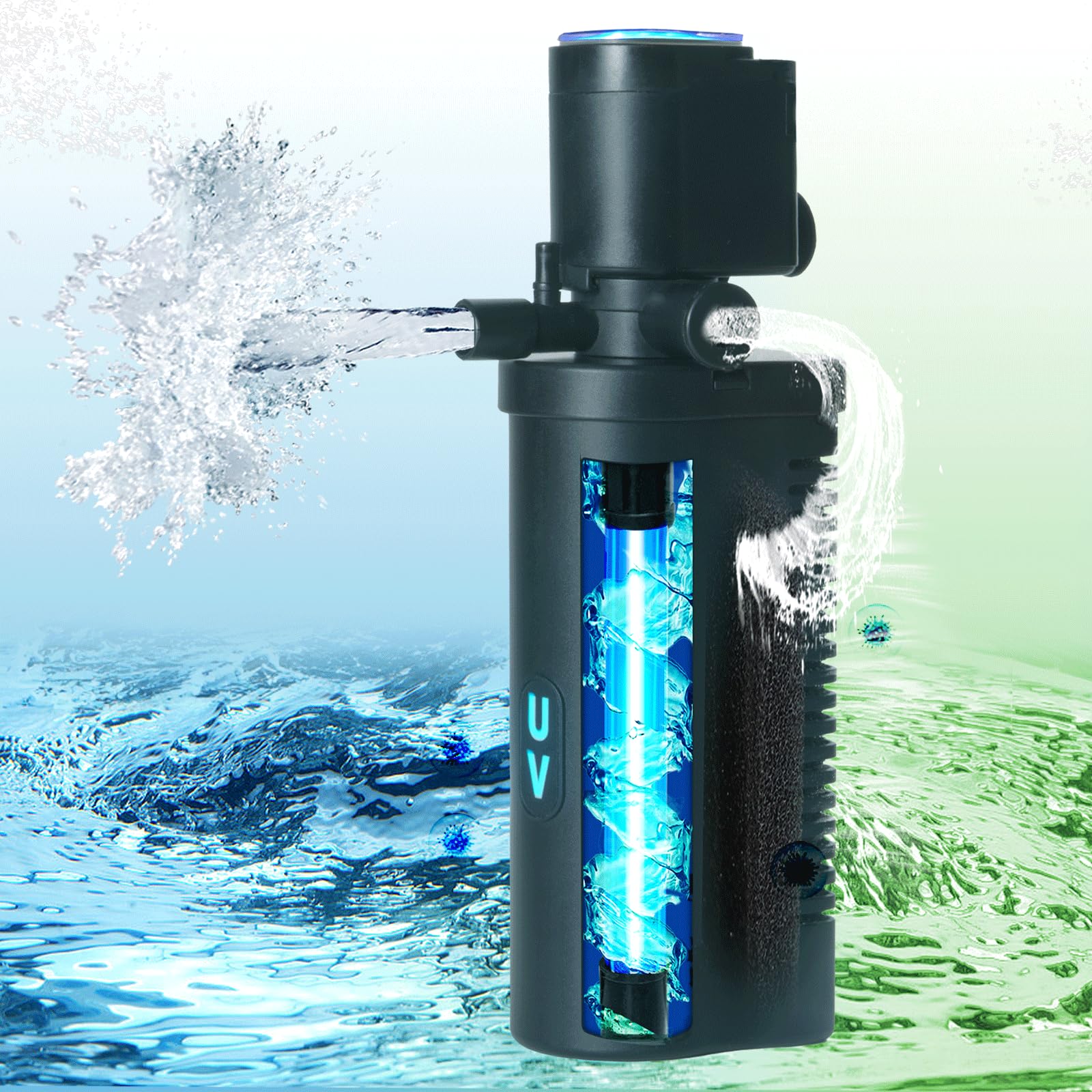
The TARARIUM H4F Small Aquarium UV Filter is designed to maintain crystal clear water in aquariums ranging from 10 to 45 gallons. This internal pump filter utilizes a double filtration system, combining biochemical sponge filtration with a 254nm wavelength UV light to effectively reduce cloudy and green water, and eliminate unpleasant odors.
The filter features separate switches for the water pump and the UV light, allowing for flexible operation. Its compact design and efficient performance make it suitable for various aquatic environments, including betta fish tanks, turtle tanks, and both saltwater and freshwater setups.

2. Safety Information
- Electrical Safety: Always unplug the filter from the power outlet before performing any maintenance, cleaning, or when handling the unit. Ensure your hands are dry when plugging or unplugging the device.
- UV Light Safety: The UV light inside this filter emits ultraviolet radiation. Do not look directly at the UV light when it is operating outside of the water or when the unit is disassembled. Prolonged exposure can cause eye and skin damage. The UV light is safely enclosed within the filter during normal operation.
- Water Immersion: This product is designed for submersible use only. Ensure the filter is fully submerged in water before turning it on.
- Children and Pets: Keep the device and its power cord out of reach of children and pets.
- Damage Inspection: Regularly inspect the power cord and the unit for any signs of damage. Do not operate the filter if any part is damaged.
3. Package Contents
The TARARIUM H4F Aquarium UV Filter package includes:
- 1 x TARARIUM H4F Aquarium UV Filter Unit
- 1 x Biochemical Sponge Filter (pre-installed)
- 1 x UV Light Bulb (pre-installed)
- Suction Cups for mounting
4. Setup
- Unpack: Carefully remove all components from the packaging. Inspect the filter for any visible damage.
- Assemble (if necessary): The biochemical sponge filter and UV light bulb are typically pre-installed. Ensure they are securely in place within the filter housing.
- Positioning: Attach the suction cups to the side of the filter unit. Choose a suitable location inside your aquarium where the filter can be fully submerged and provide adequate water circulation. Ensure the power cord can reach an outlet safely without tension.
- Mounting: Press the suction cups firmly against the inside glass wall of your aquarium to secure the filter. Ensure the filter is positioned vertically and is stable.
- Submerge: Ensure the entire filter unit is completely submerged in water before connecting it to power.
- Connect Power: Plug the power cord into a grounded electrical outlet.
5. Operating Instructions
The TARARIUM H4F filter features separate controls for the water pump and the UV light.
- Power On: Once the filter is submerged and plugged in, the water pump will begin to operate, circulating water through the filter.
- UV Light Activation: Locate the separate switch on the power cord for the UV light. Flip the switch to turn on the UV light. A small indicator light on the filter unit will illuminate, confirming the UV light is active.
- Independent Control: You can choose to operate the water pump and UV light independently. For example, if your water is already clear but you need mechanical filtration, you can turn off the UV light.
- Air Supply (Optional): Some models may include an air intake nozzle. If present, connect an air tube (not included) to this nozzle to provide additional aeration to your tank. Adjust the air valve to control bubble production.

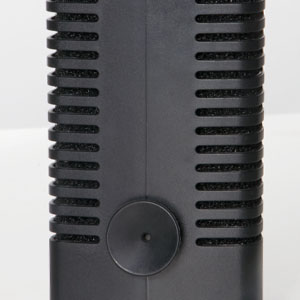
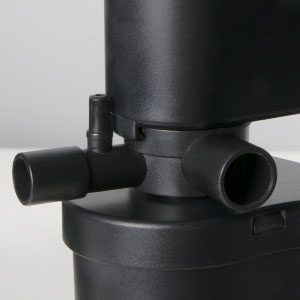
Video: How to adjust the air valve to produce bubbles?
This video demonstrates the process of adjusting the air valve on the filter to generate bubbles for aeration in the aquarium.
6. Maintenance
Regular maintenance ensures optimal performance and longevity of your TARARIUM H4F filter.
- Disconnect Power: Always unplug the filter before performing any maintenance.
- Remove from Tank: Carefully remove the filter unit from the aquarium.
- Clean Biochemical Sponge Filter: The biochemical sponge filter should be cleaned regularly, typically every 2-4 weeks, or when you notice reduced water flow. Gently rinse the sponge in old aquarium water (from a water change) to preserve beneficial bacteria. Do not use tap water directly, as chlorine can kill these bacteria.
- UV Bulb Replacement: The UV bulb has a limited lifespan, typically 8-9 months of continuous use. After this period, its effectiveness in sterilizing water diminishes, even if it still appears to be lit. Replace the UV bulb as needed. To replace, carefully open the UV light housing (refer to specific instructions if provided with replacement bulb) and swap the old bulb with a new one. Ensure the new bulb is securely installed before reassembling.
- Housing Cleaning: Clean the exterior and interior of the filter housing, including the impeller area, to remove any debris or algae buildup. Use a soft brush if necessary.
- Reassemble and Reinstall: Once cleaned, reassemble the filter components, ensuring all parts are securely fitted. Reinstall the filter in the aquarium, ensuring it is fully submerged before plugging it back in.


7. Troubleshooting
| Problem | Possible Cause | Solution |
|---|---|---|
| Filter not running / No water flow |
|
|
| UV light not turning on |
|
|
| Water remains cloudy/green |
|
|
| Reduced water flow |
|
|
Video: Filter green water effect display
This video demonstrates the filter's ability to clear green water in an aquarium, showcasing its effectiveness.
8. Specifications
| Feature | Detail |
|---|---|
| Model Name | CTUV-H4F |
| Item Weight | 1.21 pounds |
| Item Package Dimensions (L x W x H) | 9.69 x 4.06 x 3.5 inches |
| Brand Name | TARARIUM |
| Color | Black |
| Size | Extra Small - H4F (for 10-45 Gallon) |
| Included Components | Filter unit |
| Manufacturer | TARARIUM |
9. Warranty
This TARARIUM product comes with a 180-day Manufacturer's Warranty from the date of purchase. This warranty covers defects in materials and workmanship under normal use. It does not cover damage resulting from misuse, accident, unauthorized modification, or failure to follow the instructions in this manual.
Please retain your proof of purchase for warranty claims.
10. Support
For technical assistance, troubleshooting not covered in this manual, or warranty claims, please contact TARARIUM customer support through the retailer where the product was purchased or visit the official TARARIUM website for contact information.
Online Resources:
- TARARIUM Brand Store: Visit Store