1. Introduction
This manual provides instructions for the ALLIMITY YV1FB7 Replacement Remote Control, designed for use with specific Lennox and Gree AC Air Conditioner models. This remote control offers a straightforward solution for operating your air conditioning unit.
Compatible Models:
- Lennox: LM024CI-120P432-X, LM024CO-120P432-X
- Gree: GWC36LB-D3NNB2A/O, GWC36LB-D3NNB2A/I

Figure 1: ALLIMITY YV1FB7 Remote Control Front View. This image displays the remote control's layout, including the display screen and all function buttons.
2. Setup
2.1 Battery Installation
- Locate the battery compartment on the back of the remote control.
- Slide the battery cover downwards to open it.
- Insert two AAA 1.5V batteries, ensuring the correct polarity (+ and -) as indicated inside the compartment.
- Replace the battery cover by sliding it back into position until it clicks securely.
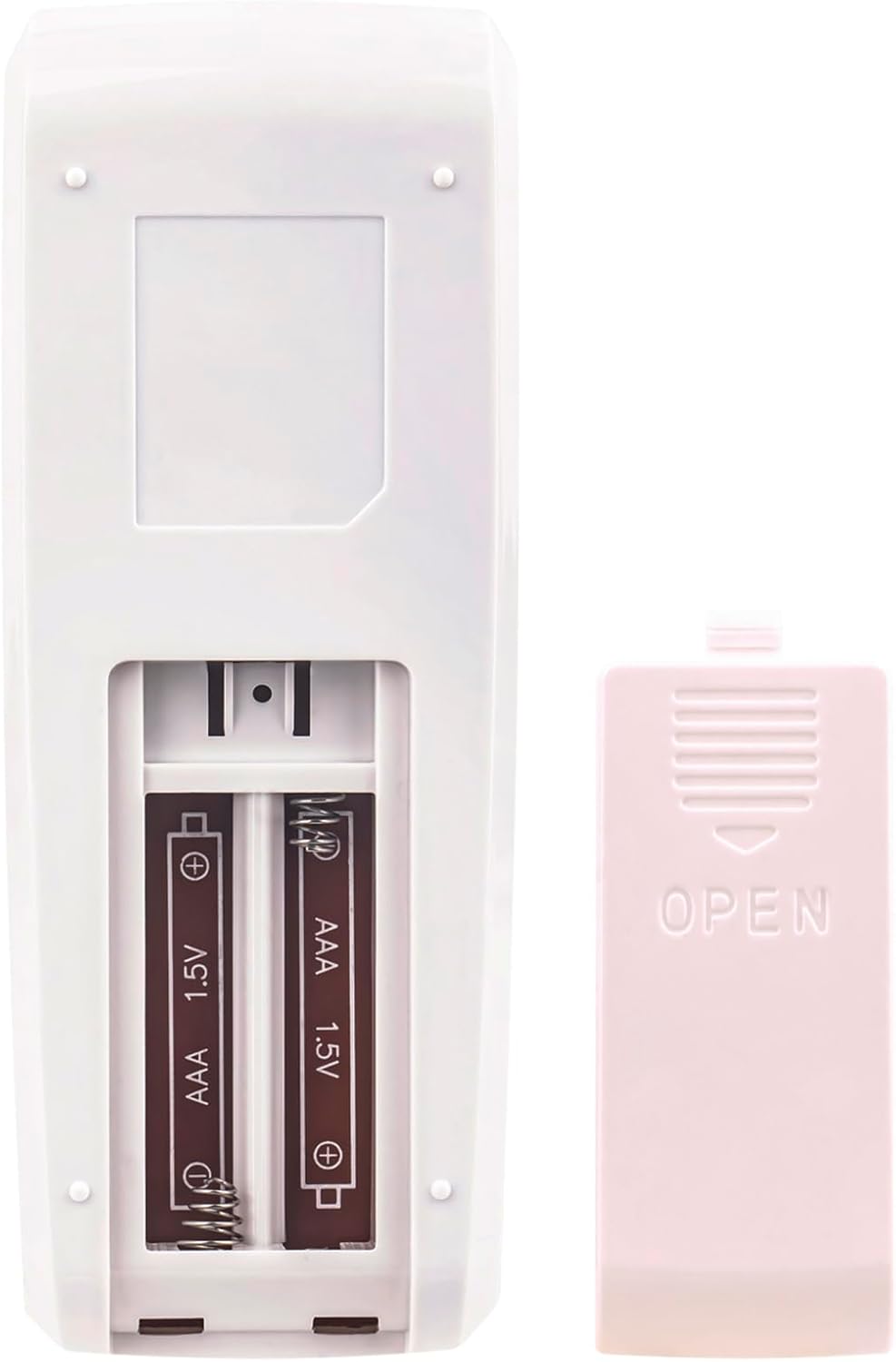
Figure 2: Battery Compartment. This image shows the open battery compartment on the back of the remote, ready for battery insertion.
2.2 Initial Use
After installing the batteries, the remote control is ready for immediate use. No programming or pairing is required. Simply point the remote control towards the sensor on your air conditioning unit.
3. Operating Instructions
To operate your air conditioner, aim the remote control directly at the unit's infrared sensor. Ensure there are no obstacles between the remote and the air conditioner.
3.1 Button Functions
- ON/OFF: Powers the air conditioner on or off.
- MODE: Cycles through operating modes (e.g., Cool, Heat, Fan, Dry, Auto).
- FAN: Adjusts fan speed.
- SWING: Controls the louver swing function.
- TEMP ▲/▼: Increases or decreases the temperature setting.
- TIMER ON: Sets a timer for the unit to turn on.
- TIMER OFF: Sets a timer for the unit to turn off.
- CLOCK: Sets the current time.
- TURBO: Activates rapid cooling or heating.
- SLEEP: Engages sleep mode for quiet operation and energy saving.
- I FEEL: Activates the "I Feel" function, which senses the temperature at the remote's location.
- X-FAN: Activates the X-Fan (anti-mildew) function, which runs the fan for a short period after shutdown to dry the evaporator.

Figure 3: Remote Control in Use. This image demonstrates the typical usage of the remote control, pointing it towards an air conditioning unit.
4. Maintenance
4.1 Battery Replacement
Replace batteries when the remote control's range decreases or if the display becomes dim. Always replace both batteries simultaneously with new AAA 1.5V batteries.
4.2 Cleaning
Wipe the remote control with a soft, dry cloth. Do not use liquid cleaners or abrasive materials, as these can damage the surface or internal components.
4.3 Storage
If the remote control will not be used for an extended period, remove the batteries to prevent leakage and potential damage.
5. Troubleshooting
- Remote not responding:
- Check if the batteries are inserted correctly with the right polarity.
- Replace old batteries with new ones.
- Ensure there are no obstacles blocking the signal path between the remote and the air conditioner's sensor.
- Confirm you are pointing the remote directly at the air conditioner's sensor.
- Limited range:
- Replace batteries.
- Ensure no strong light sources (e.g., direct sunlight) are interfering with the infrared signal.
If issues persist after following these steps, please contact customer support.
6. Specifications
| Model Number | YV1FB7 |
| Brand | ALLIMITY |
| Product Material | Plastic |
| Power Source | 2 x AAA 1.5V Batteries (not included) |
| Product Dimensions | 5 x 2 x 0.6 inches (approx. 12.7 x 5.08 x 1.52 cm) |
| Item Weight | 1 ounce (approx. 28 grams) |
| Special Feature | Ergonomic design |
| Max Number of Supported Devices | 1 |
| Compatible Devices | Lennox and Gree AC Air Conditioners (specific models listed in Introduction) |
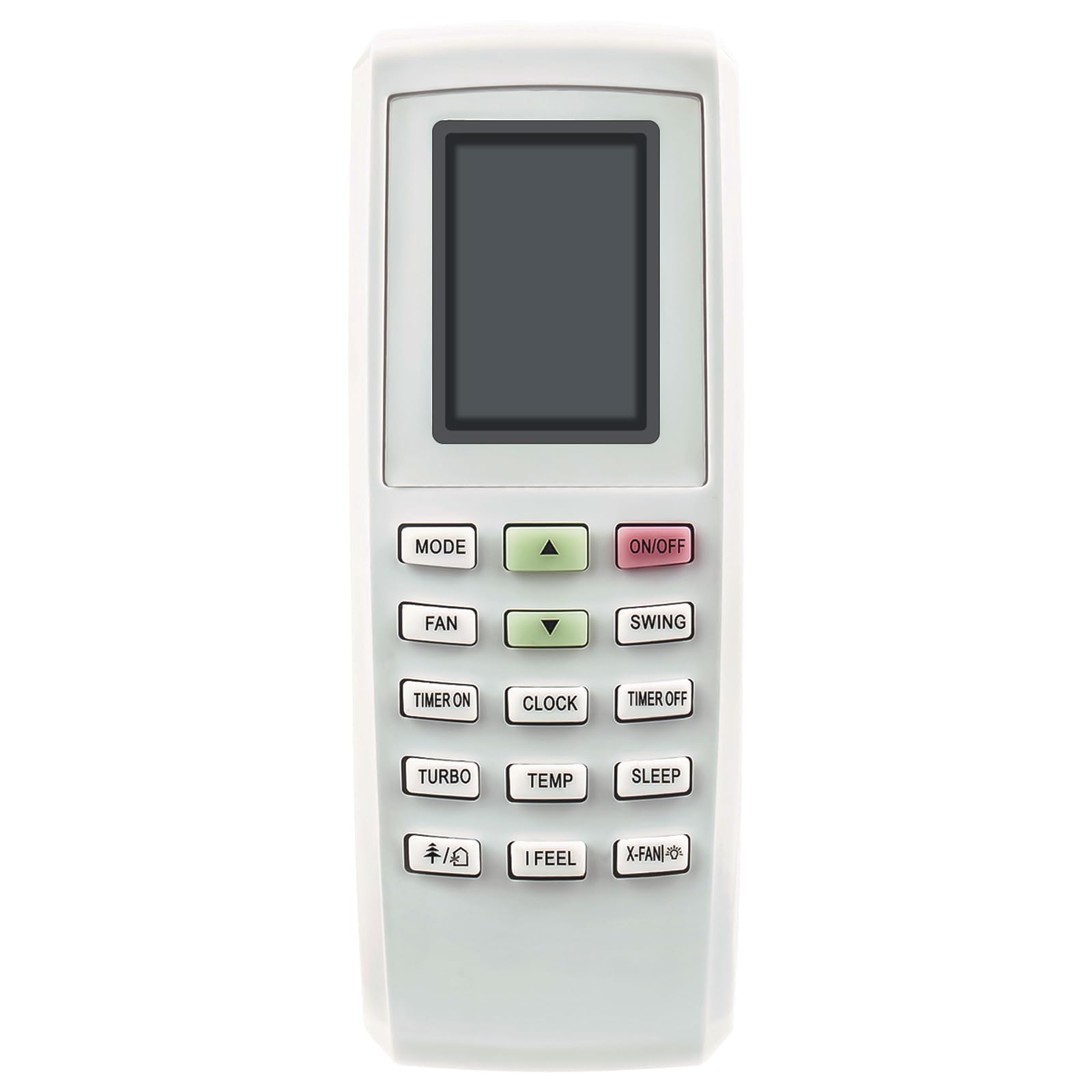
Figure 4: Remote Control Dimensions. This image provides a visual representation of the remote control's length and width measurements.
7. Warranty and Support
This product is a replacement remote control. If you encounter any issues or if the product does not function as expected, please contact the seller or manufacturer for assistance.
For support, refer to the contact information provided with your purchase or on the seller's platform. We are committed to helping you resolve any problems.


