
Introduction
This manual provides essential instructions for the setup, operation, and maintenance of your Gammeefy Hall Effect Wireless Controller. Designed for use with Nintendo Switch and Switch OLED consoles in handheld mode, this controller enhances your gaming experience with advanced features and ergonomic comfort. Please read this manual thoroughly before use.
Setup
1. Attaching the Console
Align your Nintendo Switch or Switch OLED console with the central slot of the controller. Gently slide the console into place until it is securely seated. Ensure the console's charging port aligns with the controller's connection point.

Image: A user inserting a Nintendo Switch OLED console into the Gammeefy controller, demonstrating the secure fit.
2. Securing the Console
After inserting the console, locate the locking tabs on the back of the controller. Push these tabs inward to secure the console firmly in place, preventing accidental dislodgement during gameplay.

Image: A detailed view of the controller's back, highlighting the console latch mechanism and integrated game card slots.
3. Wireless Connection and Wake-up Function
For initial connection, press and hold the HOME button on the controller for approximately 3 seconds until the red signal light flashes. The controller will then pair with your console. To wake up the console from sleep mode, simply press the HOME button for about 0.5 seconds.
Video: Demonstration of attaching the Nintendo Switch console to the Gammeefy controller and the process of detaching it. This video illustrates the secure fit and ease of removal.
Operating Instructions
Hall Effect Joysticks
The controller features Hall Effect joysticks, utilizing electromagnetic induction technology to prevent joystick drift. This ensures precise control and extends the lifespan of the joysticks.

Image: An exploded view diagram showing the internal components and magnetic induction principle of the Hall Effect joystick.
Ergonomic Full-Size Grip
The controller is designed with a full-size ergonomic grip to provide comfort during extended gaming sessions, reducing hand fatigue.

Image: A side profile of the controller emphasizing the comfortable, non-slip ergonomic grip.
Customizable Lighting Effects
The controller features 9 light colors and 17 light effects, including Fixed RGB, Breathing, and Flash modes. Refer to the controller's specific buttons for cycling through or turning off these lighting options.

Image: The controller showcasing different adjustable RGB lighting modes and effects.
Vibration and Gyro Functions
Experience enhanced immersion with 3 levels of adjustable vibration feedback. The built-in 6-axis gyroscope provides realistic motion sensing for compatible games.

Image: Visual representations of the controller's 3-level vibration and 6-axis gyro capabilities.
Turbo Function
The controller supports both automatic and manual turbo functions, with 3 adjustable speeds (5, 12, or 20 times per second) for rapid button presses.
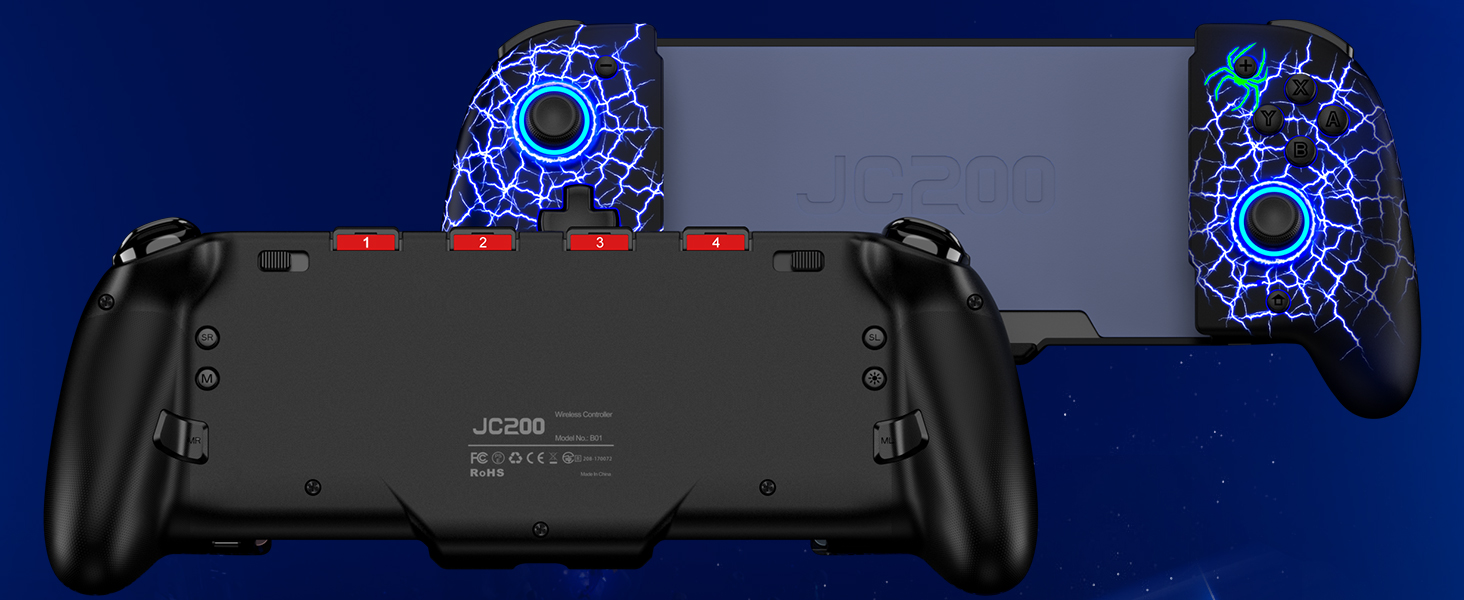
Image: The controller in use during a game, with an overlay indicating the turbo function.
Charging
The controller can be charged simultaneously with the console using the provided "Y" charging cable. Connect the cable to the appropriate ports on both the controller and the console.
Maintenance
- Cleaning: Use a soft, dry cloth to clean the controller. Avoid using harsh chemicals or abrasive materials.
- Storage: Store the controller in a cool, dry place away from direct sunlight and extreme temperatures.
- Battery Care: To prolong battery life, avoid fully discharging the controller frequently. Charge it regularly, even if not in constant use.
Troubleshooting
- Controller Not Connecting: Ensure the console is securely attached and the controller is powered on. Try re-pairing by holding the HOME button for 3 seconds. Check if the console's system software is up to date.
- Charging Issues: Verify that the "Y" charging cable is properly connected to both the controller and the console, and that the power source is active.
- Joystick Drift: The Hall Effect joysticks are designed to prevent drift. If you experience any issues, ensure the controller's firmware is updated (if applicable) or contact customer support.
Specifications
| Model Number | JC201B-LT-US |
| Dimensions | 12.4 x 5 x 2.28 inches |
| Item Weight | 13.76 ounces |
| Batteries | 1 x 9V battery (included) |
| Connectivity | Wireless |
| Compatibility | Nintendo Switch, Nintendo Switch OLED |
Warranty and Support
Gammeefy provides technical support and after-sales service for this product. If you encounter any issues or require assistance, please contact our customer support team for prompt help.