
1. Introduction
Welcome to the user manual for your new TCL 55P7K-UK 55-inch QLED 4K Ultra HD HDR Google TV. This manual provides essential information for safe and efficient operation, setup, maintenance, and troubleshooting. Please read it thoroughly before using your television and retain it for future reference.

Image 1.1: Front view of the TCL 55P7K-UK 55-inch QLED 4K Google TV, showcasing its vibrant display and slim design.
2. Package Contents
Verify that all items listed below are included in your television's packaging. If any items are missing or damaged, contact your retailer or TCL customer support.
- TCL 55P7K-UK 55-inch QLED 4K Ultra HD HDR Google TV
- Remote Control (RC833)
- Power Cable
- TV Stand (2 pieces)
- Screws for TV Stand
- User Manual (this document)
- Quick Start Guide
3. Setup
3.1 Unpacking and Placement
Carefully remove the television from its packaging. It is recommended that two people handle the TV to prevent damage. Place the TV on a stable, flat surface or prepare for wall mounting. Ensure adequate ventilation around the TV.
3.2 Attaching the Stand
If using the included stand, place the TV face down on a soft, clean cloth to protect the screen. Align the stand pieces with the corresponding slots on the bottom of the TV and secure them with the provided screws. Ensure the stand is firmly attached before placing the TV upright.
3.3 Wall Mounting (Optional)
This TV supports VESA mounting standard 300x300mm. Use a compatible wall mount bracket (sold separately) and follow the instructions provided with the bracket. Always consult a professional for wall mounting to ensure safety.

Image 3.1: Diagram showing the dimensions of the TCL 55P7K-UK TV and its remote control (RC833). The TV measures 1224mm wide, 708mm high (without stand), and 763mm high (with stand). The stand base is 920mm wide and 274mm deep. The TV has a thickness of 69.5mm.
3.4 Connecting Peripherals
Connect your external devices such as Blu-ray players, gaming consoles, sound systems, and antennas to the appropriate ports on the back of the TV. The TV features HDMI, USB, Ethernet, and Wi-Fi connectivity.
- HDMI: For high-definition audio and video devices. This model supports HDMI 2.1.
- USB: For connecting USB storage devices to play media or for service updates.
- Ethernet (LAN): For a wired internet connection.
- Antenna/Cable In: For connecting an antenna or cable TV signal.
3.5 Initial Power On and Google TV Setup
After connecting all devices and the power cable, plug the TV into a power outlet. Press the power button on the remote control. Follow the on-screen instructions to complete the initial setup, including network connection (Wi-Fi or Ethernet), Google Account login, and channel scanning. A Google Account and a reliable broadband internet connection are required to access all smart features.
4. Operating Your TV
4.1 Remote Control Overview
The included remote control (RC833) allows you to navigate the Google TV interface and control all TV functions. Familiarize yourself with the button layout for power, volume, channel, input selection, and smart assistant activation.
4.2 Google TV Interface Navigation
Your TCL TV runs on Google TV, providing a personalized home screen with content recommendations from your subscriptions. Use the directional pad and 'OK' button on your remote to navigate menus, select apps, and browse content. The Google Assistant button allows for voice commands.

Image 4.1: An overview highlighting key features of the TCL P7K QLED TV series, including QLED display technology, AiPQ Processor, Game Master, Dolby Vision Atmos, MEMC, DTS VirtualX, HDMI 2.1, and Multiple Eye Care.
4.3 Picture Settings and Quality
Your TV features QLED technology for vibrant colors and 4K Ultra HD resolution. It supports multiple HDR formats including Dolby Vision and HDR10+ for enhanced contrast and detail. The AiPQ Processor optimizes image quality in real-time. Access picture settings through the TV menu to adjust brightness, contrast, color, and sharpness to your preference.

Image 4.2: Illustration of the HVA Panel technology, designed to deliver higher contrast and more detailed images by effectively managing light and reducing halo effects.
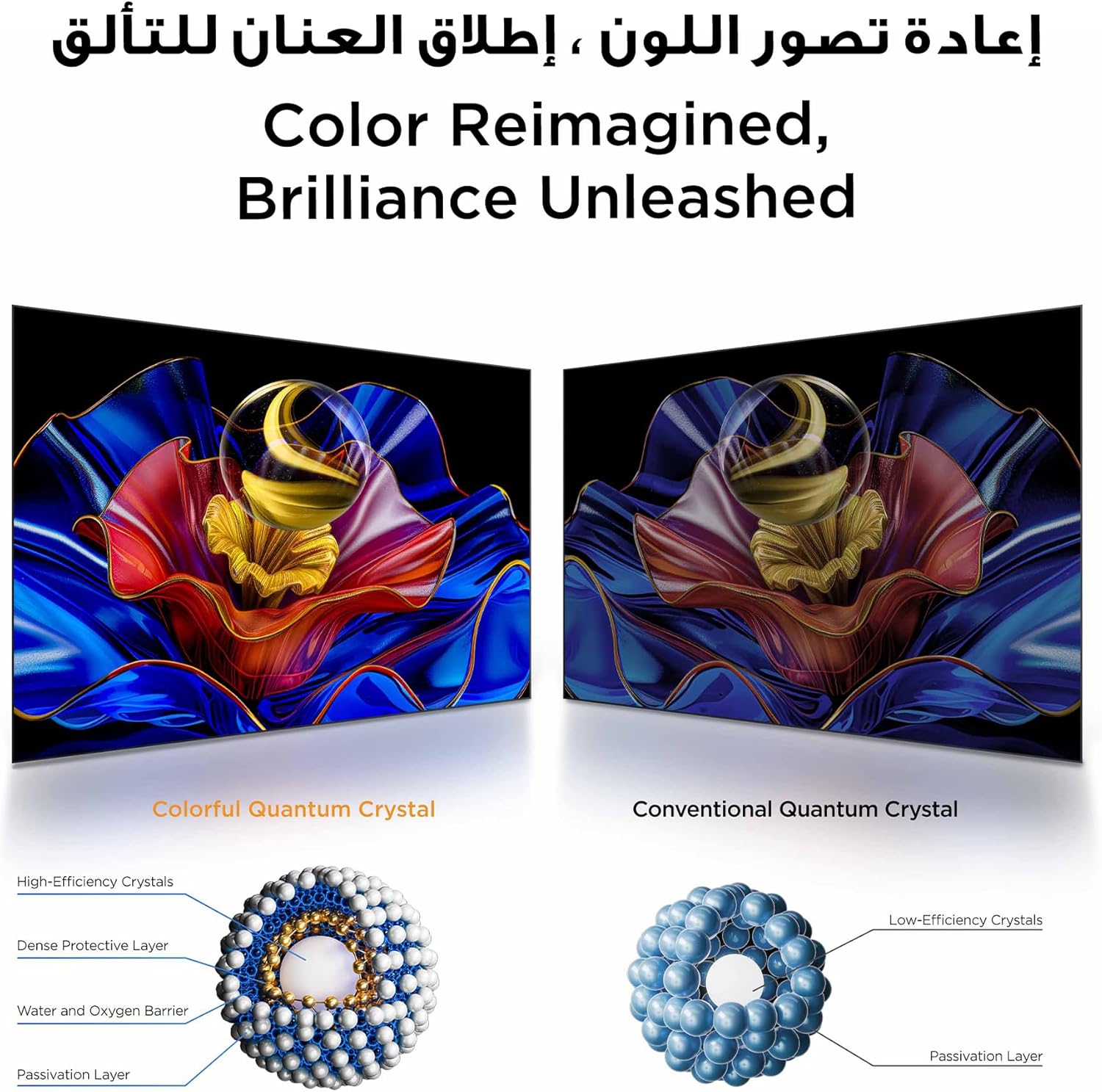
Image 4.3: A visual comparison demonstrating the superior color reproduction and brilliance achieved with Colorful Quantum Crystal technology compared to conventional quantum crystals.
4.4 Sound Settings and Audio
Experience immersive audio with Dolby Atmos support, delivering three-dimensional sound. Adjust sound modes and equalizer settings in the TV menu to optimize your listening experience. For enhanced audio, consider connecting an external soundbar or home theater system.
4.5 Gaming Features
The 55P7K-UK is equipped with a 120Hz Game Accelerator and Game Master features, designed to reduce input lag and provide a smoother gaming experience, especially in FHD resolution. Connect your gaming console via HDMI 2.1 for optimal performance.

Image 4.4: Visual representation of the 120Hz Game Accelerator feature, illustrating how it reduces latency for a smoother gaming experience compared to standard 60Hz.

Image 4.5: A depiction of the 'Game Master' feature, indicating its role in optimizing the TV for gaming to provide a competitive edge.
4.6 Smart Home Control
Utilize the integrated Google Assistant and TCL Home app to control your TV and other compatible smart home devices. This allows for voice control and centralized management of your connected ecosystem.
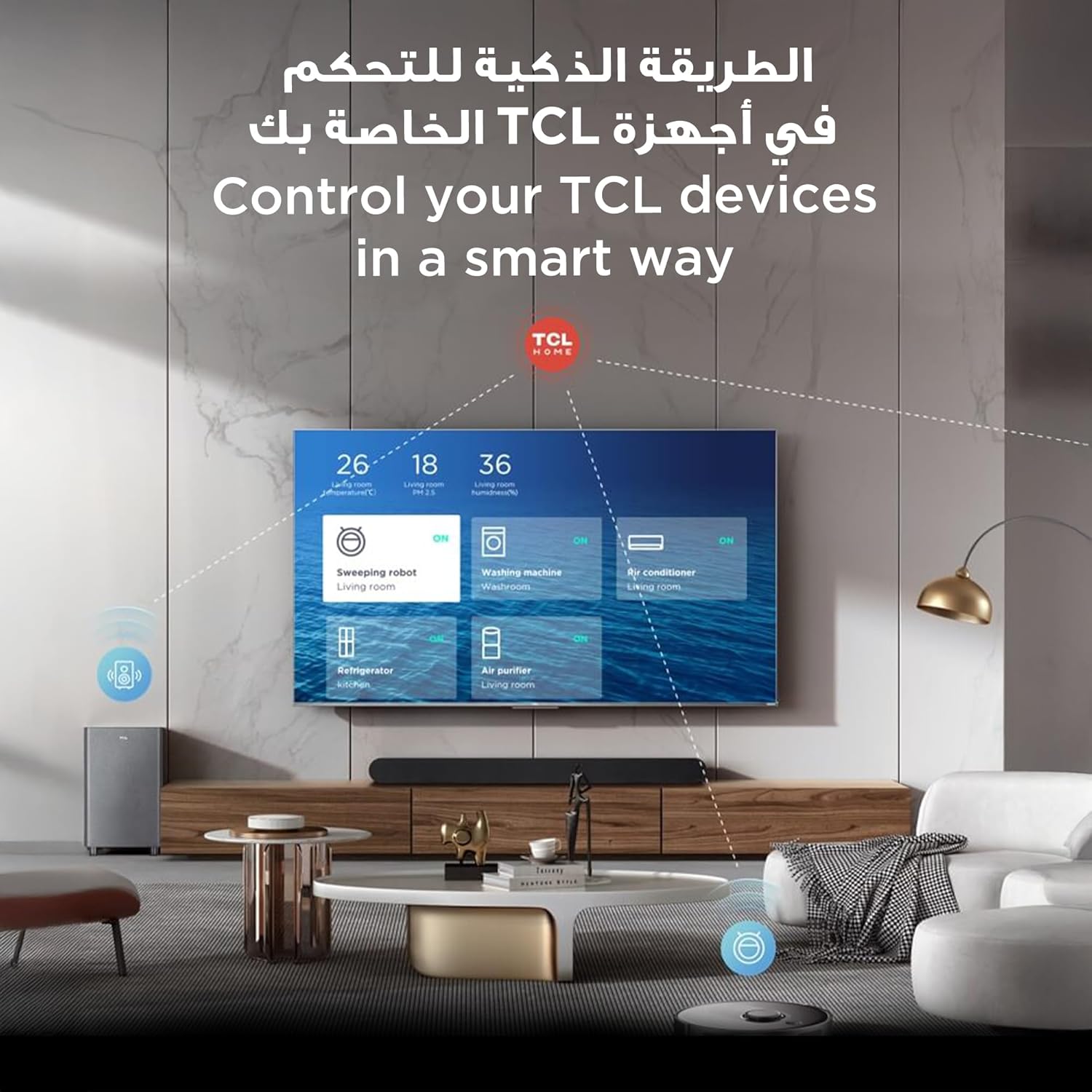
Image 4.6: Screenshot of the TCL Home app interface displayed on the TV, demonstrating its capability to control various smart home devices such as sweeping robots, washing machines, air conditioners, refrigerators, and air purifiers.
5. Maintenance
5.1 Cleaning the Screen and Body
Always unplug the TV before cleaning. Use a soft, dry, lint-free cloth to gently wipe the screen and TV body. For stubborn marks, lightly dampen the cloth with water or a specialized screen cleaner. Avoid using harsh chemicals, abrasive cleaners, or direct spraying of liquids onto the TV.
5.2 Software Updates
Your TV may receive software updates to improve performance and add new features. Ensure your TV is connected to the internet to receive these updates automatically or check for them manually in the settings menu.
5.3 Care and Storage
Avoid exposing the TV to direct sunlight, extreme temperatures, or high humidity. When moving the TV, ensure it is properly supported and protected. If storing the TV for an extended period, use its original packaging if possible.
6. Troubleshooting
This section addresses common issues you might encounter. If the problem persists, contact TCL customer support.
- No Power: Ensure the power cable is securely plugged into both the TV and a working power outlet. Try a different outlet. Check if the remote control batteries need replacement.
- No Picture/Poor Picture Quality: Verify the correct input source is selected. Check cable connections (HDMI, antenna). Adjust picture settings. If using an external device, ensure it is powered on and functioning correctly.
- No Sound/Poor Sound Quality: Check volume levels on both the TV and any connected audio devices. Ensure mute is not activated. Verify audio cable connections. If using external speakers, ensure they are powered on.
- Remote Control Not Working: Replace batteries. Ensure there are no obstructions between the remote and the TV's IR sensor.
- Network Connection Issues: For Wi-Fi, ensure the router is on and within range. For Ethernet, check the cable connection. Restart your router and modem.
- TV Freezes or Responds Slowly: Restart the TV by unplugging it from the power outlet for a few minutes, then plugging it back in. Close unused applications.
- Factory Reset: If issues persist, a factory reset can resolve many software-related problems. Navigate to Settings > System > About > Reset > Factory data reset. Warning: This will erase all personal data and settings.
7. Specifications
| Model Number | 55P7K-UK |
| Screen Size | 55 Inches (140 cm visible diagonal) |
| Display Technology | QLED |
| Resolution | 4K Ultra HD (3840 x 2160) |
| Refresh Rate | 60 Hz (120Hz Game Accelerator in FHD) |
| HDR Support | Dolby Vision, HDR10+ |
| Processor | AiPQ Processor |
| Operating System | Google TV |
| Audio Technology | Dolby Atmos |
| Connectivity | Wi-Fi, Bluetooth, Ethernet, HDMI (HDMI 2.1 supported), USB |
| Product Dimensions (W x H x D) | 122.4 x 77 x 29.2 cm (with stand) |
| Product Weight | 11.3 kg |
| Energy Efficiency Class | F |
8. Warranty and Support
Your TCL television is covered by a limited warranty. The specific terms and duration of the warranty may vary by region and retailer. Please refer to the warranty card included with your product or visit the official TCL website for detailed information.
For technical assistance, troubleshooting, or warranty claims, please contact TCL customer support. Have your TV's model number (55P7K-UK) and serial number ready when contacting support.
- TCL Official Website: www.tcl.com
- Customer Service Contact: Refer to your regional TCL website or product documentation for local contact numbers and email addresses.


