Introduction
Thank you for choosing the Denash H Band Smart Watch. This manual provides comprehensive instructions on how to set up, operate, and maintain your new smart watch. Designed with a 2.01-inch high-resolution screen, long battery life, and multiple sports modes, this device is engineered to enhance your daily activities and keep you connected.
Package Contents
Please verify that all items are present in your package:
- 1 x Denash H Band Smart Watch (Black)
- 1 x User Manual
- 1 x Charging Cable
Setup Guide
1. Charging the Smart Watch
Before first use, fully charge your smart watch. Connect the provided charging cable to the magnetic charging points on the back of the watch and plug the USB end into a standard USB power adapter (not included).

Image: The Denash H Band Smart Watch displayed next to its magnetic charging cable, illustrating how to connect for power.

Image: A close-up view of the back of the smart watch, highlighting the two metallic charging contacts and the optical sensors for health monitoring.
A full charge typically takes approximately 2 hours. The 380mAh high-capacity battery ensures long-lasting use.
2. App Installation and Pairing
To unlock the full potential of your smart watch, download the H Band application on your smartphone. The app is available on both iOS and Android app stores.
- Scan the QR code in the watch's quick start guide or search for "H Band" in your phone's app store.
- Install the application and create an account if prompted.
- Enable Bluetooth on your smartphone.
- Open the H Band app, navigate to the device section, and search for your smart watch.
- Select your watch from the list to pair. Follow any on-screen prompts to complete the pairing process.
Once paired, the watch will synchronize time and data with your phone.
Operating Instructions
Basic Navigation
The Denash H Band Smart Watch features a 2.01-inch full touch HD screen with a 240x296 resolution, providing a clear and responsive interface.

Image: Front view of the smart watch displaying its 2.01-inch screen and overall dimensions (53mm/2.08in height, 41.5mm/1.63in width).
- Swipe Up/Down: Navigate through menus and notifications.
- Swipe Left/Right: Access quick functions or widgets.
- Tap: Select an item or confirm an action.
- Side Button: Press to return to the home screen or wake the device.
Bluetooth Calling and Notifications
With Bluetooth 5.3, the smart watch allows you to stay connected directly from your wrist.
- Answering Calls: When a call comes in, you can answer or reject it directly on the watch.
- Making Calls: Access your phone's contacts or call records through the watch for one-touch dialing.
- Message Notifications: Receive notifications for messages (including WeChat) and other apps directly on your watch screen.
Always On Display
The Always On Display feature allows you to quickly view essential information without needing to activate the screen. Simply raise your wrist to see the date, time, message notifications, and fitness data.
Sports Modes and Fitness Tracking
The smart watch accurately records your daily steps, mileage, and calorie consumption using built-in sensors. Choose from multiple sports modes to track your specific activities.

Image: A person running outdoors, wearing the Denash H Band Smart Watch, emphasizing its use as a fitness tracker. The text "FITNESS WATCH" is prominently displayed.
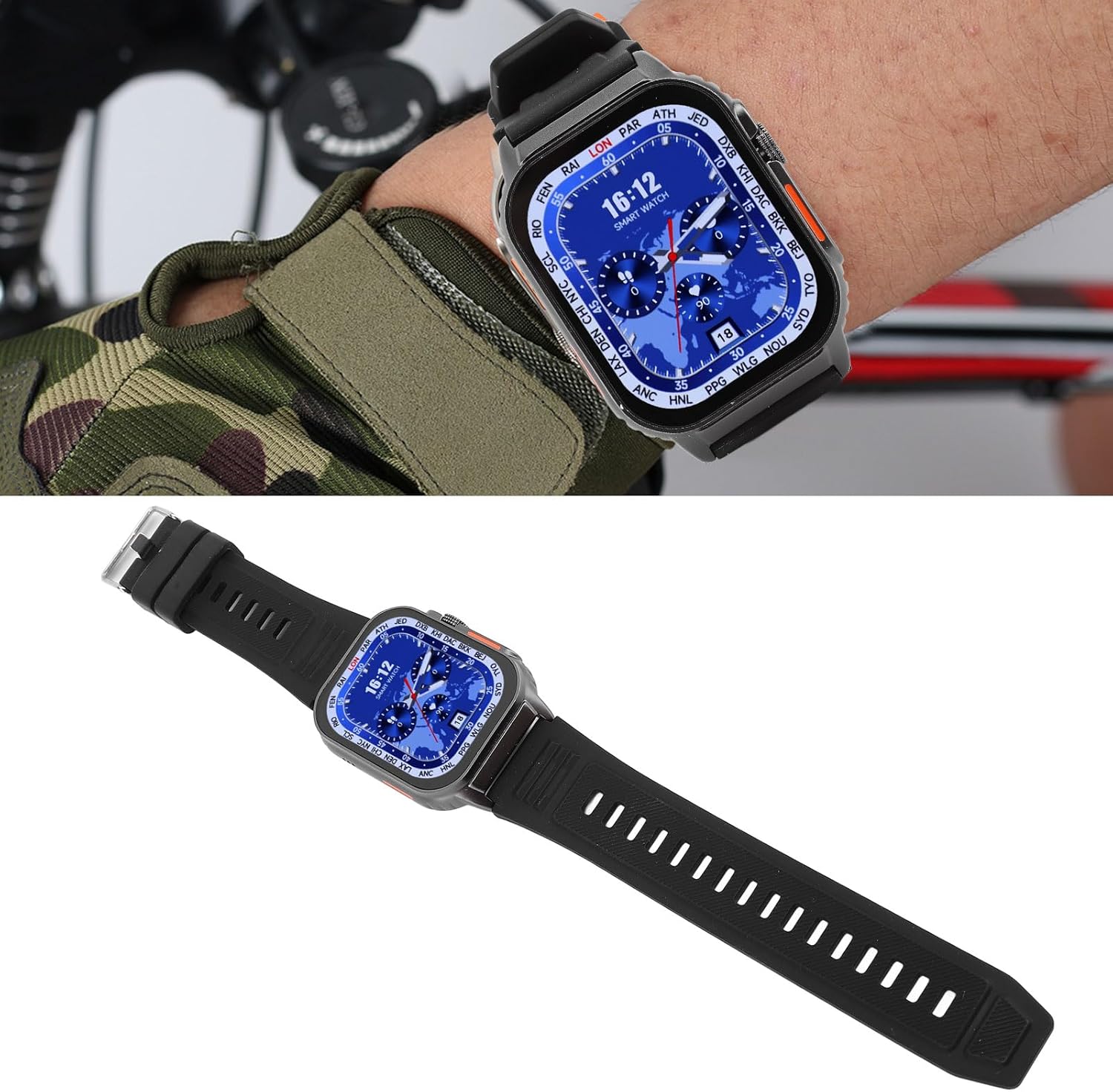
Image: A close-up of the Denash H Band Smart Watch on a person's wrist while cycling, demonstrating its utility during outdoor sports.
Available sports modes include, but are not limited to, walking, running, and cycling. Refer to the H Band app for a complete list and detailed activity reports.
Multifunctional Features
Beyond communication and fitness, your smart watch offers several other convenient functions:

Image: The smart watch displayed alongside a list of its key features, including HD screen, multiple sports modes, clear date/time, step recording, strong endurance, and multifunctional capabilities like calls, WeChat, voice helper, and weather.
- Voice Assistant: Utilize your phone's voice assistant directly from the watch.
- Weather Forecast: Check current weather conditions and forecasts.
- Music Control: Control music playback on your paired smartphone.
- Remote Camera Control: Use your watch as a remote shutter for your phone's camera.
Maintenance
Water Resistance (IP67)
The Denash H Band Smart Watch is IP67 water resistant. This means it is protected from dust and can withstand immersion in water up to 1 meter for up to 30 minutes. It is suitable for daily use, such as hand washing or light rain exposure. However, it is not recommended for swimming, diving, hot showers, or saunas, as steam and hot water can damage the seals.
Cleaning and Care
To maintain your watch's appearance and functionality:
- Wipe the screen and body with a soft, lint-free cloth.
- Clean the charging contacts and sensors on the back regularly to ensure proper charging and accurate readings.
- Avoid using harsh chemicals, abrasive cleaners, or solvents.
- Ensure the watch is dry before charging.

Image: A side view of the Denash H Band Smart Watch, showcasing its sleek profile and the full length of its black silicone strap, which measures 270mm (10.62 inches).

Image: A detailed close-up of the buckle mechanism on the Denash H Band Smart Watch's silicone strap, showing the secure fastening design.
Troubleshooting
If you encounter issues with your smart watch, please refer to the following common solutions:
| Problem | Possible Solution |
|---|---|
| Watch not turning on | Ensure the watch is fully charged. Connect to the charging cable and check for charging indicator. |
| Cannot pair with phone |
|
| Notifications not appearing |
|
| Inaccurate fitness data |
|
If the problem persists, please contact customer support for further assistance.
Specifications
| Feature | Detail |
|---|---|
| Model | Denash8i5ha2bkfx-11 |
| Screen Size | 2.01 inches |
| Screen Resolution | 240x296 pixels |
| Battery Capacity | 380mAh |
| Bluetooth Version | BLE5.3 |
| Water Resistance | IP67 |
| App Compatibility | H Band (iOS & Android) |
| Material | Silicone + Alloy |
| Item Weight | 6.1 ounces |
| Product Dimensions (L x W x H) | 6.3 x 4.33 x 1.18 inches |
| Wrist Strap Size | 270mm / 10.62 inches |
Warranty and Support
Your Denash H Band Smart Watch comes with a standard manufacturer's warranty. Please refer to the warranty card included in your package or contact your retailer for specific warranty terms and conditions.
For technical support, troubleshooting assistance, or any inquiries regarding your product, please contact Denash customer service through the contact information provided on the product packaging or the official Denash website.


