
Introduction
Thank you for choosing the Turbionaire Revi 20 WiFi Dehumidifier. This manual provides essential information for the safe operation, installation, maintenance, and troubleshooting of your appliance. Please read this manual thoroughly before using the dehumidifier and retain it for future reference.
The Turbionaire Revi 20 is designed to effectively reduce humidity in your home, improving air quality and comfort. It features WiFi connectivity for smart control, ionization for air purification, and a 20L/24h dehumidification capacity suitable for areas up to 40m².
Important Safety Instructions
Always follow basic safety precautions when using electrical appliances to reduce the risk of fire, electric shock, and injury.
- Read all instructions before using the appliance.
- Do not operate the dehumidifier with a damaged cord or plug. If the supply cord is damaged, it must be replaced by the manufacturer, its service agent, or similarly qualified persons to avoid a hazard.
- Ensure the appliance is placed on a stable, level surface to prevent tipping.
- Do not block air inlets or outlets. Maintain at least 20 cm clearance around the unit.
- Unplug the dehumidifier before cleaning, servicing, or moving it.
- Do not use the appliance in wet environments such as bathrooms or laundry rooms where it may come into contact with water.
- Keep children and pets away from the appliance during operation. The child lock feature can prevent accidental manipulation.
- This appliance is for indoor household use only.
- Do not insert objects into the air vents.
Product Overview
Components
Familiarize yourself with the main parts of your Turbionaire Revi 20 Dehumidifier.

Image Description: This diagram illustrates the key components of the dehumidifier. It shows the dehumidified and ionized air extraction grille, the touch control panel and screen, the humidity sensor, the removable and washable dust filter, the continuous drainage connection, the 4.5-liter water tank with a fill sensor, and the water level indicator.
- Air Extraction Grille: Where dehumidified and ionized air is released.
- Touch Control Panel and Screen: For operating the unit and displaying information.
- Humidity Sensor: Detects ambient humidity levels.
- Dust Filter: Removable and washable for air purification.
- Continuous Drainage Connection: Port for attaching a hose for continuous water removal.
- Water Tank (4.5 Liters): Collects condensed water, with a fill sensor.
- Water Level Indicator: Visual display of water level in the tank.
- Multidirectional Wheels: For easy movement of the unit.
Control Panel
The touch control panel allows you to manage all functions of the dehumidifier.

Image Description: This image displays the touch control panel of the Turbionaire Revi 20 Dehumidifier. Buttons include ION/LOCK, FAN, TIMER, ADJ, MODE, and POWER, surrounding a central LCD display showing current settings and humidity levels.
- ION/LOCK: Activates/Deactivates ionization. Long press to activate/deactivate child lock.
- FAN: Selects fan speed (2 speeds available).
- TIMER: Sets the timer for 0-24 hours. Long press to activate WiFi connection.
- LCD Display: Shows information on functions, modes, and alerts.
- ADJ (Adjust): Adjusts the desired humidity level or timer duration.
- MODE: Selects operating mode: Auto/Dehumidification, Continuous, Sleep.
- POWER: Turns the unit On/Off.
Setup
Unpacking and Placement
- Carefully remove the dehumidifier from its packaging.
- Place the unit upright on a firm, level surface in the desired location.
- Ensure there is at least 20 cm of clear space around the air inlet and outlet grilles for proper airflow.
- Avoid placing the unit near heat sources, in direct sunlight, or in areas exposed to splashing water.
Power Connection
- Plug the power cord into a grounded electrical outlet (220 Volts).
- The unit will emit a beep, and the display will light up briefly, indicating it is ready for operation.
Continuous Drainage (Optional)
For continuous operation without needing to empty the water tank, you can set up continuous drainage.
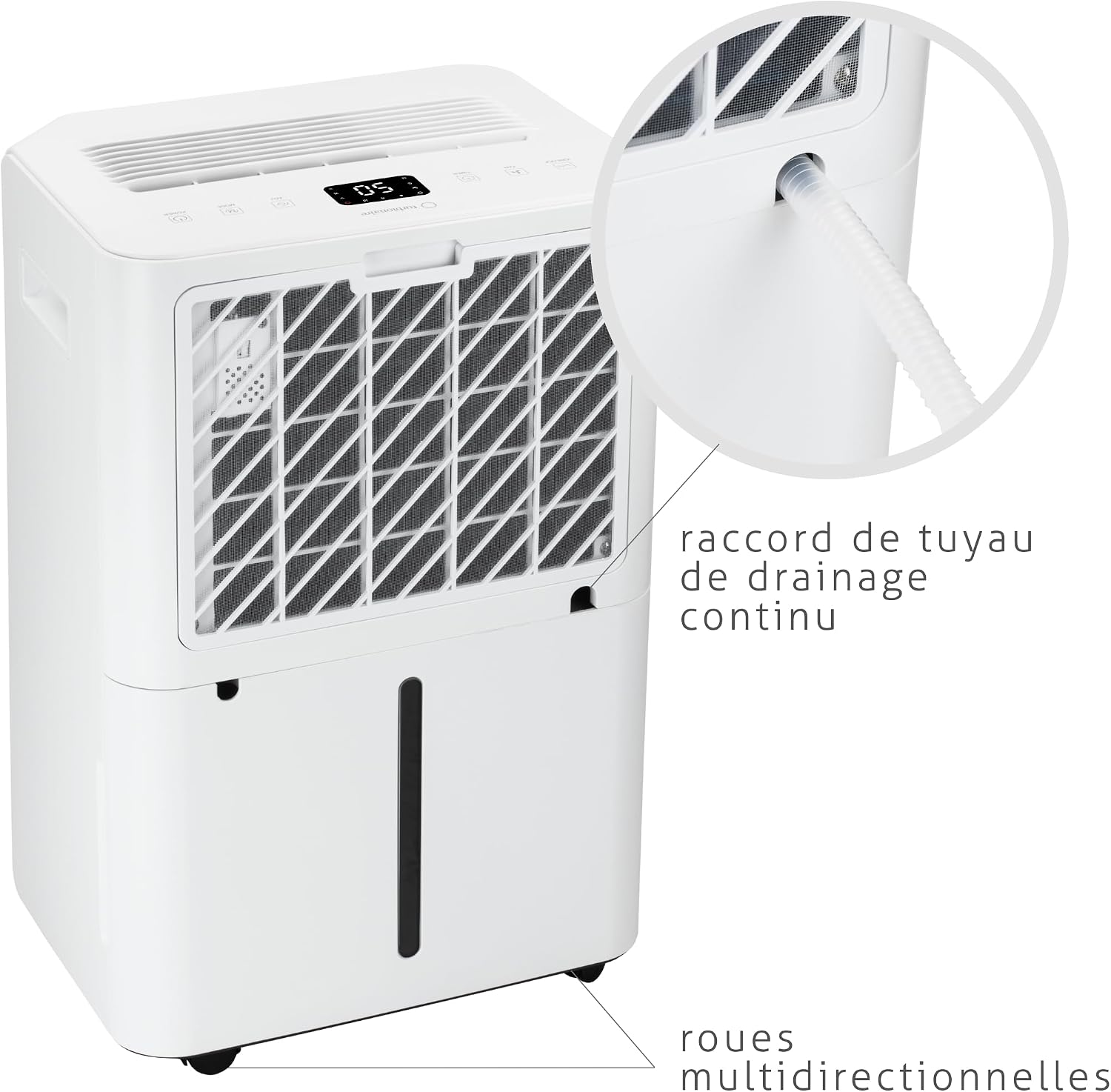
Image Description: This image shows a close-up of the continuous drainage hose connection point on the side of the dehumidifier, along with the multidirectional wheels at the base.
- Locate the continuous drainage connection port on the back or side of the unit.
- Attach the provided drainage hose (or a suitable alternative) to this port.
- Ensure the hose is sloped downwards to allow gravity to drain the water into a floor drain or a larger container. Do not allow the hose to kink or rise above the drainage port.
Operating Instructions
Basic Operation
- Power On/Off: Press the POWER button to turn the dehumidifier on or off.
- Set Desired Humidity: Press the ADJ button to adjust the target humidity level (e.g., 50% - 60% is generally recommended for comfort). The unit will operate until this level is reached, then cycle on and off to maintain it.
- Select Mode: Press the MODE button to cycle through available modes:
- Auto/Dehumidification: The unit automatically adjusts operation based on the set humidity.
- Continuous: The unit runs continuously regardless of humidity level.
- Sleep: Operates at a lower fan speed and reduced display brightness for quiet night-time use.
- Fan Speed: Press the FAN button to switch between two fan speeds.
- Ionization: Press the ION/LOCK button to activate or deactivate the ionization function for air purification.
Timer Function
The timer allows you to program the unit to turn on or off after a set period (0-24 hours).
- With the unit running, press TIMER to set an auto-off time.
- With the unit off, press TIMER to set an auto-on time.
- Use the ADJ button to adjust the hours.
WiFi and Smart Control
The dehumidifier can be controlled via the Smart Life app, compatible with Amazon Alexa and Google Home.
- Activate WiFi: Long press the TIMER button until the WiFi indicator on the display flashes.
- Download App: Download the "Smart Life" app from your smartphone's app store (available on Google Play and App Store).
- Pairing: Follow the in-app instructions to pair your dehumidifier with your home WiFi network.
- Once paired, you can control humidity settings, timer, and modes remotely.
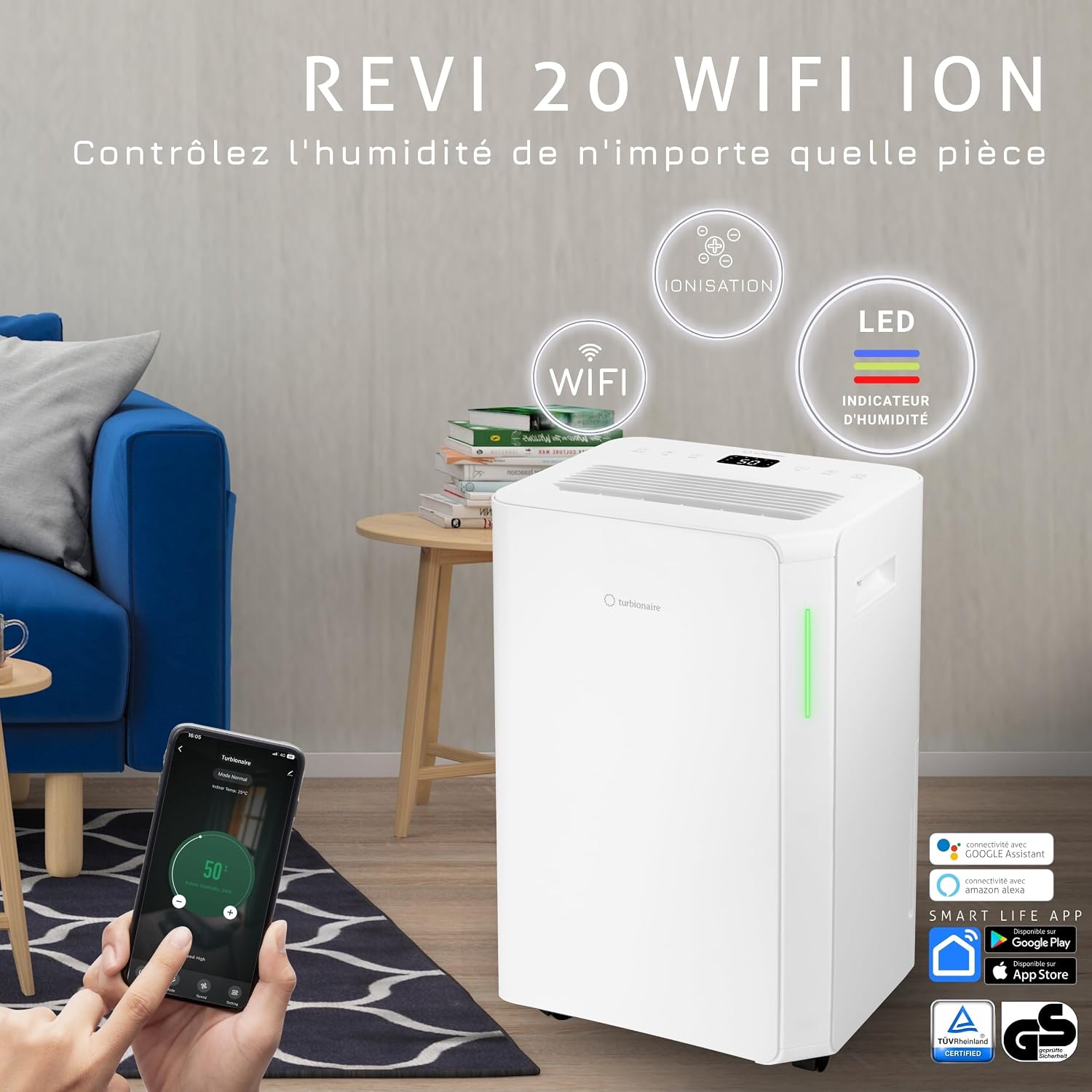
Image Description: This image shows the Turbionaire Revi 20 Dehumidifier placed in a modern living room setting. A smartphone screen in the foreground displays the Smart Life app interface, demonstrating remote control capabilities. Icons for Ionization, LED indicator, and WiFi are highlighted above the unit.
Child Lock
To prevent accidental changes to settings, activate the child lock.
- Long press the ION/LOCK button for a few seconds. A lock icon will appear on the display.
- Repeat the action to deactivate the child lock.
Maintenance
Regular maintenance ensures optimal performance and extends the lifespan of your dehumidifier.
Cleaning the Dust Filter
The dust filter should be cleaned every two weeks or more frequently depending on usage and air quality.
- Unplug the dehumidifier from the power outlet.
- Remove the dust filter from the back of the unit.
- Clean the filter with a vacuum cleaner or wash it gently with warm water and mild detergent.
- Rinse thoroughly and allow the filter to air dry completely before reinserting it.
- Do not operate the dehumidifier without the filter or with a wet filter.
Emptying the Water Tank
When the water tank is full, the unit will stop operating and an indicator will light up. Empty the tank as follows:
- Gently pull out the water tank from the front of the unit.
- Carefully pour out the collected water.
- Slide the empty tank back into its position until it clicks securely.
- The dehumidifier will resume operation automatically.
Cleaning the Exterior
- Wipe the exterior of the unit with a soft, damp cloth.
- Do not use harsh chemicals, abrasive cleaners, or solvents, as these may damage the surface.
Troubleshooting
Before contacting customer support, please refer to the following common issues and solutions.
| Problem | Possible Cause | Solution |
|---|---|---|
| Dehumidifier does not turn on. | No power supply. Water tank is full or incorrectly placed. | Ensure the power cord is securely plugged into a working outlet. Empty the water tank and ensure it is correctly reinserted. |
| No water collected. | Ambient humidity is too low. Temperature is too low. Air filter is clogged. Continuous drainage hose is connected and draining. | The unit will not collect water if humidity is below the set level. Dehumidifiers are less effective in very cold conditions. Clean the air filter. Disconnect the continuous drainage hose if you want water to collect in the tank. |
| Unit is noisy. | Unit is not on a level surface. Air filter is clogged. | Place the unit on a flat, stable surface. Clean the air filter. |
| WiFi connection fails. | Incorrect WiFi password. Dehumidifier is too far from router. WiFi not activated on unit. | Verify WiFi password. Move the unit closer to the WiFi router. Long press the TIMER button to activate WiFi pairing mode. |
Specifications
| Feature | Value |
|---|---|
| Model Name | REVI 20W ION |
| Model Number | SENSO13WIFIC |
| Brand | Turbionaire |
| Dehumidification Capacity | 20 Liters per day |
| Water Tank Volume | 4.5 Liters |
| Recommended Floor Area | Up to 40 square meters |
| Power | 330 Watts |
| Voltage | 220 Volts |
| Airflow | 180 Cubic meters per hour |
| Number of Speeds | 2 |
| Special Feature | Ionization, WiFi Connectivity |
| Dimensions (P x L x H) | 22P x 45l x 32H centimeters (Product) |
| Weight | 13.5 Kilograms |
| Material | Plastic |
| Included Components | Continuous drainage hose |

Image Description: This image provides a detailed diagram of the Turbionaire Revi 20 Dehumidifier's dimensions, showing a height of 49.5cm, a depth of 28cm, and a width of 35cm. It also highlights key features like 20L/24h capacity, WiFi, Ionization, 75m³ airflow, and 41dB noise level.
Warranty and Support
For warranty information and customer support, please refer to the documentation included with your purchase or visit the official Turbionaire website. Keep your proof of purchase for warranty claims.
If you encounter issues not covered in the troubleshooting section, please contact Turbionaire customer service for assistance.