
1. Product Overview
The Wurkkos HD12 is a versatile, compact, and rechargeable headlamp and flashlight designed for everyday carry (EDC), outdoor activities, and emergency use. It features both white and red light modes, multiple brightness levels, and a durable, waterproof design.

Image 1.1: Wurkkos HD12 Headlamp and Flashlight with accessories.
Key Features:
- Dual-Use Design: Functions as both a headlamp and a right-angle flashlight.
- White & Red Light Modes: Offers 850 lumens of white light and a dedicated red light mode for various applications.
- Rechargeable Battery: Built-in 900mAh 14500 battery, compatible with standard AA batteries for backup.
- Magnetic Tail: Allows for hands-free attachment to metal surfaces.
- IP68 Waterproof: Submersible up to 2 meters and resistant to dust.
- Lock Function: Prevents accidental activation.
- Adjustable Headband: Soft, reflective, and comfortable for extended wear.
2. Setup
2.1 Battery Installation and Charging
The HD12 comes with a pre-installed 900mAh 14500 rechargeable battery. It can also operate with a standard AA battery (not included) as a backup, though performance may vary.
- Initial Charge: Before first use, fully charge the headlamp. Connect the included USB-C cable to the charging port on the headlamp and to a USB power source.
- Charging Indicator: The indicator light will glow red during charging and turn green when fully charged.
- Battery Level Indicator:
- 30%-100%: Green light is always on.
- 10%-30%: Red light is always on.
- 1%-10%: Red light is flashing.
- AA Battery Use: To use an AA battery, unscrew the tail cap, remove the 14500 battery, insert a fresh AA battery with the positive (+) end facing the head of the light, and screw the tail cap back on securely.

Image 2.1: USB-C charging port and battery indicator.
2.2 Attaching the Headband
The HD12 can be easily attached to the included adjustable headband for hands-free operation.
- Slide the flashlight body into the silicone mount on the headband. Ensure it is securely seated.
- Adjust the headband straps for a comfortable and secure fit around your head. The light can be tilted up to 180 degrees to direct the beam.
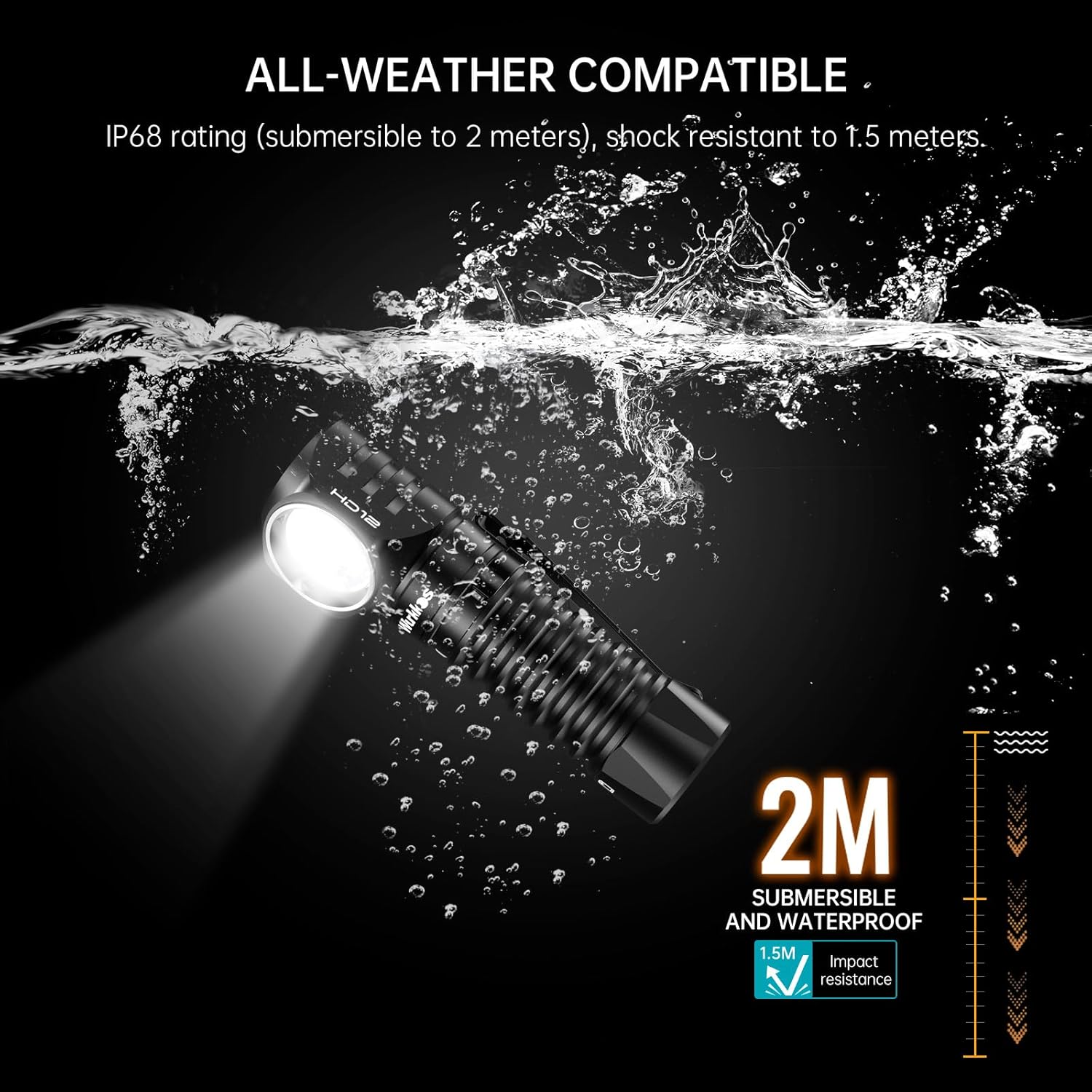
Image 2.2: HD12 attached to the headband.
3. Operating Instructions
The HD12 features a single-button interface for all functions.
3.1 Basic Operation (White Light)
- Turn On/Off: Single click the switch to turn the light on or off. The light will remember the last used white light brightness setting (except Moonlight and Turbo).
- Change Brightness: While the white light is on, press and hold the switch to cycle through Low, Medium, and High brightness levels. Release the switch to select the desired level.
- Moonlight Mode (1 lumen): From OFF, press and hold the switch for 3 seconds to activate Moonlight mode.
- Turbo Mode (850 lumens): From ON or OFF, double-click the switch to activate Turbo mode. Double-click again to switch between Turbo and the previously used mode.

Image 3.1: White light brightness levels.
3.2 Red Light Operation
- Activate Red Light: From ON or OFF, triple-click the switch to activate the red light mode.
- Change Red Light Brightness: While the red light is on, press and hold the switch to cycle through Low, Medium, and High red light levels. Release to select.
- Red Flash Mode: While the red light is on, double-click the switch to activate the red flash mode. Single click to return to steady red light.

Image 3.2: Red light brightness levels and blinking mode.
3.3 Lock/Unlock Function
To prevent accidental activation during transport or storage:
- Lock: From OFF, quickly click the switch four times. The light will flash once to indicate it is locked.
- Unlock: From locked status, quickly click the switch four times. The light will turn on in the last used mode, indicating it is unlocked.

Image 3.3: Lock and Unlock function.
3.4 Versatile Use
- Headlamp: Use with the headband for hands-free illumination.
- Right-Angle Flashlight: Detach from the headband for handheld use.
- Magnetic Tail: Attach to metal surfaces for fixed lighting, ideal for vehicle maintenance or workshop tasks.
- Pocket Clip: Use the removable clip to attach the light to pockets, belts, or backpack straps.

Image 3.4: Multiple carrying and usage options.
4. Maintenance
4.1 Cleaning
Wipe the headlamp with a clean, soft cloth. Avoid using abrasive cleaners or solvents that could damage the finish or internal components.
4.2 Water Resistance
The HD12 has an IP68 rating, meaning it is dustproof and submersible up to 2 meters for 30 minutes. Ensure the USB-C port cover is fully sealed before exposing the light to water.

Image 4.1: HD12 demonstrating IP68 water resistance.
4.3 Battery Care
To prolong battery life, avoid fully discharging the 14500 battery frequently. Recharge it regularly. If using AA batteries, remove them if the light will not be used for an extended period to prevent leakage.
5. Troubleshooting
- Light does not turn on:
- Ensure the battery is correctly inserted with the positive (+) end facing the head of the light.
- Check if the battery is charged. Connect to a USB-C charger and observe the indicator light.
- Verify the light is not in lock mode. Quickly click the switch four times to unlock.
- Ensure the tail cap is screwed on tightly. A loose connection can prevent operation.
- Light flickers:
- Check the battery connection by unscrewing and re-screwing the tail cap.
- Ensure the battery is fully charged. Low battery can sometimes cause flickering.
- If flickering persists, try a different battery (if using AA) or contact customer support.
- Charging indicator shows incorrect status:
- Ensure the USB-C cable is fully inserted into both the light and the power source.
- Try a different USB-C cable or power adapter.
- If the indicator light blinks red then green immediately, it might indicate a charging error or a fully charged battery. Confirm the battery level by attempting to turn on the light.
6. Specifications
| Feature | Detail |
|---|---|
| Model | HD12 |
| Light Source Type | LED (White & Red) |
| White Brightness | Up to 850 lumens |
| Red Brightness | Up to 30 lumens |
| Max Throw Distance | 105 meters (White Light) |
| Battery Type | 1 x 14500 Lithium Ion (900mAh, included), compatible with 1 x AA |
| Charging Port | USB-C |
| Water Resistance | IP68 (Submersible to 2 meters) |
| Impact Resistance | 1.5 meters |
| Material | Aluminum |
| Item Weight | 1.6 ounces (approx. 48g without battery) |
| Dimensions | Approx. 3.14 inches (8cm) length |

Image 6.1: Technical parameters with 900mAh battery.

Image 6.2: Technical parameters with AA battery.
7. Official Product Videos
Wurkkos Headlamp HD12 850LM Rechargeable Headlamp
Video 7.1: An official product video from Wurkkos US demonstrating the HD12 headlamp's features and use. This video is 25 seconds long.
Wurkkos HD12 EDC Rechargeable Flashlight with Magnet 850LM Mini Red Light
Video 7.2: An official product video from Wurkkos US showcasing the HD12's EDC capabilities, magnetic tail, and red light function. This video is 14 seconds long.
Mini AA Head Lights, Camping headlamps with Red Light
Video 7.3: An official product video from Wurkkos US highlighting the HD12's use as a mini AA headlamp and its red light features for camping. This video is 22 seconds long.
8. Warranty and Support
8.1 Warranty Information
The Wurkkos HD12 Headlamp Flashlight comes with a manufacturer's warranty. For specific details regarding warranty coverage, duration, and claims, please refer to the product packaging or contact Wurkkos customer support directly.
8.2 Customer Support
For further assistance, technical support, or inquiries, please visit the official Wurkkos store or contact their customer service department.
Wurkkos Official Store: https://www.amazon.com/stores/Wurkkos/page/2266CFE4-A861-4587-A1EA-7BEC079E4CE0


