
1. Introduction
The DSD TECH SH-B30-BLE is an advanced RS232 to Bluetooth 5.0 BLE converter designed for wireless serial communication. This adapter allows you to connect RS232-enabled devices to your mobile phone (iOS/Android) via Bluetooth Low Energy (BLE). It is specifically engineered for compatibility with iOS devices, unlike some previous models, while also supporting Android platforms. This manual provides detailed instructions for setting up, operating, and maintaining your SH-B30-BLE adapter.
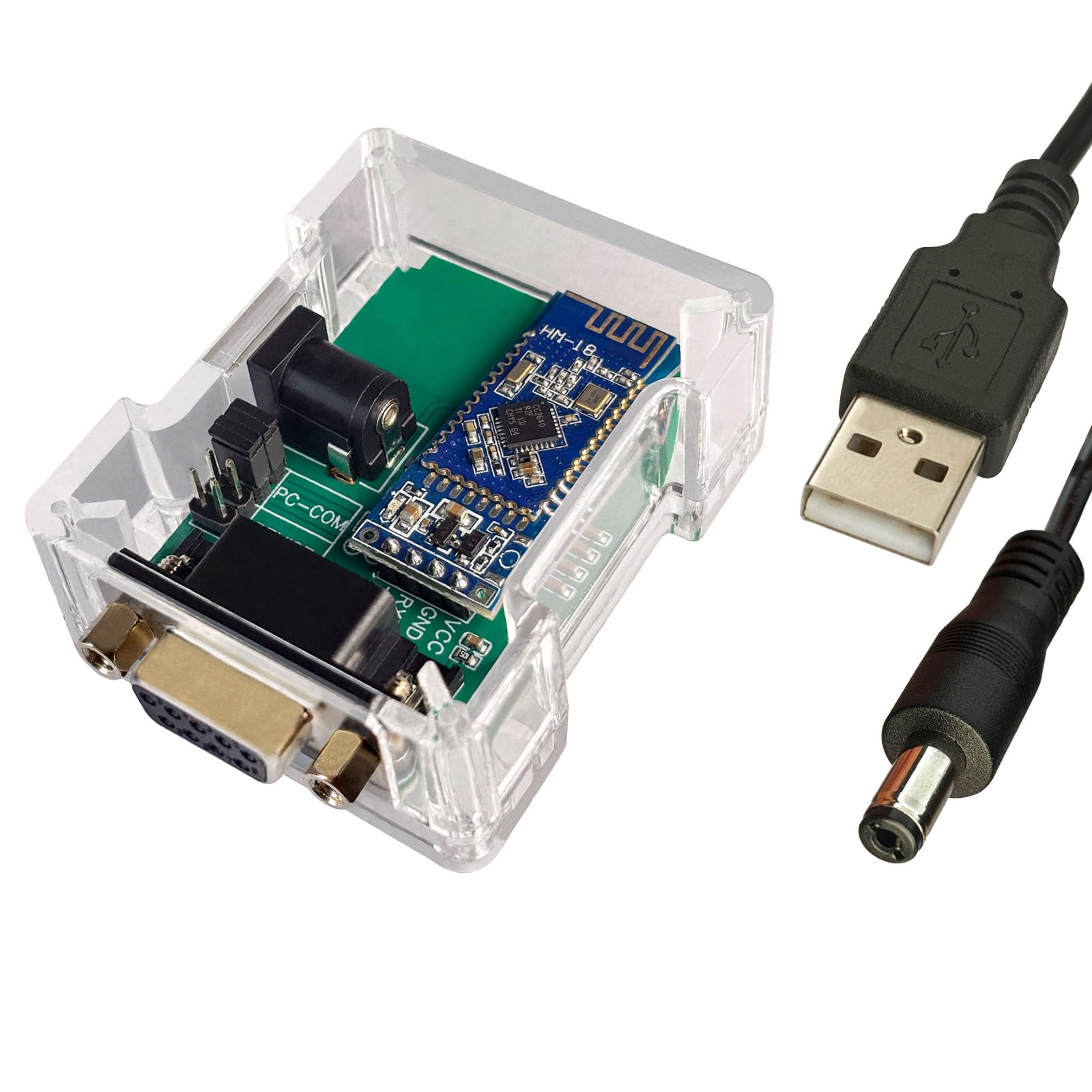
Figure 1.1: The DSD TECH SH-B30-BLE adapter. This image shows the overall design of the transparent-cased adapter with its RS232 port.
2. Package Contents
Please verify that all items are present in your package:
- 1 x SH-B30-BLE RS232 to Bluetooth 5.0 Converter
- 1 x USB Power Cable
- 1 x User Manual

Figure 2.1: Contents of the SH-B30-BLE package. The image shows the SH-B30-BLE adapter, a USB power cable, and a printed user guide.
3. Features
- Bluetooth 5.0 BLE Connectivity: Enables wireless communication with RS232 devices.
- Wide Compatibility: Supports iOS (iPhone/iPad) and Android mobile devices.
- RS232 Interface: Standard DB9 connector for serial communication.
- Configuration Software: Free software provided by DSD TECH for easy parameter configuration (baud rate, Bluetooth name, etc.).
- Power Supply: Operates on 5V DC (USB power cable included).
- Compact Design: Transparent casing for easy inspection.
4. Specifications
| Parameter | Value |
|---|---|
| Model | SH-B30-BLE |
| Bluetooth Standard | Bluetooth 5.2 BLE |
| Default Baud Rate | 9600, N, 8, 1 |
| Current Draw | Max 90 mA |
| Bluetooth PIN Code | NULL (No PIN) |
| Recommended App | DSD TECH Bluetooth |
| Communication Distance | > 10 meters |
| RS232 Signals | DB9 (RxD, TxD, GND) |
| Power Supply | 5 V DC |
| Operating Temperature | -20°C to 85°C |
| Compatible Devices | Smartphone (iOS/Android), Laptop, Desktop PC (for configuration) |
| Item Dimensions (LxWxH) | 45 x 23 x 75 mm (1.77 x 0.91 x 2.95 inches) |
| Item Weight | 75.7 Grams |
| Country of Origin | China |

Figure 4.1: Physical dimensions of the SH-B30-BLE adapter. The image highlights the measurements of 1.97 inches (50mm), 2.56 inches (65mm), and 0.91 inches (23mm).
5. Setup
5.1 Power Connection
Connect the provided USB power cable to the 5V DC input port on the SH-B30-BLE adapter. Plug the other end of the USB cable into a standard USB power source (e.g., a computer USB port, a USB wall adapter, or a power bank). The adapter requires a 5V DC power supply to operate.

Figure 5.1: Power input and RS232 DB9 connector. The image points out the 5V input jack and the RS232 DB9 port on the adapter.
5.2 RS232 Device Connection
Connect the DB9 male connector of the SH-B30-BLE adapter to the RS232 serial port of your target device. Ensure a secure connection. If your device requires a female DB9 connector, a gender changer (not included, but often necessary) may be used.

Figure 5.2: Connecting with a gender changer. This image illustrates how a mini gender changer can be used to adapt the RS232 port.
6. Operating Instructions
6.1 Mobile App Connection
The SH-B30-BLE adapter is designed to communicate with mobile devices. Download the "DSD TECH Bluetooth" application from your mobile device's app store (available for iOS and Android). Once installed, open the app and search for the SH-B30-BLE adapter to establish a Bluetooth connection. The default Bluetooth PIN is NULL (no PIN required).

Figure 6.1: Wireless communication setup. This diagram illustrates the SH-B30-BLE acting as a bridge between an RS232 device and a mobile phone (Android/iPhone/iPad) using Bluetooth BLE.
6.2 Configuration Software
DSD TECH provides free configuration software to modify communication parameters such as baud rate, Bluetooth name, and pairing password. This software is typically run on a computer. You can download this tool from the official DSD TECH website. Refer to the software's documentation for detailed instructions on parameter modification.

Figure 6.2: Configuration software interface. The image displays the DSD TECH Wireless Tools software, showing options to set baud rate, Bluetooth name, PIN, and stop bit.
7. Compatibility
The SH-B30-BLE features a built-in TI CC2640R2F Bluetooth 5.0 BLE module, ensuring compatibility with iOS devices (iPhone/iPad) and Android devices. It is important to note that this adapter is not designed for direct Bluetooth communication with computers or MACs. For computer compatibility, other DSD TECH models (e.g., SH-B30 or SH-B35 with Bluetooth 2.0 SPP) might be suitable.

Figure 7.1: Adapter compatibility comparison. This table compares different DSD TECH RS232/RS485 wireless adapters, showing the SH-B30-BLE's specific compatibility with Bluetooth 5.0 BLE and iOS/Android.
8. Troubleshooting
- No Power Indicator: Ensure the USB power cable is securely connected to both the adapter and a functional 5V DC power source.
- Unable to Connect via Bluetooth:
- Verify that Bluetooth is enabled on your mobile device.
- Ensure the "DSD TECH Bluetooth" app is installed and running.
- Check if the adapter is within the 10-meter communication range.
- Confirm that the adapter is powered on.
- Remember that the SH-B30-BLE is not compatible with PC/Mac Bluetooth.
- Communication Errors:
- Check the baud rate, data bits, parity, and stop bits settings on both the adapter (using the configuration software) and your RS232 device. These must match. The default setting is 9600, N, 8, 1.
- Ensure the RS232 cable connection is secure and correct (RxD, TxD, GND).
- Adapter Not Responding: Disconnect power, wait a few seconds, and then reconnect power to restart the adapter.
9. Maintenance
The DSD TECH SH-B30-BLE adapter requires minimal maintenance. Keep the device clean and dry. Avoid exposing it to extreme temperatures, humidity, or direct sunlight. Do not attempt to open the casing, as this may void the warranty and damage the internal components.
10. Warranty and Support
DSD TECH provides permanent technical support for the SH-B30-BLE adapter. Additionally, a 1-year product replacement service is offered from the date of purchase. For any questions or technical assistance, please contact DSD TECH customer support. All inquiries are typically answered within 1 business day.
For support, please visit the official DSD TECH website or refer to the contact information provided with your purchase documentation.