
1. Introduction
This manual provides detailed instructions for the setup, operation, maintenance, and troubleshooting of your OUMAX Dual LAN Mini PC N150. Please read this manual thoroughly before using the device to ensure proper functionality and to maximize your user experience.
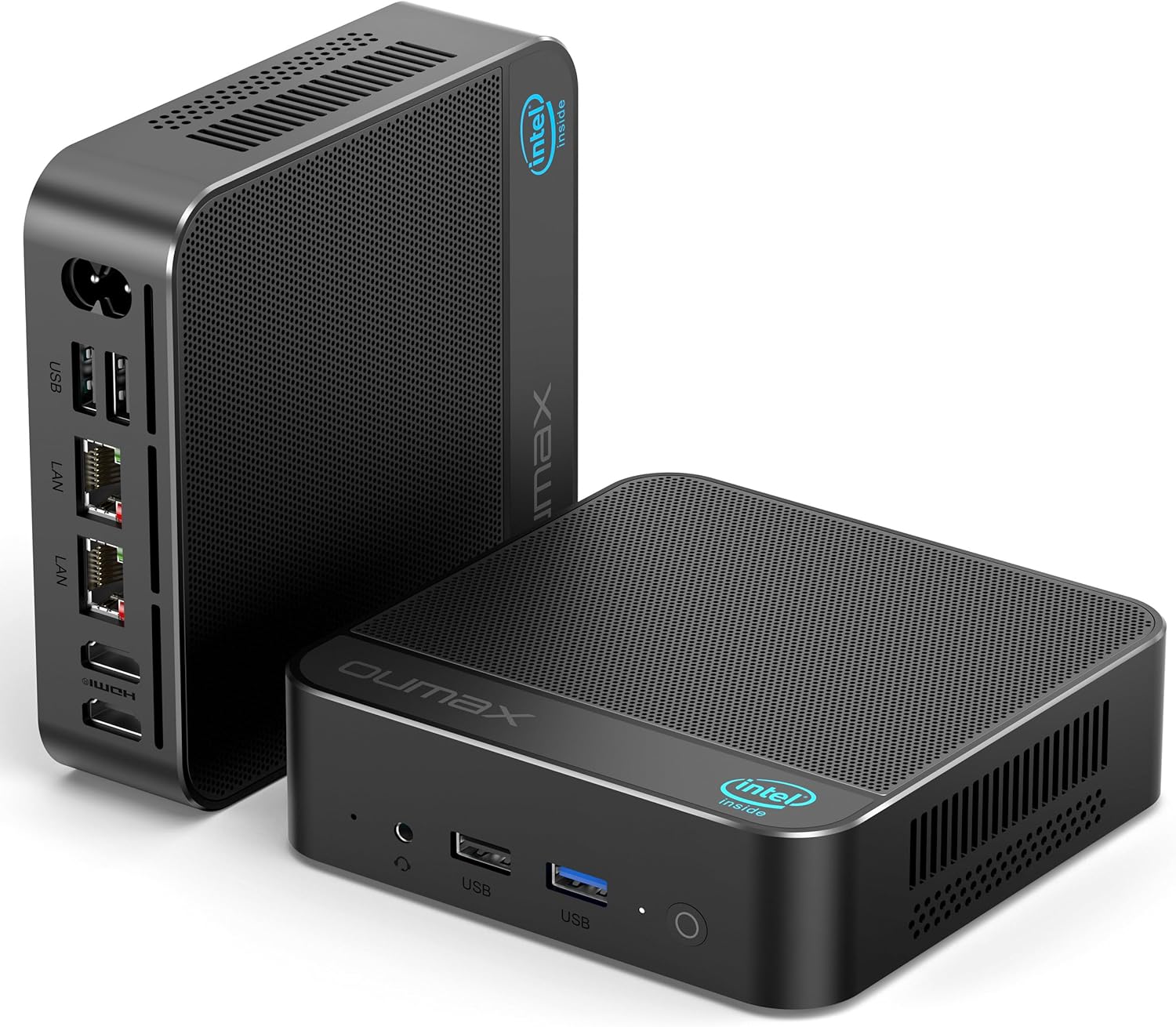
Figure 1.1: The OUMAX Dual LAN Mini PC N150 from front and rear perspectives, showcasing its compact design and port layout.
2. What's in the Box
Verify that all items are present in the package:
- 1 x OUMAX N150 Mini PC
- 1 x Power Adapter
- 1 x User Manual
- 1 x HDMI Cable (100CM)
- 1 x HDMI Cable (20CM)
- 1 x AC Cable (150CM)
3. Product Overview
3.1. Key Features
- Processor: Intel Twin Lake N150 (4C/4T, 6M Cache, up to 3.6GHz)
- Graphics: Intel UHD Graphics (24EUs 1000MHz)
- Memory: 16GB DDR4 (up to 3200 MHz)
- Storage: 500GB M.2 SSD (expandable up to 4TB with dual M.2 SSD slots)
- Network: Dual Gigabit Ethernet (1000Mbps), Wi-Fi 5 (802.11ac), Bluetooth 5.0
- Display Output: 2 x HDMI ports supporting 4K@60Hz dual display
- Power Supply: Built-in 45W
- Cooling: Efficient thermal management system with low RPM fan (approx. 32dB)

Figure 3.1: An infographic detailing the OUMAX Mini PC's cooling system, quiet operation, storage, memory, wireless connectivity, dual 4K display support, and compact power supply.
3.2. Port Layout
The OUMAX Mini PC features a comprehensive set of ports for versatile connectivity:
- 3 x USB 3.2 Gen2 (10 Gbps)
- 1 x USB 2.0 (480 Mbps)
- 2 x 1000M LAN (Gigabit Ethernet)
- 2 x HDMI (Max 4K 60Hz)
- 1 x AC Power Jack
- 1 x 3.5mm Audio Jack
- 1 x Power Button

Figure 3.2: A close-up view of the OUMAX Mini PC's various ports, illustrating its extensive connectivity options.
3.3. Internal Components
The Mini PC is designed for easy storage expansion:
- Single channel DDR4 memory slot.
- Dual M.2 SSD slots for storage expansion up to 4TB.
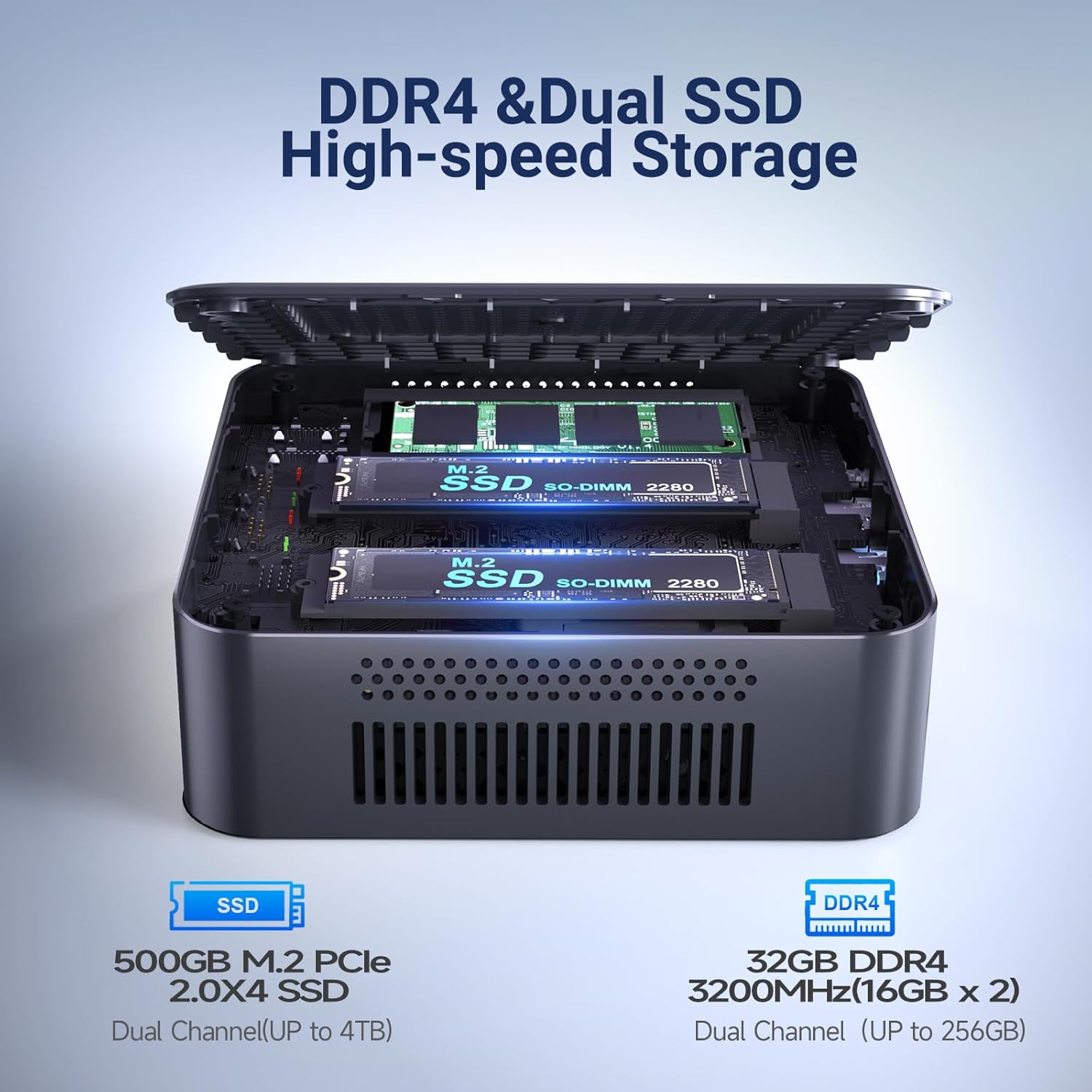
Figure 3.3: An internal view of the OUMAX Mini PC, showing the DDR4 memory slot and dual M.2 SSD slots for storage upgrades.
4. Setup Instructions
Follow these steps to set up your OUMAX Mini PC:
- Connect Display: Connect your monitor(s) to the HDMI ports on the back of the Mini PC using the provided HDMI cables. The device supports dual 4K displays.
- Connect Peripherals: Plug in your keyboard, mouse, and any other USB devices into the available USB ports.
- Connect Network (Optional): For a wired connection, connect an Ethernet cable from your router or modem to one of the LAN ports on the Mini PC. For wireless, ensure Wi-Fi is enabled during operating system setup.
- Connect Power: Connect the AC cable to the power adapter, then plug the power adapter into the AC power jack on the Mini PC. Finally, plug the AC cable into a wall outlet.
- Power On: Press the power button located on the front of the Mini PC. The system will boot up.

Figure 4.1: The OUMAX Mini PC connected to a monitor and power source, demonstrating its integrated 45W power supply for simplified setup.
5. Operating Instructions
5.1. Power On/Off
- To Power On: Press the power button once.
- To Power Off: Access the operating system's shutdown menu or press and hold the power button for 5 seconds for a forced shutdown (not recommended for regular use).
5.2. Network Connectivity
- Wired Network: Connect an Ethernet cable to either of the two Gigabit LAN ports. The system should automatically detect the connection.
- Wireless Network: The Mini PC supports Wi-Fi 5. Access your operating system's network settings to connect to an available Wi-Fi network.
- Bluetooth: The device includes Bluetooth 5.0 for connecting wireless peripherals such as keyboards, mice, or audio devices. Pair devices through your operating system's Bluetooth settings.
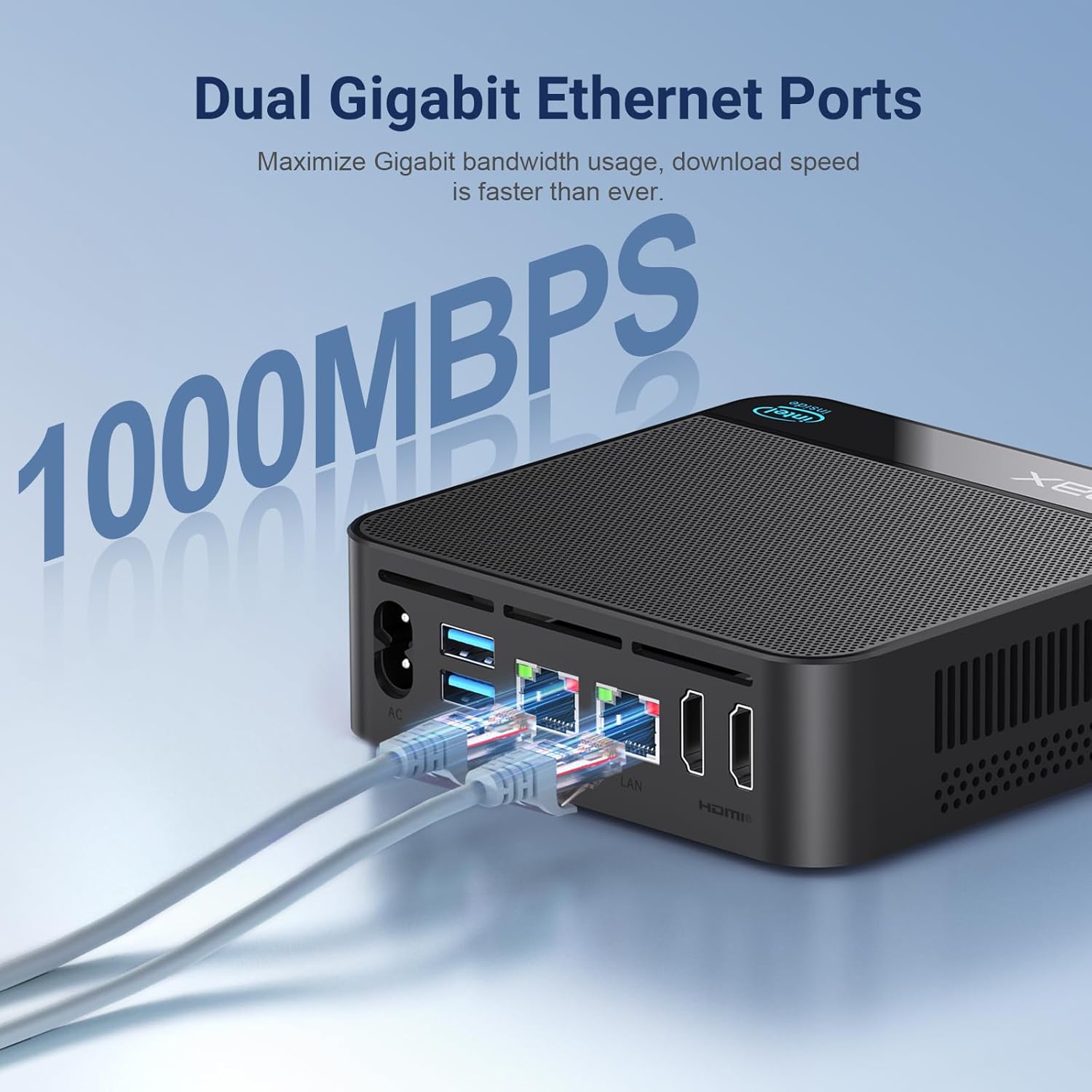
Figure 5.1: The OUMAX Mini PC connected to a network via its dual Gigabit LAN ports, demonstrating wired connectivity.
5.3. Dual Display Setup
The OUMAX Mini PC supports connecting two monitors simultaneously at up to 4K resolution (60Hz) via its two HDMI ports. To set up dual displays:
- Connect both monitors to the HDMI ports on the Mini PC.
- Power on the Mini PC and both monitors.
- Access your operating system's display settings to configure display modes (e.g., extend, duplicate) and resolutions.

Figure 5.2: The OUMAX Mini PC connected to two monitors, demonstrating its capability to support dual 4K displays for enhanced productivity.
6. Maintenance
To ensure the longevity and optimal performance of your Mini PC, follow these maintenance guidelines:
- Cleaning: Regularly clean the exterior of the Mini PC with a soft, dry cloth. Use compressed air to gently clear dust from ventilation openings. Do not use liquid cleaners directly on the device.
- Ventilation: Ensure the Mini PC is placed in a well-ventilated area. Avoid blocking the air vents to prevent overheating.
- Environmental Conditions: Operate the Mini PC in a stable environment, away from extreme temperatures, direct sunlight, and high humidity.
- Software Updates: Keep your operating system and drivers updated to ensure security and performance.

Figure 6.1: The OUMAX Mini PC operating quietly on a desk, highlighting its efficient and silent thermal management system.
7. Troubleshooting
If you encounter issues with your OUMAX Mini PC, refer to the following common problems and solutions:
- No Display:
- Ensure the monitor is powered on and correctly connected to the HDMI port.
- Try a different HDMI cable or monitor.
- Verify the Mini PC is powered on (power indicator light should be active).
- No Power:
- Check if the power adapter is securely connected to both the Mini PC and the wall outlet.
- Ensure the wall outlet is functional.
- Network Connectivity Issues:
- For wired connections, check the Ethernet cable and router/modem status.
- For Wi-Fi, ensure Wi-Fi is enabled in the operating system and you are connected to the correct network with the correct password.
- Restart your router/modem and the Mini PC.
- Slow Performance:
- Close unnecessary applications running in the background.
- Ensure there is sufficient free space on the SSD.
- Check for and install any available operating system updates.
8. Specifications
Detailed technical specifications for the OUMAX Dual LAN Mini PC N150:
| Feature | Specification |
|---|---|
| Processor | Intel Twin Lake N150 (4C/4T, 6M Cache, up to 3.6GHz) |
| Graphics Coprocessor | Intel Graphics 24EUs 1000MHz |
| RAM | 16 GB DDR4 (3200 MHz) |
| Hard Drive | 500 GB M.2 SSD |
| Max Storage Expansion | Up to 4 TB (Dual M.2 SSD slots) |
| Screen Resolution | 3840 x 2160 (4K) |
| HDMI Ports | 2 (Max 4K 60Hz) |
| USB 3.2 Ports | 3 |
| USB 2.0 Ports | 1 |
| LAN Ports | 2 (1000Mbps Gigabit Ethernet) |
| Wireless Type | 802.11ac (Wi-Fi 5) |
| Bluetooth | 5.0 |
| Operating System | OS (Pre-installed) |
| Item Weight | 1.46 pounds (approx. 662g) |
| Product Dimensions (LxWxH) | 4.75 x 4.75 x 1.49 inches (approx. 120.6 x 120.6 x 37.9 mm) |
| Power Supply | Built-in 45W |

Figure 8.1: A visual representation of the Intel Twin Lake N150 processor and its performance relative to other Intel N-series processors.
9. Warranty and Support
OUMAX provides the following support for your Mini PC:
- Warranty: 12 Months Return and Exchange.
- Customer Support: Quick reply within 24 hours.
- Lifetime Support: Lifetime return and exchange support is offered.
For further assistance or inquiries, please refer to the official OUMAX store or contact customer service.
Official OUMAX Store: OUMAX Store on Amazon
