
Introduction
Thank you for choosing BeLink X Beat Wireless Foldable Headphones. These headphones are designed to provide a high-quality, wireless audio experience with convenience and comfort. This manual will guide you through the setup, operation, and maintenance of your new headphones.
Package Contents
Ensure all items are present in your package:
- BeLink X Beat Wireless Foldable Headphones
- Protective Case
- USB Charging Cable
Product Overview
Familiarize yourself with the components of your BeLink X Beat headphones.
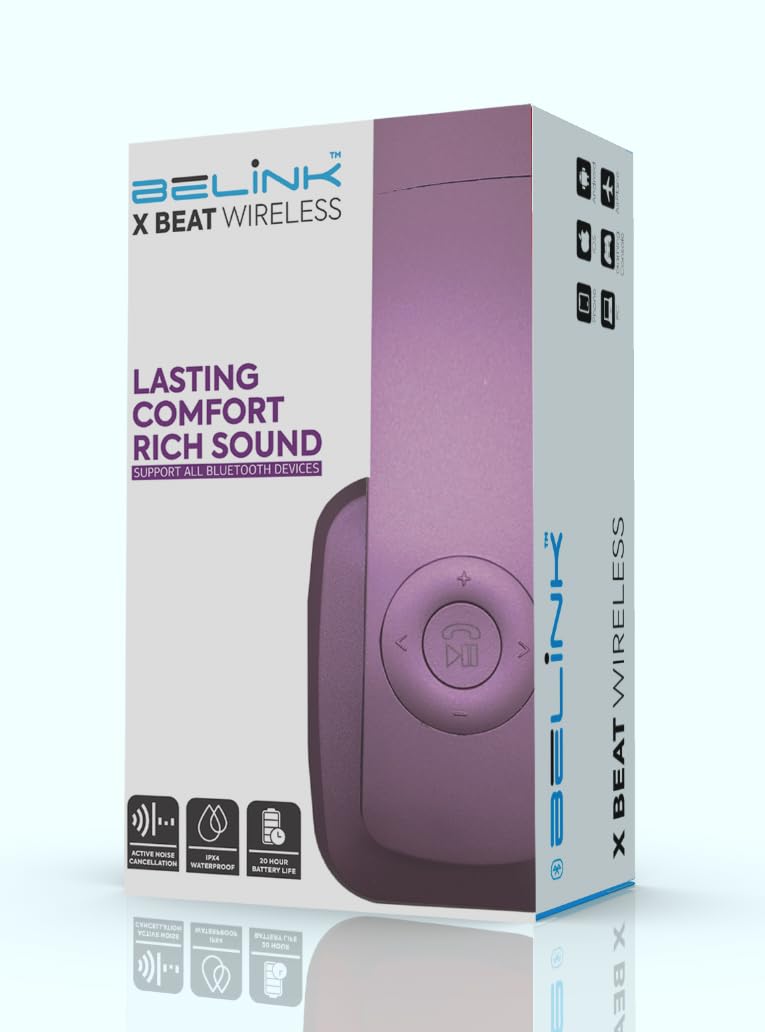
Image showing the BeLink X Beat Wireless Foldable Headphones in purple, folded for portability. This view highlights the earcups and headband design.
Control Buttons
The headphones feature built-in control buttons for intuitive navigation and call management. These controls are typically located on one of the earcups.
- Power Button: Used for turning the headphones on/off and initiating Bluetooth pairing.
- Volume Up/Next Track: Increases volume with a short press, skips to the next track with a long press.
- Volume Down/Previous Track: Decreases volume with a short press, goes to the previous track with a long press.
- Multi-function Button (MFB): Play/Pause music, Answer/End calls.
- Microphone: For hands-free calling.
- Charging Port: For connecting the USB charging cable.
- 3.5mm Audio Jack: For wired connection (cable not included).
Setup
1. Charging the Headphones
- Connect the small end of the USB charging cable to the charging port on your headphones.
- Connect the larger end of the USB charging cable to a USB power adapter (not included) or a computer's USB port.
- The LED indicator on the headphones will typically show red while charging and turn off or change color when fully charged.
- A full charge takes approximately 2 hours. The headphones provide up to 9 hours of continuous music playback on a single charge.
2. Bluetooth Pairing
- Ensure the headphones are fully charged.
- Press and hold the Power button for a few seconds until the LED indicator flashes blue and red alternately, indicating pairing mode.
- On your device (smartphone, tablet, computer, TV), go to the Bluetooth settings.
- Search for available devices and select "BeLink X Beat" from the list.
- Once connected, the LED indicator will typically flash blue slowly or turn solid blue.
- The headphones will automatically attempt to reconnect to the last paired device when powered on.
3. Simultaneous Two-Device Connectivity
Your BeLink X Beat headphones can connect to two Bluetooth devices simultaneously.
- Pair the headphones with the first device as described above.
- Disable Bluetooth on the first device.
- Put the headphones back into pairing mode and pair them with the second device.
- Re-enable Bluetooth on the first device. The headphones should now be connected to both devices.
- Audio will play from the device that is actively playing media.
Operating Instructions
Power On/Off
- Power On: Press and hold the Power button until the LED indicator flashes blue.
- Power Off: Press and hold the Power button until the LED indicator flashes red and then turns off.
Music Playback
- Play/Pause: Press the Multi-function Button (MFB) once.
- Volume Up: Short press the Volume Up button.
- Volume Down: Short press the Volume Down button.
- Next Track: Long press the Volume Up button.
- Previous Track: Long press the Volume Down button.
Call Management
- Answer Call: Press the Multi-function Button (MFB) once when a call comes in.
- End Call: Press the Multi-function Button (MFB) once during a call.
- Reject Call: Long press the Multi-function Button (MFB) when a call comes in.
- Redial Last Number: Double-press the Multi-function Button (MFB) when not on a call.
Maintenance
Cleaning
- Wipe the headphones with a soft, dry, lint-free cloth.
- Do not use abrasive cleaners, solvents, or spray cleaners.
- Keep the charging port free of dust and debris.
Storage
- When not in use, store the headphones in their protective case to prevent damage.
- Store in a cool, dry place, away from extreme temperatures and direct sunlight.
- Avoid prolonged exposure to moisture. The headphones are not water resistant.
Troubleshooting
| Problem | Possible Solution |
|---|---|
| Headphones do not power on. | Ensure the headphones are fully charged. Connect to a power source and allow to charge for at least 30 minutes before attempting to power on again. |
| Cannot pair with a device. |
|
| No sound or low volume. |
|
| Intermittent connection. |
|
Specifications
| Model Number | XBEAT-BL |
| Connectivity Technology | Wireless (Bluetooth) |
| Bluetooth Version | 4.0 |
| Bluetooth Range | 10 Meters |
| Battery Life (Playback) | Up to 9 Hours |
| Battery Charge Time | 2 Hours |
| Ear Placement | Over Ear |
| Impedance | 140 Ohms |
| Frequency Range | 20 Hz - 20,000 Hz |
| Noise Control | Passive Noise Cancellation |
| Control Type | Media Control, Touch, Built-in Control Button |
| Form Factor | Foldable Over Ear |
| Material | Plastic |
| Manufacturer | Percepto |
Warranty Information
Your BeLink X Beat Wireless Foldable Headphones come with a 1-Year Limited Warranty from the date of purchase. This warranty covers manufacturing defects in materials and workmanship under normal use.
The warranty does not cover damage caused by misuse, accident, unauthorized modification, or external causes such as drops, liquid damage, or improper voltage. Please retain your proof of purchase for warranty claims.
Support
If you encounter any issues not covered in the troubleshooting section or require further assistance, please refer to the official BeLink support channels. For the most up-to-date support information, visit the manufacturer's website or contact their customer service.
Please note: Specific contact details are not provided in this manual. Refer to your product packaging or the official BeLink website for customer support information.