
1. Introduction
Thank you for choosing the Turbionaire SENSO 13 WiFi Clean Dehumidifier and Air Purifier. This 2-in-1 appliance is designed to improve your indoor air quality by effectively removing excess moisture and filtering airborne particles and odors. Please read this manual thoroughly before operating the unit to ensure safe and efficient use. Keep this manual for future reference.
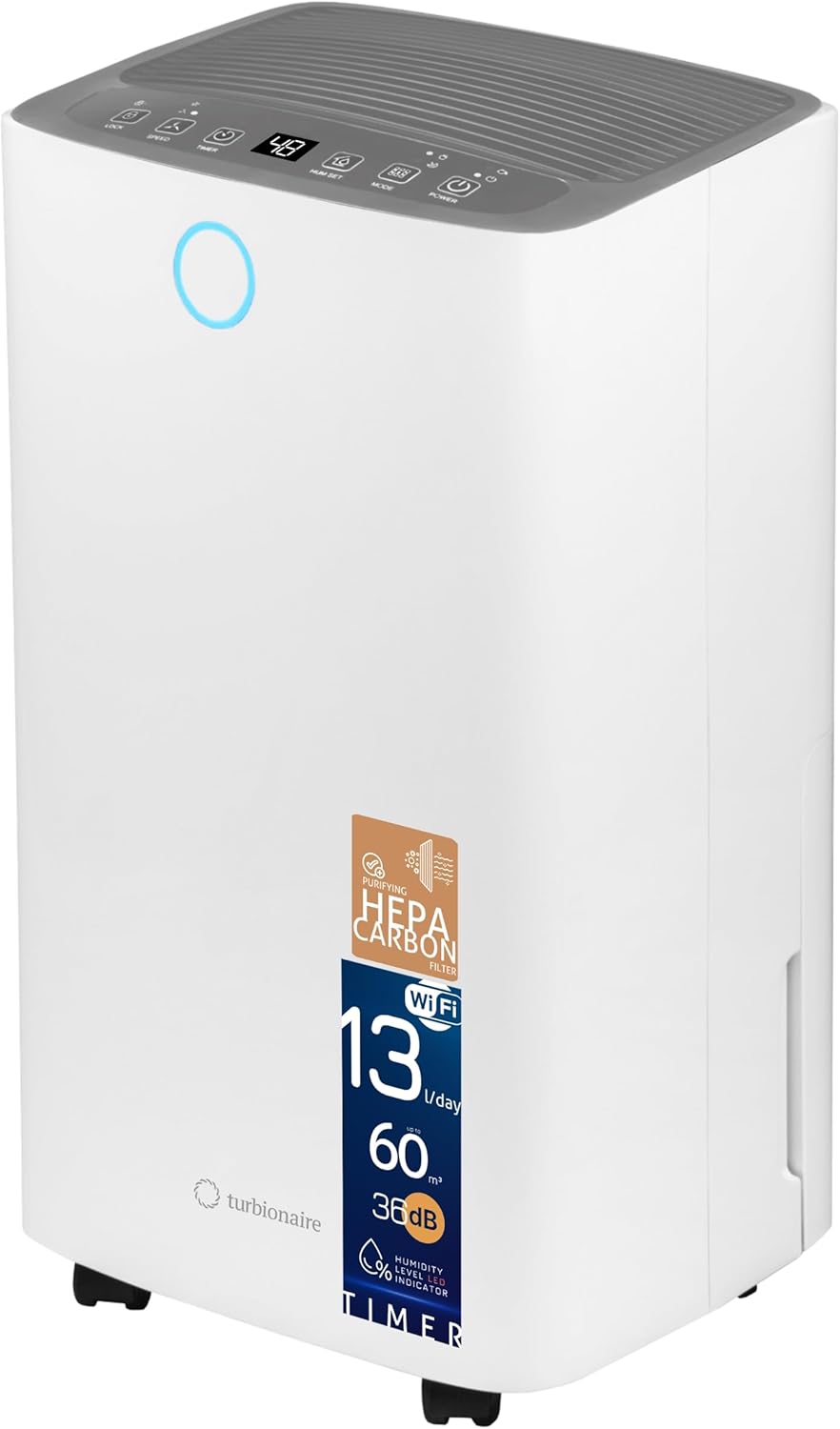
Image 1.1: Front view of the Turbionaire SENSO 13 WiFi Clean Dehumidifier, showcasing its compact design and control panel.
2. Safety Information
To prevent injury to the user or others and property damage, the following instructions must be followed. Incorrect operation due to ignoring instructions may cause harm or damage.
- Always connect the unit to a grounded power outlet.
- Do not operate the unit with a damaged power cord or plug.
- Do not insert fingers or foreign objects into the air inlet or outlet.
- Keep the unit away from water and other liquids.
- Ensure the unit is placed on a stable, level surface.
- Do not block the air inlets or outlets. Maintain at least 20 cm clearance from walls and furniture.
- Unplug the unit before cleaning or performing any maintenance.
- This appliance is not intended for use by persons (including children) with reduced physical, sensory or mental capabilities, or lack of experience and knowledge, unless they have been given supervision or instruction concerning use of the appliance by a person responsible for their safety.
3. Product Features
The Turbionaire SENSO 13 WiFi Clean combines powerful dehumidification with advanced air purification capabilities.
- 2-in-1 Functionality: Dehumidifies and purifies air simultaneously.
- Advanced Filtration: Equipped with a HEPA filter to capture up to 99.97% of fine particles (dust, pollen, allergens) and an Activated Carbon filter to neutralize odors and smoke.
- High Dehumidification Capacity: Removes up to 13 liters of moisture per day.
- Quiet Operation: Operates at a low noise level of 36 dB, suitable for day and night use.
- Smart Connectivity: Integrated WiFi allows remote control via a mobile application (Smart Life app).
- Humidity Indicator: An LED light changes color to indicate the current humidity level.
- User-Friendly Controls: Features a clear LED display, programmable timer (1-24 hours), and adjustable humidity control.
- Compact and Portable: Designed with compact dimensions (22 x 25.5 x 46 cm) and multi-directional wheels for easy movement.
- 2-Liter Water Tank: Conveniently collects condensed water.
- Automatic Features: Includes automatic shut-off when the water tank is full and automatic defrost.

Image 3.1: Overview of key features including quiet operation, WiFi connectivity, LED humidity indicator, and Smart Life app integration.

Image 3.2: Illustration of the compact dimensions of the dehumidifier, measuring 460 mm in height, 255 mm in width, and 220 mm in depth.
4. Setup
Follow these steps to set up your dehumidifier for the first time.
- Unpack the Unit: Carefully remove the dehumidifier from its packaging. Retain the packaging for future storage or transport.
- Placement: Place the unit upright on a firm, level surface in the desired location. Ensure there is at least 20 cm (8 inches) of space around the unit for proper airflow. Avoid placing it near heat sources or in direct sunlight.
- Filter Installation: The HEPA + Activated Carbon filter (T-Clean) should be installed before first use. Open the rear air intake grille and insert the filter as shown in the diagram. Ensure it is securely in place.
- Water Tank: Ensure the 2-liter water tank is correctly inserted into the unit.
- Power Connection: Plug the power cord into a grounded electrical outlet (220V).

Image 4.1: Diagram illustrating the internal components, including the HEPA Carbon filter, air intake, water reservoir, and continuous drainage option.
5. Operating Instructions
Familiarize yourself with the control panel and its functions.

Image 5.1: Close-up of the control panel showing various buttons and the digital display.
Control Panel Functions:
- POWER Button: Press to turn the unit ON or OFF.
- MODE Button: Cycles through operating modes:
- AUTO Mode: The unit automatically adjusts dehumidification based on the ambient humidity.
- CONTINUOUS Mode: The unit runs continuously regardless of humidity level.
- NIGHT Mode: Operates at a lower fan speed for quieter operation.
- HUM SET Button: Press to set your desired humidity level (e.g., 40%, 50%, 60%). The unit will operate until this level is reached.
- TIMER Button: Press to set a timer for automatic shut-off (1-24 hours).
- SPEED Button: Adjusts the fan speed between two settings (Low/High).
- LOCK Button: Activates/deactivates the child lock function, preventing accidental changes to settings.
WiFi Connectivity:
The unit can be controlled remotely via the Smart Life mobile application. Download the app from your smartphone's app store and follow the in-app instructions to connect your dehumidifier to your home WiFi network. This allows you to monitor and adjust settings from anywhere.
Humidity Indicator Light:
The LED light on the front of the unit indicates the current humidity level:
- Blue: Low humidity
- Green: Optimal humidity
- Red: High humidity
6. Maintenance
Regular maintenance ensures optimal performance and longevity of your dehumidifier.
Emptying the Water Tank:
When the water tank is full, the unit will automatically shut off, and an indicator light will illuminate. Carefully pull out the water tank, empty the collected water, and reinsert it securely. The unit will resume operation.
Cleaning the Dust Filter:
The reusable dust filter should be cleaned every two weeks or more frequently depending on usage. Open the rear air intake grille, remove the dust filter, and wash it with warm, soapy water. Rinse thoroughly and allow it to air dry completely before reinserting.
Replacing the HEPA + Activated Carbon Filter (T-Clean):
The HEPA + Activated Carbon filter is not washable and should be replaced periodically (typically every 6-12 months, depending on air quality and usage). Refer to the diagram for filter location. Replacement filters can be purchased from authorized retailers.
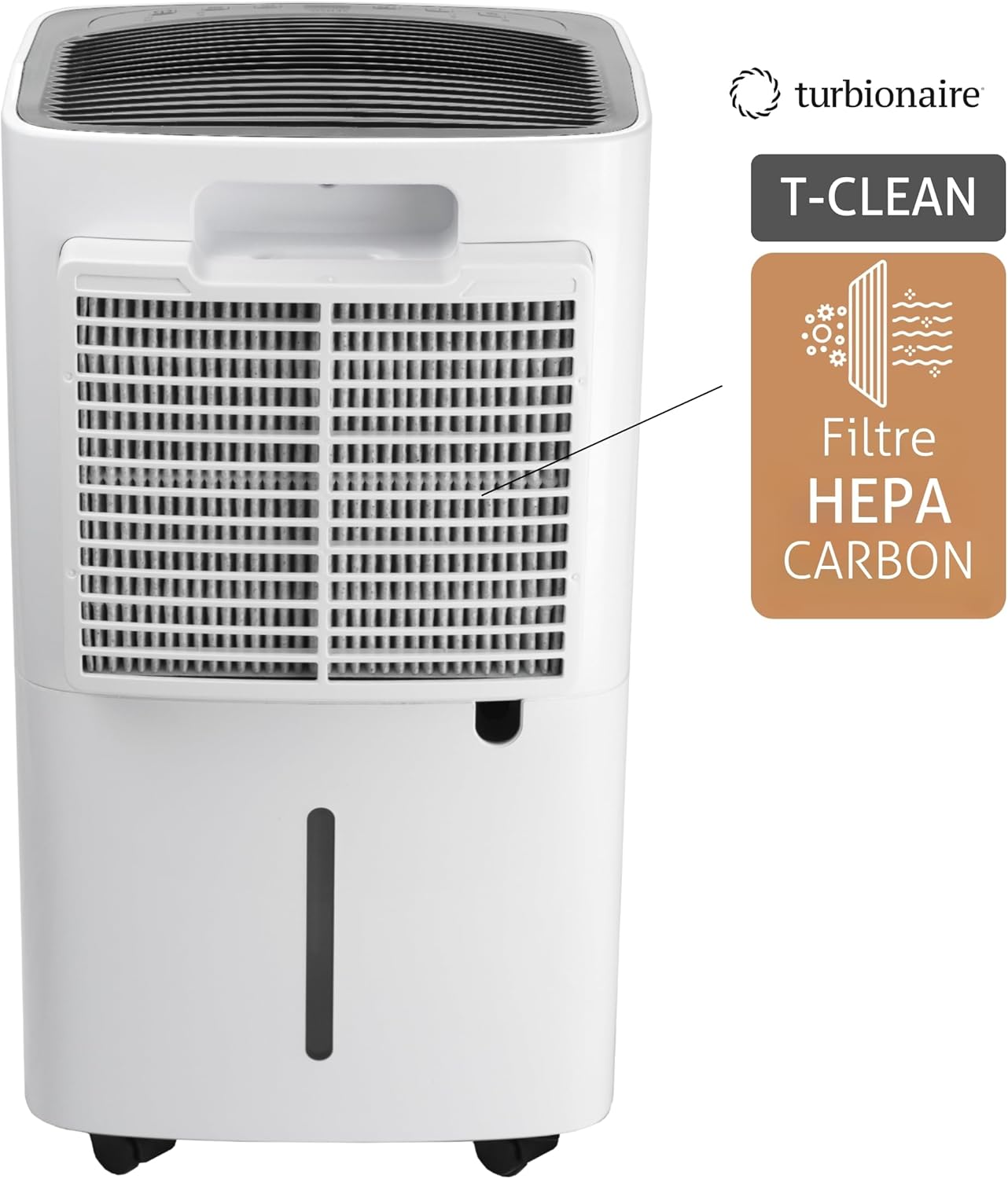
Image 6.1: Detail of the HEPA Carbon filter and its placement within the unit.
Cleaning the Unit Exterior:
Wipe the exterior of the unit with a soft, damp cloth. Do not use harsh chemicals or abrasive cleaners.
7. Troubleshooting
If you encounter issues with your dehumidifier, refer to the following common problems and solutions.
| Problem | Possible Cause | Solution |
|---|---|---|
| Unit does not turn on | No power supply; Power cord not plugged in; Water tank full or incorrectly inserted. | Check power connection; Empty and reinsert water tank correctly. |
| No dehumidification | Room temperature too low; Air filter clogged; Humidity setting too high. | Ensure room temperature is above 5°C (41°F); Clean air filter; Lower desired humidity setting. |
| Unit is noisy | Unit not on a level surface; Air filter clogged. | Place unit on a flat, stable surface; Clean air filter. |
| WiFi connection issues | Incorrect WiFi password; Router too far; App not updated. | Verify WiFi password; Move unit closer to router; Update Smart Life app. |
If the problem persists after trying these solutions, please contact customer support.
8. Specifications
Technical specifications for the Turbionaire SENSO 13 WiFi Clean Dehumidifier.
| Feature | Specification |
|---|---|
| Brand | Turbionaire |
| Model Number | SENSO13WIFIC |
| Color | White |
| Dehumidification Capacity | 13 L/day |
| Water Tank Volume | 2 Liters |
| Airflow Rate | 120 m³/h |
| Power Consumption | 195 Watts |
| Voltage | 220 Volts |
| Noise Level | 36 dB |
| Dimensions (L x W x H) | 22 x 25.5 x 46 cm |
| Weight | 11 Kilograms |
| Recommended Room Size | Up to 30 square meters |
| Special Features | Adjustable humidity control, Portable, Automatic humidity removal, WiFi connectivity, HEPA + Activated Carbon filter |
9. Warranty and Support
Your Turbionaire SENSO 13 WiFi Clean Dehumidifier comes with a manufacturer's warranty. Please refer to the warranty card included in your product packaging for specific terms and conditions. For technical support, spare parts, or warranty claims, please contact your local Turbionaire dealer or visit the official Turbionaire website for contact information.

